Platformio-atom-ide-terminal: How to remove top bar and buttons
I'm not familiar with Atom Themes, but should I make PR to plugin or in theme to remove top bar with buttons to have borderless terminal? Cheers, Thanks
Your plugin is great! 😸

 yangwao
All 4 comments
I personally find the hide and maximize functions helpful at times, so I dont think simply removing the btn-toolbar is a worthwhile consideration even if your proposal was optional.
Then you'de need to add those controls to the status bar when the .btn-toolbar is hidden and that may be too much overcrowding when you have few terminal instances open and if you have other addons making use of that space too.
Having said that, you can disable that locally for your setup, either if it bothers you or if you prefer a more clean layout by adding some CSS to your atom style.less
.platformio-ide-terminal.terminal-view {
.btn-toolbar {
display: none !important;
}
/* make input block smaller
.input-block {
padding: 2px !important;
}
*/
}

Like I said making this part of platformio-ide-terminal is not ideal and thers too many issues already that need attention rather then introducing changes that could potentially add to the existing issues.
Hope that helps,
TL:DR
We could use some bug squashing PR's though that make platformio-ide-terminal more robust and less buggy or add features like optional scrollbars especially since this project is not under active development from its author
So I hope the above CSS will help you in the meanwhile.
 the-j0k3r
on 30 Jul 2018
the-j0k3r
on 30 Jul 2018
Thanks.
I'm just using single terminal for project and shortcuts helps me a lot to work without distraction, but sometimes I'm missing few height px on smaller screens.
Anyway, this block did the thing.
.platformio-ide-terminal.terminal-view {
    .btn-toolbar {
        display: none !important;
    }
    .input-block {
        padding: 0px !important;
    }

}
YW.
You dont actually need the px suffix when the value is 0 ;)
the-j0k3r
on 31 Jul 2018
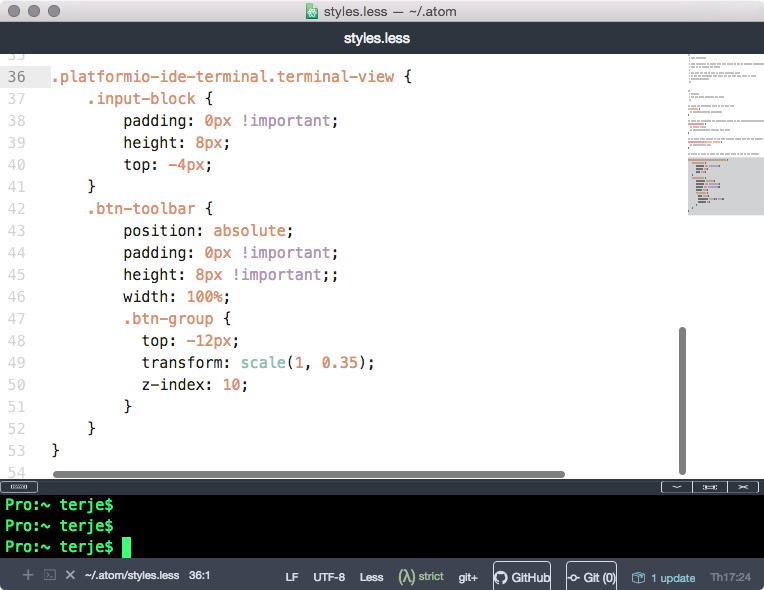
My preference is to have slimmer buttons and place the toolbar on top of the pane divider, using less space. The following styling does the trick:
.platformio-ide-terminal.terminal-view {
    .input-block {
        padding: 0px !important;
        height: 8px;
        top: -4px;
    }
    .btn-toolbar {
        position: absolute;
        padding: 0px !important;
        height: 8px !important;;
        width: 100%;
        .btn-group {
          top: -12px;
          transform: scale(1, 0.35);
          z-index: 10;
        }
    }
}
Here is a screenshot:
 njordhov
on 14 Jun 2019
njordhov
on 14 Jun 2019
Related issues
 jbrodriguez
·
4Comments
jbrodriguez
·
4Comments
 JoanaRFerreira
·
4Comments
JoanaRFerreira
·
4Comments
 courthead
·
3Comments
courthead
·
3Comments
 v3ss0n
·
4Comments
v3ss0n
·
4Comments
 fusion809
·
3Comments
fusion809
·
3Comments
Most helpful comment
Thanks.
I'm just using single terminal for project and shortcuts helps me a lot to work without distraction, but sometimes I'm missing few height px on smaller screens.
Anyway, this block did the thing.