Platformio-atom-ide-terminal: Change the user@host:dir colors
Hi!
Recently I started using atom and I really love platformio-atom-ide-terminal.
However, the terminal is monochromatic and it is kind of difficult to find the beginning of the line when we have a long output.
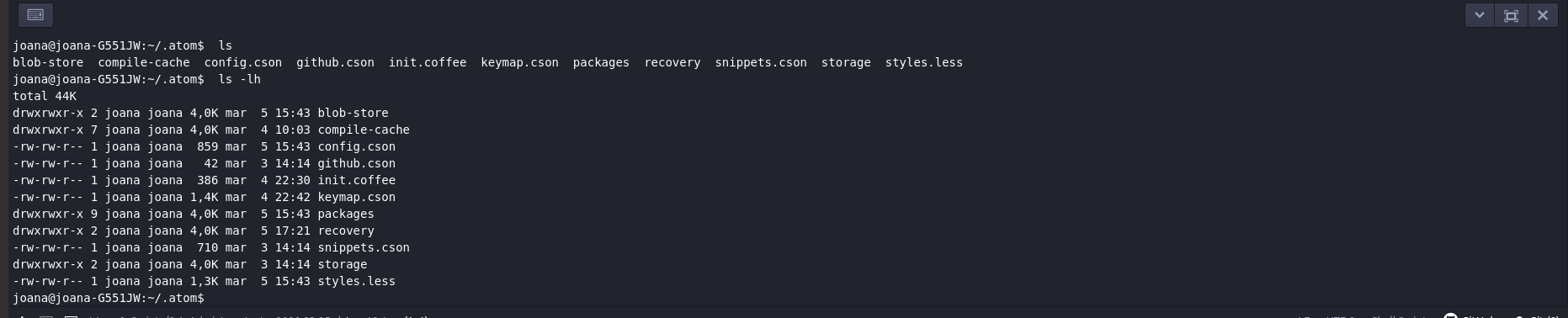
I was wondering if there is any way to change only the "user@host:dir" colors in the terminal? Similar to Ubuntu.
Thank you!
 JoanaRFerreira
All 4 comments
We would need to know what OS, the terminal in use, like powershelll, cmd, bash, git bash, wsl bash and so on.
Also Try https://github.com/bus-stop/terminus, this project is no longer developed
 the-j0k3r
on 15 Jul 2020
the-j0k3r
on 15 Jul 2020
I am currently using Ubuntu 18.04 and I use bash.
I eventually manage to change the colors by putting the following command in the the section "Auto Run Command" in Options.
PS1="\[\e[32;1m\]\[\e]0;\u@\h: \w\a\]${debian_chroot:+($debian_chroot)}\u@\h:\w\$\[\e[m\] " ; tput reset
It's not the perfect solution, but it works just fine.
JoanaRFerreira
on 15 Jul 2020
This is a path issue of sorts, your workaround would _likely_ not be needed if you have it in ~/.bash_profile
In any case you'd be better served with terminus its a fork of this project which also is in JavaScript instead of CoffeeScript.
the-j0k3r
on 15 Jul 2020
This is a path issue of sorts, your workaround would _likely_ not be needed if you have it in
~/.bash_profile
You are right, it's a way better solution than mine, thank you ;)
In any case you'd be better served with terminus its a fork of this project which also is in JavaScript instead of CoffeeScript.
I will try it out then.
Thank you again for your help!
JoanaRFerreira
on 15 Jul 2020
Related issues
 p0slaney-19
·
4Comments
p0slaney-19
·
4Comments
 conradolucas
·
5Comments
conradolucas
·
5Comments
 yangwao
·
4Comments
yangwao
·
4Comments
 televators
·
4Comments
televators
·
4Comments
 wo0dpeker
·
4Comments
wo0dpeker
·
4Comments
Most helpful comment
You are right, it's a way better solution than mine, thank you ;)
I will try it out then.
Thank you again for your help!