Pi-hole: Upgrade FTL not working: Unable to complete update, please contact Pi-hole Support
In raising this issue, I confirm the following: {please fill the checkboxes, e.g: [X]}
- [x] I have read and understood the contributors guide.
- [x] The issue I am reporting can be replicated.
- [x] The issue I am reporting isn't a duplicate (see FAQs, closed issues, and open issues).
How familiar are you with the the source code relevant to this issue?:
1
Expected behaviour:
Update finishes successfully
Actual behaviour:
  [â] Checking for user 'pihole'

  [i] FTL Checks...

  [â] Detected ARM-hf architecture (armv6 or lower) Using ARM binary
  [i] Checking for existing FTL binary...
  [i] Downloading and Installing FTL...curl: (6) Could not resolve host: github.com
  [â] Downloading and Installing FTL
  Error: URL https://github.com/pi-hole/ftl/releases/latest/download/pihole-FTL-arm-linux-gnueabi not found
  [â] FTL Engine not installed

  Unable to complete update, please contact Pi-hole Support
Steps to reproduce:
sudo pihole -up
Debug token provided by uploading pihole -d log:
cdzihje8ji
Troubleshooting undertaken, and/or other relevant information:
Tried doing the update a few times, changed my DNS servers to use Cloudflare and Google instead of the pihole.
 teckel12
All 63 comments
I did the following to diagnose:
curl -o test https://github.com/pi-hole/ftl/releases/latest/download/pihole-FTL-arm-linux-gnueabi
The contents of test are:
<html><body>You are being <a href="https://github.com/pi-hole/ftl/releases/download/v5.0/pihole-FTL-arm-linux-gnueabi">redirected</a>.</body></html>
It would seem that the install script doesn't like the redirect from latest to v5.0.
teckel12
on 14 May 2020
- Did a source code search for
Downloading and Installing FTLand found a hit withbasic-install.sh - Searched for the file
basic-install.shon my system and found it at/etc/.pihole/automated install/basic-install.sh - Changed the reference from
https://github.com/pi-hole/ftl/releases/latest/downloadtohttps://github.com/pi-hole/ftl/releases/download/v5.0 - Ran
sudo pihole -upagain - Werked
So my problem is resolved, but I would assume others are having this problem and may not be savvy enough to get past it. Seems like a bug, but not sure how anyone would have upgraded as it is. I'll look into a bit more.
teckel12
on 14 May 2020
```
curl -o test https://github.com/pi-hole/ftl/releases/latest/download/pihole-FTL-arm-linux-gnueabi
```
That's the incorrect flag(s) for curl. Our instructions are curl -sSL which means download over a secure connection, silently, and follow any redirects. Without the -L to follow redirects you will get the output that you have seen in the test file.
 dschaper
on 14 May 2020
dschaper
on 14 May 2020
What the core problem is, for this issue is curl: (6) Could not resolve host: github.com. Something prevented the resolution of github.com.
dschaper
on 14 May 2020
It was able to resolve github.com just fine. I changed the link from https://github.com/pi-hole/ftl/releases/latest/download to https://github.com/pi-hole/ftl/releases/download/v5.0 and the update worked just fine.
teckel12
on 14 May 2020
I know it's saying it can't resolve github.com, but obviously it can if curl works. I wasn't doing the curl statement to duplicate what the install script was doing, I did the curl to verify that github.com was resolving, and it was.
teckel12
on 14 May 2020
  [â] Detected ARM-hf architecture (armv6 or lower) Using ARM binary
  [i] Checking for existing FTL binary...
  [i] Downloading and Installing FTL...curl: (6) Could not resolve host: github.com
  [â] Downloading and Installing FTL
  Error: URL https://github.com/pi-hole/ftl/releases/latest/download/pihole-FTL-arm-linux-gnueabi not found
  [â] FTL Engine not installed
Note the output on line 3.
dschaper
on 14 May 2020
The output you provided of the failed update shows that curl: (6) Could not resolve host: github.com. That's possibly transient, may have had another issue that caused it, but that it the true cause of Error: URL https://github.com/pi-hole/ftl/releases/latest/download/pihole-FTL-arm-linux-gnueabi not found
dschaper
on 14 May 2020
Heh, I get that, but explain this, why then did curl -o test https://github.com/pi-hole/ftl/releases/latest/download/pihole-FTL-arm-linux-gnueabi work?
And also, why would the update not work several times, and then worked after I changed the link?
teckel12
on 14 May 2020
Forget the output, it's wrong =)
It was able to resolve github.com just fine, that's the bug.
teckel12
on 14 May 2020
Heh, I get that, but explain this, why then did
curl -o test https://github.com/pi-hole/ftl/releases/latest/download/pihole-FTL-arm-linux-gnueabiwork?
I don't know, it's not something that is part of the install script. You can believe me or you can continue to dig for a solution you're not going to find.
I'm not going to forget the output, I wrote that section of the installer to specifically output that information for cases exactly like this.
dschaper
on 14 May 2020
If you'd prefer not to have my assistance, just let me know. As a programmer myself, I too can be too close to my own code and get a bit emotional when someone questions it.
But I'm telling you, I did the install several times, over the course on an hour and it failed every time. And every time I tried to go to github.com it worked just fine. Also, the only thing that fixed it was when I changed the link from the redirect to the actual link.
Also, I was updating my entire pi-hole, not just FTL, so I'm sure it had to resolve github.com several other times during the install and those worked.
But like I said, I'm only trying to help at this point as I got around the problem by changing the path. If you don't want feedback, I'll close the issue. At least when the next guy has this problem the issue will be out there to find the solution.
teckel12
on 14 May 2020
It would seem that the install script doesn't like the redirect from
latesttov5.0.
Without the -L to follow redirects you will get the output that you have seen in the test file.
I wasn't doing the curl statement to duplicate what the install script was doing, I did the curl to verify that github.com was resolving, and it was.
curl: (6) Could not resolve host: github.com that is the exact, unmodified output from curl. There's nothing we do to that output. I'm telling you the problem you had was that curl could not resolve the host. Why? I don't know, your /etc/resolv.conf may have changed, or there may have been other issues. But the core problem is that curl said it could not resolve the host. If you feel that error message is incorrect then curl would be the package to report issues to.
But feel free to talk to @PromoFaux instead of me if you're not happy with my tone.
dschaper
on 14 May 2020
@dschaper Looking at the script and the output, I can totally understand your position. It does all seem correct. I was upgrading from 4.3.2, but it doesn't seem like there were any changes to basic-install.sh since then that would have changed how this works.
BTW, my resolv.conf is:
nameserver 1.1.1.1
And that hasn't changed since April of last year.
teckel12
on 14 May 2020
Also, please understand that I saw the curl: (6) Could not resolve host: github.com error, which I then did a curl https://github.com because I was concerned that maybe the pi-hole DNS was down due to the update and it was pointing to itself, so it couldn't resolve. But, the curl returned github.com just fine. So I did the install again with the same result. That's when I took a deep-dive to see what it was actually doing.
I ran the update 5 times and it failed with the same error. I then changed the link and it worked. I totally get what you're saying, but what you're suggesting is that I ran the install script 5 times and each time github.com couldn't resolve, yet, everytime I ran curl manually on github.com it resolved. Keeping in mind, that these events were interleaved between each other. Doesn't that seem HIGHLY improbable?
So this is why we're in the situation where you see the curl: (6) Could not resolve host: github.com error which makes anything else highly improbable. And I was going back and forth between running the script and running curl against github.com and it seems highly improbable that it was actually a DNS issue. Also, as I was doing a full 4.3.2 to 5.0 update, I'm sure it had to resolve github many times during the script, yet it only failed at that one point, and continued to fail in the same place.
Something "HIGHLY improbable" was happening, that's for sure.
teckel12
on 14 May 2020
If you want a true duplication, since you are running sudo pihole -up (which is not what we suggest, but instead just pihole -up), try your curl tests with sudo curl.
I can see no conceivable way curl: (6) Could not resolve host: would mean anything other than exactly what curl is erroring out with.
dschaper
on 14 May 2020
@dschaper I also ran the update with and without the sudo. The first time was without, as I was following your update instructions. When it didn't work, I tried with the sudo.
And I totally agree, I can't see how it's possible that curl would return that it can't resolve the domain if the problem was something else. Yet, I can't see how it's possible that I could resolve the domain every time, but it wouldn't resolve with the update script.
And doing the curl manually with and without the sudo yields the same results.
teckel12
on 14 May 2020
BTW, my
resolv.confis:nameserver 1.1.1.1And that hasn't changed since April of last year.
I think this may be part of it, previous to version 5, Pi-hole really didn't function unless resolv.conf was set to 127.0.0.1, in fact the startup process for FTL changed that file to 127.0.0.1.
dschaper
on 14 May 2020
I don't know what to say, I've tried a few different combinations of pihole -up and sudo pihole -up on 2 different droplets (one debian, on centos), and one on raspbian and I cannot reproduce the error
  [✓] Detected ARM-hf architecture (armv7+)
  [i] Checking for existing FTL binary...
  [✓] Downloading and Installing FTL
  [✓] Installing scripts from /etc/.pihole
  [✓] Detected x86_64 architecture
  [i] Checking for existing FTL binary...
  [✓] Downloading and Installing FTL
  [✓] Installing scripts from /etc/.pihole
Now... one thing I did notice in your debug log (and I might be barking up the wrong tree here because I know next to nothing about IPv6 but:
*** [ DIAGNOSING ]: Name resolution (IPv6) using a random blocked domain and a known ad-serving domain
[✓] www.forboringbusinesses.com is :: via localhost (::1)
[✗] Failed to resolve www.forboringbusinesses.com via Pi-hole (fd00:9050:ca4e:f6c2:c089:8eb9:5e96:8445)
[✗] Failed to resolve doubleclick.com via a remote, public DNS server (2001:4860:4860::8888)
I would expect doubleclick.com to resolve via Google's public IPV6 resolver. So perhaps the clue here is that curl at the time of downloading was using IPv6 (I don't really understand why it would when IPv4 resolution is available) to attempt to resolve github.com
@teckel12 there is clearly something transient here, and I am not entirely sure how to try and reproduce it. The constant is that it is happening on your Pi/network, but not others. So where do we begin?
@dschaper Can you think of any way IPv6 might be getting in the way here?
 PromoFaux
on 14 May 2020
PromoFaux
on 14 May 2020
Yes, IPv6 can cause curl to fail. https://stackoverflow.com/a/24987376
dschaper
on 14 May 2020
I didn't think about IPv6 being an issue, but that does make sense. I'll do some testing.
I also found this that seemed interesting: _Originally posted by @mackman81 in https://github.com/pi-hole/pi-hole/issues/3233#issuecomment-612023435_
Maybe DNS is being taken down during the install so it can't resolve github.com, when it errors out and I try it, DNS is back up. Which would explain why every time I tested it, github.com was resolving just fine. And the last time that it finally worked, maybe something happened a bit faster (or slower) and it had nothing to do with changing the link.
teckel12
on 14 May 2020
curl -sSL --fail --ipv6 "https://github.com/pi-hole/FTL/releases/latest/download/pihole-FTL-arm-linux-gnueabi" -o "test.tar.gz"
curl: (6) Could not resolve host: github.com
Maybe adding --ipv4 to the install script to force IPv4?
teckel12
on 14 May 2020
So it's falling back to you V6 network to resolve GitHub.com
Presumably your V6 routing isn't working? I would have expected it to resolve if it were... But then V6 is such a different beast I haven't got around to learning about it yet.
PromoFaux
on 14 May 2020
I thought I had IPv6 turned off, which is why when I force IPv6 it fails.
teckel12
on 14 May 2020
Indeed, and according to your debug log you have a V6 address assigned to your Pi and 2 upstream V6 servers, which I guess may be causing the issue
PromoFaux
on 14 May 2020
I don't think we need to force things over IPv4, it will work with IPv6 when it has all the necessary information.
dschaper
on 14 May 2020
But I do agree that we should download all assets and binaries before doing anything that may disable name resolution. I think we've mitigated most of that with the removal of resolvconf and localhost as a dependency, but if we can do better we should.
dschaper
on 14 May 2020
Okay, so I was wrong, I have IPv6 setup on all my systems (router, server and devices that support it). This includes the Raspberry Pi that is running Pi-Hole. When I do a curl -sS --ipv6 https://github.com/ on any other system, it returns the page. But, on the Raspberry Pi running Pi-Hole I get the curl: (6) Could not resolve host: github.com error.
Not sure what's up, as ifconfig shows ipv6 and I've tried to set IPv6 DNS servers on the Pi but it just doesn't seem to take. Google searches are not being helpful either. Basically, my Raspberry Pi isn't working with IPv6 DNS but I'm not sure why.
teckel12
on 15 May 2020
@dschaper That's what I believe is happening. Something in the install process is trashing the DNS, and then when it tries to download a file github.com it can't resolve the domain. That would totally explain my experience. I'm not sure the IPv6 issue would change anything, still investigating that.
teckel12
on 15 May 2020
So at this point the pihole -up is still failing? Or how are you getting to a point where curl is still responding that it can't resolve host?
dschaper
on 15 May 2020
I think some dig -6 github.com runs will be enlightening.
dschaper
on 15 May 2020
I came across the same issue with latest update.
Tried all the proposed things, including manual install, and change the link @teckel12 suggested. Still fails. Just stuck on Downloading and Installing FTL... and that's it.
I even tried to completely uninstall pihole and install it again. And you know what? I can't complete the installation cause it stucks at the same level.
I have Ipv6 disabled on my router, so it for sure wouldn't work against it.
Tried adding 127.0.0.1 as a nameserver - then DNS completely denies to resolv everything and installation fails.
And the main question: why on Earth even manual download of package by wget -O basic-install.sh https://install.pi-hole.net and installation via sudo bash basic-install.sh forces download and update of FTL?
 AlexanderPoleschuk
on 15 May 2020
AlexanderPoleschuk
on 15 May 2020
@dschaper After running pihole -up enough times, I must have caught it where DNS wasn't disabled so it could download FTL and continue. But since I have tried running pihole -r and it again lost DNS right in the middle so it couldn't download FTL.
So, I'm updated to v5.0 and I'm running without issues. But the core problem still exists, I just finally got lucky and it worked once.
teckel12
on 15 May 2020
@teckel12 I deleted that post by myself being not sure that this is the root cause of the issue.
The thing that I have now with any installation option including downloading manually - it just stucks. With no any error for git or whatever.
This is the only I see for last 2 hours in console:
[i] FTL Checks...
[✓] Detected ARM-aarch64 architecture
[i] Checking for existing FTL binary...
[i] Downloading and Installing FTL...
So big issue now is that - my installation(not update) stucks there and I don't even have any option to provide cause pihole is not even installed.(sounds like Captain Obvious, I know).
I would be grateful if someone provides me a way to switch to 4.3.1 branch and install from there. It worked perfectly before I decided to upgrade...
AlexanderPoleschuk
on 15 May 2020
Ok, so after 2hours of waiting it finally died with:
[i] Downloading and Installing FTL...curl: (56) OpenSSL SSL_read: SSL_ERROR_SYSCALL, errno 104
[✗] Downloading and Installing FTL
Error: URL https://github.com/pi-hole/FTL/releases/latest/download/pihole-FTL-aarch64-linux-gnu not found
[✗] FTL Engine not installed
Tho, this link is easily reachable via browser and the file can be downloaded.
AlexanderPoleschuk
on 15 May 2020
@AlexanderPoleschuk What I believe is happening is that the install is trashing your DNS right in the middle, so at the time it wants to download FTL, there's no DNS so it can't find the file.
teckel12
on 15 May 2020
I had this same issue this morning, but somehow restarting my server fixed it 🤷♂️
 DanDobrick
on 15 May 2020
DanDobrick
on 15 May 2020
I came across the same issue with latest update.
curl: (56) OpenSSL SSL_read: SSL_ERROR_SYSCALL, errno 104
@AlexanderPoleschuk this is a different error entirely. 104 is "Connection reset by peer", which means you were at least able to resolve github.com, but for whatever reason your download hung. I'm not entirely sure why, this is an error reported back from curl/ @teckel12's error is that it's not even resolving github.com at this stage.
why on Earth even manual download of package by wget -O basic-install.sh https://install.pi-hole.net and installation via sudo bash basic-install.sh forces download and update of FTL?
The option to download the script is so that you can review what it does yourself, rather than blindly curl | bashing it. Running a script you downloaded is not a manual install ;) BUT let's not veer off topic here. We did a blog post about piping to bash a long time ago, and there isn't a lot else we have to say on the matter.
@teckel12 what is the output of dig -6 github.com ?
Edit to add: I'm not necessarily denying there is an issue with the code here albeit maybe an edge case issue, but until we can reliably reproduce the error it's going to be difficult to triage.
PromoFaux
on 15 May 2020
@PromoFaux The reason I've asked that questions is that now I have my pihole completely dead w/o any chance to install it as it still stucks.
So, I'd appreciate any way to either manually download packages and install or switch to a branch before 5.0, cause it worked fine.
If there any useful info that I may grab from my orangepi or any logs - just give me the hints or instructions.
AlexanderPoleschuk
on 15 May 2020
@PromoFaux Even though IPv6 is running on my network and every device that supports it, dig -6 doesn't work on any system I have, it returns connection timed out; no servers could be reached.
curl --ipv6 -v -o /dev/null https://github.com/ on all other devices does show proper IPv6 DNS lookup and download. But, on the Raspberry Pi running pi-hole, it doesn't resolve DNS on IPv6, instead it returns Could not resolve host
However, the issue isn't that IPv6 isn't running on the Pi. ping6 -c 1 ::1 returns a ping. It's that for whatever reason, there's no IPv6 DNS on just the Pi device. I've set it up in /etc/dhcp/dhclient.conf but still IPv6 won't resolve.
Kinda running into roadblocks as to why IPv6 DNS isn't working on the Pi.
teckel12
on 15 May 2020
@AlexanderPoleschuk What are the contents of your /etc/resolv.conf file?
teckel12
on 15 May 2020
Raspbian uses dhcpcd5 for addressing, changes to /etc/dhcp/dhclient.conf will have no affect.
dschaper
on 15 May 2020
Does a ping6 -c 1 2607:f8b0:4007:80d::200e work? Pinging your local address should always work no matter what.
dschaper
on 15 May 2020
@dschaper ping6 -c 1 ::1 works, as does ping6 -c 1 [my-ipv6] where [my-ipv6] I replaced with my own IPv6 address, not the one you listed.
teckel12
on 15 May 2020
That's Google's IPv6 address. If you can't get a ping then you're not set up to have IPv6 off your local lan.
dschaper
on 15 May 2020
@dschaper I also set the DNS in /etc/dhcpcd.conf:
nameserver 1.1.1.1
nameserver 2606:4700:4700::1111
Are you able to ping an IPv6 address off your lan?
dschaper
on 15 May 2020
In any case, I'm not sure why IPv6 is even being looked at. I only turned on IPv6 on the pi-hole because you really need to if you're going to block IPv6 ads. I remember I had it turned off originally, but ads were still being served. So I had to reconfigure turning IPv6 on.
teckel12
on 15 May 2020
Because curl returns an error if you have it enabled and it's not configured correctly.
dschaper
on 15 May 2020
When I try to resolve google, I get 2607:f8b0:4009:805::200e
teckel12
on 15 May 2020
So, here is the reason behind the curl falling over:
https://unix.stackexchange.com/a/220149
Appears it's a known (fixed) issue with curl.. however see also: https://serverfault.com/a/932825
As long as ipv6 is not correctly configured on your pi, it's always going to fall into this behaviour, as you have a routable ::1, but nothing out to the internet.
To be honest, this is why I haven't really bothered with V6 on my network. I don't _need_ it, and it's such a different beast to V4 that i just can't be bothered with messing about trying to make it work! Every time I've enabled it, there is always some gotcha that makes me disable it again...
PromoFaux
on 15 May 2020
I only turned on IPv6 on the pi-hole because you really need to if you're going to block IPv6 ads.
No, you don't.
I asked you for specific information and you are unable to provide it. I wish you the best of luck but I'm going to spend my limited time other places.
dschaper
on 15 May 2020
curl only returns the error when IPv4 is disabled during the install and it falls back to IPv6
teckel12
on 15 May 2020
Sorry, what specific information do you want? I must have missed that.
teckel12
on 15 May 2020
ping6 -c 1 2607:f8b0:4007:80d::200e
dschaper
on 15 May 2020
@teckel12 actually I experimented with two options:
nameserver 192.168.1.51 (device's ip)
nameserver 1.1.1.1
and
nameserver 8.8.8.8.
Not sure which one been there when my installation finally completed w/o errors. Seems like a glitchy Friday...
AlexanderPoleschuk
on 15 May 2020
curl only returns the error when IPv4 is disabled during the install and it falls back to IPv6
So I've followed the code through from just before where it is falling over for you, let's start here. At this point of the install script, nothing has been disabled, there is no disabling of IPV4, and pihole-FTL is still running.
We follow that through to this line that actually attempts to download the newer version of pihole-FTL, again up to this point, nothing on the IP stack has been touched, and pihole-FTL is still running. We know that you are getting at least that far because of the output above:
[i] Downloading and Installing FTL...curl: (6) Could not resolve host: github.com
What I'm trying to point out here, is that we don't touch the network during the update process. pihole-FTL isn't even stopped until after a successful download of the latest version.
I have to say I think the installer is doing everything it can at this point. As Dan suggested above, we shouldn't be forcing curl to use v4, what if someone has their network set up as v6 only? (masochists!)
All I can suggest is you work out the root cause of the network issues you're having on this Pi, and then try the installer again.
I've not tested this, but I _might_ have a workaround (keep in mind that if this works, it's just kicking the can down the road, you'll still need to work on your networking issues)
I can see from your debug log that FTL is the only component that has not updated to 5.0... I think I also recall you saying that doing a curl command whilst the installer is not running was yielding succesful results.
Does Pi-hole update if you specifically pin it to 5.0? You can try this with pihole checkout ftl v5.0
Again, keep in mind that if this works it's only obscuring a deeper issue, one which I don't think we're going to be able to resolve in this comment thread. I'm very conscious that I'm now typing out the 58th comment in this thread, and we haven't really got much further than:

PromoFaux
on 15 May 2020
@dschaper I answered your question in _Originally posted by @teckel12 in https://github.com/pi-hole/pi-hole/issues/3378#issuecomment-629409966_
But since then I totally turned off IPv6 as to not confuse the issue. I probably can't test the install script till there's another update.
teckel12
on 15 May 2020
Okay, so the issue is that your network (or Pi) has no actual IPv6, this causes curl to fail with the proper DNS error. As noted in the 4th post of this thread.
It's you, not me.
dschaper
on 15 May 2020
@dschaper And why would curl decide to use IPv6 all of a sudden? And only in the middle of the install script when everything works perfectly for the last year and half. So yeah, ignore there's a problem, even though there's a flood of these issues flowing in. Hiding your head in the sand is a strategy, but a poor one.
teckel12
on 16 May 2020
@teckel12 - The conclusion to all of this was this comment: https://github.com/pi-hole/pi-hole/issues/3378#issuecomment-629441202 In which I stepped through the code line by line and demonstrably proved that we do not touch the network stack or disable IPV4 as you claim during this process.
I answered your question in Originally posted by @teckel12 in #3378 (comment)
You also did not answer the question, you changed out the IP address you were asked to ping:

even though there's a flood of these issues flowing in.
Yours is the only issue that is following these circumstances, hence the other guys was split out to a seperate thread (and resolved) There are not a flood of these issues.
Check against the Github public API (if you can resolve it), or the github release stats via this page. FTL 5.0 has been successfully downloaded some 43,000 times. Which means FTL 5.0 has been downloaded 43,000 times and not faced this issue.
The long and short of this is that this is a networking issue on your Pi, and you are the only one that can resolve that.
I even linked to an explanation of why this is happening, but you ignored that too : https://github.com/pi-hole/pi-hole/issues/3378#issuecomment-629421874
If you're not willing to acknowledge the explanations we've already given you, despite all the evidence, then we can't help you any further with this issue. Locking as it's just counterproductive to try and reason at this point
PromoFaux
on 16 May 2020
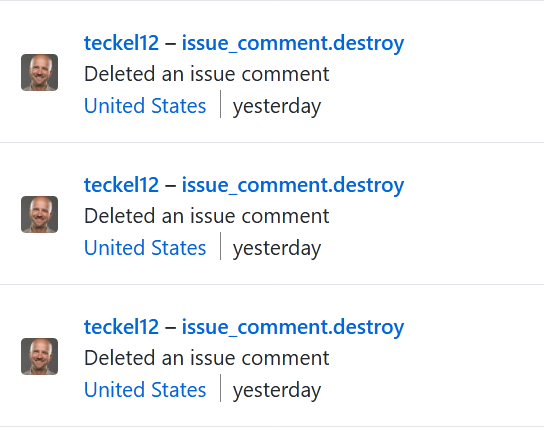
Well, to be fair, my question may have been answered and I just didn't see it when comments were deleted to revise history and hide things that may have agreed with our assessment of the problem being external to Pi-hole.
dschaper
on 16 May 2020
Related issues
 kwasmich
·
53Comments
kwasmich
·
53Comments
 cardassian-tailor
·
38Comments
cardassian-tailor
·
38Comments
 rj45jack
·
33Comments
rj45jack
·
33Comments
 JobbeDeluxe
·
37Comments
JobbeDeluxe
·
37Comments
 fsantiago07044
·
31Comments
fsantiago07044
·
31Comments
Most helpful comment
Ok, so after 2hours of waiting it finally died with:
[i] Downloading and Installing FTL...curl: (56) OpenSSL SSL_read: SSL_ERROR_SYSCALL, errno 104
[✗] Downloading and Installing FTL
Error: URL https://github.com/pi-hole/FTL/releases/latest/download/pihole-FTL-aarch64-linux-gnu not found
[✗] FTL Engine not installed
Tho, this link is easily reachable via browser and the file can be downloaded.