Pencil: [UX] When undocking panels, some are lost with the background
Issue Summary
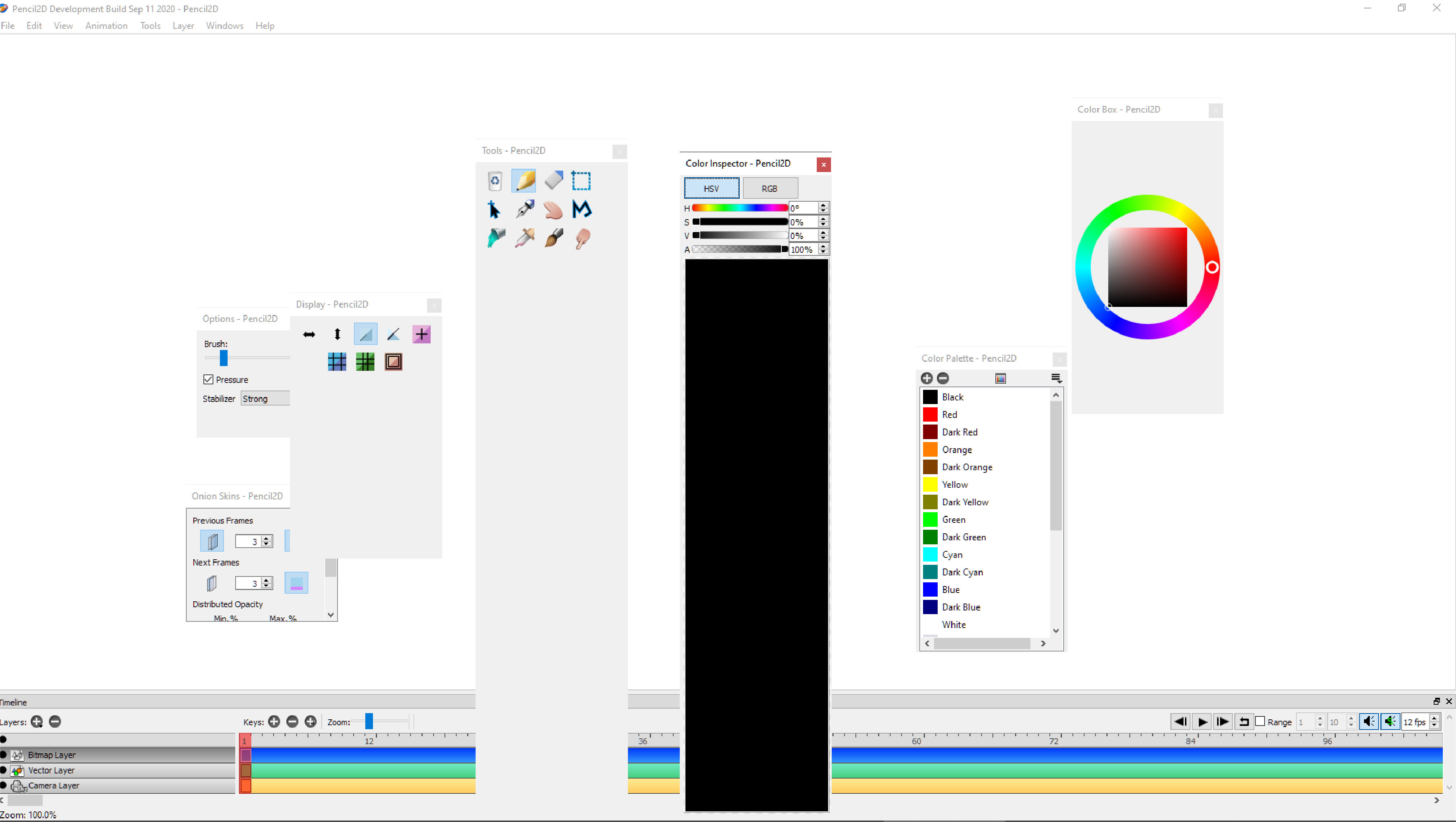
With this image we can see the issue I wanted to explain: After undocking all tool panels into the canvas I noticed just two of them had a well defined outlines, _ColourPallete and OnioSkinPanel_. The rest of them are mixed with the white canvas and had their contour almost lost since their main colour were also white.
It seems very easy to do what I am proposing next: to outline all panels to have a distinctive and clear shape against to any colour or background
 Kaikogf
All 3 comments
That screenshot of yours looks very wrong to me. Distinguishing windows from what’s behind them should be the job of the window manager, not the job of Pencil2D (or any other “classic” application, for that matter). On Windows, those windows should at least have a shadow to distinguish them from what’s behind them, like this:
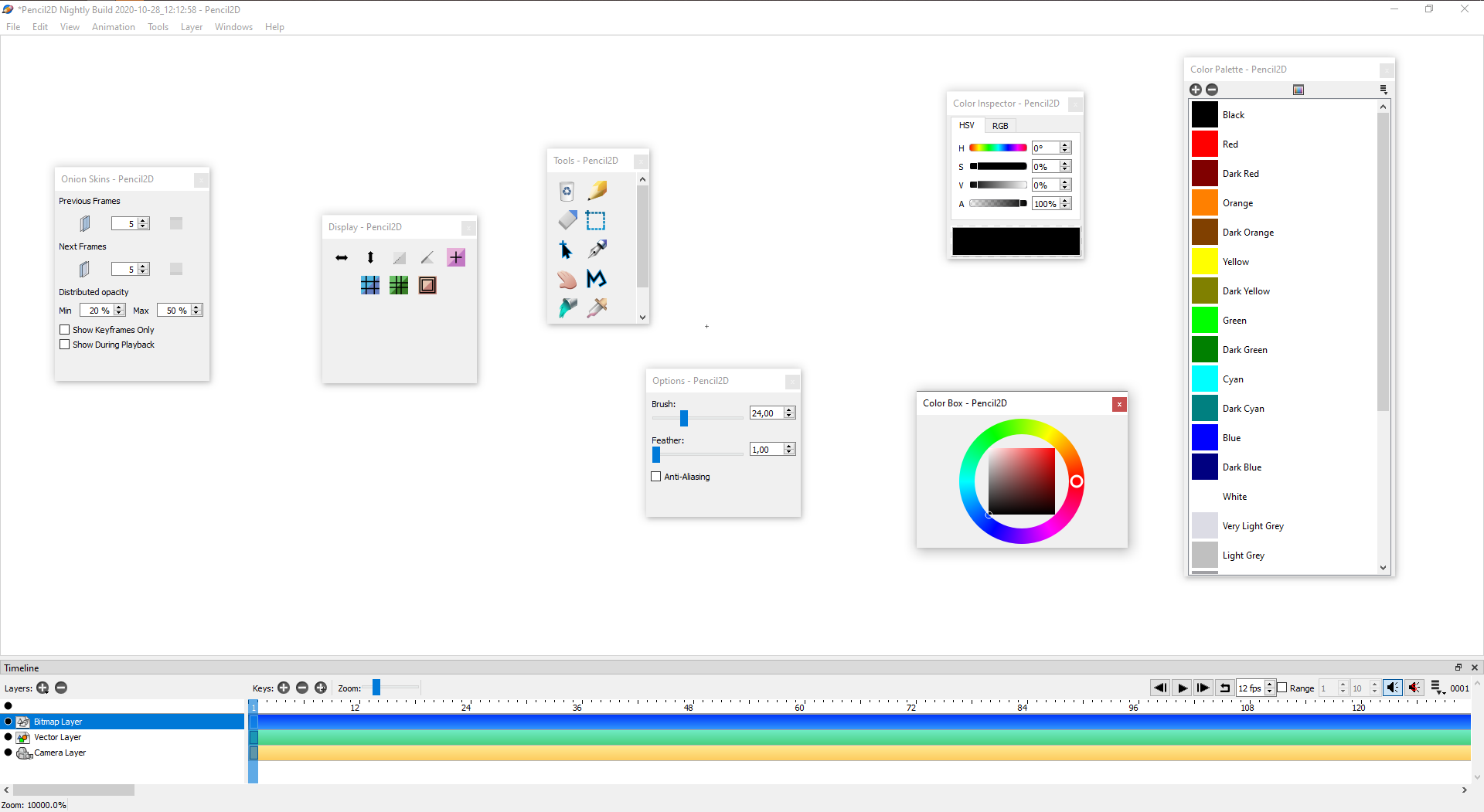
Please try opening the Windows settings app and go to System → About. In the “Related settings” section, select Advanced system settings. Then, in the “Performance” section of the window that appears, press the “Settings…” button, which will open another window. In that window, is the “Show shadows under windows” checkbox activated? If not, does activating it and applying the settings fix this issue?
 J5lx
on 7 Dec 2020
J5lx
on 7 Dec 2020
Now that I think about it, it might also be an issue with Qt’s Windows style, since those tool windows do look somewhat different from normal Windows windows. Either way I’m pretty sure this is something that should be fixed by another party.
J5lx
on 7 Dec 2020
@J5lx
You were right. Nice!
I always configure my operating system to work with no shadows on windows. So I reverted that function and now the windows got that distinctive separation.
Closing this issue
Kaikogf
on 9 Dec 2020
Related issues
 CandyFace
·
4Comments
Kaikogf
·
3Comments
CandyFace
·
4Comments
Kaikogf
·
3Comments
 prokoudine
·
4Comments
prokoudine
·
4Comments
 Jose-Moreno
·
3Comments
Jose-Moreno
·
4Comments
Jose-Moreno
·
3Comments
Jose-Moreno
·
4Comments