Pencil: [BUG] HORIZONTAL FLIP hides content of the canvas when using VECTOR Layers
--Issue Summary--
When activating the _Horizontal Flip_ AND having the _SHOW OUTLINES ONLY_ activated [on the Display panel] all content of the canvas disappear.
Not sure but the Bug can be related to the _Show Outlines Only_ feature instead of the _Horizontal Flip_!
;)
--Actual Results
Flipping the canvas Horizontally makes its content to be hidden (only if the _Show Outlines Only_ feature is also activated)
--Expected Results--
The Horizontal flipping should show the content flipped
--Video or Image Reference--
--Steps to reproduce--
- Open Pencil2D
- Select a VECTOR layer
- Draw some lines near the border of the canvas so you can check it changed
- Go and click on _Horizontal Flip_ feature on the Display panel. If you see the lines flipped then go to ShowOutlinesOnly and select it. Use the Horizontal Flip again
--System Information--
Pencil2D Version:
Last Build 23August2017)Operating System:
Windows 8.1 x 64bitsRAM Size:
32GBGraphics Tablet:
HUION GT185 HD
 Kaikogf
All 3 comments
Pencil2D v. 15March2018
To start with: I am not fun of vector things so I might misunderstood something here:
The issue in the title seems to be fixed for the Pen and Brush tools.
Having the ShowOutlinesOnly pressed and flipping horizontally/vertically will work OK when using the Pen and Brush tools. When using the Pencil tool all lines disappear when pressing ShowOutlinesOnly.
Is this a normal behavior? If yes I will close this issue
Kaikogf
on 17 Mar 2018
When using the Pencil tool all lines disappear when pressing ShowOutlinesOnly.
@Kaikogf Are you sure about that? When I use the Pencil tool on a vector layer, and then toggle the Show Outlines Only option, the pencil lines go from dotted lines to solid lines, not invisible lines. If you turn the Show Invisible Lines option off, then the pencil lines should never show: in outline mode, flipped, or any other configuration. Is it possible you pressed that button by accident (the icons look nearly identical after all). What you describe does not sound like regular behavior as far as I understand it. Here's what it looks like for me, and more or less how I expect it should work:
Show Invisible Lines On, Show Outlines Only Off
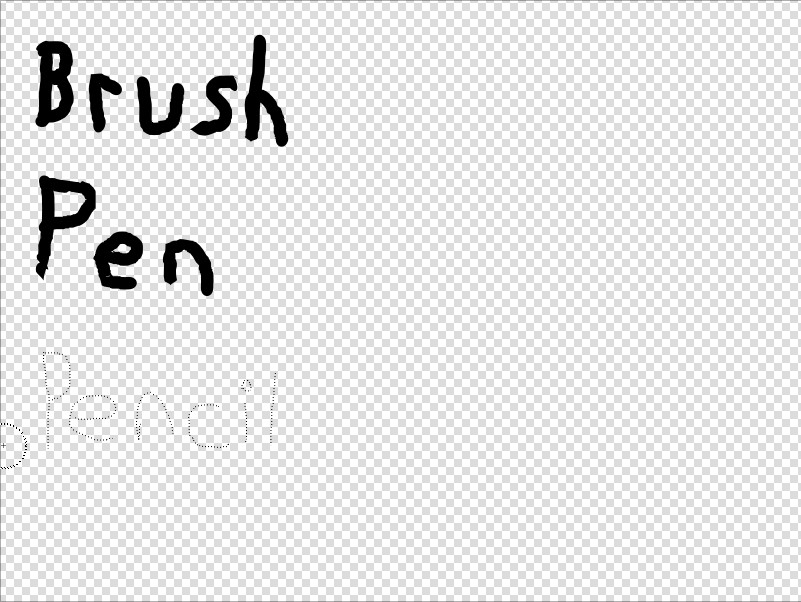
Show Invisible Lines On, Show Outlines Only On
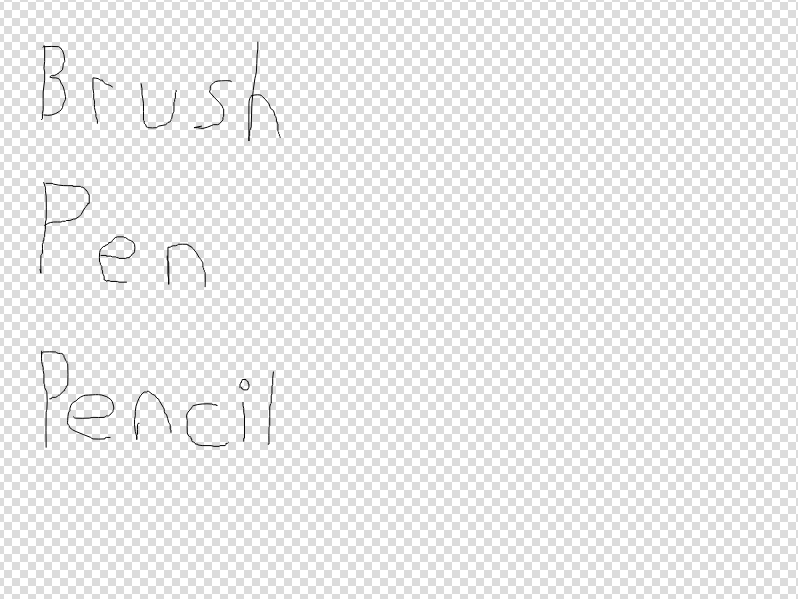
Show Invisible Lines On, Show Outlines Only On, Horizontal Flip On, Vertical Flip On (no impact on how lines are rendered, just where and in what direction)
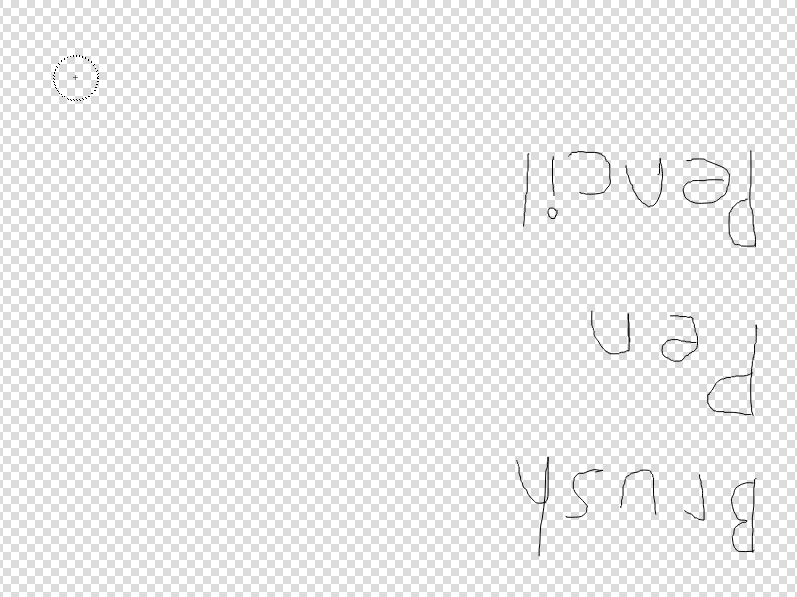
If the pencil vector lines do not behave in your version of Pencil2D nightly like those shown above, then it is likely some platform specific bug.
On an unrelated side note, we may want to consider keeping pencil lines dotted even when show outlines only is selected to visually differentiate invisible outlines from visible ones.
 scribblemaniac
on 20 Mar 2018
scribblemaniac
on 20 Mar 2018
@scribblemaniac
You are right. I was not sure how to use those two _ShowInvisivelLines_ and _ShowOutlinesOnly_ features.
Vector is not my thing I can tell lol
Thank you for your steps. I followed them and the error was exactly that I pressed that button by "accident"
Soo, closing this
Kaikogf
on 30 Mar 2018
Related issues
 dov
·
3Comments
scribblemaniac
·
3Comments
dov
·
3Comments
scribblemaniac
·
3Comments
 Jose-Moreno
·
3Comments
Jose-Moreno
·
3Comments
Kaikogf
·
3Comments
Jose-Moreno
·
3Comments
Jose-Moreno
·
3Comments
Kaikogf
·
3Comments