Pdf-lib: Able to render text fields OR radio button selections but not both.
We can render text fields when we run this first:
const acroForm = await pdfDoc.context.lookup(
  pdfDoc.catalog.get(PDFName.of('AcroForm')),
  PDFDict
);

acroForm.set(PDFName.of('NeedAppearances'), PDFBool.True);
We can render radio button selections when we run this first:
const acroForm = await pdfDoc.context.lookup(
  pdfDoc.catalog.get(PDFName.of('AcroForm')),
  PDFDict
);

acroForm.set(PDFName.of('NeedAppearances'), PDFBool.False);
In other words, setting NeedAppearances to True enables rendering text fields but disables rendering radio button selections (and setting it to False does the opposite).
This is how we are setting the value of the text fields:
acroFieldProps.set(PDFName.of('V'), PDFString.of('Some text value'));
and this is how we are setting the value of the radio selections:
acroFieldProps.set(PDFName.of('AS'), PDFName.of('1'));
parent.set(PDFName.of('V'), PDFName.of('1'));
What incantation can we use to render both text fields and radio button selections? It's of note that we have also tried this, and the outcome is the same:
acroForm.delete(PDFName.of('XFA'));
acroForm.set(PDFName.of('NeedAppearances'), PDFBool.True);
 shaunluttin
All 9 comments
@shaunluttin Try setting NeedAppearances to true, deleting the XFA entry, and also deleting the AS entry:
acroForm.delete(PDFName.of('XFA'));
acroForm.set(PDFName.of('NeedAppearances'), PDFBool.True);
// For each acroField:
acroFieldProps.delete(PDFName.of('AS'));
I hope this helps. Please let me know if you have any additional questions!
 Hopding
on 16 Feb 2020
Hopding
on 16 Feb 2020
@Hopding
That worked when we open the resultant PDF file with anything but an Adobe product. For instance, it works with Foxit Reader and with Microsoft Edge. When we open with an Adobe product, only the text box is filled - the radio button is not checked. Further, when we open with Adobe, we first receive this message:
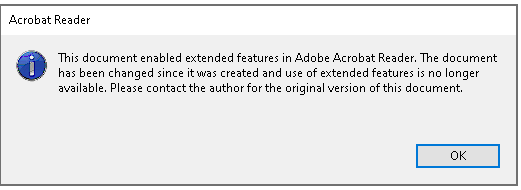
This document enabled extended features in Adobe Acrobat Reader. The document has been changed since it was created and use of extended features is no longer available. Please contact the author for the original version of the document.
How, if at all, can we support Adobe Reader?
shaunluttin
on 27 Feb 2020
Running the PDF through PDFTK removed the Adobe information box about extended features.
pdftk someFile.pdf cat output someFileOutput.pdf
As far as I can tell, this removes the digital signature.
Unfortunately, this did not resolve the problem: the radio button is still not checked.
shaunluttin
on 27 Feb 2020
This is also a problem with Preview on macs.
 thisissami
on 27 Feb 2020
thisissami
on 27 Feb 2020
@shaunluttin Would you please provide an example document that I can use to reproduce the issue?
Hopding
on 1 Mar 2020
@Hopding Here is an example document that you can use to reproduce the issue.
shaunluttin
on 2 Mar 2020
Update (9/16/2020)
pdf-lib now has form creation and filling APIs that should be used instead of the below example(s). See the form filling JSFiddle for a working example. Additional information is available in the README and API docs.
Original
@shaunluttin You'll need to use appearance streams for both text fields and radio buttons. Unfortuantely, mixing fields with and without them doesn't always work very well.
Here's a quick script I put together demonstrating how to do this. The radio button fields already have appearance streams defined, so it's just a matter of selecting which ones to use. The text fields, on the other hand, do not have appearance streams predefined. So we must construct those manually. I've included enough code to demonstrate how to do this. But I leave it to you to refine their appearance and formatting.
import fs from 'fs';

import {
  asPDFName,
  beginText,
  endText,
  PDFArray,
  PDFBool,
  PDFContentStream,
  PDFDict,
  PDFDocument,
  PDFFont,
  PDFHexString,
  PDFName,
  PDFNumber,
  PDFOperator,
  PDFOperatorNames as Ops,
  popGraphicsState,
  pushGraphicsState,
  rotateAndSkewTextRadiansAndTranslate,
  setCharacterSpacing,
  setFontAndSize,
  showText,
  StandardFonts,
} from 'pdf-lib';

const recurseAcroFieldKids = (field: PDFDict) => {
  const kids = field.lookupMaybe(PDFName.of('Kids'), PDFArray);
  if (!kids) return [field];

  const acroFields = new Array<PDFDict>(kids.size());
  for (let idx = 0, len = kids.size(); idx < len; idx++) {
    acroFields[idx] = field.context.lookup(kids.get(idx), PDFDict);
  }

  const flatKids: PDFDict[] = [];
  for (let idx = 0, len = acroFields.length; idx < len; idx++) {
    flatKids.push(...recurseAcroFieldKids(acroFields[idx]));
  }

  return flatKids;
};

const getRootAcroFields = (pdfDoc: PDFDocument) => {
  if (!pdfDoc.catalog.get(PDFName.of('AcroForm'))) return [];
  const acroForm = pdfDoc.context.lookup(
    pdfDoc.catalog.get(PDFName.of('AcroForm')),
    PDFDict,
  );

  if (!acroForm.get(PDFName.of('Fields'))) return [];
  const acroFieldRefs = acroForm.context.lookup(
    acroForm.get(PDFName.of('Fields')),
    PDFArray,
  );

  const acroFields = new Array<PDFDict>(acroFieldRefs.size());
  for (let idx = 0, len = acroFieldRefs.size(); idx < len; idx++) {
    acroFields[idx] = pdfDoc.context.lookup(acroFieldRefs.get(idx), PDFDict);
  }

  return acroFields;
};

const getAcroFields = (pdfDoc: PDFDocument) => {
  const rootFields = getRootAcroFields(pdfDoc);

  const fields: PDFDict[] = [];
  for (let idx = 0, len = rootFields.length; idx < len; idx++) {
    fields.push(...recurseAcroFieldKids(rootFields[idx]));
  }

  return fields;
};

const fillAcroTextField = (acroField: PDFDict, text: string, font: PDFFont) => {
  const rect = acroField.lookup(PDFName.of('Rect'), PDFArray);
  const width =
    rect.lookup(2, PDFNumber).value() - rect.lookup(0, PDFNumber).value();
  const height =
    rect.lookup(3, PDFNumber).value() - rect.lookup(1, PDFNumber).value();

  const N = singleLineAppearanceStream(font, text, width, height);

  acroField.set(PDFName.of('AP'), acroField.context.obj({ N }));
  acroField.set(PDFName.of('Ff'), PDFNumber.of(1 /* Read Only */));
  acroField.set(PDFName.of('V'), PDFHexString.fromText(text));
};

const beginMarkedContent = (tag: string) =>
  PDFOperator.of(Ops.BeginMarkedContent, [asPDFName(tag)]);

const endMarkedContent = () => PDFOperator.of(Ops.EndMarkedContent);

const singleLineAppearanceStream = (
  font: PDFFont,
  text: string,
  width: number,
  height: number,
) => {
  const encodedText = font.encodeText(text);
  const x = 0;
  const y = 0;
  return textFieldAppearanceStream(font, encodedText, x, y, width, height);
};

const textFieldAppearanceStream = (
  font: PDFFont,
  encodedText: PDFHexString,
  x: number,
  y: number,
  width: number,
  height: number,
) => {
  const dict = font.doc.context.obj({
    Type: 'XObject',
    Subtype: 'Form',
    FormType: 1,
    BBox: [0, 0, width, height],
    Resources: { Font: { F0: font.ref } },
  });

  const operators = [
    beginMarkedContent('Tx'),
    pushGraphicsState(),

    beginText(),
    setFontAndSize('F0', 12),
    setCharacterSpacing(5.5),
    rotateAndSkewTextRadiansAndTranslate(0, 0, 0, x, y),
    showText(encodedText),
    endText(),

    popGraphicsState(),
    endMarkedContent(),
  ];

  const stream = PDFContentStream.of(dict, operators, false);

  return font.doc.context.register(stream);
};

(async () => {
  const pdfDoc = await PDFDocument.load(
    fs.readFileSync('b300-fill-09-19e-qpdf-pdftk.pdf'),
  );

  const courierFont = await pdfDoc.embedFont(StandardFonts.Courier);

  const acroForm = pdfDoc.context.lookup(
    pdfDoc.catalog.get(PDFName.of('AcroForm')),
    PDFDict,
  );

  acroForm.set(PDFName.of('NeedAppearances'), PDFBool.False);

  getAcroFields(pdfDoc).forEach((field) => {
    if (field.lookup(PDFName.of('FT')) === PDFName.of('Tx')) {
      fillAcroTextField(field, 'Some text value', courierFont);
    }
    if (field.lookup(PDFName.of('FT')) === undefined) {
      const parent = field.lookup(PDFName.of('Parent'), PDFDict);
      field.set(PDFName.of('AS'), PDFName.of('1'));
      parent.set(PDFName.of('V'), PDFName.of('1'));
    }
  });

  const pdfBytes = await pdfDoc.save();

  fs.writeFileSync('./out.pdf', pdfBytes);
})();
Thank you! This is incredible support!
shaunluttin
on 16 Mar 2020
pdf-lib now has form creation and filling APIs that should be used instead of the above example(s). See the form filling JSFiddle for a working example. Additional information is available in the README and API docs.
Hopding
on 17 Sep 2020
Related issues
 emilsedgh
·
5Comments
emilsedgh
·
5Comments
 MarcGodard
·
3Comments
MarcGodard
·
3Comments
 lepidotteri
·
3Comments
lepidotteri
·
3Comments
 DanielJackson-Oslo
·
3Comments
DanielJackson-Oslo
·
3Comments
 BoLaMN
·
5Comments
BoLaMN
·
5Comments
Most helpful comment
Update (9/16/2020)
pdf-libnow has form creation and filling APIs that should be used instead of the below example(s). See the form filling JSFiddle for a working example. Additional information is available in the README and API docs.Original
@shaunluttin You'll need to use appearance streams for both text fields and radio buttons. Unfortuantely, mixing fields with and without them doesn't always work very well.
Here's a quick script I put together demonstrating how to do this. The radio button fields already have appearance streams defined, so it's just a matter of selecting which ones to use. The text fields, on the other hand, do not have appearance streams predefined. So we must construct those manually. I've included enough code to demonstrate how to do this. But I leave it to you to refine their appearance and formatting.