Panel: Add json widget to Panel in order to display and navigate nested objects
My Pain
I'm trying to port the Yahoo Query App from awesome-streamlit.org to awesome-panel.org but there is no easy way in Panel to display and navigate the dict/ json response from the yahoo finance nicely.

In general I've experienced it very nice for internal and super user tools to be able to display dicts/ json objects and this functionality is not currently available in Panel.
Additional Context
I would be willing to try to implement and contribute this to Panel if I can get some guidance. But (disclaimer)
- I don't know where to start
- I don't know if I can implement this robustly
 MarcSkovMadsen
All 15 comments
Best candidate seems to be https://www.npmjs.com/package/json-tree-view
 philippjfr
on 10 Jan 2020
philippjfr
on 10 Jan 2020
Would be nice to use the react component but I'm not sure how feasible that is. In any case it seems clear this would have to be a custom bokeh model which uses an external library to perform the rendering. I'd be happy to guide you through that process and maybe write up a section in the developer guide for future users.
philippjfr
on 10 Jan 2020
Thanks. That sounds like good ideas.
- How do I find a good component? What are the requirements?
- Where do I start? Is there a way to do some kind of a first, simple POC to learn how its done and then do the right implementation in a second step?
I would like to contribute to the documentation as well. I'm a little bit passionate about this because the panes, layouts and widgets are what meets the users. It's their first impression.
MarcSkovMadsen
on 10 Jan 2020
How do I find a good component? What are the requirements?
Reasonably small size and small number of dependencies is one metric (which excludes the React components for example). Otherwise it just comes down to the functionality.
Where do I start? Is there a way to do some kind of a first, simple POC to learn how its done and then do the right implementation in a second step?
I'd just start by copying an existing model in panel/models/ and adapting it a little bit. In this case I'd recommend the following:
- Make a copy of
panel/models/katex.tsand name itpanel/models/json_tree.ts - Perform a search and replace from
KaTeX->JSONTree. - Replace the contents of the
rendermethod with some placeholder that renders something into thethis.markup_el - Import the model into
panel/models/index.ts - Add a
JSONTreePython class inpanel/models/markup.pyand import it inpanel/models/__init__.py - Update this line
static __module__ = "panel.models.markup" - Build the model with
bokeh build panel - Try using the model in an app and ensure it renders:
from panel.models import JSONTree

pn.panel(JSONTree()).servable()
- Add the JS dependency to the dependencies field in
panel/package.json - Import the dependency in
json_tree.tsand use it to render the contents ofthis.model.textintothis.markup_el - Rebuild and try to render some actual JSON
from panel.models import JSONTree

pn.panel(JSONTree(text="{'a': [1, 2, 3]}")).servable()
- Create a JSON pane in
panel/pane/markup.pythat looks something like this:
class JSON(PaneBase):

    priority = None

    _bokeh_model = JSONTree

    @classmethod
    def applies(cls, obj):
        return isinstance(obj, (str, dict))

    def _get_properties(self):
        properties = super(JSON, self)._get_properties()
        text = json.dumps(self.object) if isinstance(self.object, dict) else self.object
        properties['text'] = text
        return properties
- Create a reference gallery entry at
examples/reference/pane/JSON.ipynb
At that point we could consider adding various properties to the model to expose rendering options exposed by the JS library.
philippjfr
on 10 Jan 2020
There may be some complications if the dependency doesn't declare Typescript typings but we can look at that when it comes to it.
philippjfr
on 10 Jan 2020
Thanks @philippjfr . Its the next thing on my Panel todo list after porting a first version of the YahooQuery app to awesome-panel.org.
MarcSkovMadsen
on 11 Jan 2020
Since I want to release asap and want to get this in I've implemented something like this based on the json-formatter-js library, here's an example:
philippjfr
on 17 Jan 2020
awesome @philippjfr . I will try to find the time to implement another widget. It would be powerfull to be able to do.
MarcSkovMadsen
on 17 Jan 2020
awesome @philippjfr . I will try to find the time to implement another widget. It would be powerfull to be able to do.
Great! This might not have been the best starting point anyway, took me a long time to select a library that would actually work (the one I suggested above seems to be for server side rendering).
philippjfr
on 17 Jan 2020
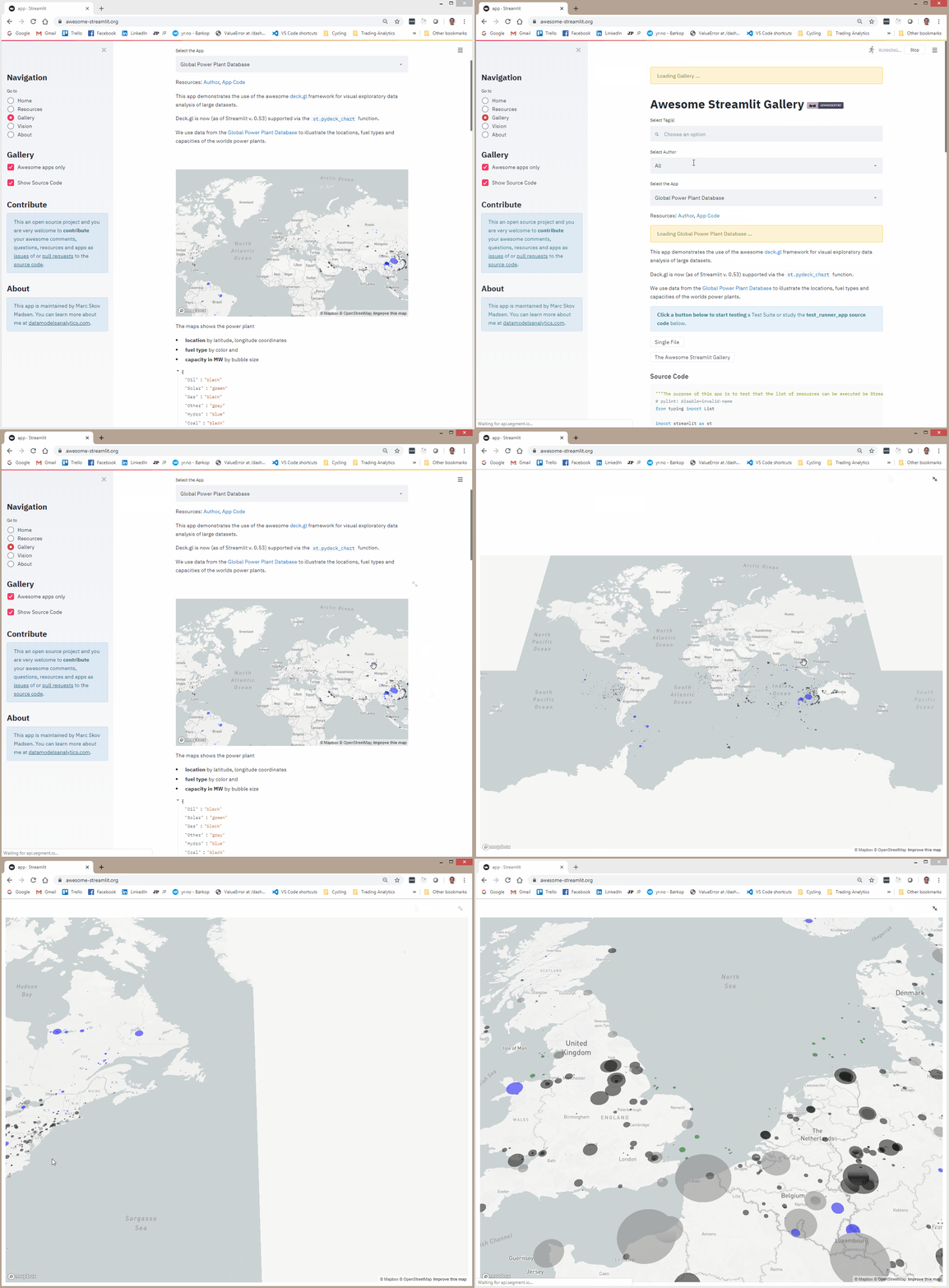
I was actually thinking about implementing a pane for the pydeck bindings for deck.gl in order to create something like
MarcSkovMadsen
on 17 Jan 2020
I'd absolutely love to see that, haven't worked out how difficult that would be.
philippjfr
on 17 Jan 2020
As far as I can see DataShader and Deck.GL does not support the same use cases/ functionality or am I wrong?
MarcSkovMadsen
on 17 Jan 2020
The pydeck binds have a to_html function and I also think you communicate in json format. So getting it to the client should be straightforward. The question is how to enable call backs to python.
MarcSkovMadsen
on 17 Jan 2020
As far as I can see DataShader and Deck.GL does not support the same use cases/ functionality or am I wrong?
Very different things, you could imagine aggregating data with datashader and then rendering it with Deck.GL though.
The pydeck binds have a to_html function and its really just a json format. So getting it to the client should be straightforward.
That sounds nice! It could be similar to Vega and Plotly models then, and those have the nice functionality that they extract any array data from the JSON representation and send it using Bokeh's binary protocol which will result in huge speedups. The Plotly model can also provide and example on how to implement callbacks.
philippjfr
on 17 Jan 2020
Let's move this discussion to a new issue :)
philippjfr
on 17 Jan 2020
Related issues
MarcSkovMadsen
·
3Comments
MarcSkovMadsen
·
3Comments
MarcSkovMadsen
·
3Comments
MarcSkovMadsen
·
4Comments
 ericmjl
·
6Comments
ericmjl
·
6Comments