OS: Win 10
Browsers:
- Chrome: 81.0.4044.138 (Official Build) (64-bit) (Upper Left)
- Firefox 68.8.0esr (32-bit) (Upper Right)
- Microsoft Edge 44.17763.831.0 (Lower Right)
- Explorer 11.0.190 (Lower Left)
Panel: 0.9.5
Bokeh: 2.0.2
My Pain
I want to inform my user of progress. Very often I only have binary information about progress. Thus I want to user a Progress widget and it's active parameter.
For a long time I've from time to time seen that setting active=True and then active=False does not work. The Progress keeps showing as active. But I could not say why and when.
Now I've discovered it's because it works fine in Chrome (my default browser) but not in Firefox, Edge and Explorer.

Minimum Example
import panel as pn

progress = pn.widgets.Progress(active=False)
pn.Column(progress, pn.Param(progress, parameters=["active"])).servable()
 MarcSkovMadsen
All 3 comments
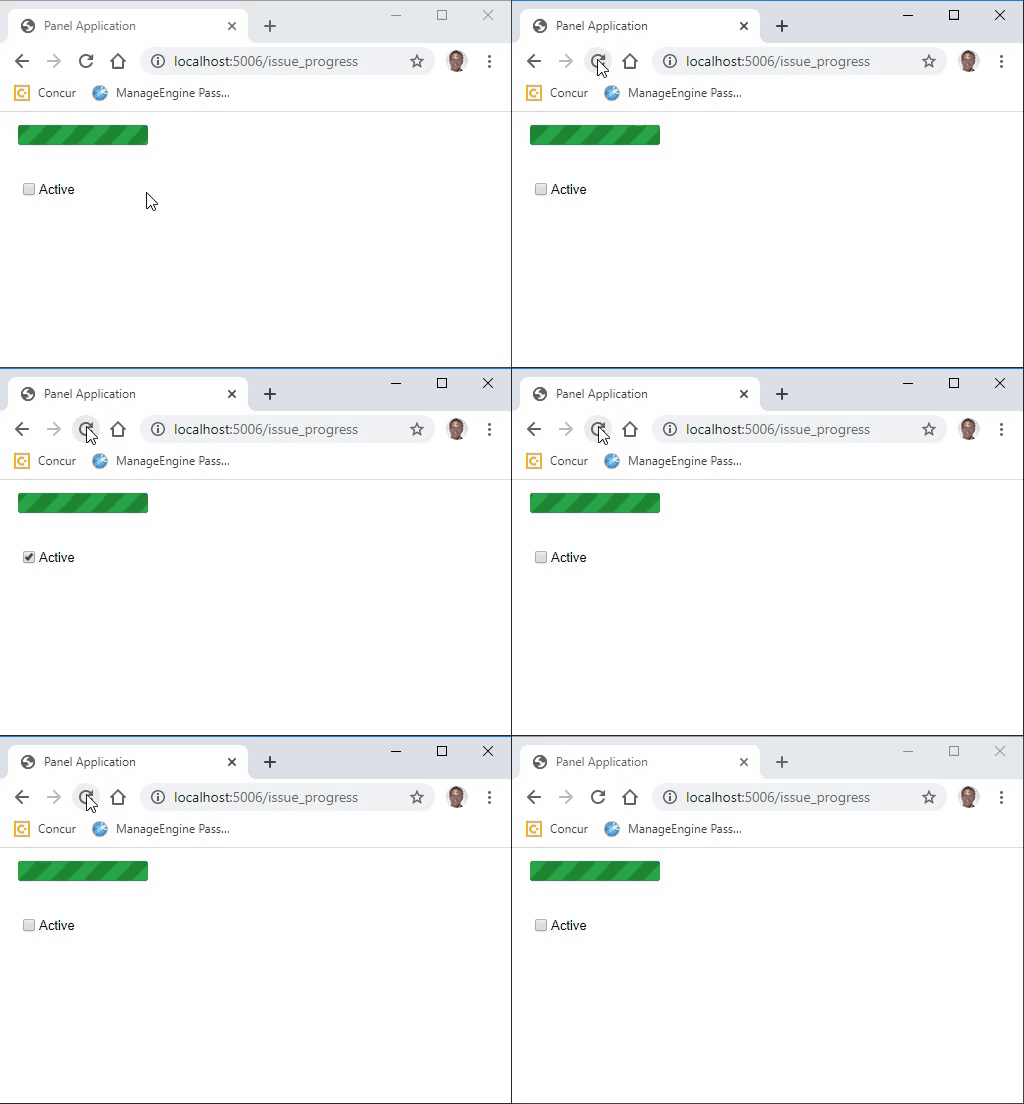
I can actually trigger another bug. This time in Chrome.
In the example below I click refresh multiple times (41secs).
- the
Progressshould show as inactive. It does not activeshould show as unchecked. But it does not always.
import panel as pn

progress = pn.widgets.Progress(active=False)
pn.Column(progress, pn.Param(progress, parameters=["active"])).servable()
progress.active = True
progress.active = False
@mattpap Note these issues while you're porting the model to bokeh.
 philippjfr
on 14 Jun 2020
philippjfr
on 14 Jun 2020
@mattpap and @philippjfr . If you are spending time on the progress widget. Please consider if you could improve the styling as well. :-)
I have experienced the following problems.
- I cant seem to style it using the colors I need. Especially in the
activestate. Would be so awesome to be able to set the colors we use. - The look of the progress widget when active is old fashioned (at least in my opinion). Would be nice to have something awesome.
- As I remember the progress widget height is also a problem. I would like to have something only a few pixels high that I can put on top or just below the top app bar for example. That's what I see around these days. For example in the Material Design System.
- The current progress bar takes up a lot of space.
MarcSkovMadsen
on 15 Jun 2020
Related issues
 kcpevey
·
4Comments
MarcSkovMadsen
·
3Comments
MarcSkovMadsen
·
5Comments
MarcSkovMadsen
·
6Comments
kcpevey
·
4Comments
MarcSkovMadsen
·
3Comments
MarcSkovMadsen
·
5Comments
MarcSkovMadsen
·
6Comments
 zassa
·
4Comments
zassa
·
4Comments