Opentoonz: Autorenumber + Save + Revert to Last Saved Version = crash (gif)
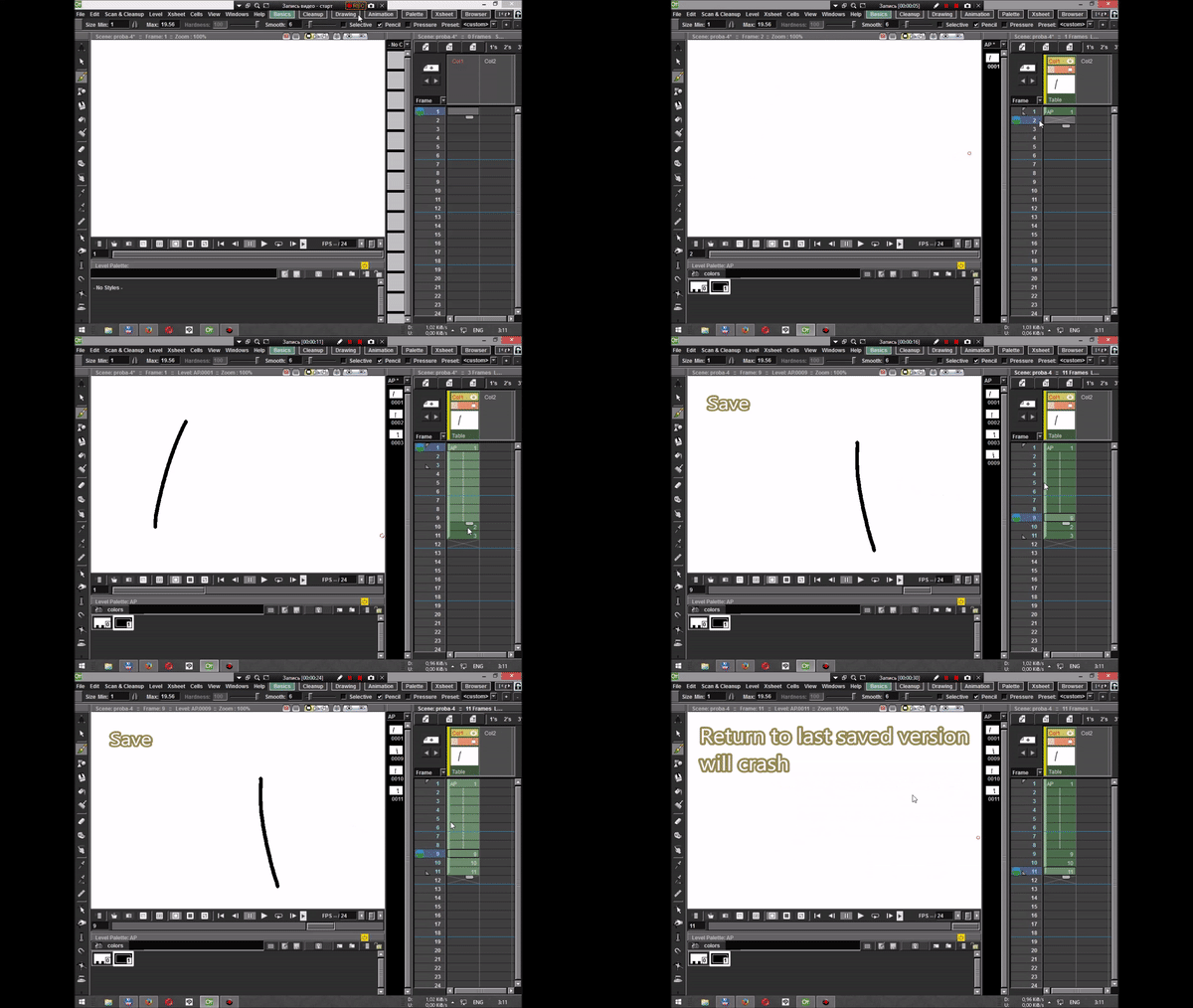
I'm sorry, I probably should have written more in detail on the video, (I can not do gif for more than 30 seconds)
 beeheemooth
All 2 comments
The disappearance of the drawings I've observed before, and only now I managed to reproduce the problem. I'm more interested in why the drawings disappear? After restart the scene, they appear in the right places.
beeheemooth
on 3 Jul 2017
FYI,
I've been looking into this crash and found the root cause. This bug only impacts Toonz Raster and normal Raster levels.
The main cause of the crash in this scenario is the disappearing drawing when trying to revert. After a lot of research, the actual root cause is the Renumber logic.
In a nutshell, when you perform a Renumber (Auto or manual), there are a few places internally where the image-to-frame relationship (m_fid in code) is not being updated properly. When you save, things get written properly to the files, however, there is some internal stuff going on which could eventually cause the drawings to disappear if you continue to work in OT. Once the drawing disappears like that, it could crash OT because it thinks something is there but it's actually not due to the incomplete renumber.
Technically this Renumber bug also impacts Toonz Vector levels, but the way stuff is saved/displayed for Vector levels, it bypasses the crash causing issue.
I'm in the process of fixing this but its taking a bit of time trying to find how/where to fix this properly. I've managed to fix the few places where the renumber needed to be updated. This keeps the drawing from disappearing, but my fix seems to be causing other undesired effects when saving which I am trying to work out.
 manongjohn
on 20 Sep 2017
manongjohn
on 20 Sep 2017
Related issues
 ave4
·
3Comments
ave4
·
3Comments
 openanim
·
4Comments
openanim
·
4Comments
 RodneyBaker
·
4Comments
RodneyBaker
·
4Comments
 konero
·
5Comments
beeheemooth
·
4Comments
konero
·
5Comments
beeheemooth
·
4Comments
Most helpful comment
FYI,
I've been looking into this crash and found the root cause. This bug only impacts Toonz Raster and normal Raster levels.
The main cause of the crash in this scenario is the disappearing drawing when trying to revert. After a lot of research, the actual root cause is the Renumber logic.
In a nutshell, when you perform a Renumber (Auto or manual), there are a few places internally where the image-to-frame relationship (m_fid in code) is not being updated properly. When you save, things get written properly to the files, however, there is some internal stuff going on which could eventually cause the drawings to disappear if you continue to work in OT. Once the drawing disappears like that, it could crash OT because it thinks something is there but it's actually not due to the incomplete renumber.
Technically this Renumber bug also impacts Toonz Vector levels, but the way stuff is saved/displayed for Vector levels, it bypasses the crash causing issue.
I'm in the process of fixing this but its taking a bit of time trying to find how/where to fix this properly. I've managed to fix the few places where the renumber needed to be updated. This keeps the drawing from disappearing, but my fix seems to be causing other undesired effects when saving which I am trying to work out.