Openshot-qt: Weird new Advanced view
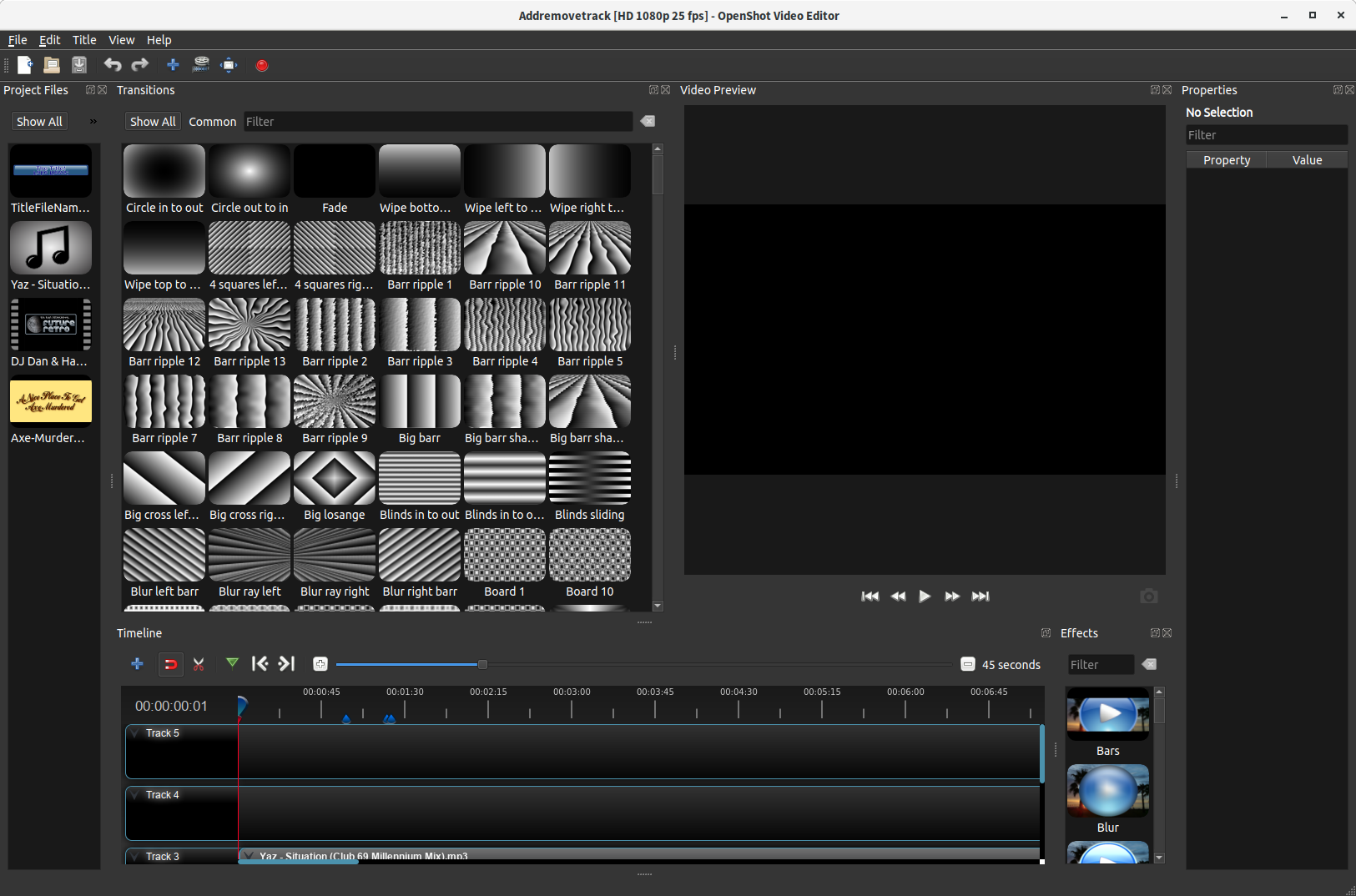
Just asking, is this... _meant_ to be the layout of Advanced View in 2.4.4?
 ferdnyc
All 6 comments
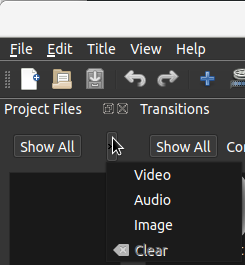
Next to 'Show all' on the left there is a small > button. You can click that to have the project files window back on the regular position.
 ThomasBerends
on 9 Apr 2019
ThomasBerends
on 9 Apr 2019
@ThomasBerends
All that button does — all it's _supposed_ to do — is open this menu:
ferdnyc
on 9 Apr 2019
(Regardless, while it's true the user can rearrange the interface however they like, my question was more about the stored default layout.)
ferdnyc
on 9 Apr 2019
Just asking, is this... meant to be the layout of Advanced View in 2.4.4?
Apparently so. 🤣
 DylanC
on 18 Jul 2019
DylanC
on 18 Jul 2019
@DylanC
Yeah... I think I may submit a PR to try and change that.
What do people think of this? Obviously it's a little comical at the default window size, because the default window size is FAR too small for the OpenShot interface in its current form, especially if 2/3 of it is going to be dominated by the video preview. But with the window made larger, I think it'd be fairly usable.
(I really don't like Properties on the right. It puts the value on the _outside_, farther away from the Timeline, with the label in between them. That's just bad ergonomics.)

ferdnyc
on 19 Jul 2019
Closing as we're currently at 2.5.1, which has its own, all-new weird layout.
ferdnyc
on 14 Oct 2020
Related issues
 Sefran007
·
3Comments
Sefran007
·
3Comments
 carlosnewmusic
·
3Comments
carlosnewmusic
·
3Comments
 Emma3993
·
3Comments
Emma3993
·
3Comments
 BofingerRick
·
3Comments
BofingerRick
·
3Comments
 Obed9
·
3Comments
Obed9
·
3Comments