Openfoodnetwork: New add-to-cart buttons prohibit buying large quantities
Description
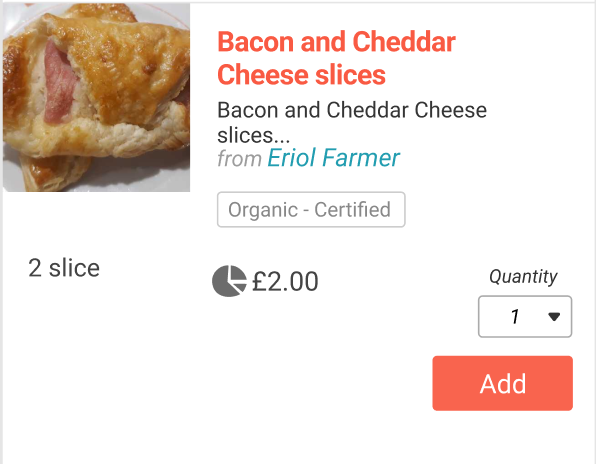
The old shop page had a number field to select the number of items you wanted in your cart. The new design has increase and decrease buttons instead. You can add a product much quicker with these new buttons. But adding a large quantity takes a lot of time. For example, clicking 100 times to add 100 apples to your bulk order is prohibitively time consuming.
We didn't include this issue in the first round of the mobile redesign because we assumed that these cases are rare. I gathered the following quantities from the oldest instances. While these cases are rare, we would definitely lose some sales.
45 line items with a quantity of 100...
UK | | AU | | FR |
-- | -- | -- | -- | -- | --
Quantity | Number of orders | Quantity | Number of orders | Quantity | Number of orders
1 | 508608 | 1 | 476767 | 1 | 576833
2 | 92492 | 2 | 77716 | 2 | 105616
3 | 15430 | 3 | 15542 | 3 | 19205
4 | 10875 | 4 | 8455 | 4 | 10993
5 | 4919 | 5 | 3767 | 5 | 4623
6 | 3011 | 6 | 2218 | 6 | 3921
7 | 618 | 7 | 408 | 7 | 865
8 | 949 | 8 | 698 | 8 | 1249
9 | 155 | 9 | 118 | 9 | 381
10 | 1988 | 10 | 850 | 10 | 1701
11 | 82 | 11 | 86 | 11 | 259
12 | 344 | 12 | 193 | 12 | 592
13 | 33 | 13 | 45 | 13 | 180
14 | 50 | 14 | 39 | 14 | 157
15 | 196 | 15 | 114 | 15 | 428
16 | 56 | 16 | 40 | 16 | 136
17 | 13 | 17 | 17 | 17 | 99
18 | 34 | 18 | 24 | 18 | 106
19 | 9 | 19 | 11 | 19 | 93
20 | 456 | 20 | 130 | 20 | 370
21 | 8 | 21 | 7 | 21 | 79
22 | 11 | 22 | 9 | 22 | 76
23 | 4 | 23 | 8 | 23 | 72
24 | 125 | 24 | 8 | 24 | 93
25 | 25 | 25 | 35 | 25 | 129
26 | 8 | 26 | 6 | 26 | 50
27 | 2 | 27 | 4 | 27 | 48
28 | 6 | 28 | 1 | 28 | 30
29 | 4 | 29 | 1 | 29 | 25
30 | 82 | 30 | 27 | 30 | 119
34 | 2 | 31 | 1 | 31 | 29
35 | 64 | 32 | 5 | 32 | 22
36 | 5 | 33 | 1 | 33 | 15
37 | 8 | 34 | 2 | 34 | 20
38 | 2 | 35 | 10 | 35 | 25
39 | 1 | 36 | 1 | 36 | 22
40 | 41 | 37 | 2 | 37 | 10
42 | 2 | 38 | 1 | 38 | 10
44 | 1 | 40 | 12 | 39 | 14
45 | 6 | 41 | 1 | 40 | 55
46 | 1 | 49 | 2 | 41 | 8
47 | 2 | 50 | 15 | 42 | 6
48 | 5 | 53 | 1 | 43 | 8
49 | 1 | 58 | 1 | 44 | 6
50 | 36 | 59 | 1 | 45 | 22
56 | 2 | 60 | 3 | 46 | 4
57 | 1 | 61 | 1 | 47 | 3
60 | 10 | 62 | 1 | 48 | 7
67 | 1 | 64 | 4 | 49 | 5
68 | 1 | 67 | 1 | 50 | 72
70 | 8 | 77 | 1 | 51 | 10
75 | 3 | 78 | 2 | 52 | 5
80 | 1 | 83 | 1 | 53 | 7
83 | 1 | 85 | 1 | 54 | 4
89 | 1 | 89 | 1 | 55 | 13
90 | 1 | 94 | 1 | 56 | 5
95 | 1 | 96 | 1 | 57 | 5
99 | 2 | 99 | 2 | 58 | 6
100 | 6 | 100 | 20 | 59 | 1
101 | 1 | 112 | 2 | 60 | 18
105 | 9 | 123 | 1 | 61 | 1
120 | 1 | 128 | 3 | 62 | 3
123 | 1 | 135 | 1 | 63 | 5
125 | 1 | 157 | 1 | 64 | 5
140 | 5 | 159 | 1 | 65 | 3
155 | 1 | 178 | 1 | 66 | 5
157 | 1 | 191 | 1 | 67 | 2
164 | 1 | 247 | 1 | 68 | 3
175 | 1 | 256 | 1 | 69 | 1
196 | 1 | 500 | 3 | 70 | 8
199 | 1 | 612 | 1 | 71 | 2
200 | 2 | 2000 | 1 | 72 | 3
212 | 1 | 9999 | 2 | 73 | 2
220 | 1 | | | 74 | 1
353 | 1 | | | 75 | 8
450 | 1 | | | 76 | 2
499 | 1 | | | 77 | 3
500 | 7 | | | 78 | 3
800 | 1 | | | 79 | 4
885 | 1 | | | 80 | 7
1000 | 1 | | | 81 | 5
1111 | 1 | | | 82 | 1
9999 | 3 | | | 83 | 1
| | | | 84 | 2
| | | | 85 | 5
| | | | 86 | 1
| | | | 87 | 5
| | | | 88 | 2
| | | | 89 | 4
| | | | 90 | 6
| | | | 91 | 1
| | | | 92 | 4
| | | | 93 | 1
| | | | 95 | 2
| | | | 96 | 2
| | | | 97 | 1
| | | | 98 | 2
| | | | 99 | 5
| | | | 100 | 19
| | | | 101 | 3
| | | | 102 | 2
| | | | 104 | 1
| | | | 106 | 2
| | | | 107 | 1
| | | | 108 | 1
| | | | 109 | 1
| | | | 110 | 1
| | | | 111 | 4
| | | | 112 | 1
| | | | 113 | 1
| | | | 115 | 1
| | | | 117 | 2
| | | | 118 | 3
| | | | 120 | 2
| | | | 121 | 1
| | | | 122 | 1
| | | | 125 | 1
| | | | 130 | 3
| | | | 137 | 1
| | | | 138 | 3
| | | | 140 | 1
| | | | 141 | 1
| | | | 142 | 2
| | | | 150 | 1
| | | | 151 | 2
| | | | 156 | 1
| | | | 159 | 1
| | | | 163 | 1
| | | | 170 | 1
| | | | 176 | 1
| | | | 182 | 1
| | | | 186 | 1
| | | | 194 | 1
| | | | 196 | 2
| | | | 200 | 11
| | | | 202 | 1
| | | | 207 | 1
| | | | 210 | 1
| | | | 219 | 1
| | | | 222 | 1
| | | | 250 | 6
| | | | 253 | 1
| | | | 260 | 1
| | | | 279 | 1
| | | | 280 | 1
| | | | 285 | 1
| | | | 300 | 3
| | | | 310 | 1
| | | | 322 | 1
| | | | 326 | 1
| | | | 333 | 1
| | | | 345 | 1
| | | | 361 | 1
| | | | 400 | 1
| | | | 410 | 1
| | | | 425 | 1
| | | | 426 | 1
| | | | 477 | 1
| | | | 499 | 1
| | | | 500 | 10
| | | | 517 | 1
| | | | 529 | 1
| | | | 569 | 1
| | | | 584 | 1
| | | | 588 | 1
| | | | 597 | 2
| | | | 600 | 2
| | | | 616 | 1
| | | | 629 | 1
| | | | 650 | 1
| | | | 686 | 1
| | | | 938 | 1
| | | | 960 | 1
| | | | 972 | 1
| | | | 985 | 1
| | | | 1000 | 2
| | | | 1100 | 5
| | | | 1194 | 1
| | | | 1200 | 3
| | | | 1250 | 1
| | | | 1300 | 1
| | | | 1325 | 1
| | | | 1500 | 2
| | | | 1640 | 1
| | | | 1697 | 1
| | | | 1912 | 1
| | | | 2000 | 1
| | | | 2200 | 1
| | | | 2521 | 1
| | | | 2770 | 1
| | | | 2788 | 1
| | | | 3750 | 1
| | | | 4500 | 1
| | | | 4600 | 1
| | | | 7500 | 1
| | | | 9928 | 1
| | | | 9985 | 1
| | | | 9999 | 22
Expected Behavior
I can add 100 items of one variant with less then five clicks.
Actual Behaviour
I need 100 clicks to add 100 items.
Steps to Reproduce
- Go to a shopfront.
- Add an item to your cart.
Workaround
Edit quantity on the cart page.
Possible Fix
@Erioldoesdesign extended the current design. Figma file
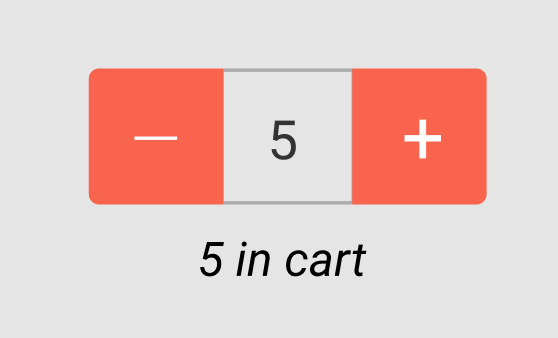
And how it looks with the rest of the mobile product list:

 mkllnk
All 6 comments
Just posting for reference...
If support teams are getting queries on this before it is fixed let's suggest that they encourage shoppers to use Edit Cart to add big quantities.
Not ideal, but hopefully appeasing.
 lin-d-hop
on 22 Oct 2020
lin-d-hop
on 22 Oct 2020
@mkllnk I was going back over designs and I remembered the UI for bulk items:

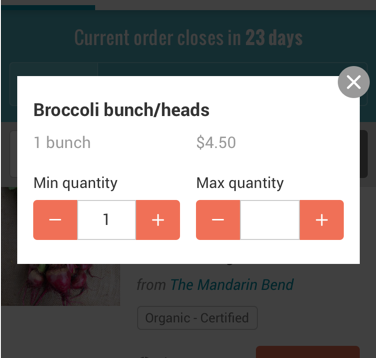
Could you (or maybe @Matt-Yorkley ) clarify what the '10' here is supposed to do functionally?
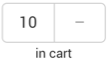
I'm wondering if theres a way to re-use this piece of UI for non-bulk items by making the section with the number 10 editable, so when you tap it on mobile, you get the native number keypad pop up and you can input what you want.
Now the bigger question is if we think re-using this bulk UI is a good idea, how to 'active' it and what rules apply...I was thinking off the top of my head maybe if a user taps 'add' then on the '+' more than 5 times we could swap the UI to the bulk white (10 | - ) button.
I then looked at amazon (sorry) to see how they do quantity and made a design version in this file:
https://www.figma.com/file/N8ir6dLNBsrHiQyJwYp2FI/Quantity-button?node-id=0%3A1
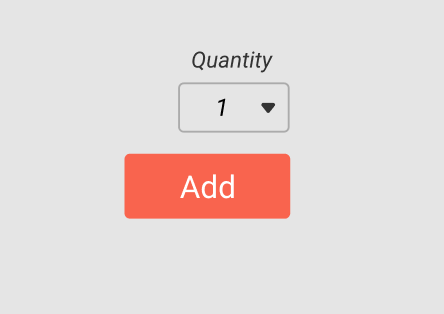
The last one (flat screengrab below) makes the most sense to me, though trying to keep existing styles and experimenting wasn't a waste of time if it'd worked 😅
 Erioldoesdesign
on 23 Oct 2020
Erioldoesdesign
on 23 Oct 2020
Yes, I was wondering if we could just add a number input field between the increase and decrease buttons, like in the bulk buy. And Australian supermarket website solved that similarly:

mkllnk
on 4 Nov 2020
@Erioldoesdesign
The 10 is the min quantity and the - the max quantity in your screenshot. It means: "I want at least ten items."
mkllnk
on 4 Nov 2020
@mkllnk This example from the Australian supermarket is also great! it uses an existing style (the min max) and add the needed functionality! I made one in our style which you can also find in the Figma file
And how it looks with the rest of the mobile product list:
It is a bit wider than the previous buttons which you can see here with the red ruler lines but I'm not too worried:
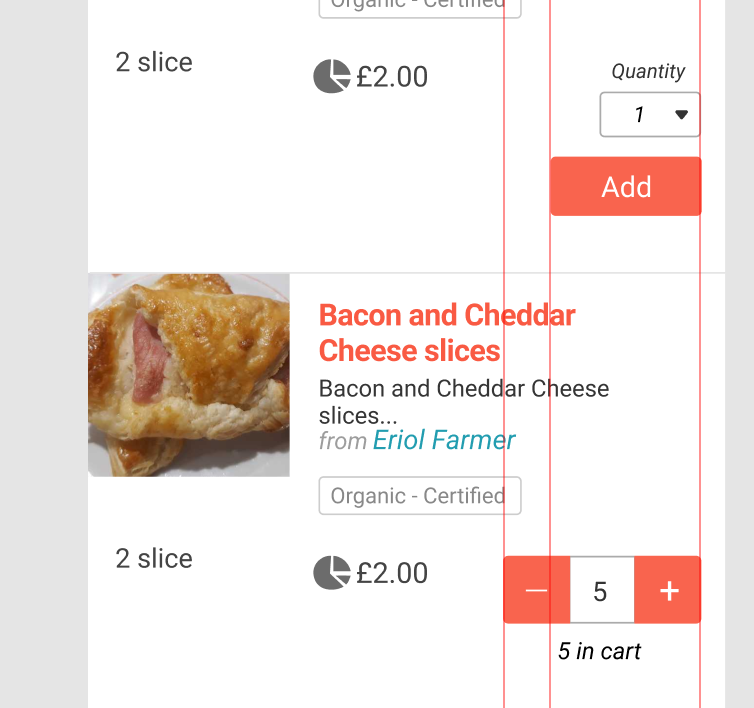
I would say, this is a good UI to build and see if it works and if not, then the fallback would be the amazon style:
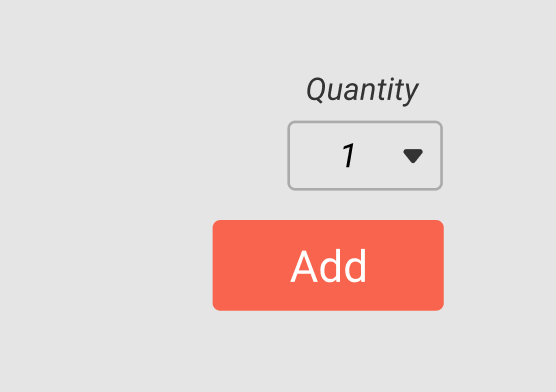
Erioldoesdesign
on 4 Nov 2020
Great! I added that as possible solution and moved this issue into the mobile ux pipe.
mkllnk
on 4 Nov 2020
Related issues
 kirstenalarsen
·
3Comments
lin-d-hop
·
3Comments
kirstenalarsen
·
3Comments
kirstenalarsen
·
3Comments
lin-d-hop
·
3Comments
kirstenalarsen
·
3Comments
 shen-sat
·
3Comments
shen-sat
·
3Comments
 filipefurtad0
·
3Comments
filipefurtad0
·
3Comments