Openfoodnetwork: Missing translation keys in enterprise fee menu
Description
When using the enterprise fee menu the tax dropdown "Inherit from product" is not translated.
The whole dropdown for the column showing the type of fee isn't as well.
Same for the "search" placeholder.
Steps to Reproduce
- As an enterprise admin got to admin/enterprise_fees
- Clic on "manage fees"
- See the screen captured below
Animated Gif/Screenshot

Severity
bug-s3: a feature is broken but there is a workaround
Your Environment
- Version used: v1.29
- Browser name and version: Firefox 66
- Operating System and version (desktop or mobile): Ubuntu 18.10
- OFN Platform instance where you discovered the bug: French production
 RachL
RachL
All 8 comments
Hi! I would like to work on this. I am just wondering where the enterprise fee menu is located? As in the URL that I can use to find the location of the bug in code. Do I need to log in as an enterprsie admin? (If that's even a thing)
 amers185
on 10 Apr 2019
amers185
on 10 Apr 2019
Hello @amers185 "admin/enterprise_fees" is the actual URL. To go there you log in as an enterprise admin (when you create a producer or a hub profile you have an enterprise admin access).
The UI pass is (once you're on the /admin URL) : Enterprises > Settings > Enterprise Fees > Manage enterprise fees.
For more user info, you can check our user guide: https://guide.openfoodnetwork.org/
Let me know if it is clear enough. If you are interested in working on other translation problems, there is an epic that gather them all here: https://github.com/openfoodfoundation/openfoodnetwork/issues/3681
Thank you!!
RachL
on 11 Apr 2019
Thank you for sharing all the details. It has been very helpful. I think I have found the line of code that needs to be modified. It is located here: app/assets/javascripts/admin/enterprise_fees/controllers/enterprise_fees_controller.js.coffee and the following line needs to modified:
$scope.tax_categories = [{id: -1, name: "Inherit From Product"}].concat tax_categories
I did modify it is as follows:
$scope.tax_categories = [{id: -1, name: t('inherit_from_product')}].concat tax_categories
When I refresh my local host, this is what I see:

Similarly, I modified the following line of code for search placeholder:
%input.search{'ng-model' => 'query', 'placeholder' => "Search")}
But it gives me the following message when I refresh my local host:

I believe that for javascript/angularJS, the t function does not work well after reading translation documentation. I am unsure of where to place the key in the text file and how to make the function call correctly in this instance. Further, if you could provide me some insight with respect to how to set global keys vs lazy look up keys via nested structure in the correct place in en_GB.yml files, that would be appreciated. I am having trouble following the documentation. Thank you for the help, I really appreciate it.
amers185
on 11 Apr 2019
ah, you are on the right track!
re "Inherit From Product", you need to use JS translations that are never lazy, see this:
https://github.com/openfoodfoundation/openfoodnetwork/wiki/Internationalisation-%28i18n%29#javascript-translations-prefer-angular-filter-over-global-t-function
and also the following rule about putting it in the js namespace.
instead of t("") you do
{{js.admin.enterprise_fees.inherit_from_product}}
and the key would land here on the en.yml file:
@@ -2503,6 +2503,8 @@ See the %{link} to find out more about %{sitename}'s features and to start using
           resolve: Resolve
       new_tag_rule_dialog:
         select_rule_type: "Select a rule type:"
+      enterprise_fees:
+        inherit_from_product: "Inherit From Product"
       orders:
         index:
           per_page: "%{results} per page"
the search one is a rails view and can be lazy t(".search") would land here on the en.yml file (in lazy rails views look up you need to see the location of the file, index in this case, and the nested keys in en.yml, in this case, admin: then enterprise_fees: then index:
@@ -442,6 +442,7 @@ en:
         tax_category: Tax Category
         calculator: Calculator
         calculator_values: Calculator Values
+        search: "Search"

     enterprise_groups:
 luisramos0
on 12 Apr 2019
luisramos0
on 12 Apr 2019
@luisramos0 Thank you, as always. I managed to make everything work, except for: {{js.admin.enterprise_fees.inherit_from_product}} I tried several variants of it in place of the t function but it does not seem happy about the curly braces. With your recommendation, it gives me this message on my browser:
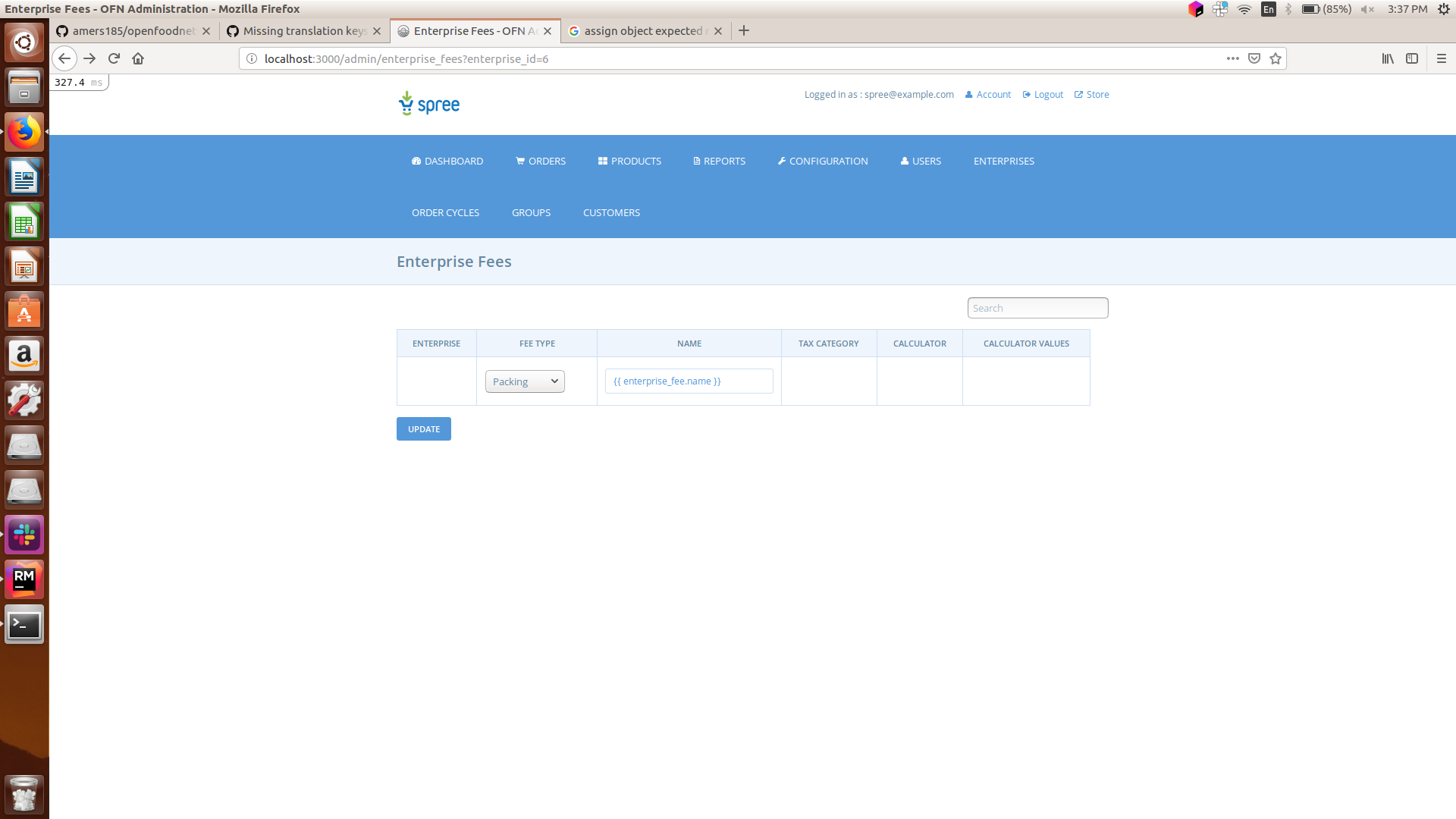 I inserted the following line:
$scope.tax_categories = [{id: -1, name: js.admin.enterprise_fees.inherit_from_product}].concat tax_categories and I see the following:
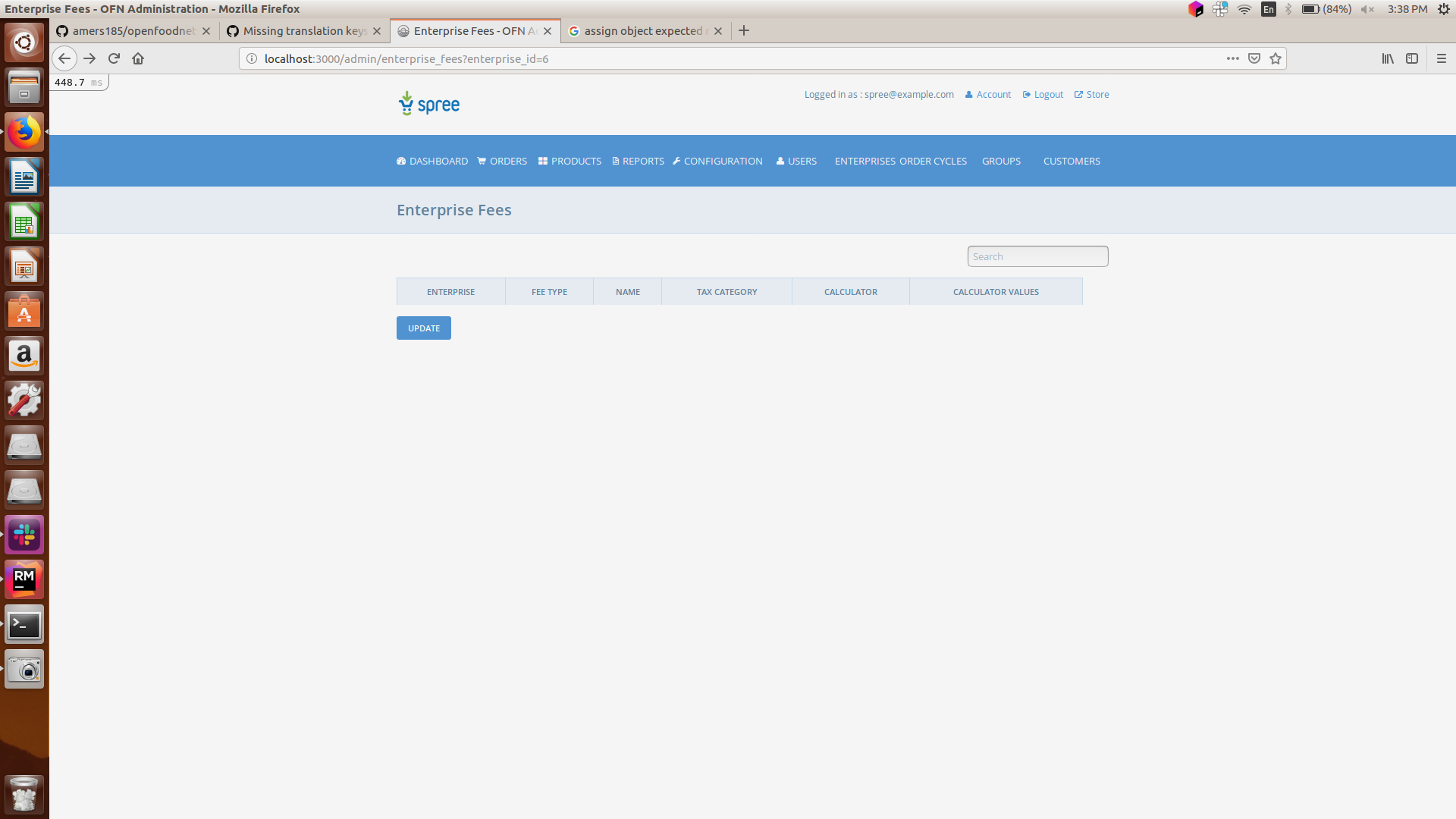 I am uncertain about what I am doing incorrectly and I would appreciate your help.
The following line has given me the best result: $scope.tax_categories = [{id: -1, name: ('js.admin.enterprise_fees.inherit_from_product' | t) }].concat tax_categories but it is still not referencing the correct key value and just gives me zero:
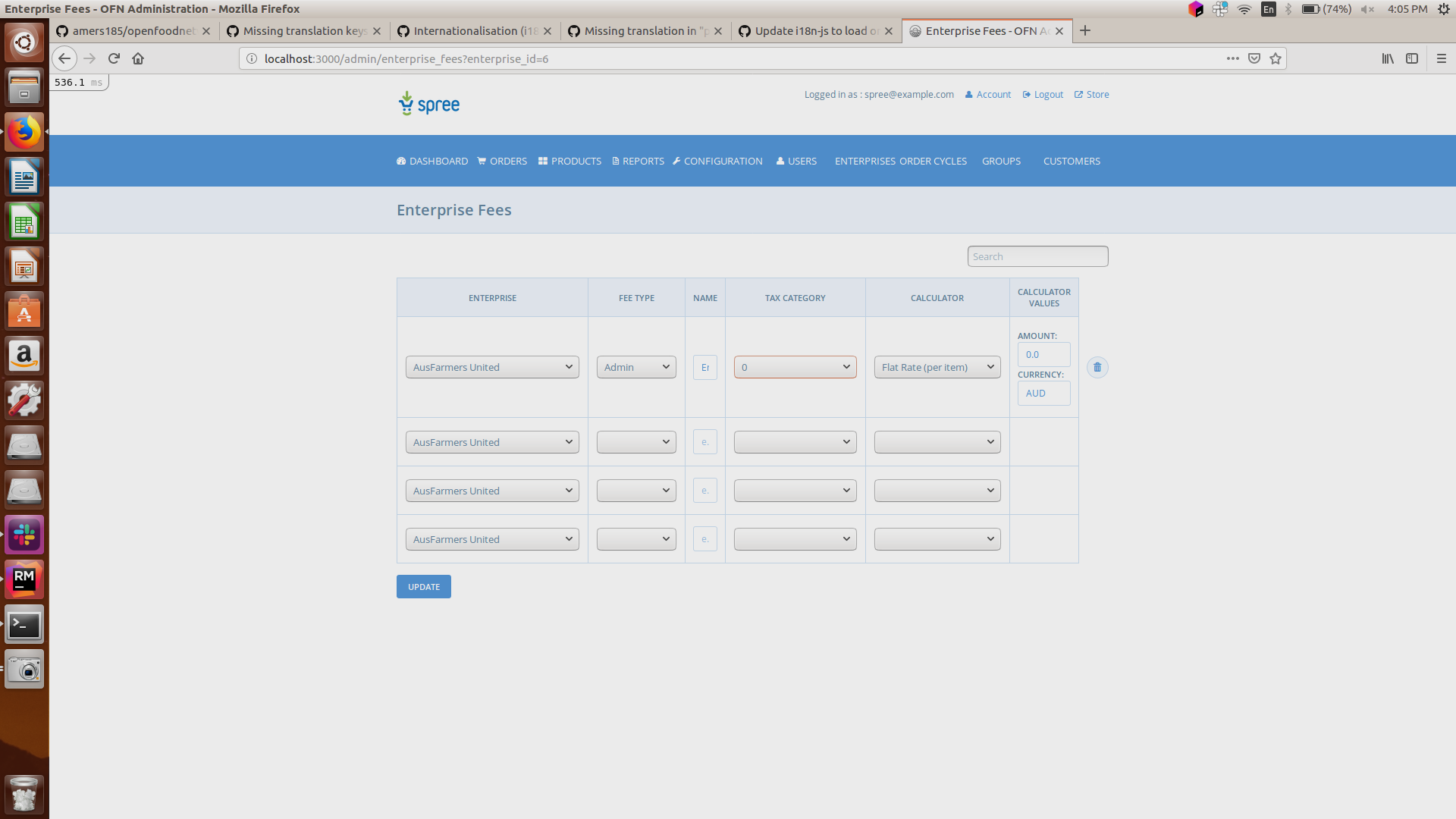
I wondered if put enterprise_fees in the wrong place but that is not the case. Thank you helping me out. @luisramos0
amers185
on 15 Apr 2019
I am not sure about the {{, try keeping the t function call...
btw, instead of pasting code in the issue it's easier if you create a PR with your code and we discuss the code there.
luisramos0
on 16 Apr 2019
Ah. Thank you @luisramos0 Is the protocol for PR the same even if my solution doesn't work in one case? What do you mean by keeping the t function call?
amers185
on 16 Apr 2019
yes, you can open a PR with an incomplete solution and we can help you getting to the correct solution. please do that and lets take it from there.
luisramos0
on 16 Apr 2019
Related issues
 Matt-Yorkley
·
3Comments
Matt-Yorkley
·
3Comments
 filipefurtad0
·
3Comments
filipefurtad0
·
3Comments
 sauloperez
·
3Comments
sauloperez
·
3Comments
 HugsDaniel
·
3Comments
HugsDaniel
·
3Comments
 sstead
·
4Comments
sstead
·
4Comments