Openbci_gui: Sync horizontal scale of Time Series and Accelerometer widgets
Problem
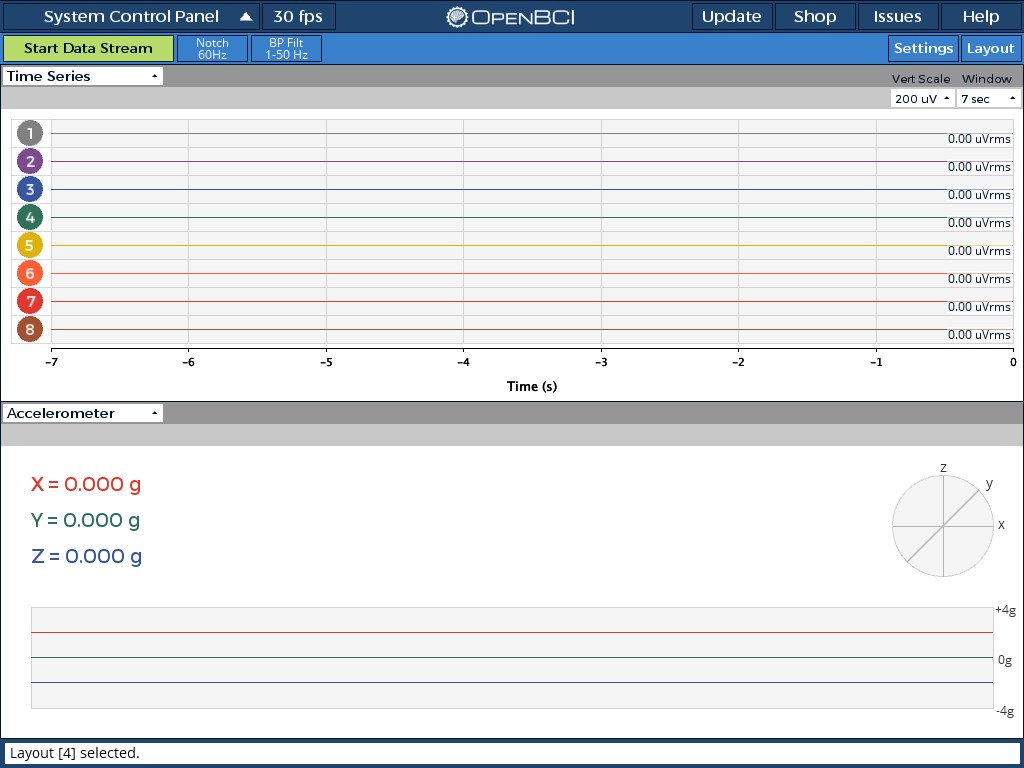
Accelerometer window in streaming is 15 sek; in playback it is 3 sek. It can not be changed
Expected
Window should go together with time series --> add adjustment in acc widget and synchronize selection with time series widget.
Window should have same dimension and location as time series (to appear aligned when time series and acc are arranged vertically. Hence also vertical scale of acc may be left instead of right.
Remark: with >4 channels vertical arrangement may not be possible but it will look better anyhow I think
Add horizontal scale (like time series)
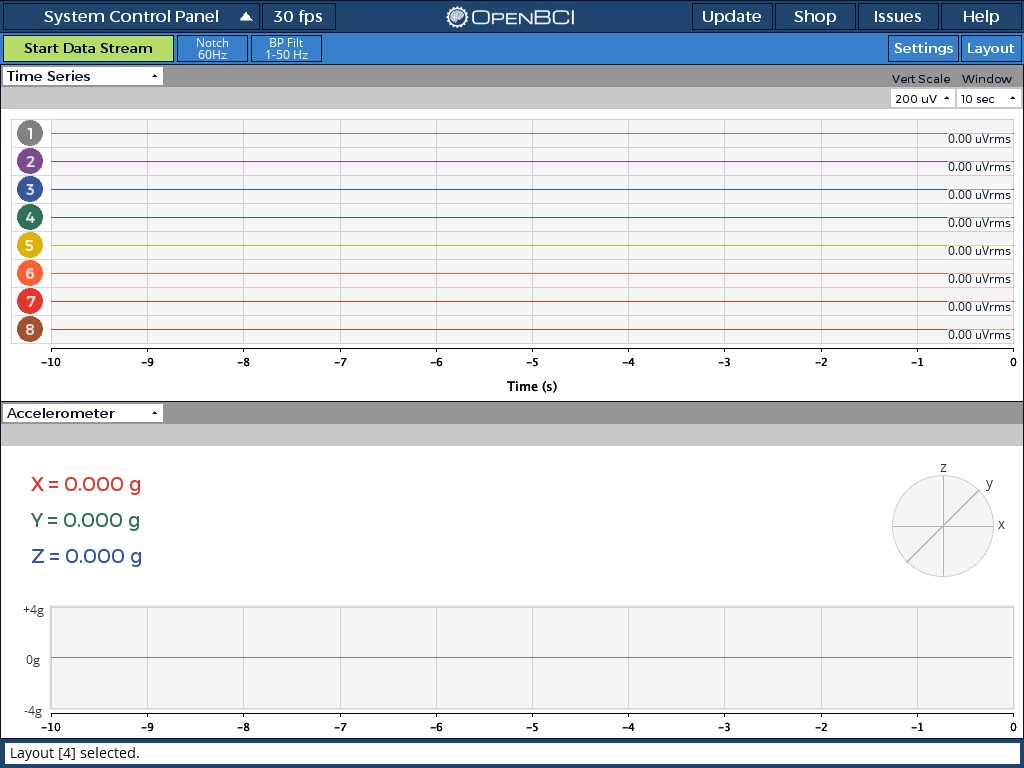
Remark: Time series window should have 10 sec instead of 7 sec as largest window ( steps should double previous value (1,2(3),5,10, 20....)
Operating System and Version
W7
GUI Version
4.0.3
Running standalone app
Are you running the downloaded app or are you running from Processing 3
Type of OpenBCI Board
N/A
Are you using a WiFi Shield?
N/A
 jps2000
All 34 comments
Window should have same dimension and location as time series (to appear aligned when time series and acc are arranged vertically. Hence also vertical scale of acc may be left instead of right.
Like this?
Remark: Time series window should have 10 sec instead of 7 sec as largest window ( steps should double previous value (1,2(3),5,10, 20....)
Great suggestion! A 10 second option can definitely be added.
 retiutut
on 21 Nov 2018
retiutut
on 21 Nov 2018
Same width + alignment is just nice to have. I mentioned it just for completeness ( I consider Acc as a kind of time series) Suggest to change 7 sec to 10 and add 20. Probably 1 sec is not needed if 3sec change to 2sec. In full screen width it high resolution anyhow.
jps2000
on 21 Nov 2018
Remark: Time series window should have 10 sec instead of 7 sec as largest window ( steps should double previous value (1,2(3),5,10, 20....)
@jps2000 Can you please change the title to something like "Sync horizontal scale of Time Series and Accelerometer widgets" ?
retiutut
on 24 Nov 2018
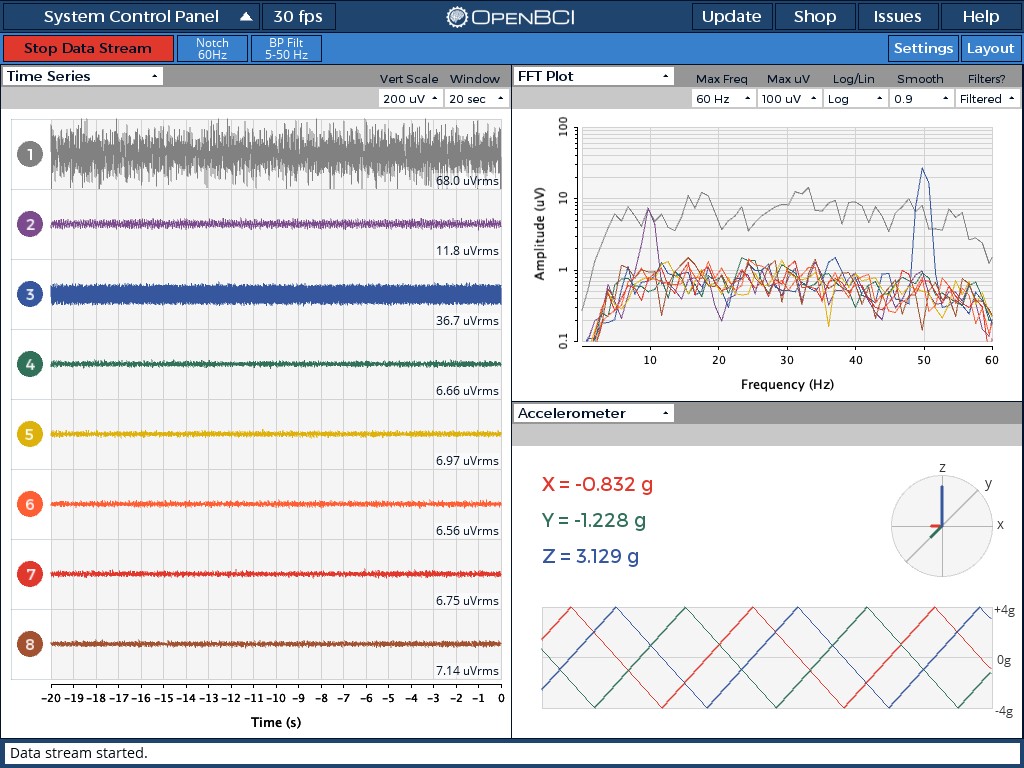
Also, #247 has just been fixed!!! 💯
retiutut
on 24 Nov 2018
@jps2000
retiutut
on 25 Nov 2018
Great. Thank you very much.
Is it so that window is adjusted in time series and affects both widgets? ( in stream and playback)
I do not know how much time you can / like to invest more
Would be nice to have same light and dark grey bar with at least vert scale adjustment .
Vert scale +/-( 1),2,4. ( mostly it will be in the range +/-1)
jps2000
on 26 Nov 2018
Great. Thank you very much.
Is it so that window is adjusted in time series and affects both widgets? ( in stream and playback)
I do not know how much time you can / like to invest more
Would be nice to have same light and dark grey bar with at least vert scale adjustment .
Vert scale +/-( 1),2,4. ( mostly it will be in the range +/-1)
Yes, the functions are there but not being used yet. I need to get the data displayed on the graph first.
retiutut
on 26 Nov 2018
@retiutut look at the analog widget for inspiration!
 andrewjaykeller
on 26 Nov 2018
andrewjaykeller
on 26 Nov 2018
@andrewjaykeller mind reader!
retiutut
on 26 Nov 2018
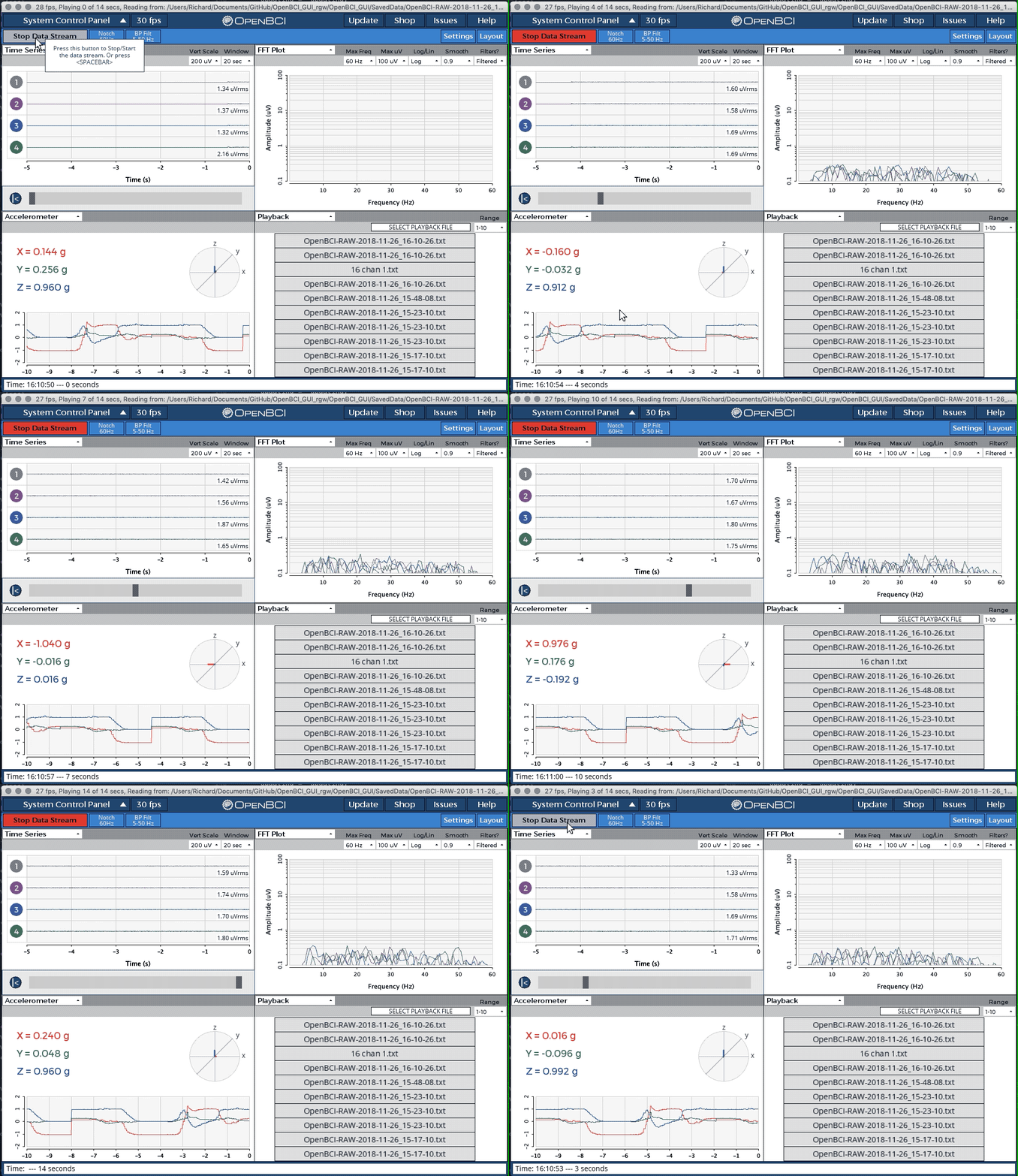
retiutut
on 26 Nov 2018
You are progressing. Great job.
This demo triggers another suggestion.
Clear graphs in time series and acc at starting point of the playback bar
Alternatively put a marker (vertical line or bar) there
Another great thing would be a horizontal (time) scale under the playback graph or just indicating begin and end time.
Can open a new issue if you support this ideas.
jps2000
on 27 Nov 2018
How can I access the analog widget?
jps2000
on 27 Nov 2018
How can I access the analog widget?
With a Cyton board in Live mode
Clear graphs in time series and acc at starting point of the playback bar
Alternatively put a marker (vertical line or bar) there
This may need to be done:
- [x] Clear graphs in time series and acc at starting point of the playback bar
Markers can be done but I need to get the graphs synced first
Another great thing would be a horizontal (time) scale under the playback graph or just indicating begin and end time.
Look at the status bar of the bottom of the GUI while in Playback Mode. Also the app's titlebar. This would difficult to fit.
retiutut
on 27 Nov 2018
Window should have same dimension and location as time series (to appear aligned when time series and acc are arranged vertically. Hence also vertical scale of acc may be left instead of right.
- [x] Match position and width of Time Series and Accelerometer Gplots
Window should go together with time series --> add adjustment in acc widget and synchronize selection with time series widget.
- [x] Add Accelerometer dropdown menus to SoftwareSettings
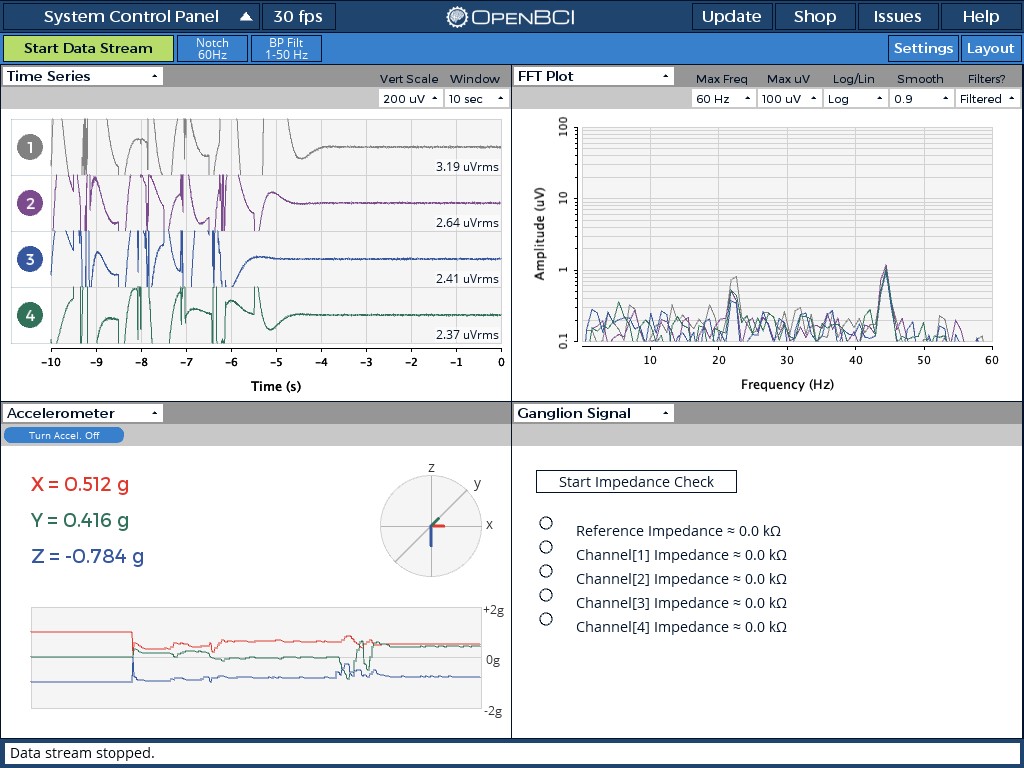
- [x] Make a "Sync Duration" button in Time Series to allow the option to change the duration of Time Series, Accelerometer, and Analog Read simultaneously
retiutut
on 1 Dec 2018
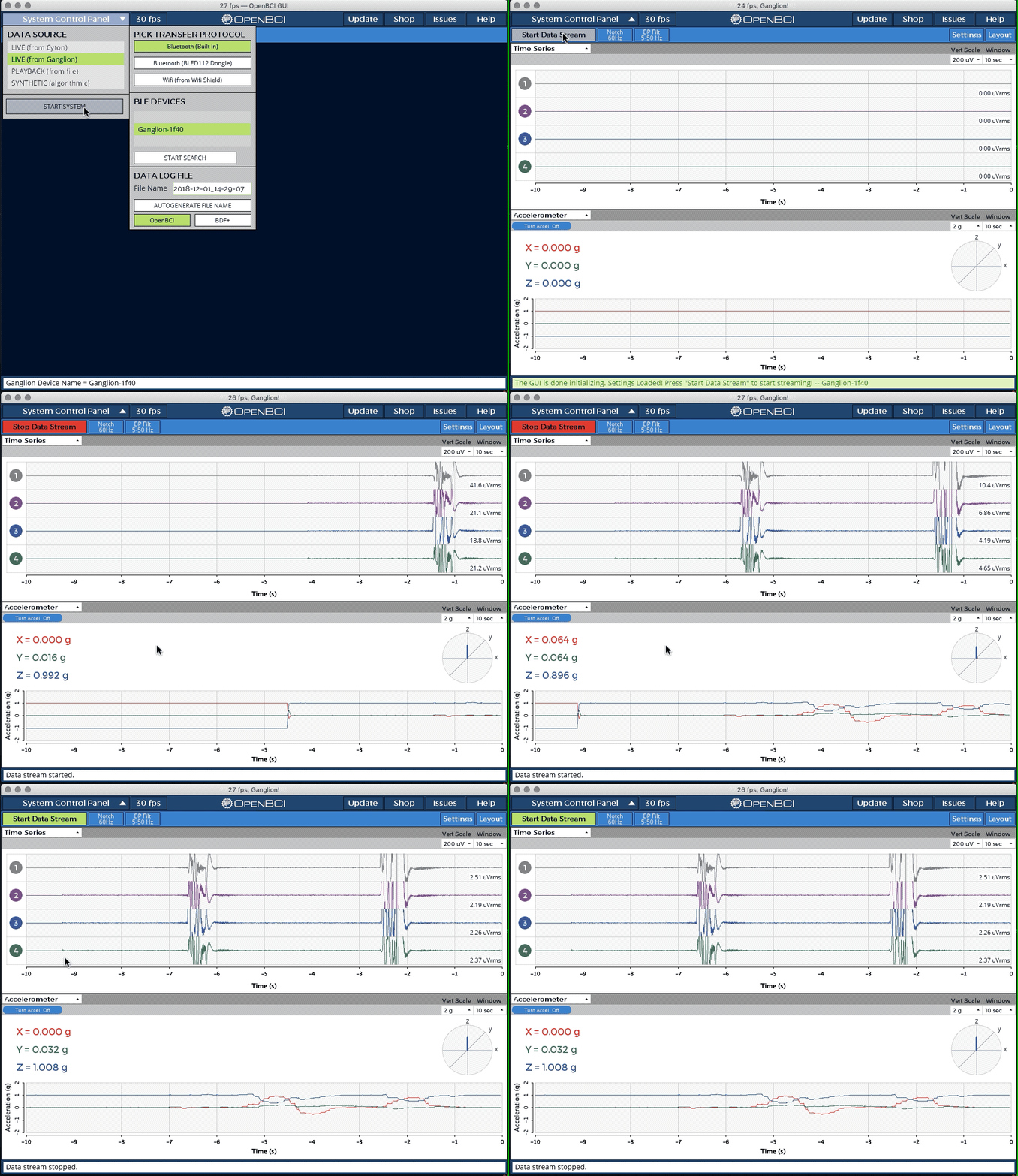
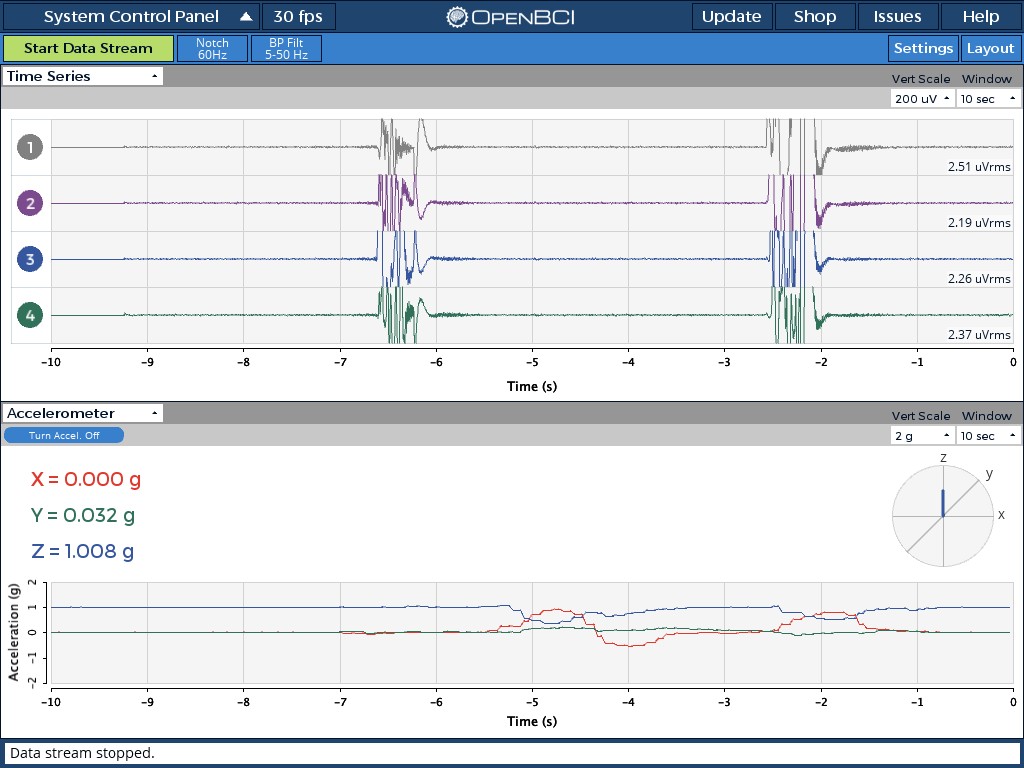
retiutut
on 1 Dec 2018
You are doing great. It was significant effort but it improved tremendously.
Just had another idea. you may consider to have acc x on, acc y on, acc z on separately. sometimes just one axis is interesting.
But that's just in case you face boring times....
Decision to do something is interest * priority
jps2000
on 2 Dec 2018
Great progress.
However it would be more logical to have the sync button in the acc widget.
But you invested already plenty of time in that stuff.
As I do not see applications not to sync windows.
The playback bar is appearing in time series widget only ( rightfully). Hence considering time series as master,it would be most easiest to skip the sync button ( leaving sync = on behind) and skip the window button in acc widget.
Then we are there with littlke further headache.
I suggest to stop than this topic and invest time better in other things.
(I have plenty of other ideas (un)fortunately.)
But anyhow applause applause and thank you for your effort.
Pls have a look at the the signals they seem to be offset about 1/2 second??
jps2000
on 3 Dec 2018
@jps2000 No worries, you have such great and workable suggestions!!! 🥇
However it would be more logical to have the sync button in the acc widget.
But you invested already plenty of time in that stuff.
I put it in Time Series because you can't view Accelerometer and Analog Read data at the same time, I think. So I would have had to put a "Sync" dropdown in both Accel. and Analog Read widgets.
As I do not see applications not to sync windows.
Then I will set the default option to "On"!
Hence considering time series as master,it would be most easiest to skip the sync button ( leaving sync = on behind) and skip the window button in acc widget.
I think someone might want to have the option to turn it off. But I can make it so that "Sync" is "On" 100% of the time, unless users change/save the setting.
Pls have a look at the the signals they seem to be offset about 1/2 second??
Yes, this is a problem. https://github.com/jagracar/grafica/issues/11
retiutut
on 3 Dec 2018
Another solution would be to add a "sync" option to the Window dropdown of both Accelerometer and Analog Read.
I think this idea works with what you said:
However it would be more logical to have the sync button in the acc widget.
retiutut
on 3 Dec 2018
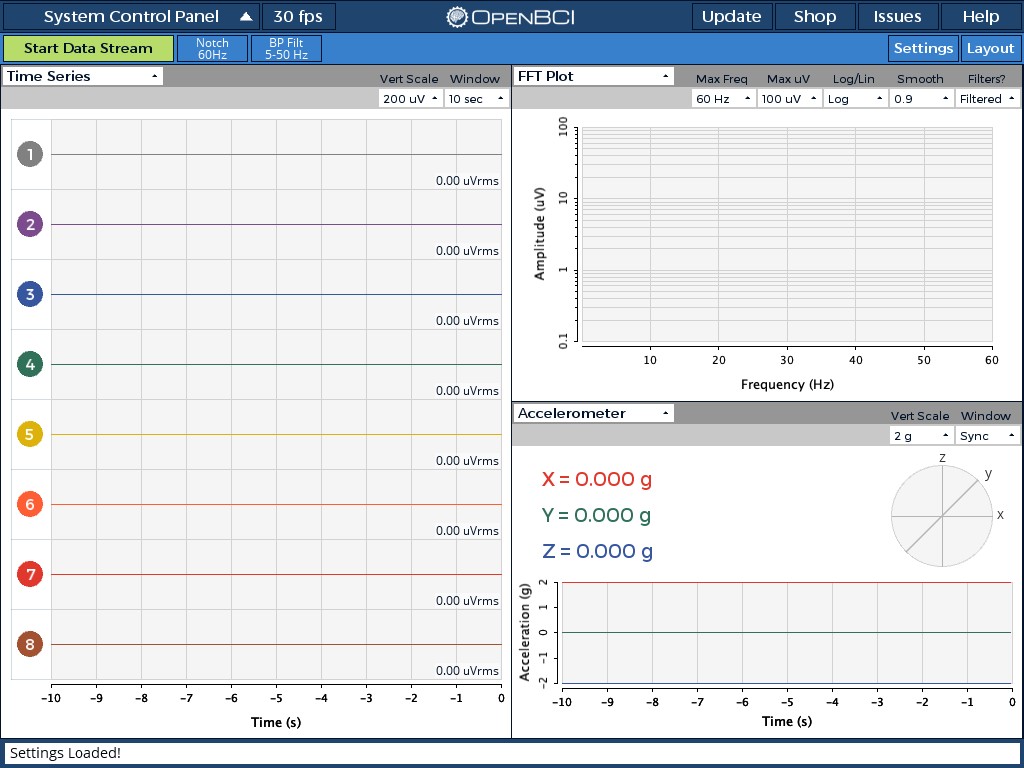
retiutut
on 3 Dec 2018
Yes, this is a problem. jagracar/grafica#11>>
Are you sure it is this?
Isnt there just an offset or is the mismatch continuously increasing ?
Then it would be a huge problem
jps2000
on 4 Dec 2018
It varies with the framerate...
retiutut
on 4 Dec 2018
To be more specific:
when you change the framerate then the x axis difference wetween time series and acc changes.
But this difference remains constant.
BTW I do not know what this change in framerate does neither what it it is good for nor how do I change it
jps2000
on 4 Dec 2018
I've been looking at this problem for days. It does what it does and it isn't right. Time Series works, accelerometer doesn't and is influenced by framerate.
retiutut
on 4 Dec 2018
Still not clear what you are saying. lets assume time series are displayed real time. There are ticks in 1 second distance. If you make also ticks with acceleration accelerometer is displayed not synchronously?
the 1 sec ticks appears stretched or compressed or just shifted? And the shift is constant or increasing?
jps2000
on 4 Dec 2018
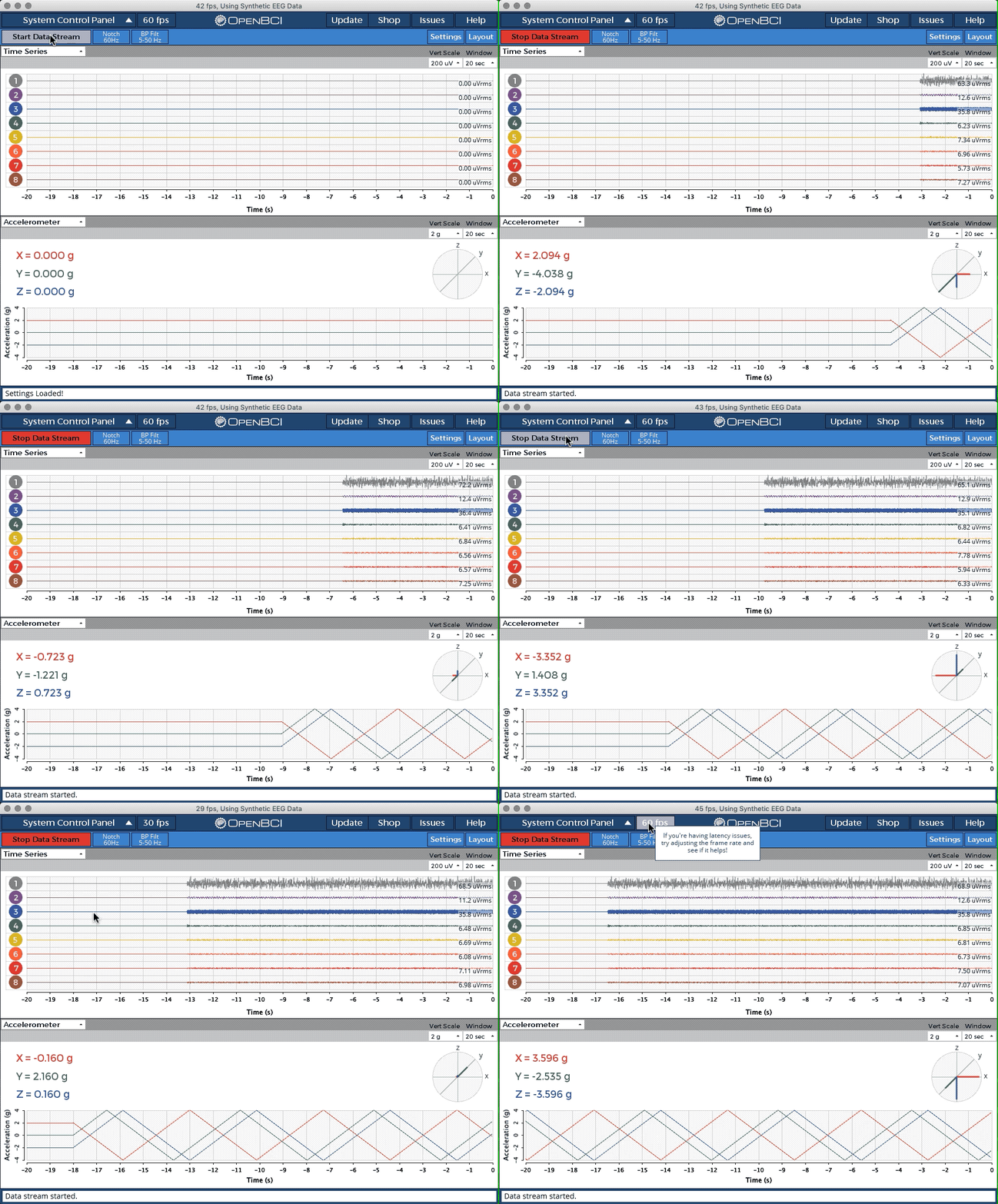
The time series points and Gplot (top) update at a constant 250hz.
The accelerometer points and Gplot (bottom) update based on actual framerate, or 28~45fps, and not a constant 25Hz.
retiutut
on 4 Dec 2018
Thanks
I will test it once your synchronized time frame software is released.
Just to clarify: The frame rate determines the refreshing of the GUI widget?
Why do I need to change that?
There is likely another acc issue. Maybe only in ganglion. It seems that acc enters sleep mode when not moved fast enough. But I will come back on that later. I think this is a peripheral software issue and not one of the GUI
jps2000
on 5 Dec 2018
Tested using X axis only and Ganglion.
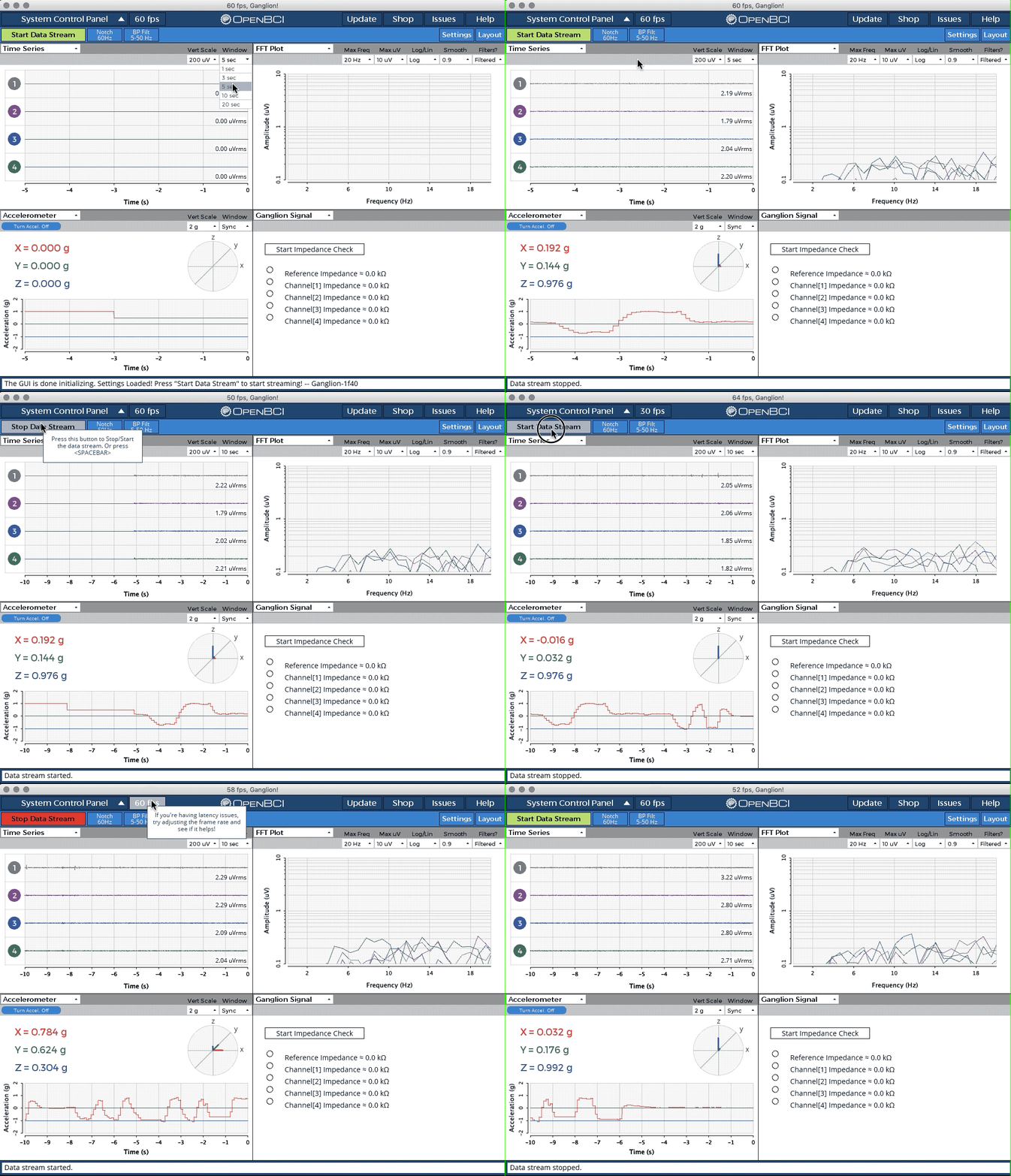
Thanks for the guidance @andrewjaykeller! 🔥
retiutut
on 18 Dec 2018
Looks good @retiutut that's amazing you just did that.
andrewjaykeller
on 18 Dec 2018
yeah
Huge huge improvement!!!!!!!!
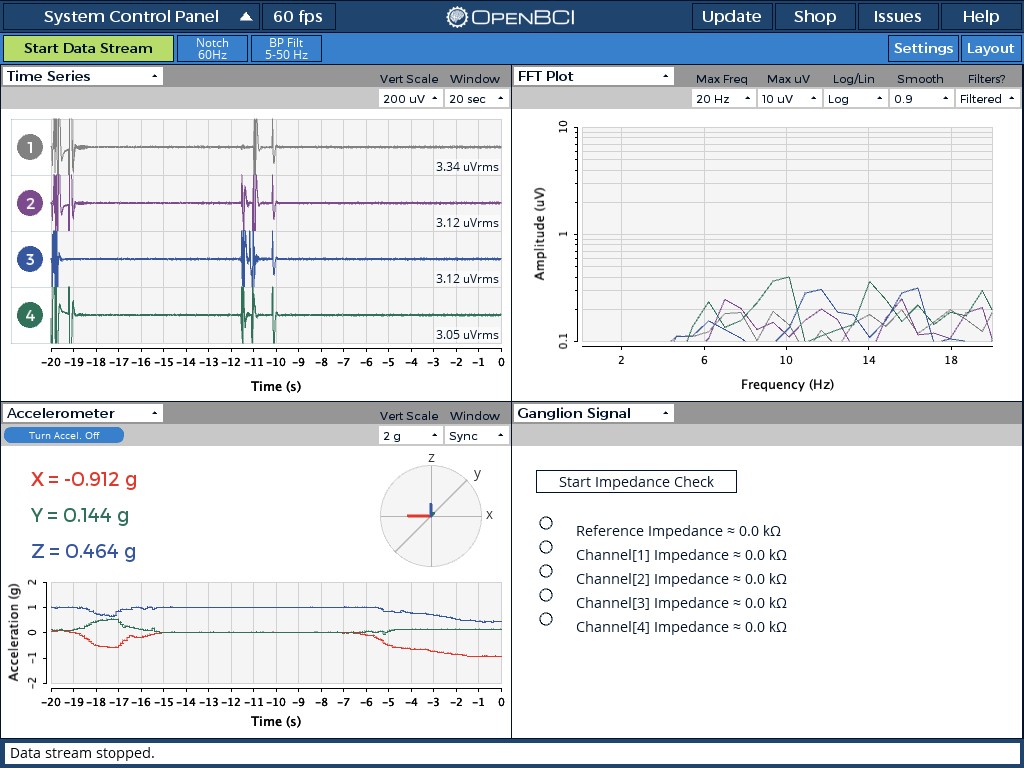
Have you tried to hold ganglion constant e.g. on the table for some seconds and then turn slowly to the side?
Is the acc following also small turns or do you need to shake it first to get an reaction?
jps2000
on 18 Dec 2018
lol no shaking necessary I promise
retiutut
on 18 Dec 2018
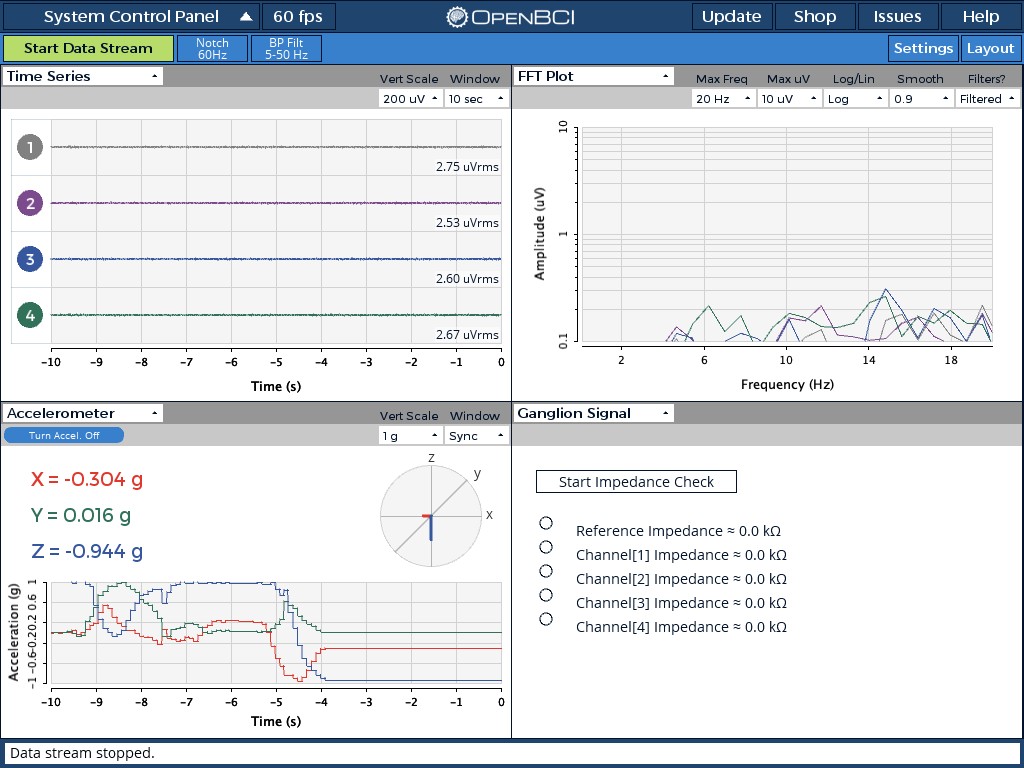
Not sure but is there no zero line?
like to see zero marked at least . better add a grid /horizontal lines please
jps2000
on 19 Dec 2018
Done. As simple as changing:
plot.drawGridLines(0);
to
plot.drawGridLines(2);
retiutut
on 19 Dec 2018
Solved in 4.0.1
Thank you looks great now
jps2000
on 11 Feb 2019
Related issues
 cboulay
·
8Comments
cboulay
·
8Comments
 lopezvaa
·
9Comments
lopezvaa
·
9Comments
 Otemo
·
3Comments
Otemo
·
3Comments
 daniellasry
·
8Comments
jps2000
·
8Comments
daniellasry
·
8Comments
jps2000
·
8Comments
Most helpful comment
You are doing great. It was significant effort but it improved tremendously.
Just had another idea. you may consider to have acc x on, acc y on, acc z on separately. sometimes just one axis is interesting.
But that's just in case you face boring times....
Decision to do something is interest * priority