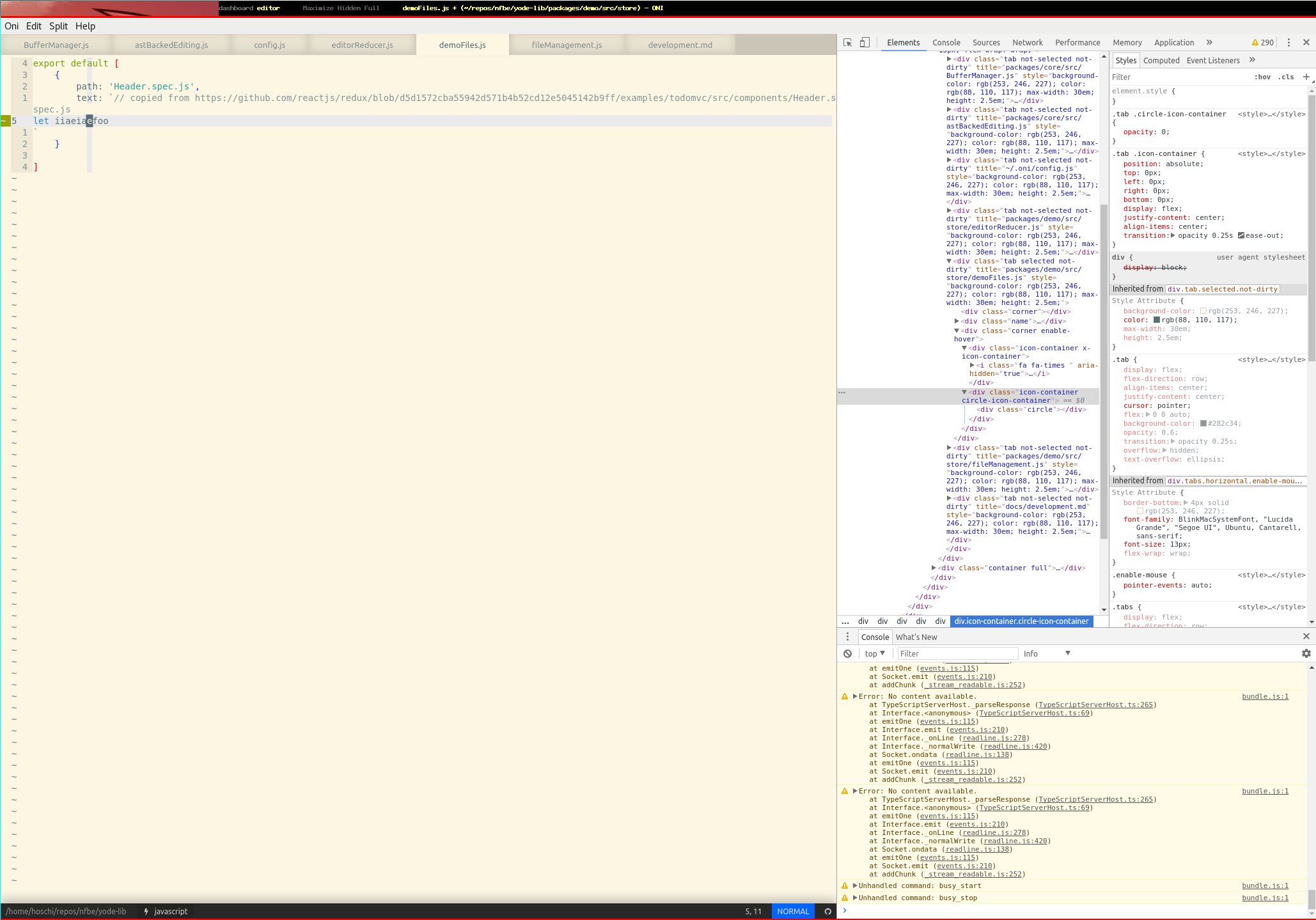
Window title shows it, git gutter plugin shows it also, but tab doesn't have the circle icon. I'm on release 0.2.17
config:
module.exports = {
  "statusbar.fontSize": "12px",
  "editor.fontSize": "14px",
  //"editor.fontLigatures": true,
  "oni.useDefaultConfig": false,
  "editor.scrollBar.visible": false,
  "editor.quickInfo.enabled": false,
  "editor.cursorLine": false,
  "editor.cursorColumn": false,
  "editor.clipboart.enabled": false,
  "editor.quickInfo.delay": 250,
  //"editor.cursorColumnOpacity": 0.1,
  "tabs.showVimTabs": true,
  "tabs.wrap": true,
}
 hoschi
All 13 comments
Worked fine for me at first, then when I enabled "tabs.showVimTabs": true,, it stopped working.
Maybe the logic is buffer specific and not considering tabs?
Looks like it isn't, only for the case of buffers as tabs.
 CrossR
on 18 Nov 2017
CrossR
on 18 Nov 2017
Yes, I could be wrong, but it seems t's not very straightforward to get the dirty state for _all buffers in a tab_, so in vim.showVimTabs mode, we simply don't show the dirty state.
It would be a nice feature to have, though
 bryphe
on 20 Nov 2017
bryphe
on 20 Nov 2017
Hm I don't think I can live without that. How do I get the vim tabs back? tabs.enabled=false gives me no tabs at all ...
hoschi
on 20 Nov 2017
Yes, it seems even if tabs.enabled is set to false, we always set ext_tabline to true (which tells Neovim to let us handle the rendering of tabs, and not to worry about it).
To get the original tab line back, we should also add a configuration option to disable this. It seems like there are three scenarios we have:
- Oni's default tabs (buffers,
tabs.showVimTabsisfalse) - Oni showing vim tabs (tabs,
tabs.showVimTabsistrue). - Oni not showing tabs at all, and deferring that to neovim
One option would be to add a new option for tabs.showVimTabs - 'native' - if this is set, we don't set ext_tabline, and also don't render the tab bar (it would imply tabs.enabled is false). false and true would still work as before.
bryphe
on 20 Nov 2017
I'll have a look at this now, adding a native option and fixing the existing tabs.enabled option.
After that, I'll see if there is a more broad solution that works so we can apply it to the nicer looking tabs.
CrossR
on 20 Nov 2017
@hoschi, incase you didn't see, the tab config options have now changed on master. The config for tabs is now done through the "tab.mode" option, where there are 4 options.
"tab.mode": "buffers" means show all buffers in Oni Tabs (the default).
"tab.mode": "tabs" means show only Vim tabs in Oni tabs (which is what you have enabled now).
"tab.mode": "native" reverts back to the vim tab UI, disabling the Oni Tab UI completely.
"tab.mode": "hidden" disables both the Oni and Vim tab bar.
I'm going to have a look into getting the modified state for all buffers in a tab as well now that is merged.
CrossR
on 22 Nov 2017
@CrossR thanks for the comment! I didn't see it, indeed.
I'm going to have a look into getting the modified state for all buffers in a tab as well now that is merged.
Would be super awesome, I really like the new (wrapped) tabs :100:
hoschi
on 22 Nov 2017
Added a bounty for solving the dirty marker when tabs.mode is 'tabs'. Would be great to solve that issue, as using tabs mode seems to be common.
bryphe
on 5 Feb 2018
I thought I should stick an update in here.
I've started to have a quick look into this. At first I was hoping this would be easier this time around, since @bryphe did all the work getting the tabpage number to be shown, so it can be shown in the Oni tab title for easier swapping around. However, unless I'm doing something wrong the tab number is only shown for the currently active buffer, at least when using tabpagenr. This fits the description the Neovim docs give of that command, so it makes sense. So it can't really be used for this, unless its persisted somehow which would be a massive and over the top change.
The other way I'm now looking at is using tabpagebuflist instead. It sounds exactly like what is needed here, but I'm either misunderstanding it or not dealing with the result that comes back in the correct way. It should return a list of buffers for a given tab page (from my understanding) but I only seem to get a single value back, despite having multiple buffers in multiple tab windows. This happens both in calling it via Oni or just doing it in neovim commands via Oni.
I'm going to keep looking at it, since its fully possible I'm missing something in the (confusing world) of VimL.
CrossR
on 9 Feb 2018
Awesome, thanks @CrossR !
However, unless I'm doing something wrong the tab number is only shown for the currently active buffer, at least when using tabpagenr. This fits the description the Neovim docs give of that command, so it makes sense. So it can't really be used for this, unless its persisted somehow which would be a massive and over the top change.
Yep... what we really need is a way to have all the buffers associated with each tab in our redux store. Then, if we know all the buffers, we can look them up and see if _any_ are dirty, and show the dirty icon.
The other way I'm now looking at is using tabpagebuflist instead. It sounds exactly like what is needed here, but I'm either misunderstanding it or not dealing with the result that comes back in the correct way.
Sounds promising! We could ask Neovim about tabpagebuflist for each of the tabs, get the active buffers, and write them back to our store. Then we'd have all the data we need to decide if we need to show the dirty icon, since we have all the buffer data.
I was able to get it to work in the console:
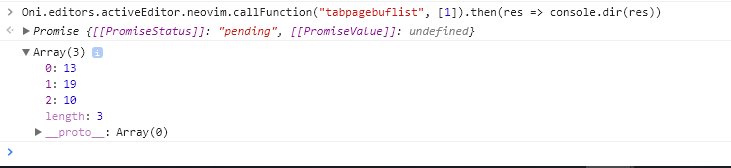
And it looks like the right result based on my window layout (I guess 19 is a hidden buffer for help?):
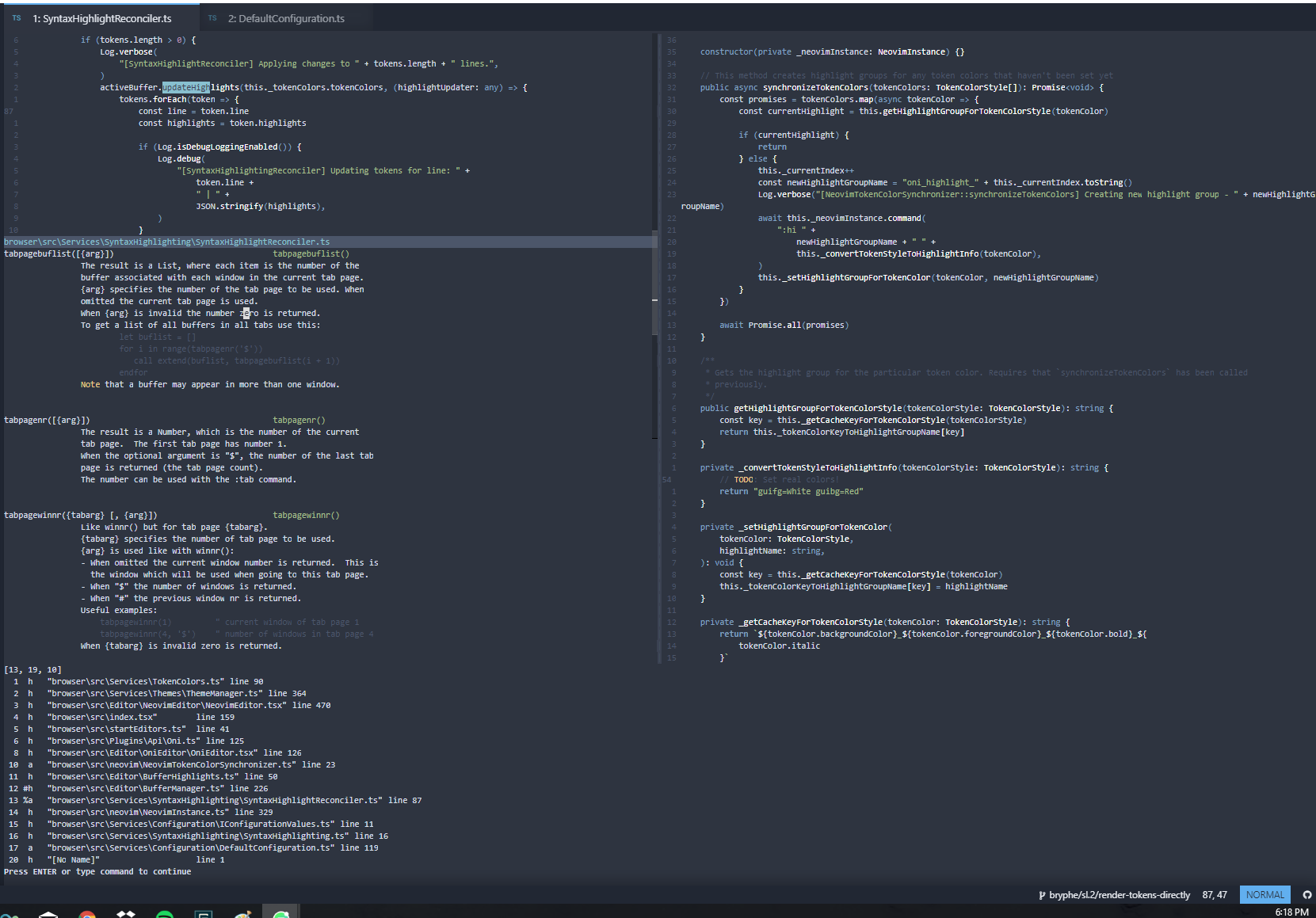
Hope that helps give you an idea! Thanks for looking at this.
We could potentially use nvim_call_atomic to make a bunch of calls to tabpagebuflist in one go, too, when we get the tab update notification from Neovim.
bryphe
on 9 Feb 2018
This just about missed out on the current build, but should be in the next one / any build from master!
(As an aside, is there an equivalent to AppVeyor artifacts for OSX/Linux builds that I can point people towards for builds from master? @bryphe)
CrossR
on 13 Feb 2018
Awesome, thanks for reviewing / approving this @CrossR ! Great to see this new workflow working out 👍
This just about missed out on the current build, but should be in the next one / any build from master!
Sweet, I'm planning on the next release on 3/5.
(As an aside, is there an equivalent to AppVeyor artifacts for OSX/Linux builds that I can point people towards for builds from master? @bryphe)
I'm working on this, actually! Right now, there are master builds available here:
- https://s3-us-west-2.amazonaws.com/oni-builds/master/Oni-0.3.0-x64-linux.tar.gz
- https://s3-us-west-2.amazonaws.com/oni-builds/master/Oni-0.3.0-osx.dmg
Thinking about adding a download page on our website to grab the latest master (potentially a backer perk or something?)
bryphe
on 13 Feb 2018
Also, great work on the tests here @CrossR - I really like that you have both unit tests and ci tests. Gives me a lot of confidence in the functionality!
bryphe
on 13 Feb 2018
Related issues
 tcoopman
·
3Comments
tcoopman
·
3Comments
 IvRRimum
·
3Comments
IvRRimum
·
3Comments
 magopian
·
3Comments
magopian
·
3Comments
 Canop
·
3Comments
Canop
·
3Comments
 Siilwyn
·
3Comments
Siilwyn
·
3Comments
Most helpful comment
@hoschi, incase you didn't see, the tab config options have now changed on master. The config for tabs is now done through the
"tab.mode"option, where there are 4 options."tab.mode": "buffers"means show all buffers in Oni Tabs (the default)."tab.mode": "tabs"means show only Vim tabs in Oni tabs (which is what you have enabled now)."tab.mode": "native"reverts back to the vim tab UI, disabling the Oni Tab UI completely."tab.mode": "hidden"disables both the Oni and Vim tab bar.I'm going to have a look into getting the modified state for all buffers in a tab as well now that is merged.