Office-js: Office.context.mailbox.item is null
I have created an outlook add-in for our customers. For only one customer when we retrieve the Office.context.mailbox.item object, we are getting a null value. This issue only occurs for this customer and others have no issue.
The issue is only with the outlook desktop client. OWA is working fine. Customer is using windows 7/windows 2019 with outlook version 2002.
`Office.onReady(function () {
Office.initialize = function () {}
   refresh: function () {
            try {
                app.logtext += "\nRefreshing data";
                if (!Office.initialize) {
                    app.logtext += "\nError initializing office..."
                } else {
                    if (Office.context) {
                        app.logtext += "\nOffice.context true"
                    }
                    if (Office.context.mailbox) {
                        app.logtext += "\nOffice.context.mailbox true"
                    }
                    if (Office.context.mailbox.item) {
                        app.logtext += "\nOffice.context.mailbox.item true"
                    }
                    app.logtext += "\nOffice.context.mailbox.item.internetMessageId" + Office.context.mailbox.item.internetMessageId;
                    app.logtext += "\nOffice.context.mailbox.item.internetMessageId" + Office.context.mailbox.item.internetMessageId;
                    app.logtext += "\nOffice.context.mailbox.item.internetMessageId" + Office.context.mailbox.item.internetMessageId;
                    app.logtext += "\nOffice.context.mailbox.item.subject" + Office.context.mailbox.item.subject;
                    app.logtext += "\nOffice.context.mailbox.item.itemId" + Office.context.mailbox.item.itemId;
                }
                app.internetMsgId = Office.context.mailbox.item.internetMessageId;
                app.subject = Office.context.mailbox.item.subject;
                app.messageId = Office.context.mailbox.item.itemId;
            } catch (err) {
                app.logtext += "\n JS error" + err;
            }
            app.settings_egCookie = Office.context.roamingSettings.get("Addin-Cookie");
            app.settings_userEmail = Office.context.roamingSettings.get("Addin-User-Email");
            app.settings_userName = Office.context.roamingSettings.get("Addin-User-Name");
            app.settings_userId = Office.context.roamingSettings.get("Addin-User-Id");
            app.settings_clientId = Office.context.roamingSettings.get("Addin-Client-Id");
            app.emailgisticsUser = Office.context.roamingSettings.get("Addin-Emailgistics-User");

        },

    }
});
$(document).ready(function () {
Office.context.mailbox.addHandlerAsync(Office.EventType.ItemChanged, itemChanged);
//UpdateTaskPaneUI(Office.context.mailbox);
app.logtext += "\Document is ready and task pane is loaded....";
});
});`
// if (Office.context.mailbox.item) this condition is failing and the data is null from my tests.
 ArjunSureshKumar92
All 25 comments
Is the add-in pinned? If the add-in is pinned and there is an event handler for an ItemChanged event, the item can be null when you switch items or select an item header. Can you describe how your add-in is being used?
 exextoc
on 22 Sep 2020
exextoc
on 22 Sep 2020
I tried the same without pinning the addin, the result is the same. Like I stated in the description is it working fine for me and most of my customers. We only have this issue with one customer.
_If the add-in is pinned and there is an event handler for an ItemChanged event_
Correct me if I'm wrong, but even if we have this event handler, the value we get from the office object should not be null right? When I call the office.context.mailbox is it valid, it is only the office.context.mailbox.item that is null.
Is there any security policy that will prevent the outlook add-in from accessing this info? If so, kindly provide a link.
Thanks.
ArjunSureshKumar92
on 22 Sep 2020
Can you provide repro steps or a screen recording of how you are getting this error.
exextoc
on 22 Sep 2020
This issue has been automatically marked as stale because it is marked as needing author feedback but has not had any activity for 4 days. It will be closed if no further activity occurs within 3 days of this comment. Thank you for your interest in Office Add-ins!
![msftbot[bot] picture](https://avatars.githubusercontent.com/in/26612?v=4&s=40) msftbot[bot]
on 27 Sep 2020
msftbot[bot]
on 27 Sep 2020
@ArjunSureshKumar92 Can you provide repro steps or recording per exextoc's earlier request? Thx.
 ElizabethSamuel-MSFT
on 29 Sep 2020
ElizabethSamuel-MSFT
on 29 Sep 2020
This issue has been automatically marked as stale because it is marked as needing author feedback but has not had any activity for 4 days. It will be closed if no further activity occurs within 3 days of this comment. Thank you for your interest in Office Add-ins!
msftbot[bot]
on 3 Oct 2020
This issue has been closed due to inactivity. Please comment if you still need assistance and we'll re-open the issue.
msftbot[bot]
on 6 Oct 2020
@ElizabethSamuel-MSFT Sorry for the delay. Attaching screen shots for the steps.
Explanation:
Success Case:
Step 1(success_1.png):
Select the test addin
Step 2(success_2.png):
Press refresh button, and the message details is populated correctly. message id, message imi and subject
Step 3(success_3.png):
The log info is shown.
All the office object values are present so we return true.
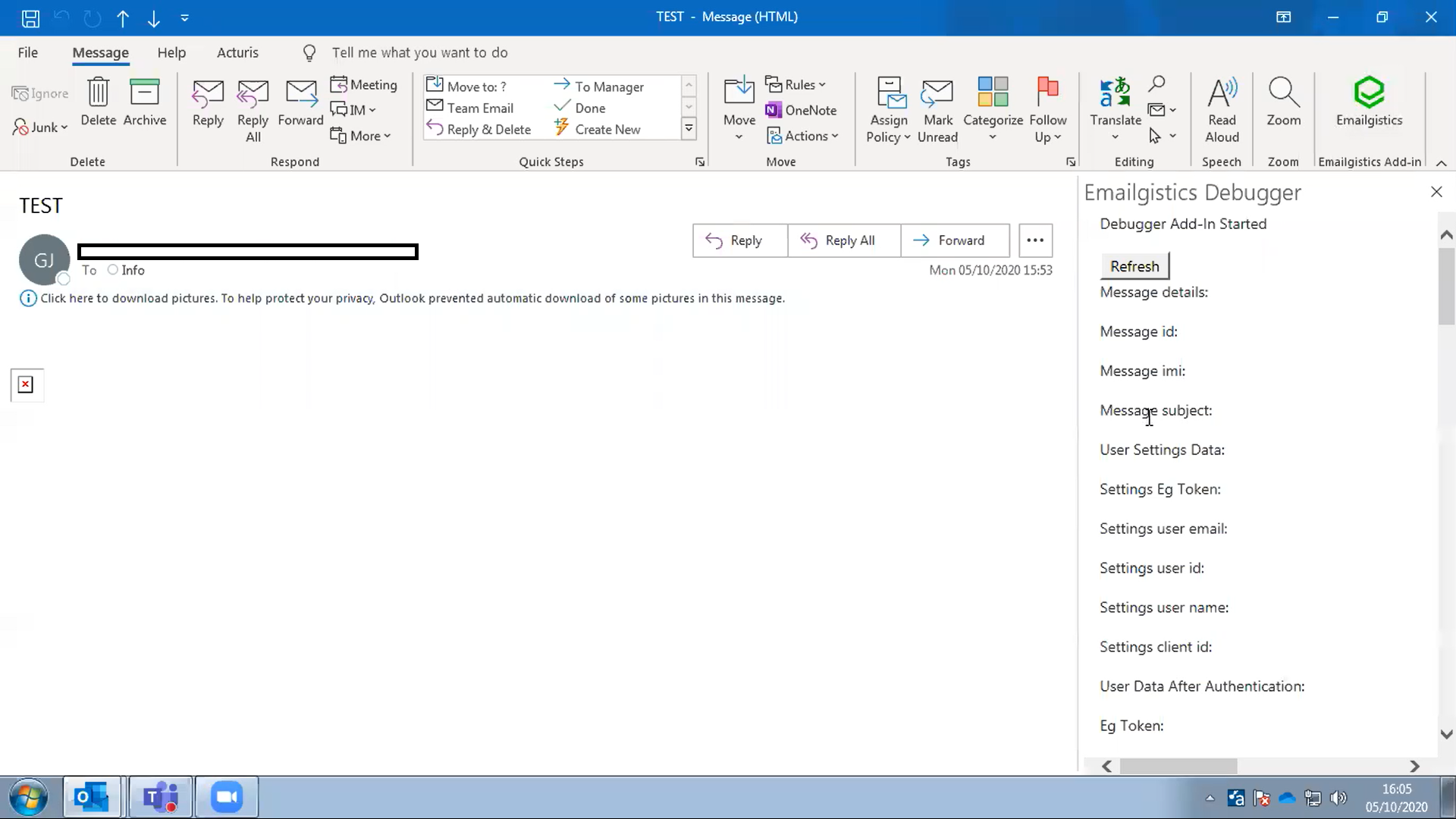
Error case for only one customer:
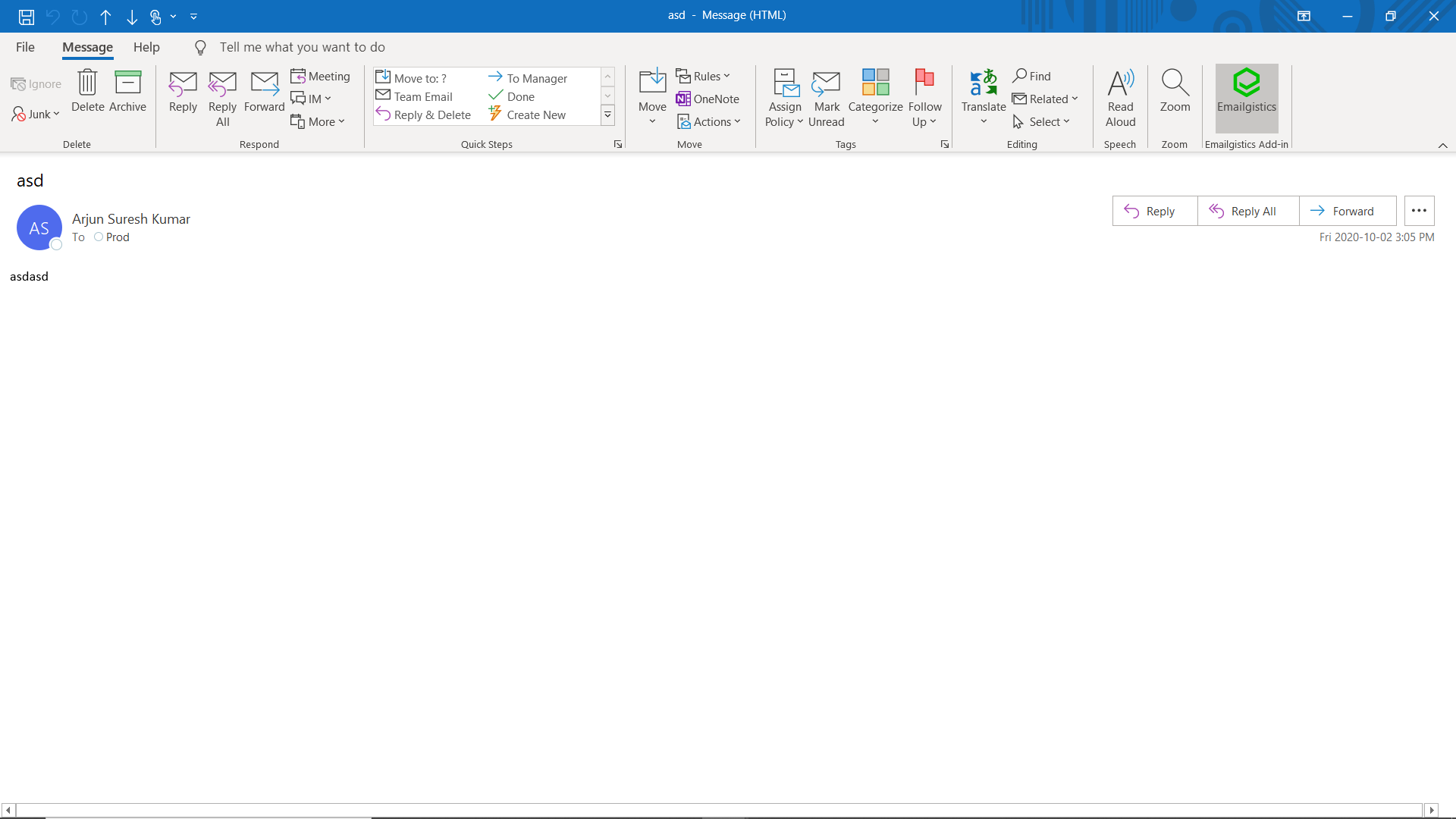
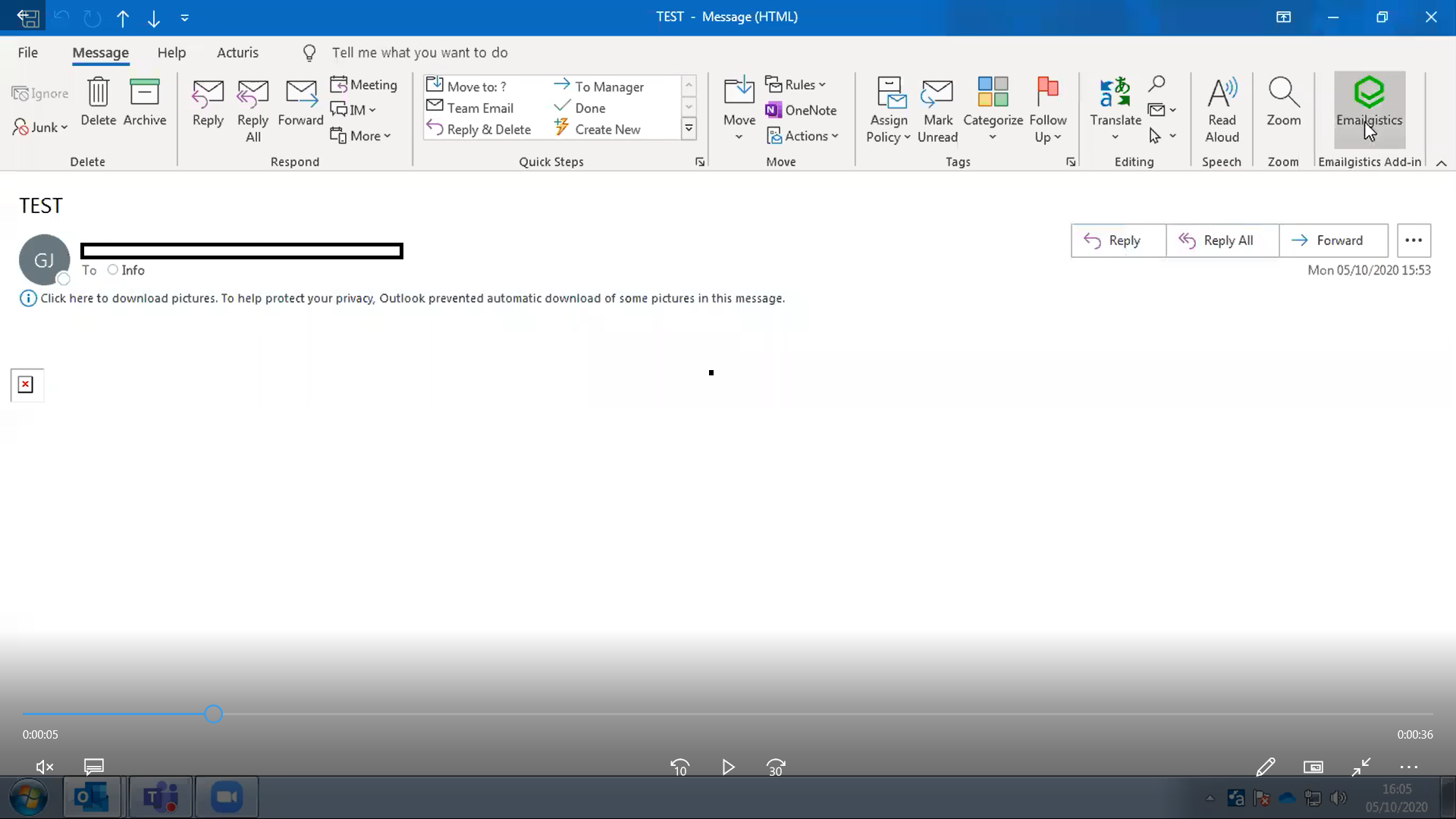
Step1(error_1.png):
Select the test add-in
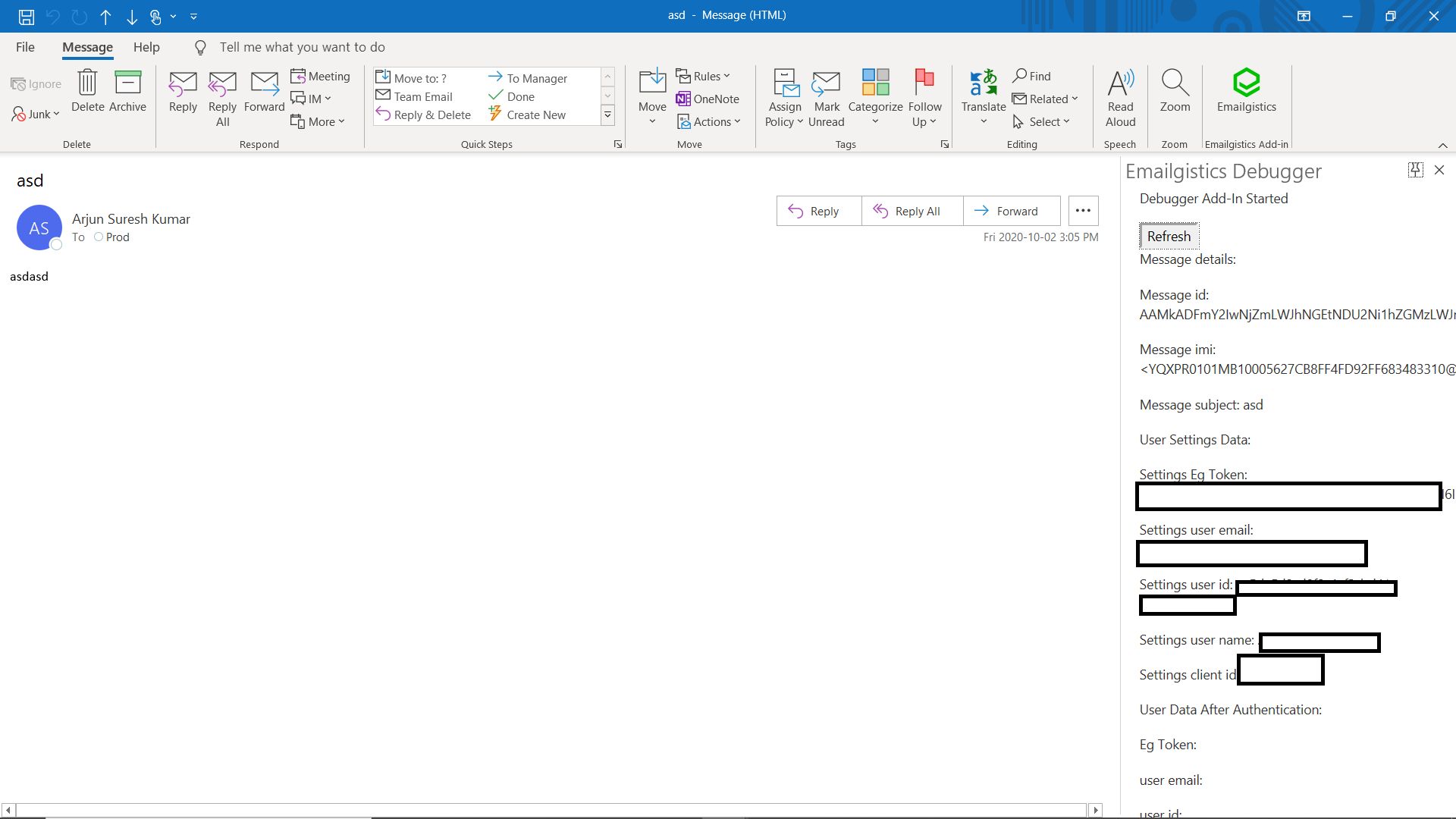
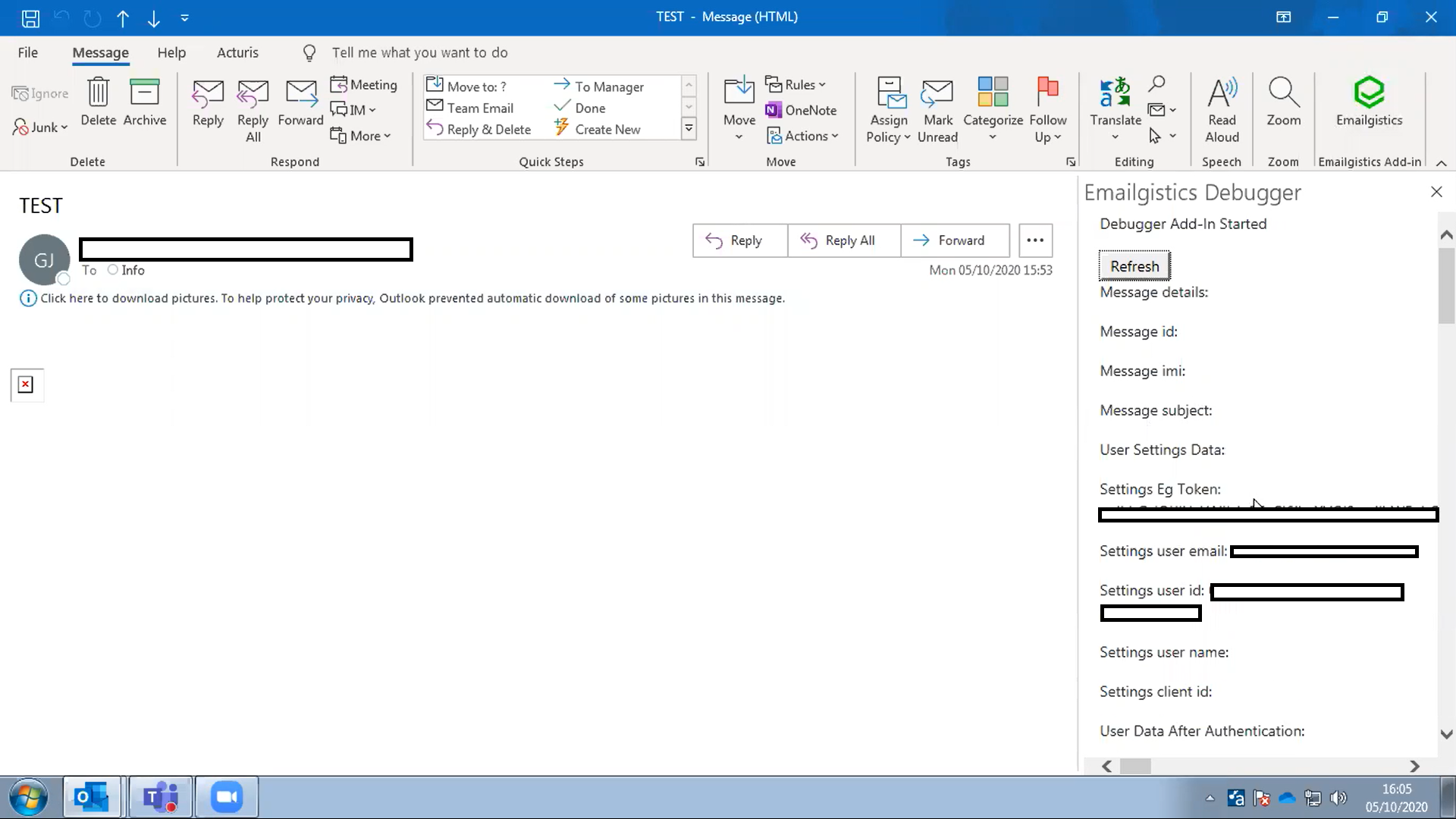
Step2(error_2.png):
Press the refresh button.
Step3(error_3.png):
The message details are not popuated.
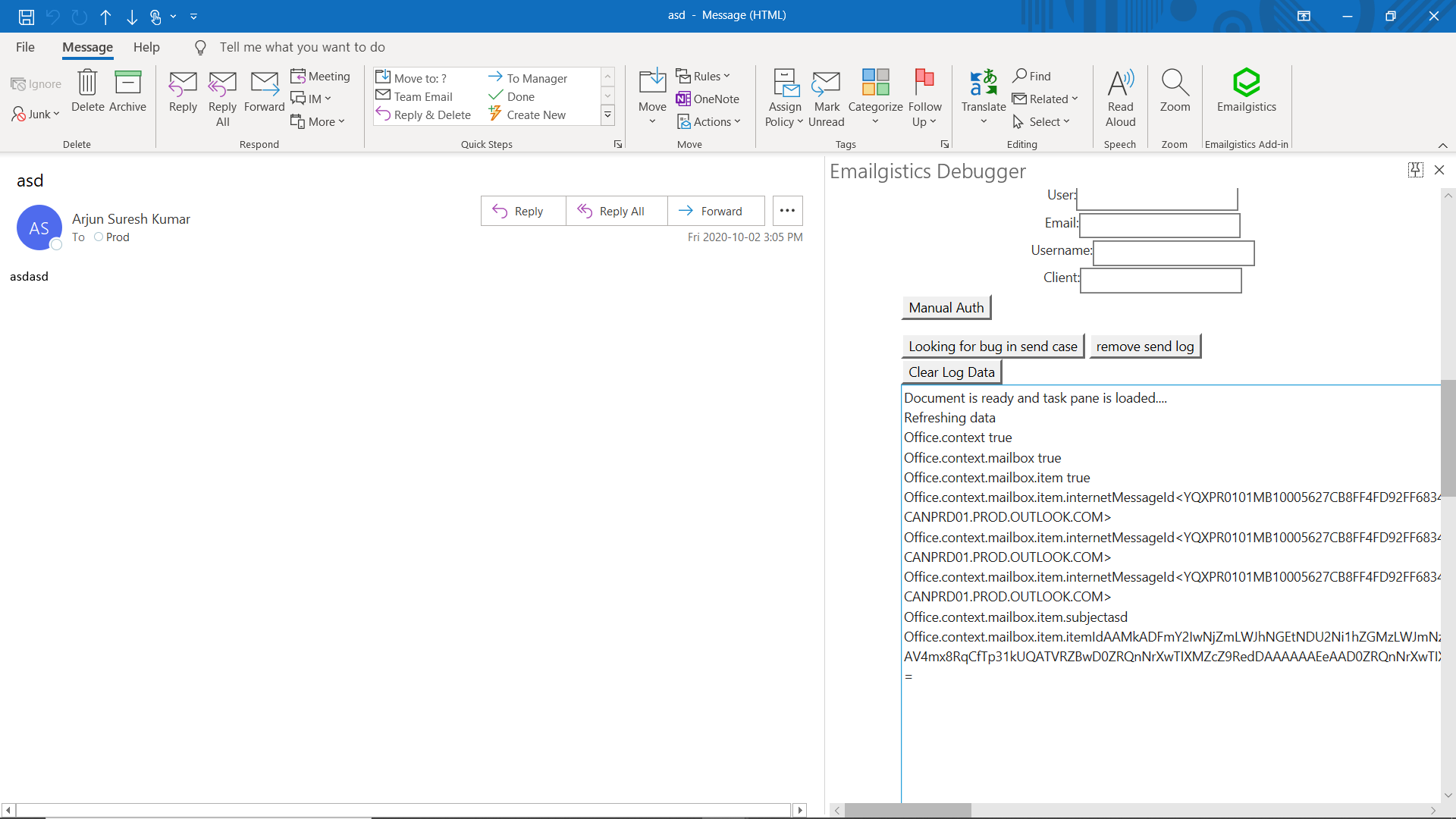
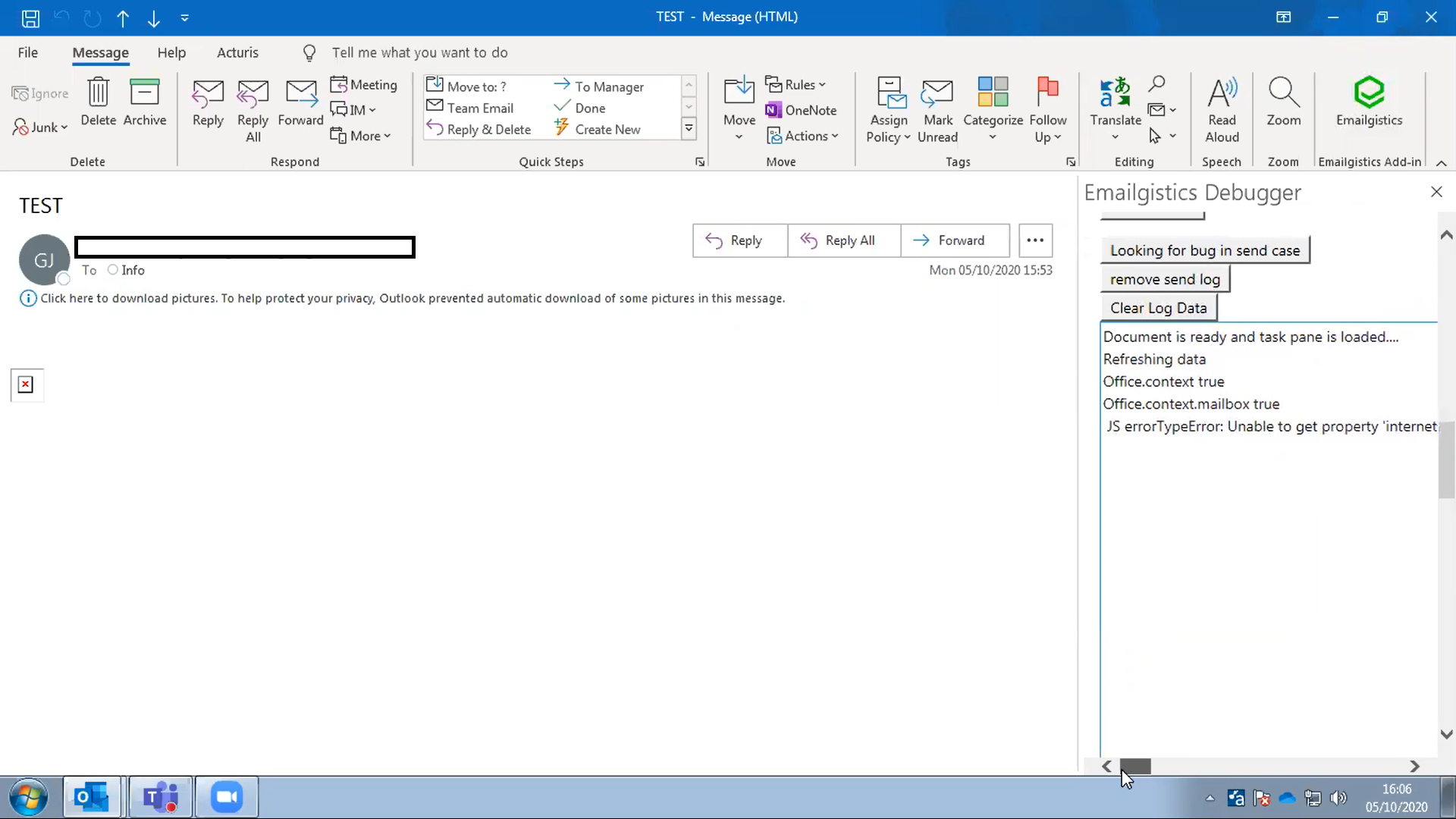
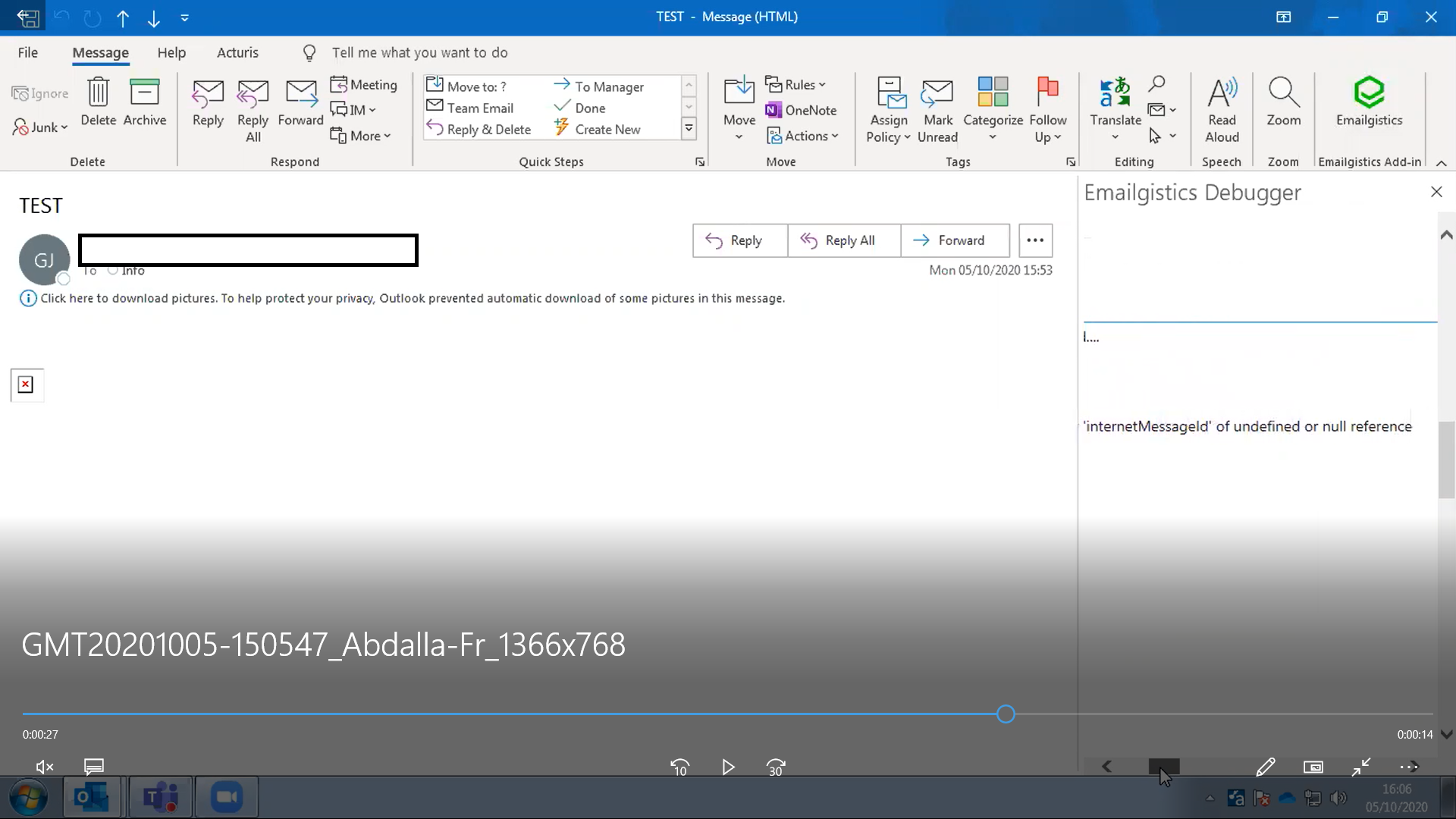
Step4(error_4.png) and (error_5.png):
The log shows the error.
so the Office.context.mailbox.item value is null, so the data is missing.
ArjunSureshKumar92
on 8 Oct 2020
Does your refresh do anything aside from just dump stuff out to the log? (from the code you pasted, it doesn't look like it, but I wanted to double check).
Instead of a Refresh button could you just do everything in the Initialize() function? Also just use OnReady() OR Initialize(). Not both. https://docs.microsoft.com/en-us/office/dev/add-ins/develop/initialize-add-in. It could be the fact that you are defining Initialize() inside OnReady is causing issues.
In the past, we've only seen problems with this when Item is accessed outside Initialize/OnReady(). Your code looks okay, but the fact that you have both Initialize and OnReady(), seems somewhat suspicious.
Does this happen on EVERY email of this customer?
Does the customer have an up to date version of your manifest add-in? Their Add-in looks out of date (it doesn't have the pinning icon)
Do other add-ins on this customers machine behave incorrectly? (notably if you use ScriptLab do the example scripts work?)
exextoc
on 8 Oct 2020
_Does your refresh do anything aside from just dump stuff out to the log? (from the code you pasted, it doesn't look like it, but I wanted to double check)._
No, this is a debugging addin we created to strip out everything other than getting the item from the office js object.
_Instead of a Refresh button could you just do everything in the Initialize() function? Also just use OnReady() OR Initialize(). Not both. https://docs.microsoft.com/en-us/office/dev/add-ins/develop/initialize-add-in. It could be the fact that you are defining Initialize() inside OnReady is causing issues._
I will make changes to the code to see if this fixes the issue. But since only one customer is experiencing the problem, I'm not that confident.
_Does this happen on EVERY email of this customer?_
Yes. We must have tried with at least 5 or 6 emails, and all had the same issue. However, something interesting we found was, with OWA, the same emails all worked fine. Which is why I still believe it might be a office desktop client security setting.
_Does the customer have an up to date version of your manifest add-in? Their Add-in looks out of date (it doesn't have the pinning icon)_
Yes, we checked the manifest and confirmed the version is the same. Like you said, the pinning icon is missing, which we noticed, but our best guess is it might be a windows version issue. We are using windows 10, but the customer is using windows 7.
Is there any known issue with windows 7 and office js?
_Do other add-ins on this customers machine behave incorrectly? (notably if you use ScriptLab do the example scripts work?)_
Unfortunately, we cant request this test with our customer.
Note: As per your comments, I will update the code to remove the initialize function, and then connect with the customer and provide screenshots asap.
ArjunSureshKumar92
on 19 Oct 2020
Code Update:
`Office.onReady(function () {
refresh: function () {
try {
app.logtext += "\nRefreshing data";
if (!Office.initialize) {
app.logtext += "\nError initializing office..."
} else {
if (Office.context) {
app.logtext += "\nOffice.context true"
}
if (Office.context.mailbox) {
app.logtext += "\nOffice.context.mailbox true"
}
if (Office.context.mailbox.item) {
app.logtext += "\nOffice.context.mailbox.item true"
}
app.logtext += "\nOffice.context.mailbox.item.internetMessageId" + Office.context.mailbox.item.internetMessageId;
app.logtext += "\nOffice.context.mailbox.item.internetMessageId" + Office.context.mailbox.item.internetMessageId;
app.logtext += "\nOffice.context.mailbox.item.internetMessageId" + Office.context.mailbox.item.internetMessageId;
app.logtext += "\nOffice.context.mailbox.item.subject" + Office.context.mailbox.item.subject;
app.logtext += "\nOffice.context.mailbox.item.itemId" + Office.context.mailbox.item.itemId;
}
app.internetMsgId = Office.context.mailbox.item.internetMessageId;
app.subject = Office.context.mailbox.item.subject;
app.messageId = Office.context.mailbox.item.itemId;
} catch (err) {
app.logtext += "\n JS error" + err;
}
app.settings_egCookie = Office.context.roamingSettings.get("Addin-Cookie");
app.settings_userEmail = Office.context.roamingSettings.get("Addin-User-Email");
app.settings_userName = Office.context.roamingSettings.get("Addin-User-Name");
app.settings_userId = Office.context.roamingSettings.get("Addin-User-Id");
app.settings_clientId = Office.context.roamingSettings.get("Addin-Client-Id");
app.emailgisticsUser = Office.context.roamingSettings.get("Addin-Emailgistics-User");
    },

}`
_Office.initialize = function () {} _ removed.
There was no change. The error is still the same.
ArjunSureshKumar92
on 19 Oct 2020
You mentioned the customer is using both Windows 7 and Windows Server 2019? Does the issue occur on both configurations? It could be unrelated, but that version of Outlook (Version 2002) is supported on Windows Server 2019, but not on Windows 7.
exextoc
on 23 Oct 2020
We had the issue with both, but recently all the tests were on Windows 7.
_but that version of Outlook (Version 2002) is supported on Windows Server 2019, but not on Windows 7._
So if I understand correctly, this is a version issue? Can you provide me a link where this info is available. It will be easier for me to convince the customer to upgrade with that link available for them to check as well. Thanks.
ArjunSureshKumar92
on 23 Oct 2020
Windows 7 support has ended. More information can be found here.
You can check if a version of Outlook is supported on Windows Server 2019 here.
exextoc
on 27 Oct 2020
This issue has been automatically marked as stale because it is marked as needing author feedback but has not had any activity for 4 days. It will be closed if no further activity occurs within 3 days of this comment. Thank you for your interest in Office Add-ins!
msftbot[bot]
on 31 Oct 2020
This issue has been closed due to inactivity. Please comment if you still need assistance and we'll re-open the issue.
msftbot[bot]
on 4 Nov 2020
Got the customer to update to Windows 10, but still have the exact same issue.
Update info:
Windows 10: 1909
Outlook version(o365) : 2002
MSO version: 16.0.12
We are close to losing the customer, any help will be much appreciated. Thanks
ArjunSureshKumar92
on 12 Nov 2020
@ElizabethSamuel-MSFT
Is it possible for IRM or other security features to prevent the add-in from getting the item info.
ArjunSureshKumar92
on 12 Nov 2020
@ArjunSureshKumar92 Thanks for providing this additional info.
@exextoc Can you take another look?
Thanks.
ElizabethSamuel-MSFT
on 12 Nov 2020
With IRM, the behavior should be that the addin's would not open and addins should not be available.
I want to verify your repro here. does Office.onReady get called by the framework? (note that the framework / office.js+outlook.js should call Office.onReady). API's are not guaranteed to be ready. Office* APIs (including Office.context.mailbox.item) are only ready during or after Office.onReady/initialize is called).
The other thing to check - have you checked the console log to see if there are errors there.
Another thing I notice, but probably not related to the error is that during $document.onReady, as noted above, the office.* api's aren't gaurenteed to be ready. addHandlerAsync should be called during Office.onReady/initialize.
exextoc
on 18 Nov 2020
_ does Office.onReady get called by the framework? _
The entire code is written inside office ready.
Office.onReady(function () {
// the entire code...
});
_The other thing to check - have you checked the console log to see if there are errors there._
Not sure what you mean, one of our customers is facing this issue in their outlook desktop version. Not sure how I can get the console logs. Can you point me to a example link.
Thanks.
ArjunSureshKumar92
on 18 Nov 2020
Got it on Office.onReady. I wasn't sure if the result was because of clicking on refresh, or if the result was filled in from the code in Office.onReady
In terms of console log, a debugger needs to be attached https://docs.microsoft.com/en-us/office/dev/add-ins/testing/debug-add-ins-using-f12-developer-tools-on-windows-10 To do this, you will need access to the customer's repro.
exextoc
on 18 Nov 2020
_In terms of console log, a debugger needs to be attached https://docs.microsoft.com/en-us/office/dev/add-ins/testing/debug-add-ins-using-f12-developer-tools-on-windows-10 To do this, you will need access to the customer's repro._
Yes, I will try to get this info asap. Thanks.
ArjunSureshKumar92
on 19 Nov 2020
We are currently working with Microsoft support. Thank you for all your help. Closing the case for now.
ArjunSureshKumar92
on 21 Nov 2020
👋 @exextoc I used to experience something similar but no longer do, I'm assuming this was patched. Would you be able to point to documentation around this ItemChanged null itemfix?
 wsoccorsi-yw
on 26 Jan 2021
wsoccorsi-yw
on 26 Jan 2021
Related issues
 ndeeH
·
5Comments
ndeeH
·
5Comments
 mattblackdev
·
4Comments
mattblackdev
·
4Comments
 binarykitchen
·
5Comments
binarykitchen
·
5Comments
 tido-ms
·
3Comments
tido-ms
·
3Comments
 dgrudenic
·
4Comments
dgrudenic
·
4Comments