Office-js: Office Add-in MS Project Task pane : Permission denied
After a recent update yesterday (18-Jul-19) . I am getting permission denied for any Office JS method when I try to execute.
Expected Behavior
Changing the selected task to desired text as per the below function.
Current Behavior
In my manifest I have checked the permission is set to:
<Permissions>ReadWriteDocument</Permissions>
Steps to Reproduce, or Live Example
Below is the sample method which use to run fine
- Additional details:
- Serving via HTTPS prortocol
Context
async run() {


  var taskGuid;

// Get the GUID of the selected task
    Office.context.document.**getSelectedTaskAsync**(
        function (result) {
          if (result.status === Office.AsyncResultStatus.Succeeded) {
            taskGuid = result.value;

            // Set the specified fields for the selected task.
            var targetFields = [Office.ProjectTaskFields.Name, Office.ProjectTaskFields.Notes];
            var fieldValues = ['Tidy International Task', 'Notes for the task from Tidy.'];

            // Set the field value. If the call is successful, set the next field.
            for (var i = 0; i < targetFields.length; i++) {
              Office.context.document.setTaskFieldAsync(
                  taskGuid,
                  targetFields[i],
                  fieldValues[i],
                  function (result) {
                    if (result.status === Office.AsyncResultStatus.Succeeded) {
                      i++;
                    }
                    else {
                      var err = result.error;
                      console.log(err.name + ' ' + err.code + ' ' + err.message);
                    }
                  }
              );
            }
          } else {
            var err = result.error;
            console.log(err.name + ' ' + err.code + ' ' + err.message);
          }
        }
    );

  }
Your Environment
Windows 10 64-bit
MS Project for Office 365 MSO (16.0.11328.20362) 64-bit
Word for Office 365 MSO (16.0.11328.20362) 64-bit
Actually for all office product the above version is applicable.
IE 11 BROWSER
Useful logs
- [ ] Console errors
- [x ] Screenshots
- [ ] Test file (if only happens on a particular file)
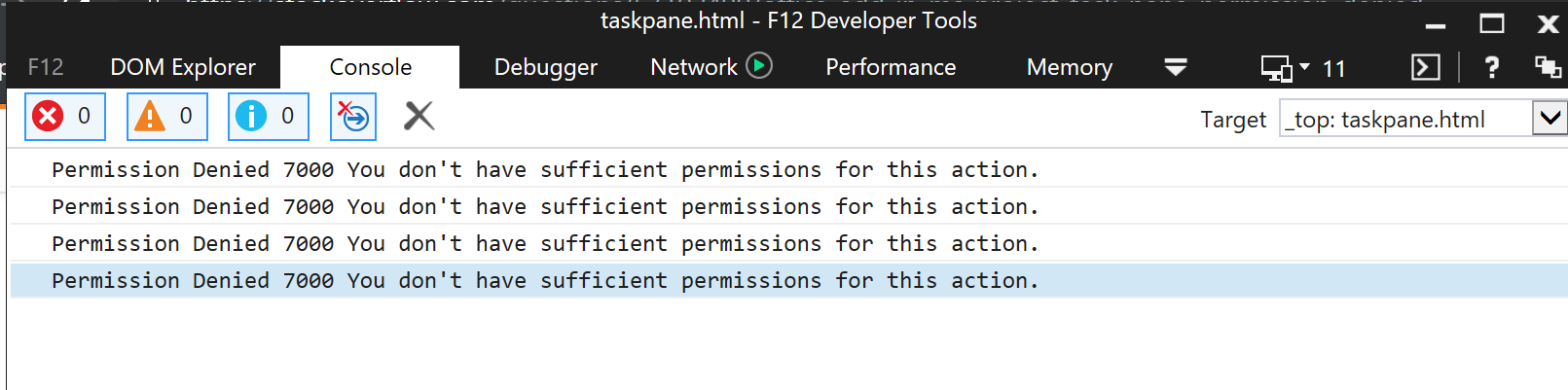
More detailed screenshot: Even though write privilleges is declared, function is falling under rejection
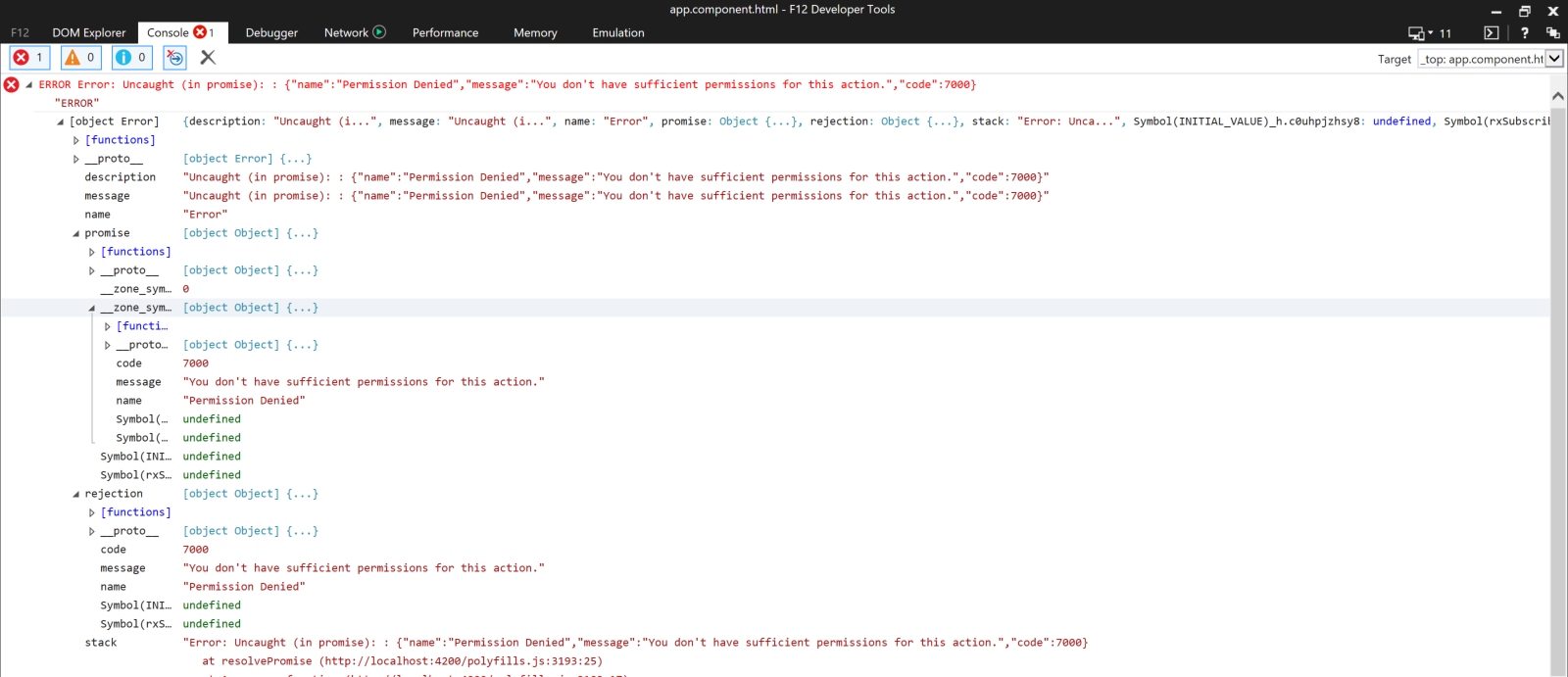
Kindly help to fix this problem ASAP. Thanks
 ragavanrajan
All 33 comments
I confirm , this was the bug I closed before too soon.
In fact it's now impossible to run add-ins on Windows 7. We must migrate all our machines from Windows 7 to Windows 10 1903, at the very least, to get the applications working again. Reinstalling Office, latest version, on windows 7 machines does not correct the problem.
Apparently the move from Internet Explorer to Edge seems to be the culprit.
 cyrelk
on 19 Jul 2019
cyrelk
on 19 Jul 2019
So does it mean. Add-in will only work in edge without any issues? I understand browsers will be decided based on the office version on Windows 10. If that is the case how do I force add in to use edge browser?
ragavanrajan
on 19 Jul 2019
On Windows 10 1903 I see the add-ins using Edge on 1809 they use IE. Apparently this is completly automatic. Maybe the Office developers could answer.
In fact it was by trying to debug the application on my machine that I remarked I could not used the F12 IE debugger anymore but I must use the Edge DevTools. I didn't know about the switch before that.
cyrelk
on 19 Jul 2019
Can you confirm if you are using the latest version of office.js?
 niteshgolchha85
on 19 Jul 2019
niteshgolchha85
on 19 Jul 2019
@niteshgolchha85 yes. Using the following CDN. <script src="https://appsforoffice.microsoft.com/lib/1/hosted/Office.js" type="text/javascript"></script>. I hope there is no update after this!!
ragavanrajan
on 20 Jul 2019
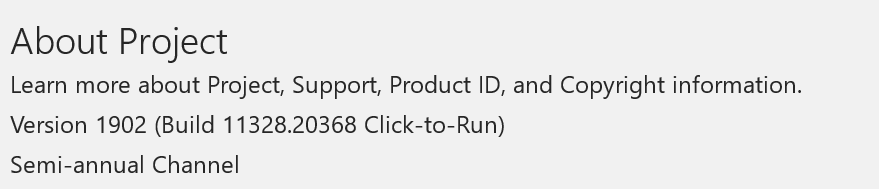
Even The Addins written in VSTO for MS Project is also stopped working. Producing errors on existing functionality.
Affecting all production users. . Below is the MSO version for better clarity.

ragavanrajan
on 22 Jul 2019
Works again for me on the latest revision of the GIT version of OfficeJS. Including on Windows 7 machines.
cyrelk
on 22 Jul 2019
@cyrelk Could you please share the CDN you are using.
ragavanrajan
on 22 Jul 2019
I'm using the GIT version , latest revision.
cyrelk
on 22 Jul 2019
@cyrelk sorry little confused. would you mind sharing link or reference pls. I have tried the <script src="https://unpkg.com/@microsoft/[email protected]/dist/office.js"></script> still ending up with error. What is the one you are using. Can you please be specific.
ragavanrajan
on 22 Jul 2019
That's the one you get from this very site: https://github.com/OfficeDev/office-js.git
The little green button in the upper right of code section :)
cyrelk
on 22 Jul 2019
@ragavanrajan referencing the CDN is the best way to get the latest office.js. You can try grabbing it from the location that @cyrelk mentioned above to see if that works or check if there are no other references to office.js in your code.
niteshgolchha85
on 22 Jul 2019
@niteshgolchha85 : I have checked completely every where in my application. Office JS is not referenced any where else. Using the latest CDN <script src="https://unpkg.com/@microsoft/[email protected]/dist/office.js"></script> - I am still getting the permission denied error. Even the samples are also having same problem. Could you please provide any alternative. Thanks
ragavanrajan
on 23 Jul 2019
We are also seeing this problem suddenly occurring on our add-ins on these environments:
- MS Project versions 1902 - Windows Server version 1607 (Testing environment)
- MS Project version 1907 - Windows version 1809
- MS Project version 1907 - Windows version 1903
 htryggva
on 23 Jul 2019
htryggva
on 23 Jul 2019
As I have already written above the two solutions we found to correct that problem were:
- upgrade to the latest version of Windows10, that's not always possible of course (we have Windows 7 machines that will stay as they are for a while)
- do a git clone|pull of the latest revision of this repository and in this case that has corrected the problem on all the machines. YMMV.
BTW I'm a user and not a member of the team of OfficeJS so I would appreciate a comment by one of them.
cyrelk
on 23 Jul 2019
At this point, @jargil is the best person to help out. I suspect it could be Edge caching old office.js but I'd let @jargil provide his opinion.
niteshgolchha85
on 23 Jul 2019
Question from engineering: what is the url for this file: project-win32-16.0x?
niteshgolchha85
on 24 Jul 2019
@niteshgolchha85 Here is the requested information : "?_host_Info=Project$Win32$16.01$en-US"
ragavanrajan
on 24 Jul 2019
@niteshgolchha85 On my environment the url is:
https://appsforoffice.microsoft.com/lib/1/hosted/project-win32-16.00.js
Project Version 1908 (Office Insider)
Windows Version 1903
Further note: On my machine, IE is being used for the WebView on MS Project. Edge is being used on the other Office apps. Is that normal?
htryggva
on 25 Jul 2019
@htryggva Do you have the "permission denied" problem or something else? Can you double check you are not getting project-win32-16.01? What is osf.dll version? It is next to your Project product executable file. See the picture below.
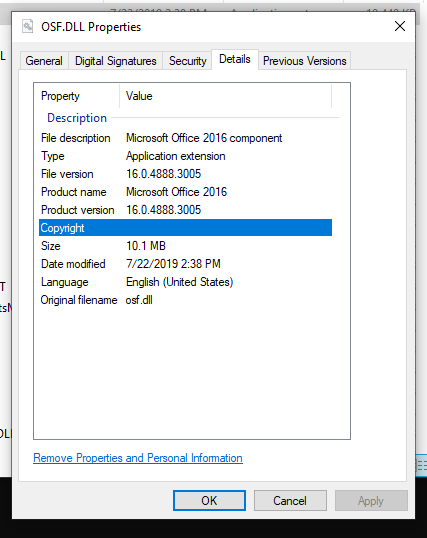
@ragavanrajan Can you confirm you are getting https://appsforoffice.microsoft.com/lib/1.1/hosted/project-win32-16.01.js or https://appsforoffice.microsoft.com/lib/1/hosted/project-win32-16.01.js? It would be great if you can tell me your osf.dll version as well.
 jjhua-github
on 25 Jul 2019
jjhua-github
on 25 Jul 2019
@jjhua-github I'm getting the "permission denied" error when trying to opening a dialog using the DialogAPI.
I'm getting the 16.00 version:

osf.dll:
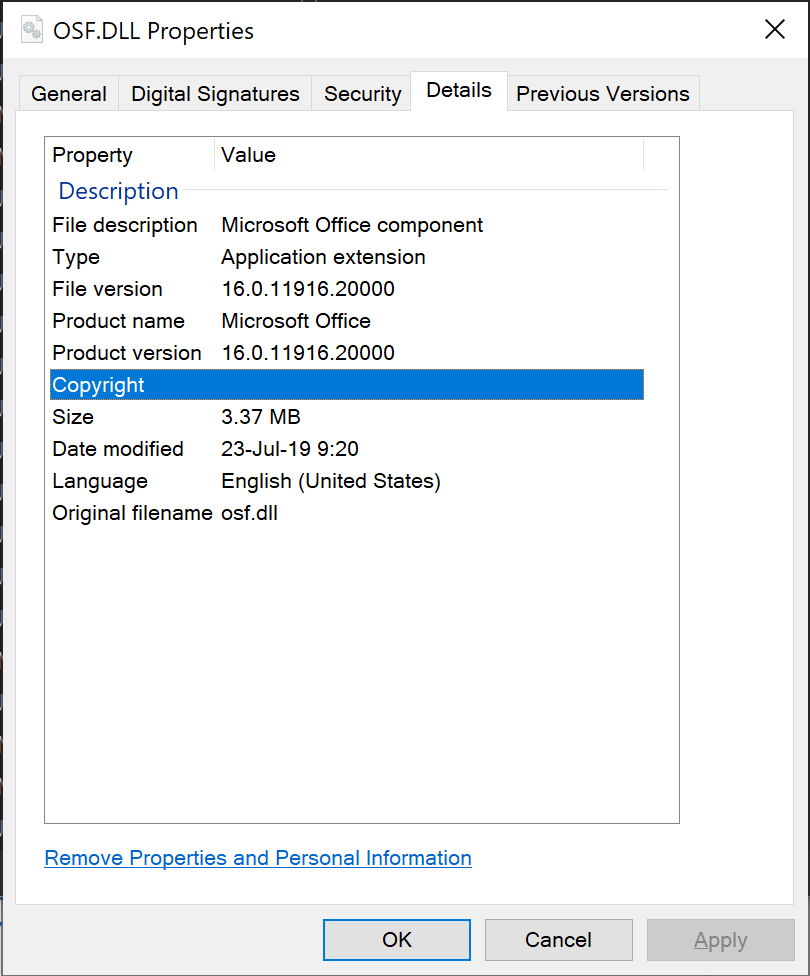
Hope this helps! Let me know if you need any more info.
htryggva
on 25 Jul 2019
@jjhua-github sure. Here is the requested information
Request URL: https://appsforoffice.microsoft.com/lib/1.1/hosted/project-win32-16.00.js

OSF.DLL:
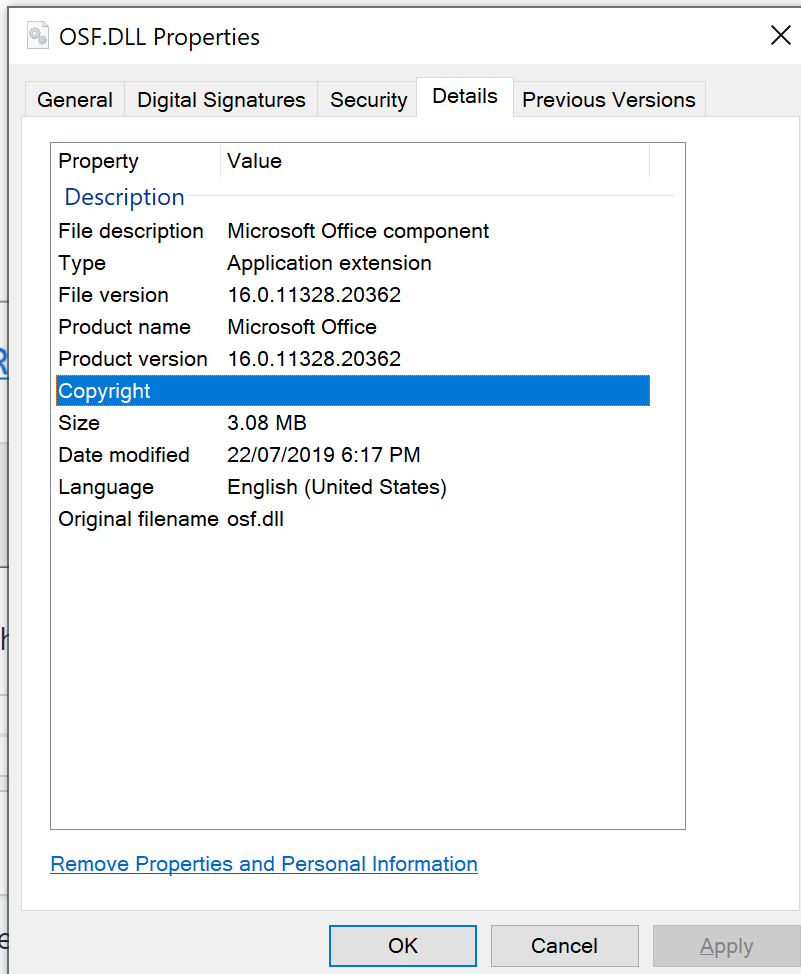
Please let me know if you need any further info.
ragavanrajan
on 25 Jul 2019
@htryggva - regarding Project not using Edge WebView, that's unexpected, I'm looking into this. As always, thanks for reporting!
 jargil
on 25 Jul 2019
jargil
on 25 Jul 2019
Not Edge related, so assigning to @jjhua-github.
jargil
on 25 Jul 2019
Sorry, we have a bug in https://appsforoffice.microsoft.com/lib/1/hosted/project-win32-16.00.js and https://appsforoffice.microsoft.com/lib/1.1/hosted/project-win32-16.00.js. We are working on fix right now. ETA: next week the fix will be on dogfood CDN; a week later on public CDN.
jjhua-github
on 26 Jul 2019
I'm also facing the same issue, while adding task pane add-in to MS Project.
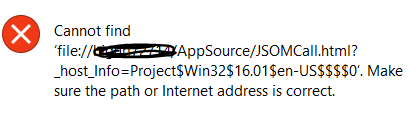
MS Project Client details:

 AllepuRajkumar
on 7 Aug 2019
AllepuRajkumar
on 7 Aug 2019
@jjhua-github it's been 18 days ... is this fix out yet?
 binarykitchen
on 14 Aug 2019
binarykitchen
on 14 Aug 2019
@binarykitchen I think the thread is not updated. It started working on the above reported build. Could you please check.
ragavanrajan
on 14 Aug 2019
Right, latest version //unpkg.com/@microsoft/[email protected]/dist/office.js resolves this.
binarykitchen
on 14 Aug 2019
This fix is getting deployed already. Thanks everyone who confirmed is working now.
jargil
on 14 Aug 2019
@jargil @jjhua-github I can confirm that it's working for me (Version 1908). Thanks!
htryggva
on 20 Aug 2019
Hello,
I'm having the same issue when I try to host my add-in with https.
I get a RichApi.Error : AccessDenied, but It's working when I disable the https on my server.
This issue happen when I try to get some data from my excel workbook with my add-in.
For information It's hosted with an nginx container on a docker server.
My excel version is 1902 and my office-js version is 1.0.31
Do you have some information about this issue ?
Thank you in advance ! :)
 BlackStef
on 26 Mar 2020
BlackStef
on 26 Mar 2020
This issue has been long resolved, so please follow the conversation above to make sure you have all the patches/updates installed.
Otherwise please wait for your new issue to be triaged and assigned to someone to try to help you.
jargil
on 26 Mar 2020
Related issues
 dgrudenic
·
3Comments
dgrudenic
·
3Comments
 leoseccia
·
3Comments
leoseccia
·
3Comments
 alx-andru
·
5Comments
alx-andru
·
5Comments
 mattblackdev
·
4Comments
dgrudenic
·
4Comments
mattblackdev
·
4Comments
dgrudenic
·
4Comments
Most helpful comment
Sorry, we have a bug in https://appsforoffice.microsoft.com/lib/1/hosted/project-win32-16.00.js and https://appsforoffice.microsoft.com/lib/1.1/hosted/project-win32-16.00.js. We are working on fix right now. ETA: next week the fix will be on dogfood CDN; a week later on public CDN.