Office-js: [Outlook] Office.context.mailbox.item.body.setAsync breaks images for recipient (Outlook for Mac)
We are seeing an issue in Outlook for Mac around "roundtripping" the mail body with Context.mailbox.item.body.getAsync and Context.mailbox.item.body.setAsync when the mail body contains images. When the existing mail body contains images, the image will render correctly in the compose window but will be broken when the recipient opens the mail. This is a cross-post of this Stack Overflow question
Expected Behavior
I would expect that the exact HTML we receive from getAsync can be written back into the mail body with setAsync without any user-facing change -- including preservation of images that currently exist in the mail body.
Current Behavior
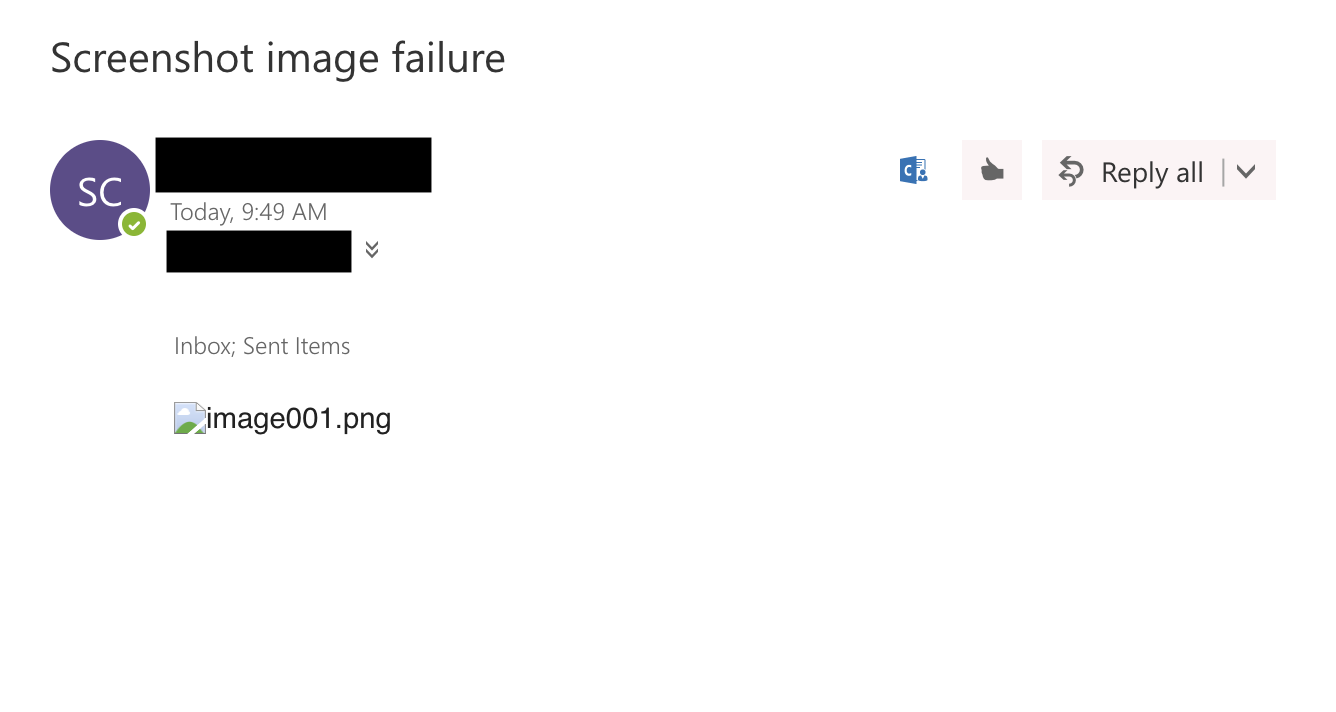
In Mac desktop only, reading the mail body via getAsync and then writing that result back to the mail body via setAsync corrupts the src of existing images. This is not visible to either the user or the add-in, but will result in an incorrect src for images once the mail has been sent. On the receiving end, the images will not render, and their src is incorrect.
This only happens in Outlook for Mac (images are preserved properly in Windows 2013/2016 and OWA) which seems to imply that this is a bug.
Steps to Reproduce, or Live Example
Repro 1:
- Add the following script to a task pane which runs in a compose-mode email message:
function roundtripMailBody() {
    Office.context.mailbox.item.body.getAsync(Office.CoercionType.Html, (result) => {

        if (result.status === Office.AsyncResultStatus.Failed) {
            return;
        }

        const bodyHtml = result.value;

        Office.context.mailbox.item.body.setAsync(bodyHtml, { coercionType: Office.CoercionType.Html });
    });
}

Office.initialize = roundtripMailBody();
- In Outlook for Mac, open the taskpane on a mail which already has an image in the mail body. This image can either be pasted in, inserted via the
Picturesbutton in the ribbon, or be included in a signature. - Wait for the taskpane to open and the function to run to completion. Note that the image still renders normally in the compose window.
- Close the mail and save it as a Draft. Reopen the Draft from the drafts folder and enter compose mode again. The image now renders as an empty box.
Repro 2:
- Follow steps 1-3 above.
- Send the mail to yourself.
- Open the email in OWA, or on another computer (basically anything besides Outlook for Mac on the computer it was sent from). The image will not render properly (will either show a broken image icon and display the
altdescription, or will sayThe linked image cannot be displayed. The file may have been moved, renamed, or deleted. Verify that the link points to the correct file and location).
Context
We currently have 3 means of writing content to the mail body: prependAsync, setSelectedDataAsync, and setAsync. Our plugin uses setAsync since it is the most flexible of these methods: it allows us to write content anywhere in the mail body, regardless of a user's selection. However, we need to preserve our users' signatures. We thought we could do that by reading the existing HTML, making modifications to body markup without touching the markup for the signature, and then inserting the new HTML back into the mail body. However, this resulted in the signatures not rendering correctly when the mail was sent, which is _especially_ scary because it looks fine from the sender perspective. We are at a loss for how to preserve the signature, or any image in the mail body, while still being able to write content in with setAsync.
Do we need to modify the src given to us in the images from getAsync before writing them back? This stackoverflow question and this one as well seem tangentially related to this problem, but we are currently only seeing this problem when composing in Mac Outlook (Windows Outlook 2013, Windows Outlook 2016, and Outlook Web App are all behaving as expected). We're also not seeing any reference to a cid in the Mac Outlook HTML blob, so even if we did want to replace the src with the base-64 encoding from the Rest API, we don't know how we would.
Your Environment
- Platform [PC desktop, Mac, iOS, Office Online]: Mac
- Host [Excel, Word, PowerPoint, etc.]: Outlook
- Office version number: 16.21.117.0
- Operating System: MacOS High Sierra v 10.13.6 (17G3025
- Browser (if using Office Online): N/A
Useful logs
Example HTML obtained from body.getAsync before the "roundtrip":
- As an example, here is the HTML result of a
getAsyncon an email with a single image inserted:
<html>
<head>
<meta http-equiv=Content-Type content="text/html; charset=utf-8">
<meta name=Generator content="Microsoft Word 15 (filtered)">
<style>
<!--
/* Font Definitions */
@font-face
{font-family:"Cambria Math";
panose-1:2 4 5 3 5 4 6 3 2 4;}
@font-face
{font-family:Calibri;
panose-1:2 15 5 2 2 2 4 3 2 4;}
/* Style Definitions */
p.MsoNormal, li.MsoNormal, div.MsoNormal
{margin:0in;
margin-bottom:.0001pt;
font-size:12.0pt;
font-family:"Calibri",sans-serif;}
.MsoChpDefault
{font-family:"Calibri",sans-serif;}
@page WordSection1
{size:8.5in 11.0in;
margin:1.0in 1.0in 1.0in 1.0in;}
div.WordSection1
{page:WordSection1;}
-->
</style>
</head>
<body lang=EN-US>
<div class=WordSection1>
<p class=MsoNormal><img width=256 height=256 style='width:2.6666in;height:2.6666in'
id="Picture 2"
src="~WRS%7b81702A75-3806-F94F-ACF1-448451D74C09%7d.fld/image001.png"></p>
<p class=MsoNormal> </p>
</div>
</body>
</html>
Screenshot:
Example of HTML obtained from body.getAsync after the roundtrip. Note that very little is different from the above.
<html>
<head>
<meta http-equiv=Content-Type content="text/html; charset=utf-8">
<meta name=Generator content="Microsoft Word 15 (filtered)">
<style>
<!--
/* Font Definitions */
@font-face
{font-family:"Cambria Math";
panose-1:2 4 5 3 5 4 6 3 2 4;}
@font-face
{font-family:Calibri;
panose-1:2 15 5 2 2 2 4 3 2 4;}
/* Style Definitions */
p.MsoNormal, li.MsoNormal, div.MsoNormal
{margin:0in;
margin-bottom:.0001pt;
font-size:12.0pt;
font-family:"Calibri",sans-serif;}
.MsoChpDefault
{font-family:"Calibri",sans-serif;}
@page WordSection1
{size:8.5in 11.0in;
margin:1.0in 1.0in 1.0in 1.0in;}
div.WordSection1
{page:WordSection1;}
-->
</style>
</head>
<body lang=EN-US>
<div class=WordSection1>
<p class=MsoNormal><img width=256 height=256 style='width:2.6666in;height:2.6666in'
id="Picture 2"
src="~WRS%7b81702A75-3806-F94F-ACF1-448451D74C09%7d.fld/image001.png"
style='height:2.666in;width:2.666in' alt=image001.png></p>
<p class=MsoNormal> </p>
<p class=MsoNormal> </p>
</div>
</body>
</html>
Screenshot:

Example of the HTML contents of a sent email opened in OWA after this roundtrip. Note that the src is clearly wrong on the recipient end (pointing to a local file on my machine that doesn't exist):
<div lang="EN-US">
<div class="x_WordSection1">
<p class="x_MsoNormal"><img data-imagetype="External" src="file:////Users/shannon/Library/Containers/com.microsoft.Outlook/Data/Library/Application%20Support/Microsoft/Temp/~WRS%7b81702A75-3806-F94F-ACF1-448451D74C09%7d.fld/image001.png" width="256" height="256" id="x_Picture_x0020_2" alt="image001.png" style="width:2.6666in; height:2.6666in"></p>
<p class="x_MsoNormal"> </p>
</div>
</div>
Screenshot of received mail in OWA (Chrome):
Screenshot of received mail in Windows Outlook 2013:

 ShannonLCapper
All 9 comments
we are able to repro the error and we are working towards fixing it!
 macOutlookExtensibility
on 11 Mar 2019
macOutlookExtensibility
on 11 Mar 2019
I'm so happy there's a fix in the works for this issue! Any word on when that fix will be going live?
ShannonLCapper
on 12 Apr 2019
Hi @ShannonLCapper, we don't have an ETA for the fix as of now. We'll update this thread as soon as we do.
macOutlookExtensibility
on 15 Apr 2019
Just wanted to check in and see if there's any update on this fix :)
ShannonLCapper
on 27 Jun 2019
@ShannonLCapper We don't have an update yet, we're working on it!
macOutlookExtensibility
on 4 Jul 2019
Hi there @macOutlookExtensibility, thanks for looking into this! :)
Wanted to check in and see if there's a ballpark timeline around the fix. I'd be happy to help in any way!
 david-davidson
on 19 Aug 2019
david-davidson
on 19 Aug 2019
Hello David, we are targeting end of Q4 to get this resolved. Thanks!
 AnjanaValsan
on 20 Aug 2019
AnjanaValsan
on 20 Aug 2019
Hello, @macOutlookExtensibility .
Issue still present. Are there any timeline updates you can give on this? Maybe there is some kind of workaround that I can implement in a meanwhile?
 arturs-buls
on 16 Jun 2020
arturs-buls
on 16 Jun 2020
@macOutlookExtensibility 👋 I've been able to confirm this is still prevalent. I'm seeing this stripping bullet points as well as images. I'd love to echo what @arturs-buls mentioned. Would you happen to have a timeline for this fix, or is there a workaround in the meantime? Thanks :D
 wsoccorsi-yw
on 4 Nov 2020
wsoccorsi-yw
on 4 Nov 2020
Related issues
 KantilalJadav
·
4Comments
KantilalJadav
·
4Comments
 binarykitchen
·
5Comments
binarykitchen
·
5Comments
 dgrudenic
·
3Comments
dgrudenic
·
3Comments
 Jarch09
·
3Comments
wsoccorsi-yw
·
4Comments
Jarch09
·
3Comments
wsoccorsi-yw
·
4Comments
Most helpful comment
we are able to repro the error and we are working towards fixing it!