Notepad3: Font of some titles goes wrong at Display-Scale more than 100%
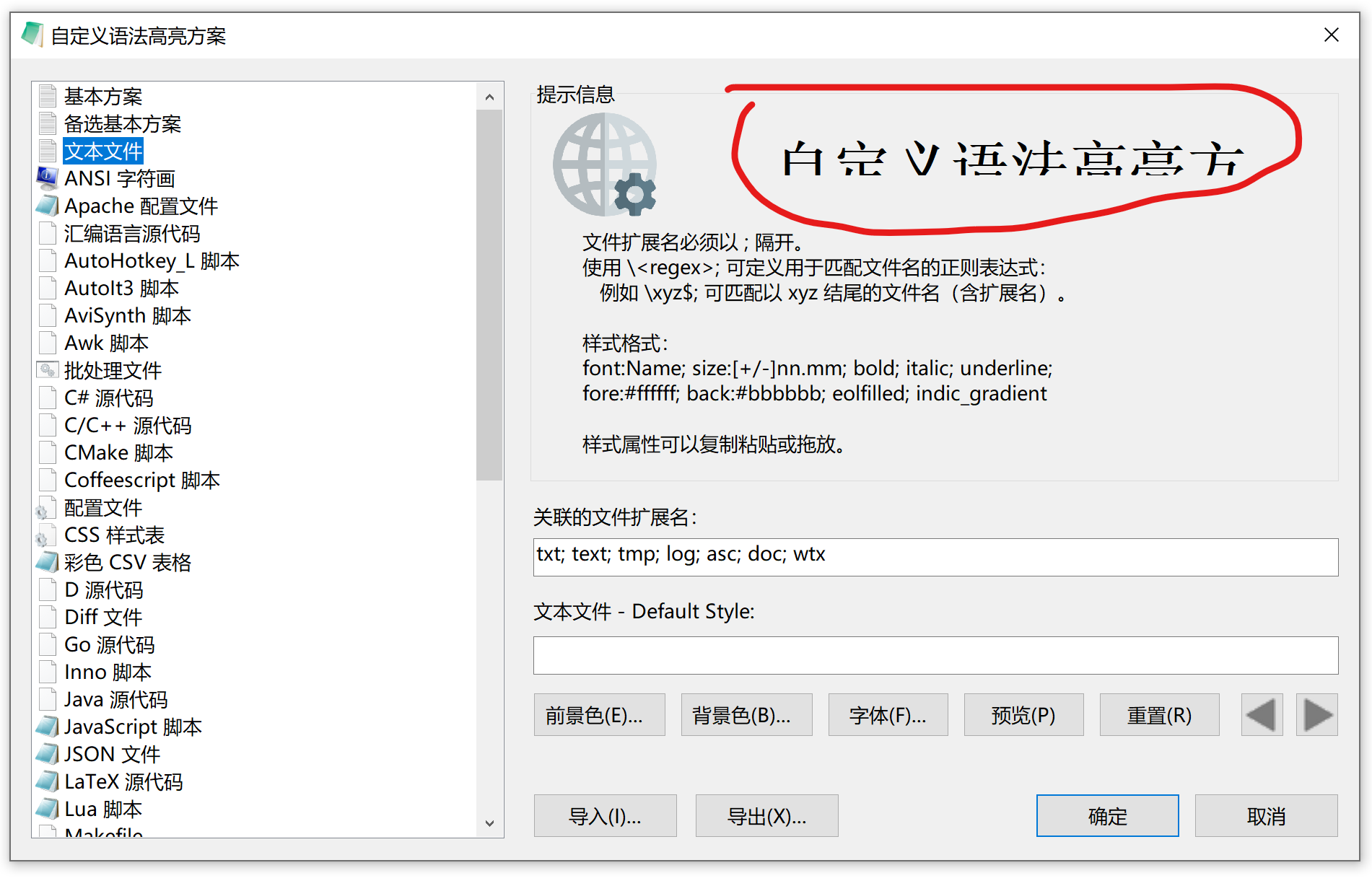
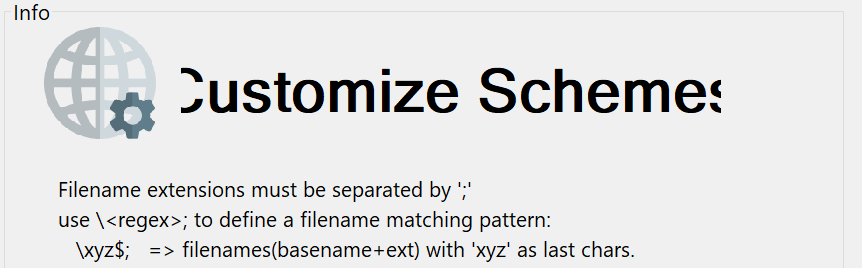
The text '自定义语法高亮方(案)' is larger than expected, and its font is a serif one.
I'm using a 3000x2000 resolution screen, which may cause this problem.
 Dothion
All 35 comments
Hello @RaiKoHoff ,
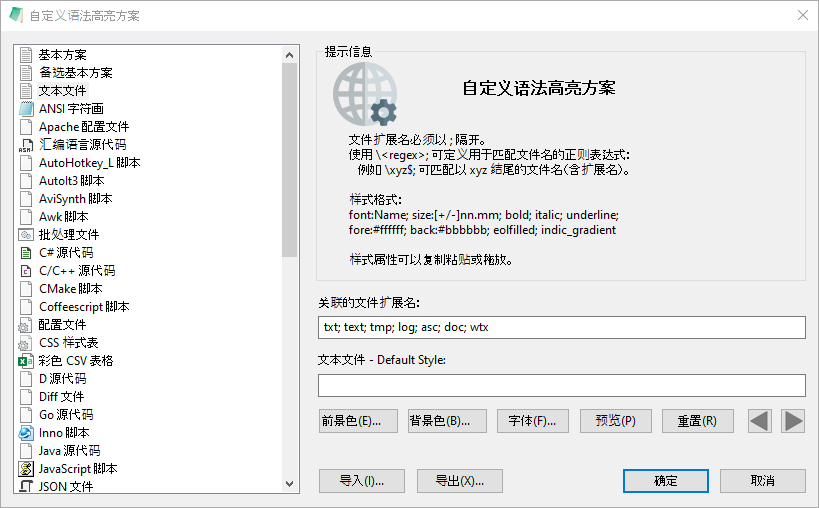
Same windows with:
- Screen-Resolution -> 1920 x 1080 [pix]
- Display-DPI -> 96 x 96 (Scale: 100%).
- Rendering-Technology -> 'DIRECT-WRITE'
- Zoom -> 100%.
 hpwamr
on 25 Jul 2020
hpwamr
on 25 Jul 2020
@Dothion : Which Display Scaling are you using?
(Best: use About-Dialog Copy Version Text button and paste resulting clipboard content here)
 RaiKoHoff
on 26 Jul 2020
RaiKoHoff
on 26 Jul 2020
- Locale -> zh-CN (CP:'ANSI (CP-936)')
- Current Encoding -> 'Unicode (UTF-8)'
- Screen-Resolution -> 3000 x 2000 [pix]
- Display-DPI -> 216 x 216 (Scale: 225%).
- Rendering-Technology -> 'DIRECT-WRITE'
- Zoom -> 100%.
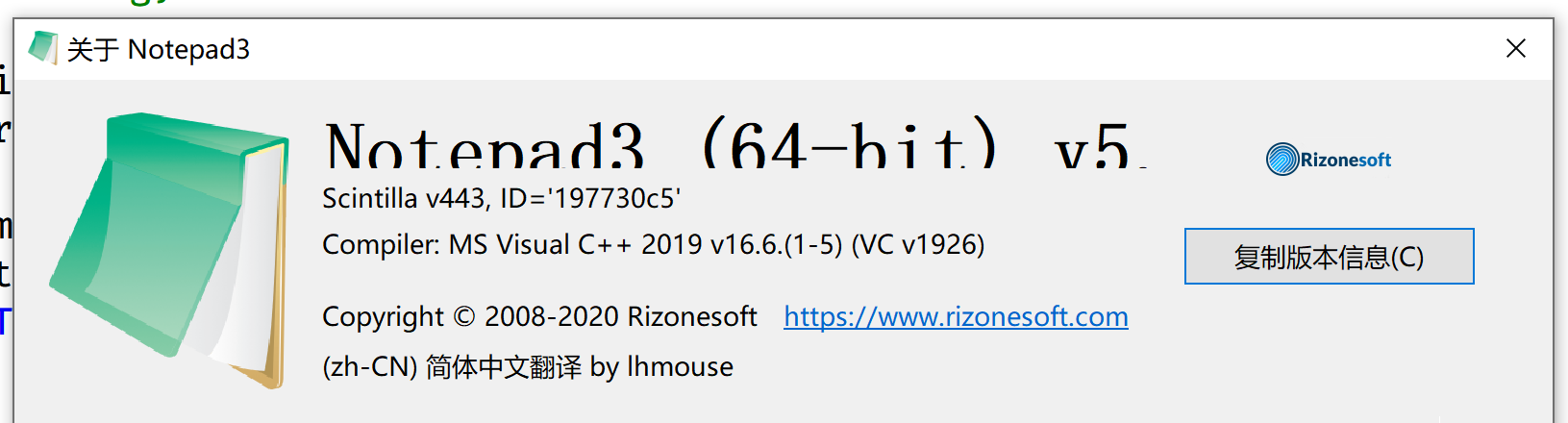
And this popup has the same problem🤣
Dothion
on 26 Jul 2020
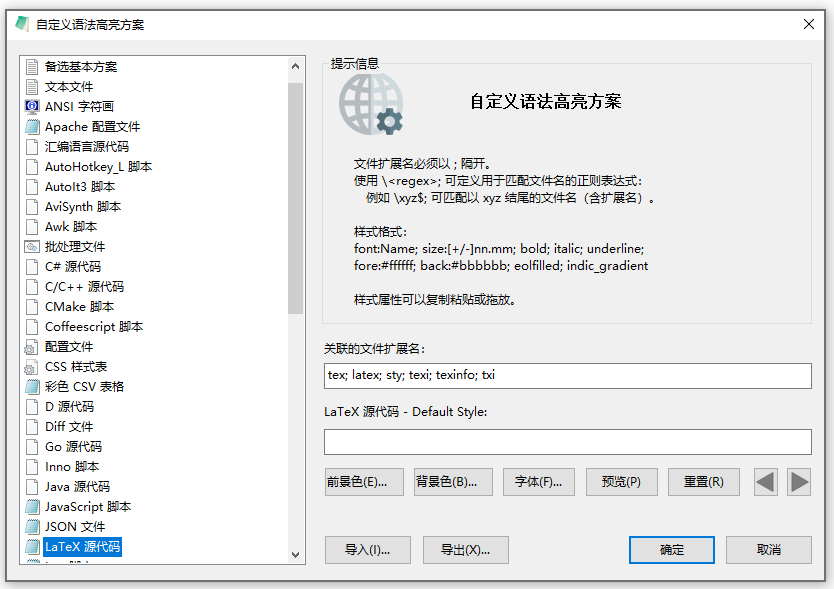
Some experiment under 100%, 150%, 200%, 250%, 300% scale:
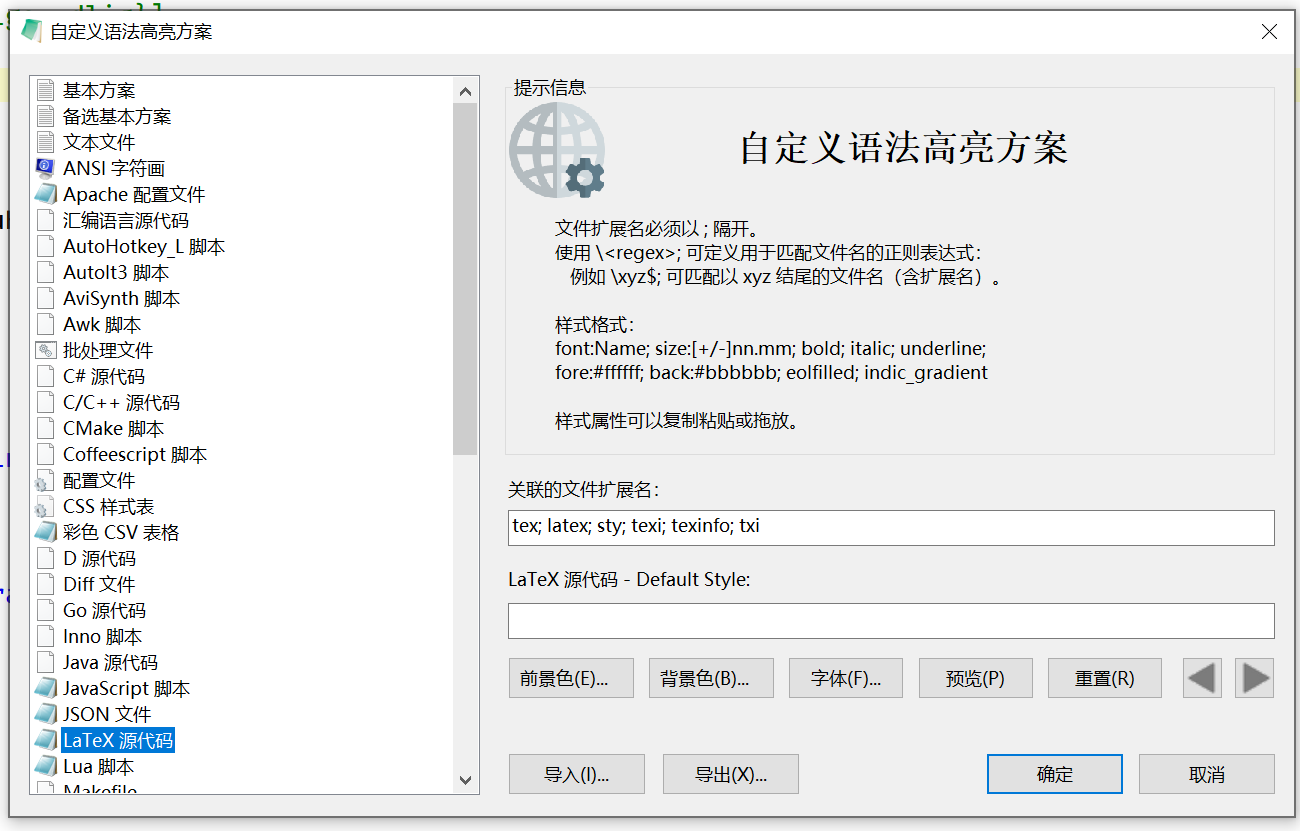
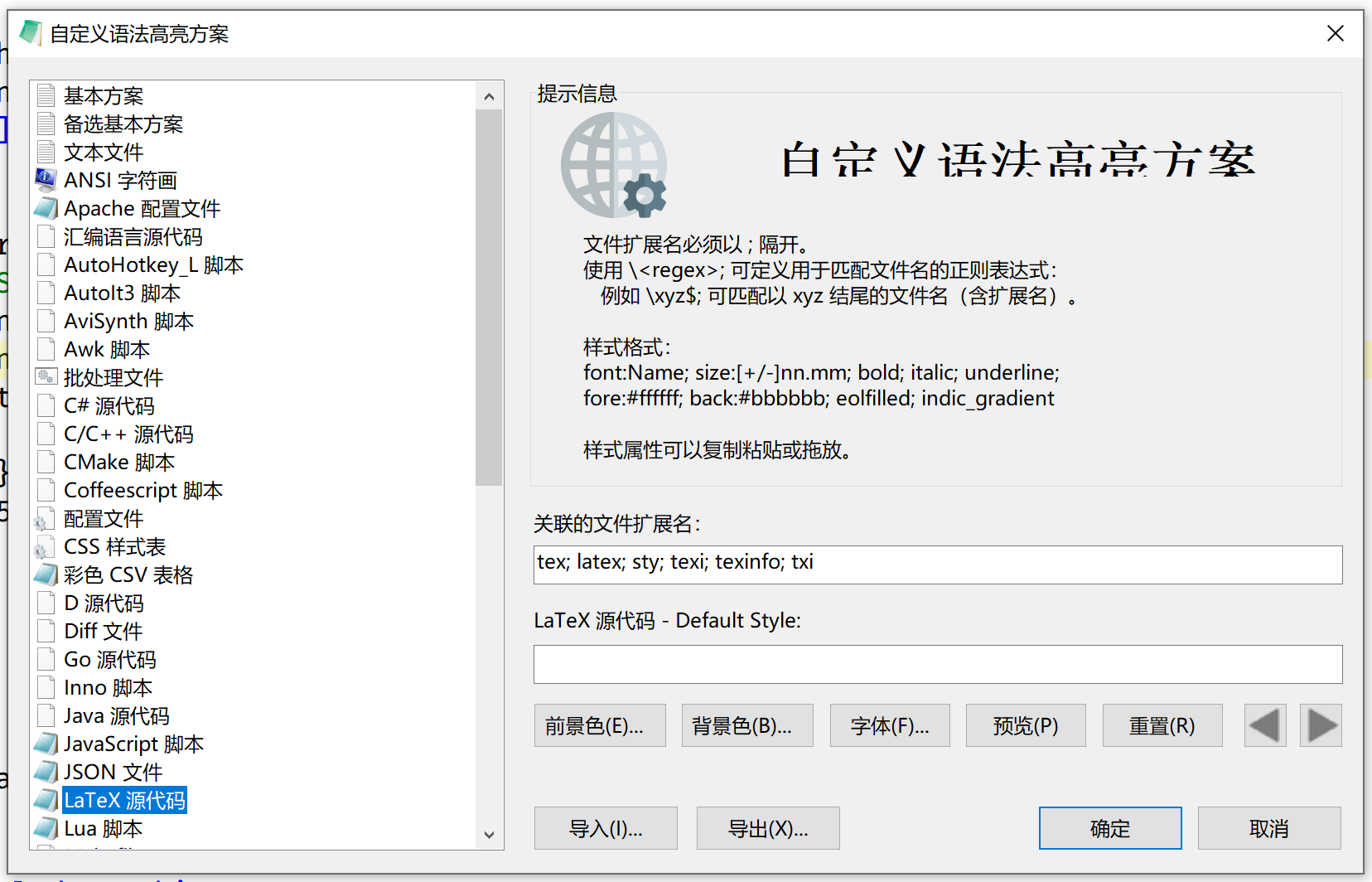
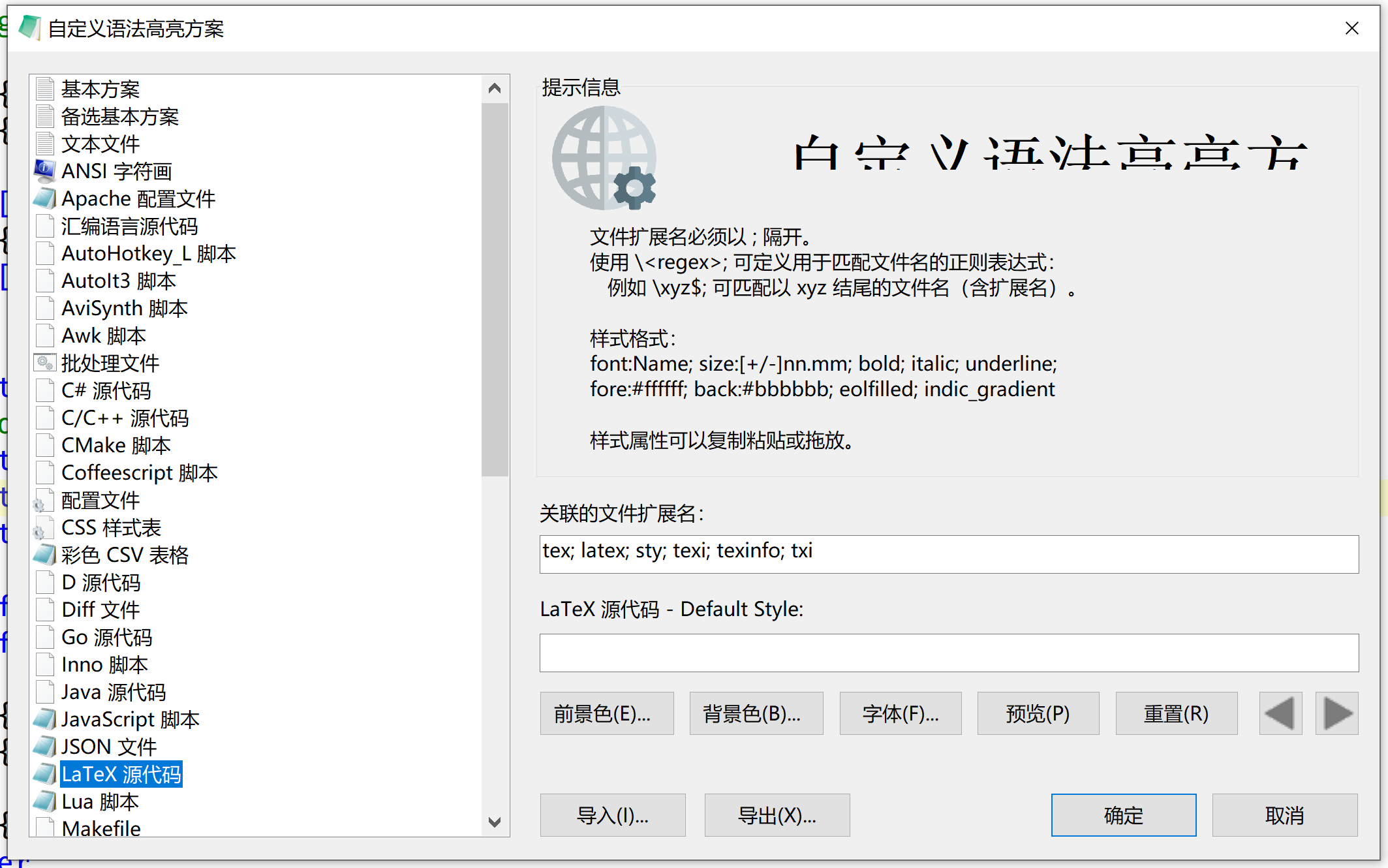
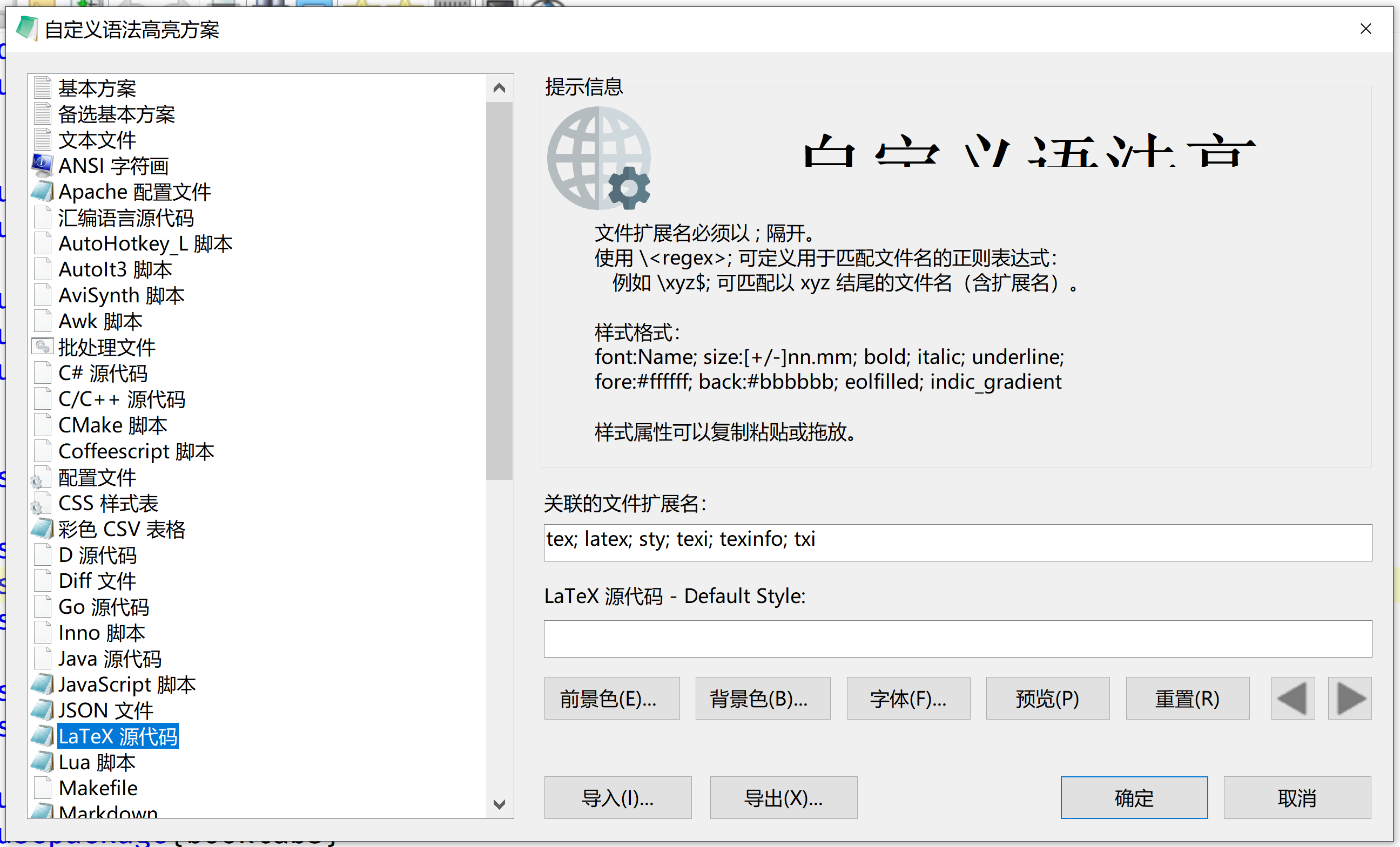
Dothion
on 26 Jul 2020
Hello @RaiKoHoff , @jupester ,
I will continue here the conversation about Display-DPI setting. (see: https://github.com/rizonesoft/Notepad3/issues/2461#issuecomment-667644237 and following answers)
Attachment: Display_125%-175%.zip
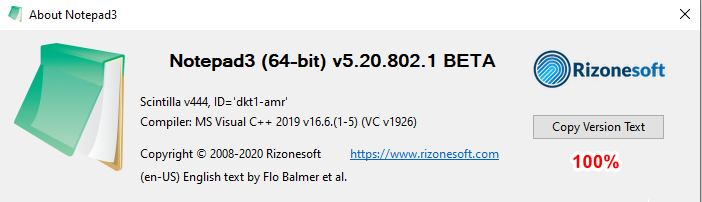

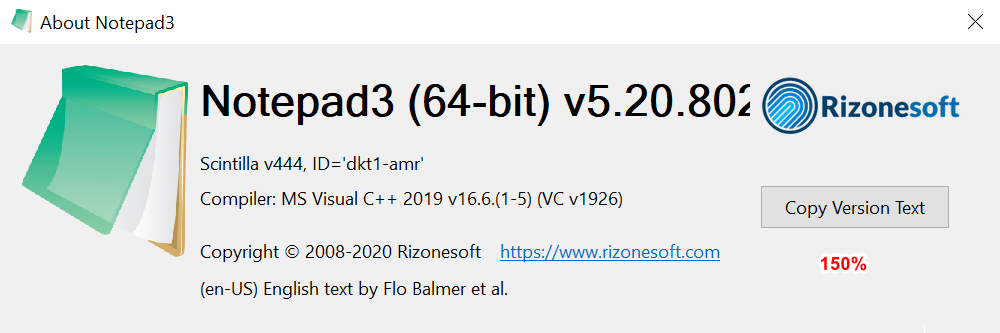
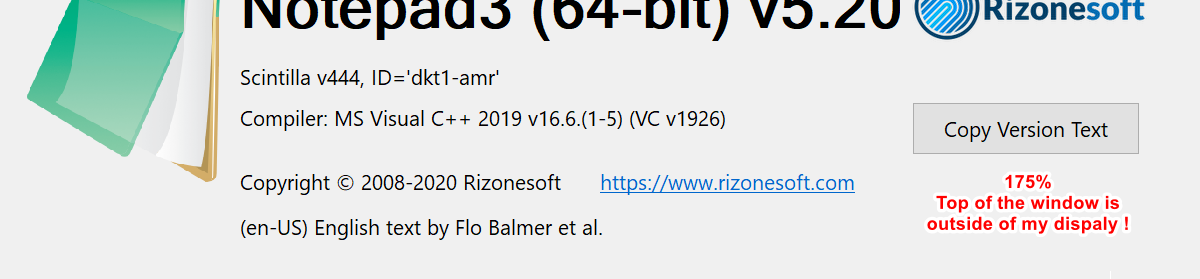
Notepad3 (64-bit) v5.20.802.1 BETA (dkt1-amr)
Compiler: MS Visual C++ 2019 v16.6.(1-5) (VC v1926)
OS Version: Windows 10  Version 2004 (Build 19041)
Scintilla v444
Oniguruma v6.9.5
- Locale -> en-US (CP:'ANSI (CP-1252)')
- Current Encoding -> 'Unicode (UTF-8)'
- Screen-Resolution -> 1920 x 1080 [pix]
- Display-DPI -> 168 x 168  (Scale: 175%).
- Rendering-Technology -> 'DIRECT-WRITE'
- Zoom -> 100%.
- Process is not elevated
- User is in Admin-Group.
- Current Lexer -> 'Text Files'
@hpwamr : Very strange, seeing same configurations ( FullHD(1920x1080) - Scaling:175% ) with different display:
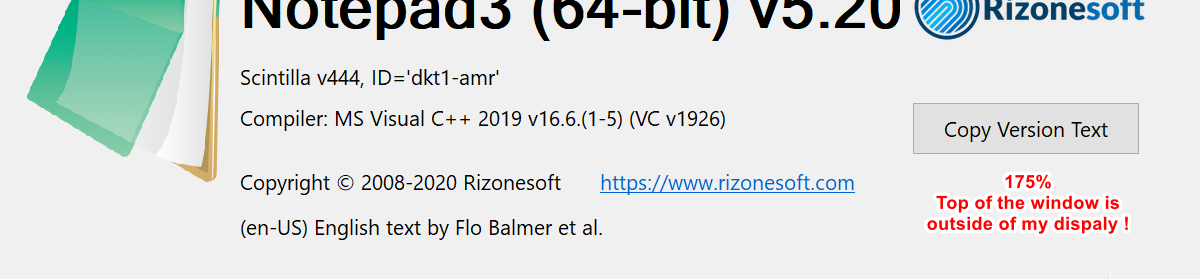
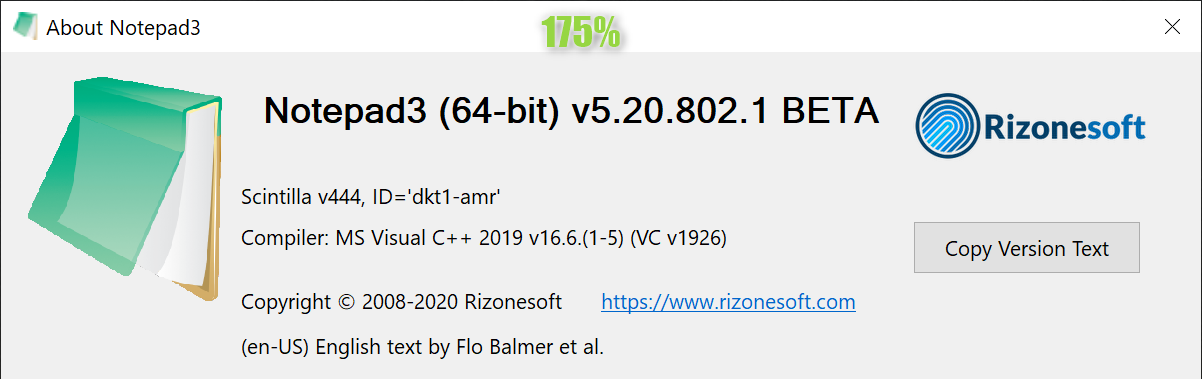
RaiKoHoff
on 3 Aug 2020
My 125% doesn't match @hpwamr's either, bizarre.
 jupester
on 3 Aug 2020
jupester
on 3 Aug 2020
I've just tested on my old Laptop 1600x900 (only 125% and 150% are available).
With my LP at 125%, I've exactly the same result as my above 125% picture ?
Question: Could be come from the fact that my systems are "single monitor" and yours have maybe 2 monitors attached? 🤔
hpwamr
on 3 Aug 2020
No I have only 1 monitor.
jupester
on 3 Aug 2020
RESOLVED !!! 😃
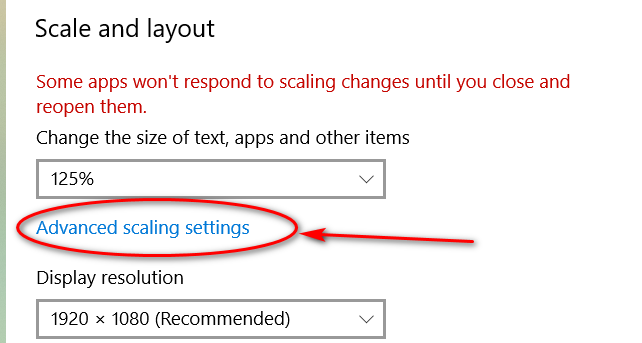
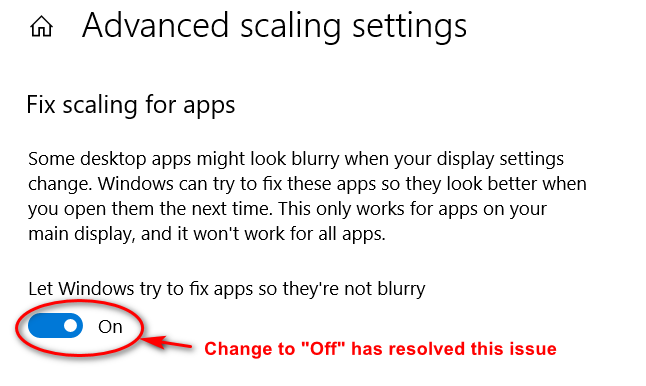
Resetting the original "Off" solved this problem (I once changed to "ON" because I read the explanation)! 🤔
hpwamr
on 3 Aug 2020
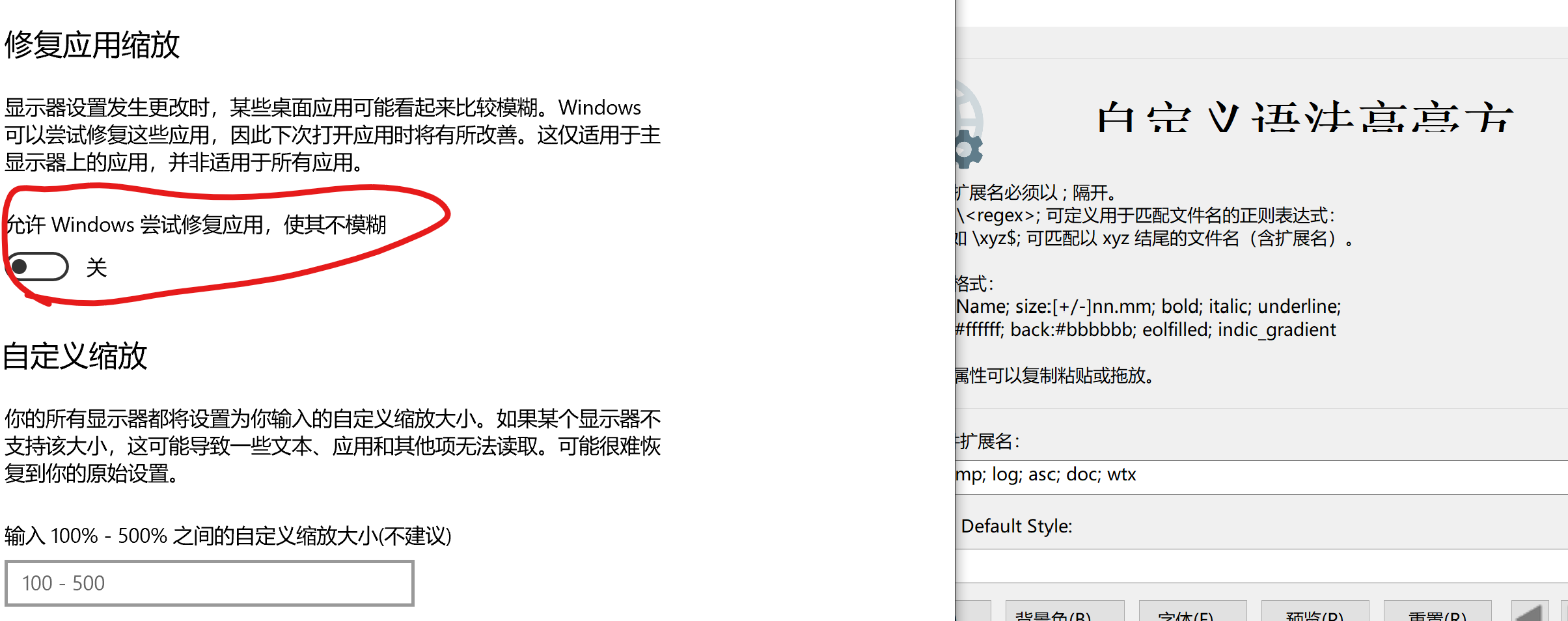
Strange...this is not working for me. I restarted my computer and no change occured.
Dothion
on 3 Aug 2020
Strange...this is not working for me. I restarted my computer and no change occured.
Not strange because this _Important note:_ in : https://github.com/rizonesoft/Notepad3/pull/2595#issuecomment-667712689 🤔
Hello Notepad3 Beta testers ,
_Important note:_ ONLY the "en-US" and "de-DE" version are up-to-date, other languages will follow ASAP ! 😏
Feel free to test the "Portable BETA/RC paf" version "Notepad3Portable_5.20.802.1_BETA.paf" or higher.
See the issue "Notepad3 BETA/RC-channel access #1129" or hereunder:
_Note1:_ The "Notepad3Portable_paf" version can be used in "2 flavors", see with or without extension ".7z".
_Note2:_ If you follow the instructions of #1105 , you can update your "Notepad3 Setup" version with the latest features/fixes of the "Portable BETA/RC paf" version (see #1129).
Your comments and suggestions are welcome... 😃
hpwamr
on 3 Aug 2020
It grow bigger😭
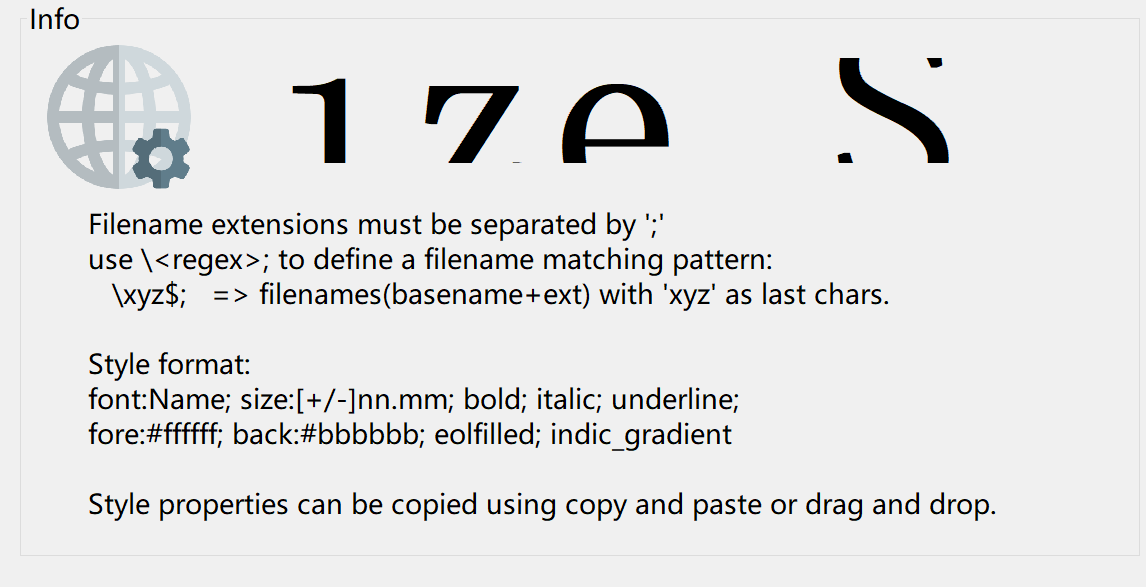
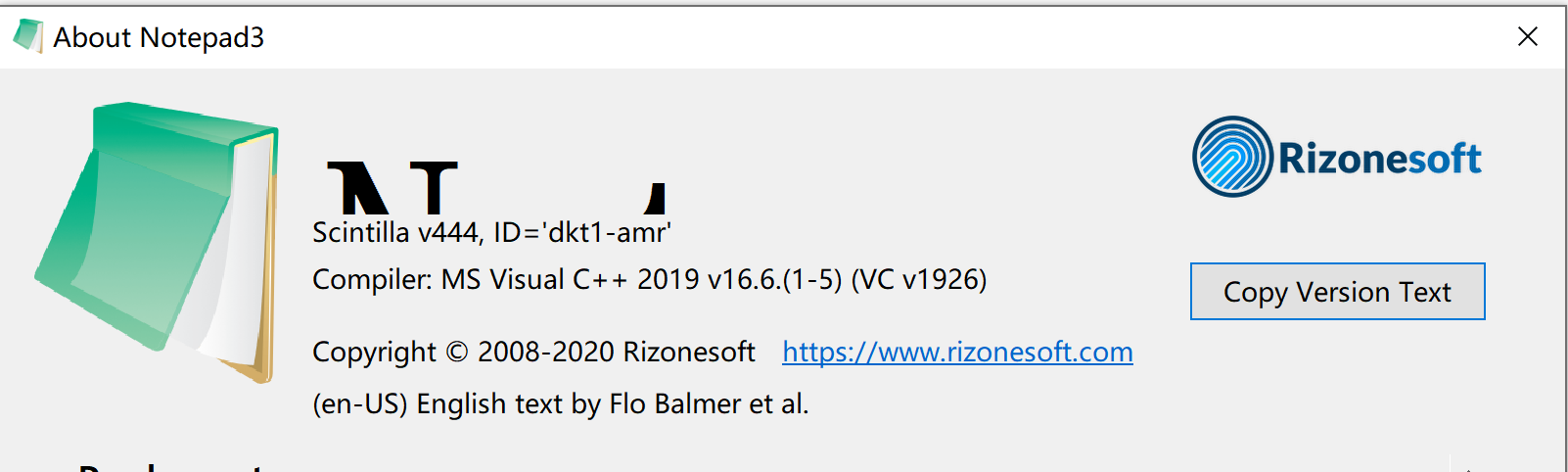
Notepad3 (64-bit) v5.20.802.1 BETA (dkt1-amr)
Compiler: MS Visual C++ 2019 v16.6.(1-5) (VC v1926)
OS Version: Windows 10 Version 2004 (Build 19041)
Scintilla v444
Oniguruma v6.9.5
- Locale -> en-US (CP:'ANSI (CP-936)')
- Current Encoding -> 'Unicode (UTF-8)'
- Screen-Resolution -> 3000 x 2000 [pix]
- Display-DPI -> 216 x 216 (Scale: 225%).
- Rendering-Technology -> 'DIRECT-WRITE'
- Zoom -> 100%.
- Process is not elevated
- User is in Admin-Group.
- Current Lexer -> 'Text Files'
Dothion
on 3 Aug 2020
Hello @Dothion
_Important note:_ ONLY the "en-US" and "de-DE" version are up-to-date, other languages will follow ASAP ! 😏
Feel free to test the "Portable BETA/RC paf" version "Notepad3Portable_5.20.803.1_BETA.paf" or higher.
See the issue "Notepad3 BETA/RC-channel access #1129" or hereunder:
_Note1:_ The "Notepad3Portable_paf" version can be used in "2 flavors", see with or without extension ".7z".
_Note2:_ If you follow the instructions of #1105 , you can update your "Notepad3 Setup" version with the latest features/fixes of the "Portable BETA/RC paf" version (see #1129).
Your comments and suggestions are welcome... 😃
hpwamr
on 3 Aug 2020
Hello @RaiKoHoff ,
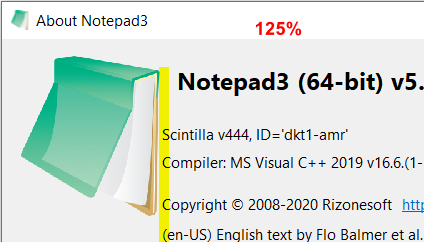
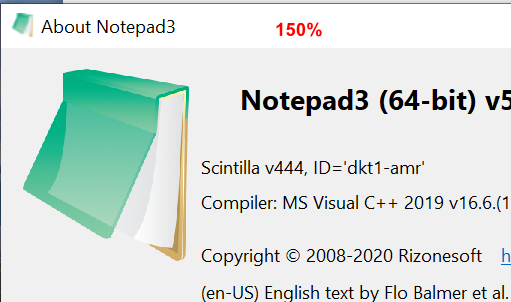
It's seems that the proportions of "scaling 125% dpi 120x120" are more approximate ?
At 150% and 175% the results are better ?
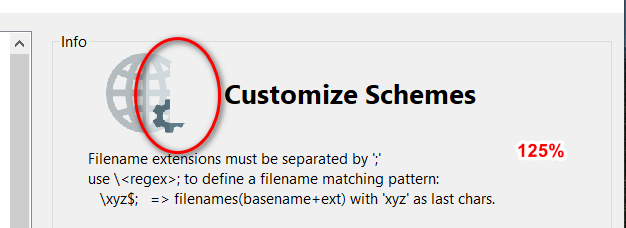
hpwamr
on 3 Aug 2020
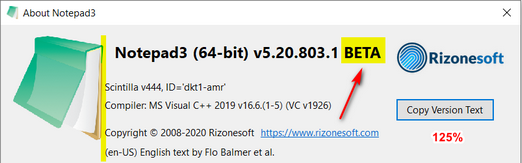
FWIW mine changed again with the .803 build, its better than .802 just the "BETA" text cut off the end, and a similar display of the customize schemes window as @hpwamr's above. (BTW the image I am posting is reduced to 67% )

jupester
on 4 Aug 2020
FWIW mine changed again with the .803 build, its better than .802 just the "BETA" text cut off the end,
Hello @RaiKoHoff , @jupester ,
Very strange, not exactly the same picture at DPI 120x120 - Scaled 125% (picture reduced to 65%) ! 🤔
Notepad3 (64-bit) v5.20.803.1 BETA (dkt1-amr)
Compiler: MS Visual C++ 2019 v16.6.(1-5) (VC v1926)
OS Version: Windows 10  Version 2004 (Build 19041)
Scintilla v444
Oniguruma v6.9.5
- Locale -> en-US (CP:'ANSI (CP-1252)')
- Current Encoding -> 'Unicode (UTF-8)'
- Screen-Resolution -> 1920 x 1080 [pix]
- Display-DPI -> 120 x 120  (Scale: 125%).
- Rendering-Technology -> 'DIRECT-WRITE'
- Zoom -> 100%.
- Process is not elevated
- User is in Admin-Group.
- Current Lexer -> 'Text Files'
Hello @Dothion ,
Feel free to test the "Portable BETA/RC paf" version "Notepad3Portable_5.20.805.1_beta.paf" or higher.
See the issue "Notepad3 BETA/RC-channel access #1129" or hereunder:
_Note1:_ The "Notepad3Portable_paf" version can be used in "2 flavors", see with or without extension ".7z".
_Note2:_ If you follow the instructions of #1105 , you can update your "Notepad3 Setup" version with the latest features/fixes of the "Portable BETA/RC paf" version (see #1129).
Also, feel free to test the "Setup BETA/RC" version "Notepad3_5.20.805.1_Setup_beta" or higher.
See the issue "Notepad3 BETA/RC-channel access #1129" or hereunder:
Your comments and suggestions are welcome... 😃
hpwamr
on 5 Aug 2020
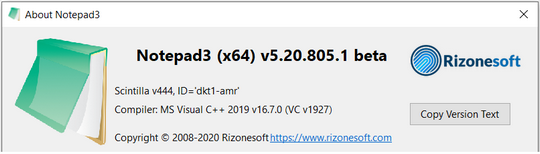
An updated screenshot if of any help.

- Screen-Resolution -> 1920 x 1080 [pix]
- Display-DPI -> 120 x 120  (Scale: 125%).
Very strange, this difference of displaying ?
Could this difference come from the "Themes" we use ? 🤔
- Screen-Resolution -> 1920 x 1080 [pix]
- Display-DPI -> 120 x 120  (Scale: 125%).
I never install custom themes, and run a very vanilla install of Win 10 19041 2004 using onboard Intel GPU. I also think it very strange and have no idea the cause.
jupester
on 6 Aug 2020
Here too, I never install custom themes, and I run a vanilla install of Windows 8.0, upgraded to Windows 8.1, upgraded to All Series of Windows 10 until the latest upgrade Windows 10 19041.388 2004 and using a Display Adapter Radeon RX550 / 500 Series.
hpwamr
on 6 Aug 2020
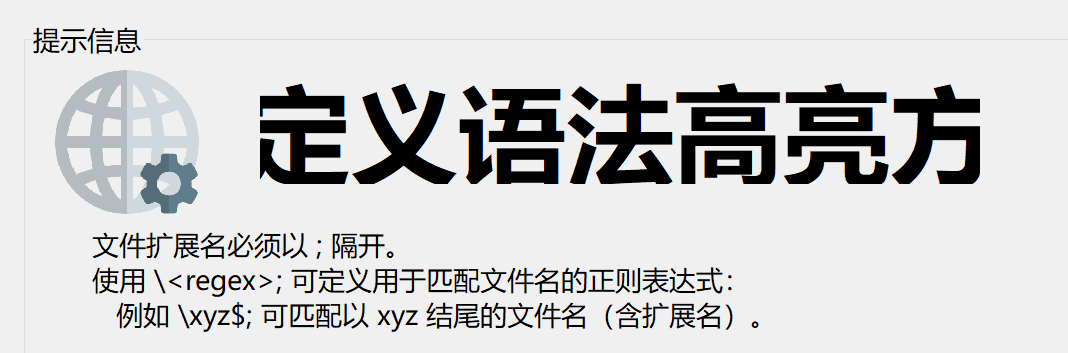
Great! Still a little bit larger than expect, but looks really better. Thanks for quick response.
Notepad3 (x64) v5.20.805.1 beta (dkt1-amr)
Compiler: MS Visual C++ 2019 v16.7.0 (VC v1927)
OS Version: Windows 10 Version 2004 (Build 19041)
Scintilla v444
Oniguruma v6.9.5
- Locale -> zh-CN (CP:'ANSI (CP-936)')
- Current Encoding -> 'Unicode (UTF-8)'
- Screen-Resolution -> 3000 x 2000 [pix]
- Display-DPI -> 216 x 216 (Scale: 225%).
- Rendering-Technology -> 'DIRECT-WRITE'
- Zoom -> 100%.
- Process is not elevated
- User is in Admin-Group.
- Current Lexer -> '文本文件'
Dothion
on 6 Aug 2020
The text '自定义语法高亮方(案)' is larger than expected, and its font is a serif one.
Great! Still a little bit larger than expect, but looks really better.
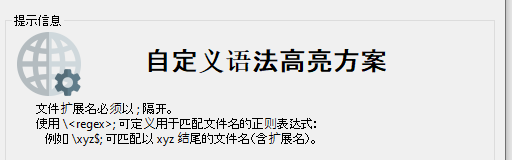
No, it looks like all of the text is not displayed? 🤔
hpwamr
on 6 Aug 2020
An updated screenshot if of any help.
Hello @jupester , @Dothion ,
Are you sure that "Advanced scaling settings" is on: "Off" (See above posts: https://github.com/rizonesoft/Notepad3/issues/2567#issuecomment-667995024 ) ❔ 🤔
hpwamr
on 6 Aug 2020
Yes, but as far as I am aware that setting only has an effect if you change DPI after logon during a session anyway, ie if you haven't changed DPI during a session it has no impact anyway.
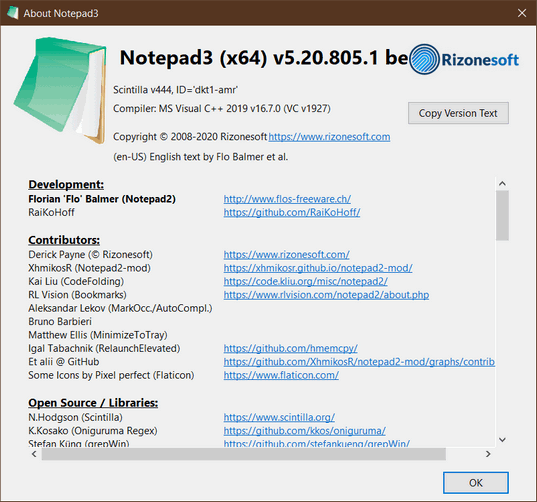
edit: I just performed some tests and got the same "correct" display as your screenshot by overriding the Notepad3.exe properties and setting it to "System" scaling override, but honestly the proportions look worse to me, it changes the shape of the dialog completely, as well as the rest of the NP3 interface, and doesn't look as clear or nice visually to me, so I'll continue using what I was getting by default.
jupester
on 6 Aug 2020
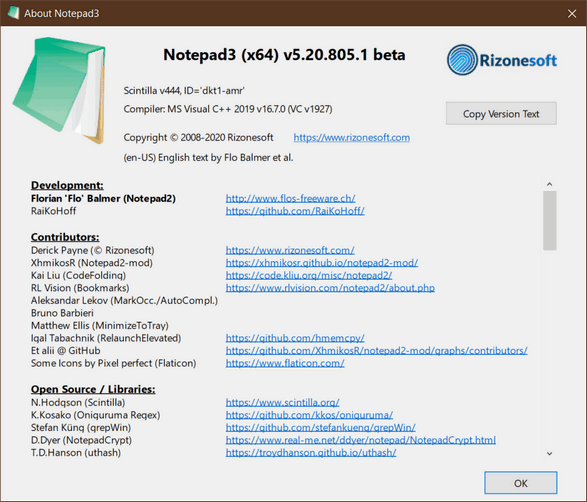
An updated screenshot if of any help.
Hello @jupester , @Dothion ,
Are you sure that "Advanced scaling settings" is on: "Off" (See above posts: #2567 (comment) ) ❔ 🤔
Yes, it is 'off', after my computer restarted.
Not all the text are displayed, but I think developers are in a right way. Hope to see a fully corrected version after this beta test.
Dothion
on 6 Aug 2020
Yes, but as far as I am aware that setting only has an effect if you change DPI after logon during a session anyway, ie if you haven't changed DPI during a session it has no impact anyway.
Not as sure as you ?
Take a look at : https://github.com/rizonesoft/Notepad3/issues/2567#issuecomment-667980469 and following... 🤔
hpwamr
on 6 Aug 2020
I have read that, but you had switched DPI since booting your computer though, hadn't you? so in that case switching it off would make a difference, but I don't change DPI hardly ever.
Anyway my understanding of that switch's functionality may be off base, but to answer your question I had already tried it set both ways before you first mentioned it, even though I didn't think it would do anything (in my case), admittedly I haven't been able to restart yet though, because I have had things running in the BG, I will in the next day or so though and let you know if it changes.
jupester
on 6 Aug 2020
Hello @jupester ,
The mystery is solved,
- My scaling is normally 100% (96x96).
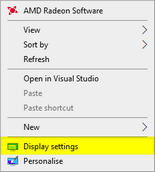
- Then, I set 125% (120x120) in Display settings.
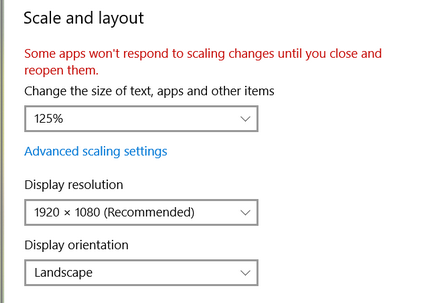
- The text fits correctly in the About box. !
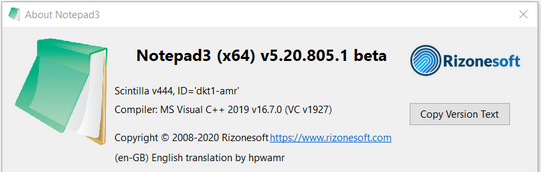
- Now I do a "Logoff-Logon" of my session (or a restarting),
AND I've the same BAD display as you !!!

CQFD 😃
hpwamr
on 6 Aug 2020
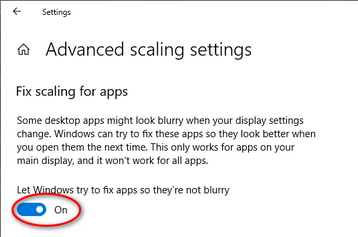
After further testing, I withdraw from what I said above https://github.com/rizonesoft/Notepad3/issues/2567#issuecomment-667995024.
- With "Advanced setting" (blurry) set to "Off", the problem is hidden and waits for the next "Logout-Logon (or restart) to appear.
- With the "Advanced Setup" (blurry) set to "On", the problem appears directly without having to do a "Logout-Logon (or restart).
hpwamr
on 7 Aug 2020
Hello @jupester , @Dothion ,
Feel free to test the "Portable BETA/RC paf" version "Notepad3Portable_5.20.808.1_beta.paf" or higher.
See the issue "Notepad3 BETA/RC-channel access #1129" or hereunder:
_Note1:_ The "Notepad3Portable_paf" version can be used in "2 flavors", see with or without extension ".7z".
_Note2:_ If you follow the instructions of #1105 , you can update your "Notepad3 Setup" version with the latest features/fixes of the "Portable BETA/RC paf" version (see #1129).
Also, feel free to test the "Setup BETA/RC" version "Notepad3_5.20.805.1_Setup_beta" or higher.
See the issue "Notepad3 BETA/RC-channel access #1129" or hereunder:
Your comments and suggestions are welcome... 😃
hpwamr
on 8 Aug 2020
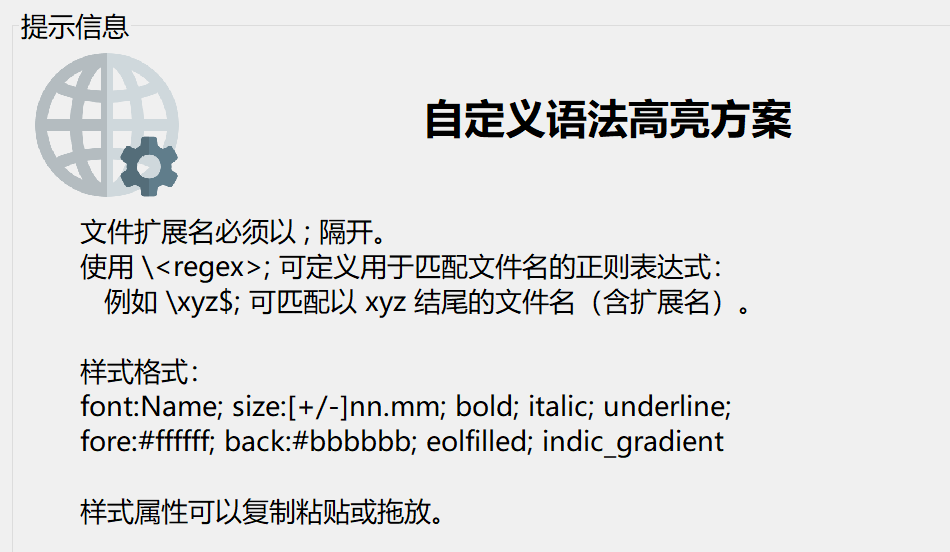
Resolved here.
Dothion
on 9 Aug 2020
@Dothion : Thank you for reporting and tracking this issue.
RaiKoHoff
on 9 Aug 2020
Hello @Dothion ,
As far as I'm concerned, I think you (requester) can close this issue...
hpwamr
on 9 Aug 2020
Related issues
hpwamr
·
3Comments
 bravo-hero
·
3Comments
bravo-hero
·
3Comments
 valhristov
·
3Comments
valhristov
·
3Comments
 zb-z
·
3Comments
zb-z
·
3Comments
 craigo-
·
3Comments
craigo-
·
3Comments
Most helpful comment
Resolved here.