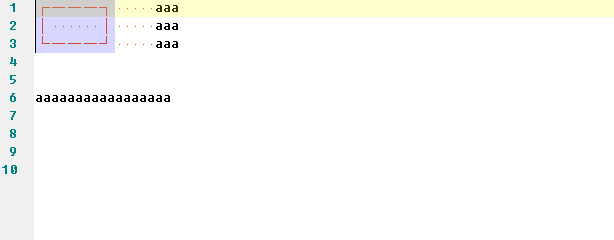
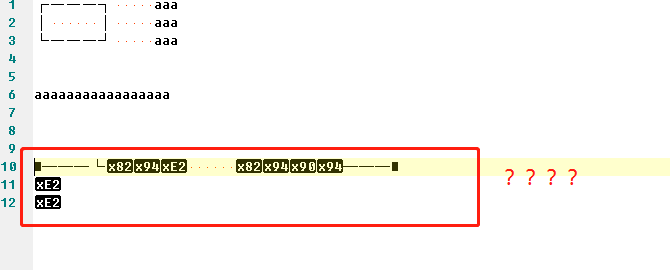
┌———┐
│ │
└———┘
Notepad3 (64-bit) v5.19.905.2619 BETA
Compiler: MS Visual C++ 2019 v16.2.(0-3) (VC v1922)
OS Version: Windows 10 Version 1803 (Build 17134)
Locale: zh-CN (Codepage: 'ANSI (CP-936)')
Scintilla v420
Oniguruma v6.9.3
UChardet v2018.09.27
TinyExpr v2018.05.11
UTHash v2.1.0
- I select text by column.(Alt + mouse).
- Paste.
 wsrf16
All 21 comments
Can't reproduce - need more details (zipped Notepad3.ini and current settings: Encoding & Syntax-Highlighter.
 RaiKoHoff
on 18 Sep 2019
RaiKoHoff
on 18 Sep 2019
When I try to reproduce it, I receive an incorrect past !
 hpwamr
on 18 Sep 2019
hpwamr
on 18 Sep 2019
Just add the Hex screenshot
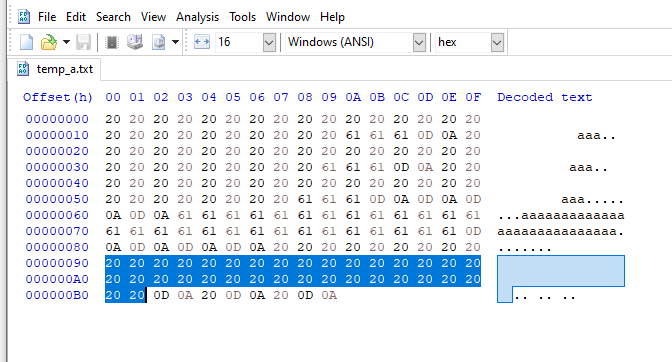
hpwamr
on 18 Sep 2019
Nope:
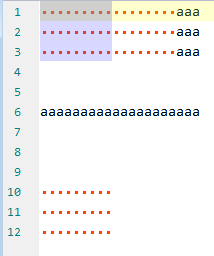
Works as expected (Win7) - I will try it later on my Win10 Workstation...
Ed.: On my Win10 (v1809) workstation: same as image above, works fine 👍
RaiKoHoff
on 18 Sep 2019
Do you have some kind of clipboard manager active ?
RaiKoHoff
on 18 Sep 2019
Works as expected (Win7) - I will try it later on my Win10 Workstation...
Strange, I can NOT reproduce it anymore ? 🤔
hpwamr
on 18 Sep 2019
I only can reproduce it at the first time.
Everything back to normal when I paste it at the second time.
I do not have any clipboard managers.
Notepad3_x64.ini
[Settings]
SettingsVersion=4
OpenWithDir=%USERPROFILE%\Desktop
UseDefaultForFileEncoding=false
LoadASCIIasUTF8=false
NoEncodingTags=true
FileMRUDlgSizeY=379
PathNameFormat=2
WordWrap=true
TabsAsSpaces=true
WordWrapMode=1
WordWrapIndent=5
WordWrapSymbols=1
ShowWordWrapSymbols=false
ScrollPastEOF=true
AutoCompleteWords=true
AutoCLexerKeyWords=true
ShowIndentGuides=true
ViewWhiteSpace=true
FileWatchingMode=1
CustomSchemesDlgSizeY=579
FindMarkAllOccurrences=false
EncodingDlgSizeY=326
MarkOccurrencesMatchWholeWords=false
[Window]
1366x768 HighDpiToolBar=0
1366x768 PosX=683
1366x768 PosY=0
1366x768 SizeX=683
1366x768 SizeY=738
1366x768 Maximized=true
1366x768 Zoom=100
[Custom Colors]
[Common Base]
[2nd Common Base]
[Text Files]
Default=font:Fixedsys
[ANSI Art]
[Apache Config Files]
[Assembly Script]
[AutoHotkey_L Script]
[AutoIt3 Script]
[AviSynth Script]
[Awk Script]
[Batch Files]
[C# Source Code]
[C/C++ Source Code]
[Cmake Script]
[Coffeescript]
[Configuration Files]
[CSS Style Sheets]
[D Source Code]
[Diff Files]
[Go Source Code]
[Inno Setup Script]
[Java Source Code]
[JavaScript]
[JSON]
[LaTeX Files]
[Lua Script]
[Makefiles]
[Markdown]
[MATLAB]
[Nim Source Code]
[NSIS Script]
[Pascal Source Code]
[Perl Script]
[PowerShell Script]
[Python Script]
[Registry Files]
[Resource Script]
[R-S-SPlus Statistics Code]
[Ruby Script]
[Rust Source Code]
[Shell Script]
[SQL Query]
[Tcl Script]
[TOML Config]
[VBScript]
[VHDL]
[Visual Basic]
[Web Source Code]
[XML Document]
[YAML]
[Styles]
SplitUndoTypingSeqOnLnBreak=false
[Settings2]
UndoTransactionTimeout=1
wsrf16
on 19 Sep 2019
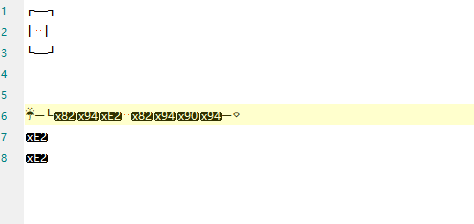
- I change font to Microsoft YaHei UI.
- I set "LoadASCIIasUTF8=true".
Everything is going as image above.(Encoding is ANSI.)
wsrf16
on 19 Sep 2019
Hello @wsrf16 ,
From version "Notepad3Portable_5.19.909.2622_BETA"" we have slightly modifed the "Encoding Failure Detection" #1573 .
Could you, please, test with the BETA version "Notepad3Portable_5.19.918.2642_BETA" or higher.
See "Notepad3 BETA-channel access #1129" or download it from Notepad3Portable_5.19.918.2642_BETA.
hpwamr
on 19 Sep 2019
Get back to normal. Thank u.
wsrf16
on 19 Sep 2019
Using this rectangle (copy from here and paste into Notepad3):
┌———┐
│ N │
└———┘
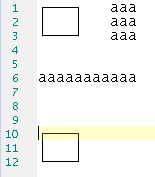
Select rectangular (Alt+Mouse) and copy (Ctrl+C) it - paste (Ctrl+V) it a line below in Notepad3:
Best is std. ANSI Art Lexer (font: Lucida Console):
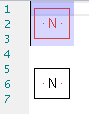
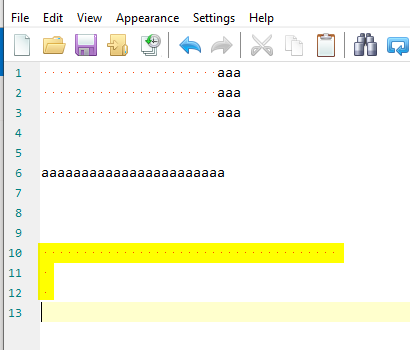
Changing the font (e.g. to Microsoft YaHei UI) and repeat the copy&paste result in:
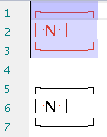
Or Fixedsys (Technology: Standard GDI):
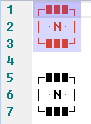
Consolas will make a visual impression like GitHub issue reporting:
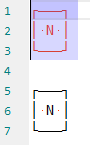
But the issue you have can not be reproduced with newer versions of Notepad3.
RaiKoHoff
on 19 Sep 2019
Get back to normal. Thank u.
Hello @RaiKoHoff , This seems to me a validation of the changes you made in #1573 😃
Hi @wsrf16 ,
As far as I am concerned, this issue may be closed....
hpwamr
on 19 Sep 2019
The issue has fixed. I can not reproduced with newer versions of Notepad3. Please close this issue. Thanks!
wsrf16
on 19 Sep 2019
Hello @wsrf16 ,
You've opened this issue, so its owner is responsible for closing it... 😉 😃
hpwamr
on 19 Sep 2019
Step 1:
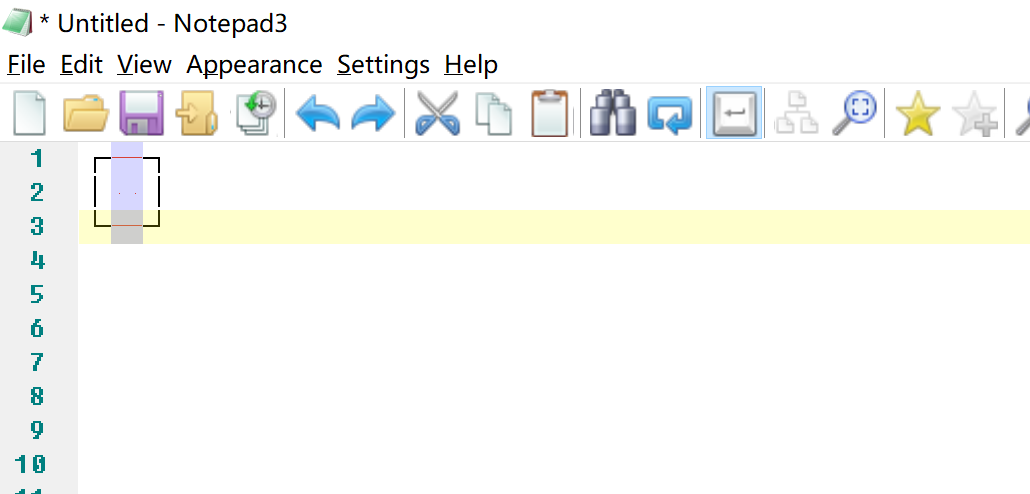
Step 2:
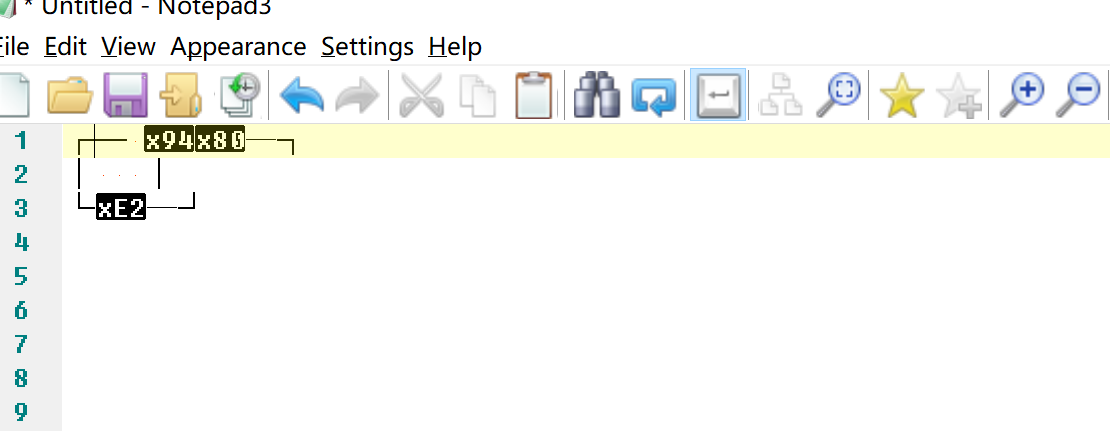
Maybe there is still something wrong with it:
- Select as screenshot.(Using this rectangle)
- ctrl + c, ctrl + v
Notepad3 (64-bit) v5.19.918.2642 BETA
Compiler: MS Visual C++ 2019 v16.2.(0-5) (VC v1922)
OS Version: Windows 10 Version 1903 (Build 18362)
Locale: en-US (Codepage: 'ANSI (CP-936)')
Scintilla v420
Oniguruma v6.9.3
UChardet v2018.09.27
TinyExpr v2018.05.11
UTHash v2.1.0
wsrf16
on 6 Oct 2019
I am not able to reproduce your issue 🤔.
Is there anybody else to reproduce this?
RaiKoHoff
on 7 Oct 2019
Until now I reproduce it on my lenovo notebook and macbook. Both of them are win10 v1903.
wsrf16
on 7 Oct 2019
Did you have tried with the latest beta "Out of the box" --> Notepad3.ini NOT modified ? :thinking:
See "Notepad3 BETA-channel access #1129"
hpwamr
on 7 Oct 2019
Sorry, now I am able to reproduce the issue.
This seems to be a problem of the chosen font (Microsoft YaHei) in cooperation with clipboard encoding ... I have to dig deeper...
Upd.: It is also reproducible with other fonts (e.g. Consolas) , but only on the 2nd insertion on a thin rectangular selection :thinking:
RaiKoHoff
on 7 Oct 2019
@wsrf16 : Seems to be fixed with Scintilla v432
(On Win32 fix new bug that treated all dropped text as rectangular.)
Feel free to test the RC version "Notepad3Portable_5.20.313.3_RC3.paf.exe.7z" or higher.
See "Notepad3 BETA-channel access #1129" or here Notepad3Portable_5.20.313.3_RC3.paf.exe.7z.7z
Note: "Notepad3Portable RC" can be used in "2 flavors", see with or without extension ".7z".
Your comments and suggestions are welcome... 😃
RaiKoHoff
on 14 Mar 2020
Fix it.
wsrf16
on 14 Mar 2020
Related issues
 blackcrack
·
3Comments
blackcrack
·
3Comments
blackcrack
·
3Comments
blackcrack
·
3Comments
 ggordon-vispero
·
3Comments
ggordon-vispero
·
3Comments
 tzleon
·
3Comments
hpwamr
·
3Comments
tzleon
·
3Comments
hpwamr
·
3Comments