Nodejs.dev: Style: Inconsistent border for the banner's button element in Safari
Description
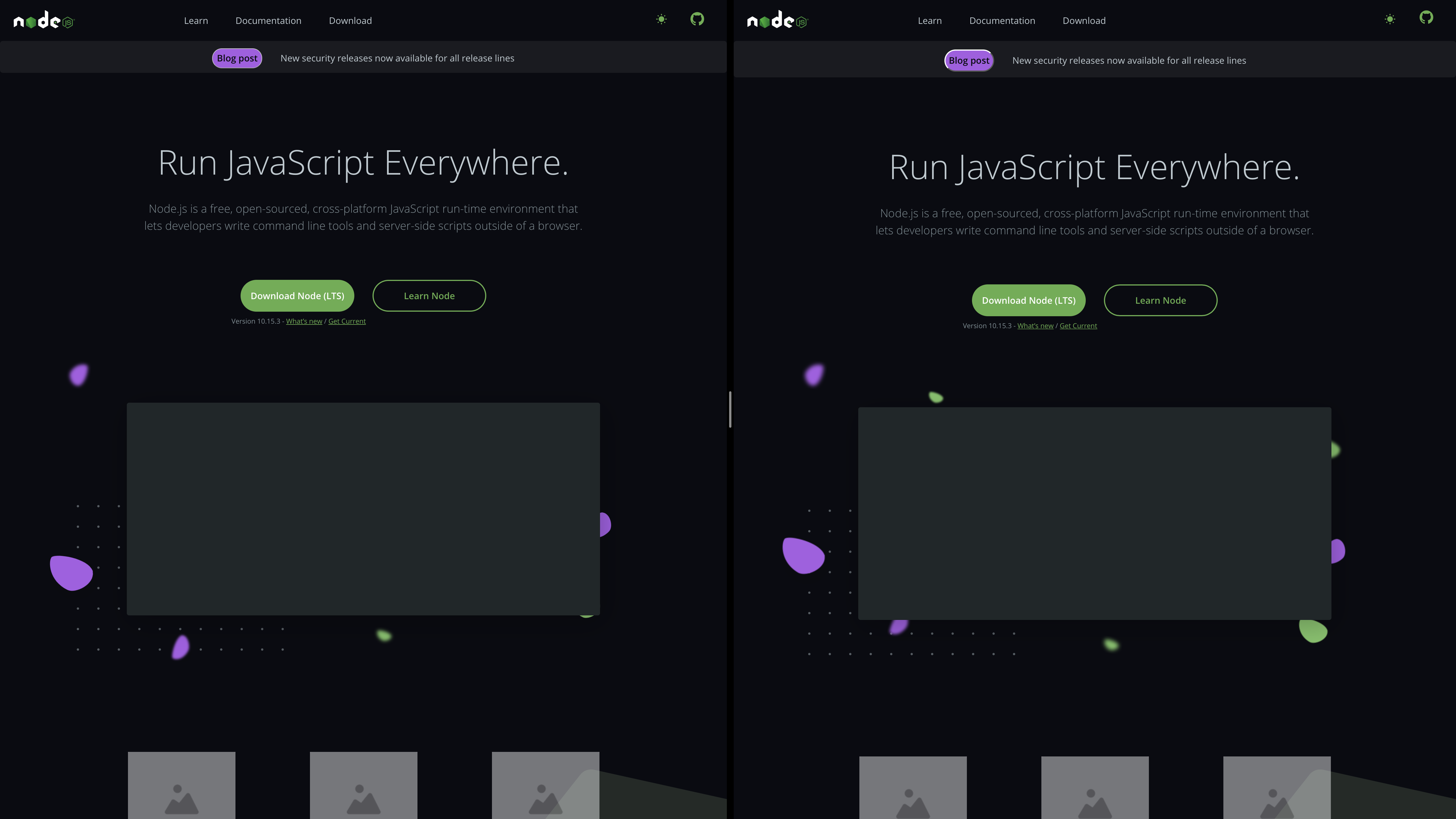
It is not entirely clear where the issue and its scope are, but once we landed #398 we noticed a styling difference for the a > button node in the banner component.
This element is styled as follows:
  position: relative;
  margin-right: var(--space-32);
  border-radius: 5.6rem;
  background: var(--purple5);
  color: var(--color-fill-top-nav);
  line-height: var(--line-height-subheading);
  text-decoration: none;
  font-family: var(--sans);
  font-style: normal;
  font-weight: var(--font-weight-semibold);
Screen Shots
Related Threads
398 #418
 SMotaal
All 6 comments
@SMotaal I was seeing this bug and noticed that the border of the button is receiving the style from each browser user agent stylesheet.
- Chrome:

- Safari:

But can be solved if it could be set a default style for the border button.
For example, if I add border: 1px solid <some-color|transparent>; to the banner component css, will look exactly the same:
- Chrome:

- Safari:

 giankotarola
on 5 Mar 2020
giankotarola
on 5 Mar 2020
Hi @giankotarola any interest in creating a PR for this issue?
 benhalverson
on 5 Mar 2020
benhalverson
on 5 Mar 2020
@benhalverson of course, I will create the PR.
giankotarola
on 5 Mar 2020
closed via #423
benhalverson
on 5 Mar 2020
@giankotarola Thank you so much, I realize my "screen shots" was a literally screen shot.
Aside — We're landing PR's on staging, see Getting Started.
SMotaal
on 7 Mar 2020
@benhalverson Do we want to use a "PR # closes issue #" approach for moving forward?
SMotaal
on 7 Mar 2020
Related issues
benhalverson
·
4Comments
 BeniCheni
·
3Comments
BeniCheni
·
3Comments
 mmarchini
·
4Comments
mmarchini
·
4Comments
 jemjam
·
3Comments
jemjam
·
3Comments
 tstreamDOTh
·
3Comments
tstreamDOTh
·
3Comments