Nighttab: [Feature Request] Font Selection + Letter/Icon/Image (Individual size settings)
This extension is already a killer and getting better every day. The implementation of Icons was really great! (Thanks for this) :)
I have few things in mind that I wanted to share:
1- For now I am getting my icons from api.faviconkit.com and s2.googleusercontent.com/s2/favicons?domain=X
Some icons are also direct links to an image on the site. But it happens that some are too small and some Big. I was wondering if it would be possible to also add Letter/Icon/Image size controls to individual bookmarks instead of general setting that affects all bookmarks at the same time? Same thing with the letter (if we could individually set a size).
2- It would be nice also to be able to choose fonts for the letters (Individually if possible). For some bookmarks that do not have an icon, this could allow nicer customization.
3- We can choose custom colors individually for theme and accents. It would be nice to have the option also for Names.
I know and it's been explained to me that there is restriction for having the icons stored locally. I wish it was possible but I understand it's not. But do you guys know any service where we can upload all our icons, so we can add url to that site and pull all of them down to nighttab? I tried to do this with my google drive, dropbox and even imagur and it didn't work!
 rezpower
All 7 comments
You can upload the images to a Github repo. Imgur URLs should work though??
 Excigma
on 24 Jun 2020
Excigma
on 24 Jun 2020
This extension is already a killer and getting better every day. The implementation of Icons was really great!
Thank you
But it happens that some are too small and some Big. I was wondering if it would be possible to also add Letter/Icon/Image size controls to individual bookmarks instead of general setting that affects all bookmarks at the same time? Same thing with the letter (if we could individually set a size).
To be clear, as I anticipate others will experience different image sizes (so this is more for documentation and may end up in the readme), let's run through the baseline for the Bookmark Image feature:
Each bookmark has a display area, (black box). Inside is a letter/icon/image box (red box) and a name box (blue box).
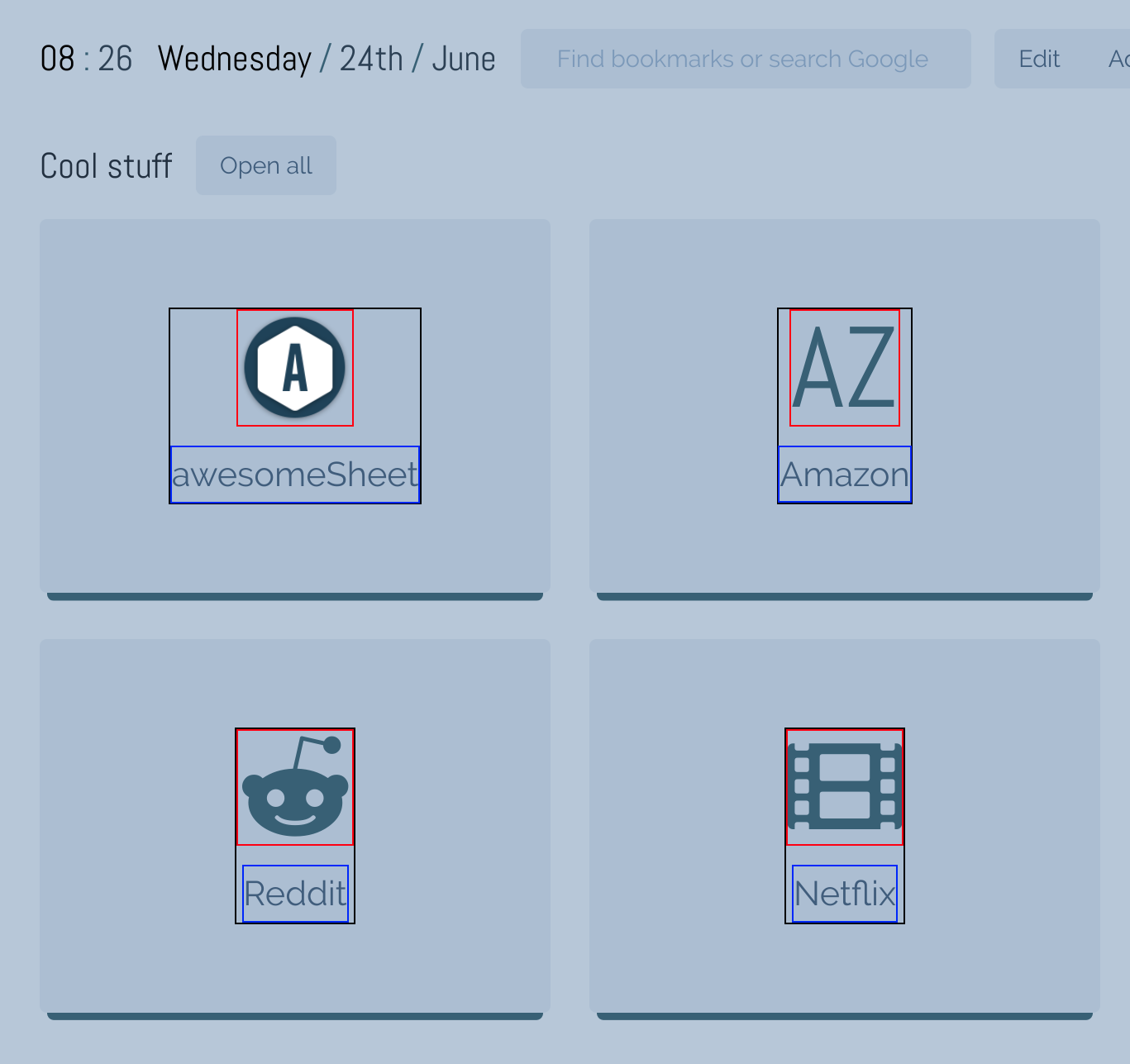
The letter/icon/image box is sized the same whether displaying a letter, icon or image and can be scaled up or down using controls in the menu. When scaled up or down they keep the same square shape.
When developing the Bookmark image feature one of the expectations was to release some additional control and responsibility about the experience to the end user. So when a user adds an image as the letter/icon/image element they will have to make sure the image is cropped to show the maximum amount of image. This will ensure the best fit inside the image box (red box).
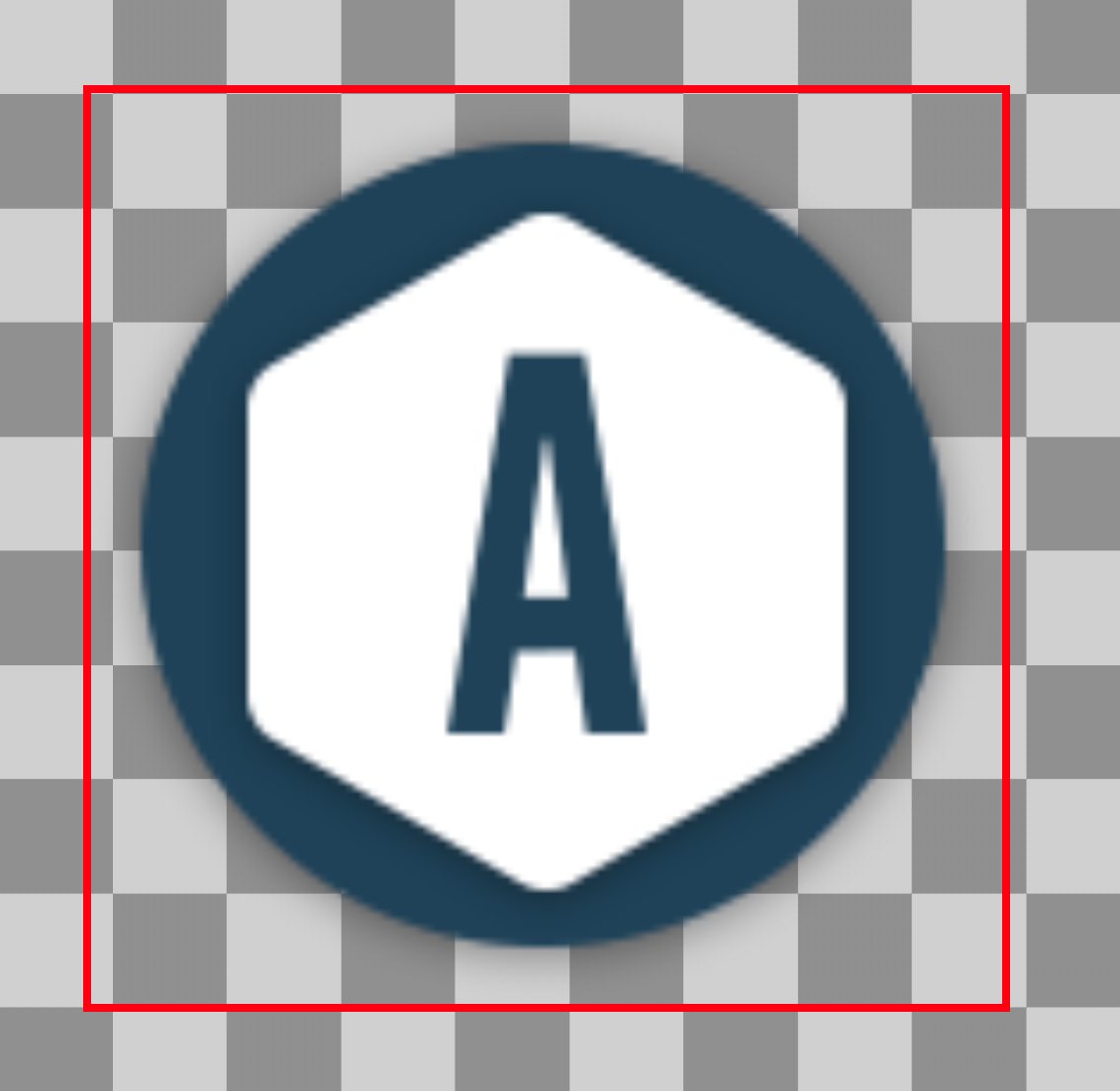
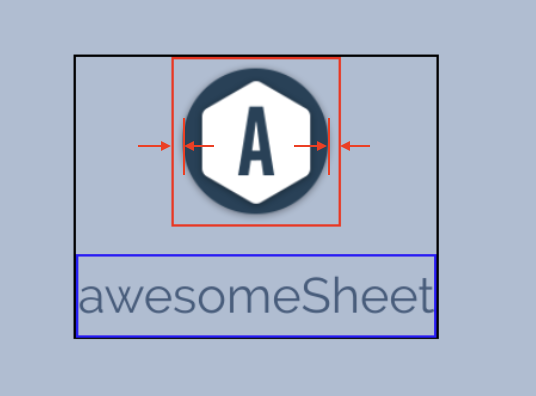
Looking at the example above the image is not cropped exactly to the edges (the round logo edge is not touching the red box which shows us the image bounds). So shows up a bit smaller than the letters or icons on a bookmark tile:
Adding individual bookmark size controls for either letter, icon or images is difficult and I estimate a large task. I'll investigate but I don't think I can commit to it right now.
2- It would be nice also to be able to choose fonts for the letters (Individually if possible). For some bookmarks that do not have an icon, this could allow nicer customization.
This is similar, would be a nice additional feature but estimated as a large task to develop.
3- We can choose custom colors individually for theme and accents. It would be nice to have the option also for Names.
Could be, I saw this coming as the background and accent colour for each bookmark tile can be changed. I'll see what I can do.
But do you guys know any service where we can upload all our icons, so we can add url to that site and pull all of them down to nighttab? I tried to do this with my google drive, dropbox and even imagur and it didn't work!
I would recommend what @Excigma has said, upload to a github repo. They are free and linking to images from them has worked for me just fine. 👍
 zombieFox
on 24 Jun 2020
zombieFox
on 24 Jun 2020
Thanks a lot for the detailed explanation . The GitHub tip was already a game changer as it's now possible to have a storage, create customized icons etc...
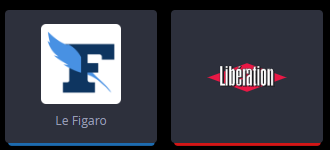
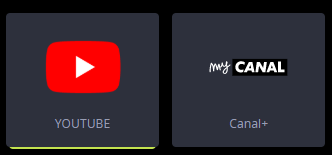
For the icon sizes I totally understand the difficulty and maybe after all not worth the effort if it's too hard to implement. The reason I asked this was to be able to somehow break the aspect ratio rule when using square icons vs rectangulaire ones. (see examples ):
For my 3rd request (Choosing custom colors individually for Names) After thinking about it a little I think that maybe another solutions would be to have a option under Name: _Use accent color_ (talking about the accent override color of course)!
Edit:
With the possibility to upload my icons to github the request for Fonts also is somehow no longr necessary! It's easy to create an Icon by choosing the font you need in Photoshop and just upload it to github :)
I just don't understand why nighttab is now reloading icons every time I open a new tab and that pictures are not cached! I know It's normal if I close the browser and open it for the first time. But when you open the browser and all icons are loaded should it reload again when you open a new tab?
rezpower
on 24 Jun 2020
For the icon sizes I totally understand the difficulty and maybe after all not worth the effort if it's too hard to implement. The reason I asked this was to be able to somehow break the aspect ratio rule when using square icons vs rectangulaire ones.
I've done some investigating on how much work exactly it might be. _Spoilers:_ yup, large amounts of refactoring and changes to lots of modules!
For my 3rd request (Choosing custom colors individually for Names) After thinking about it a little I think that maybe another solutions would be to have a option under Name: Use accent color (talking about the accent override color of course)!
This could happen. The colour of the name is defined by the theme, so maybe another one of these modules would work in the future:
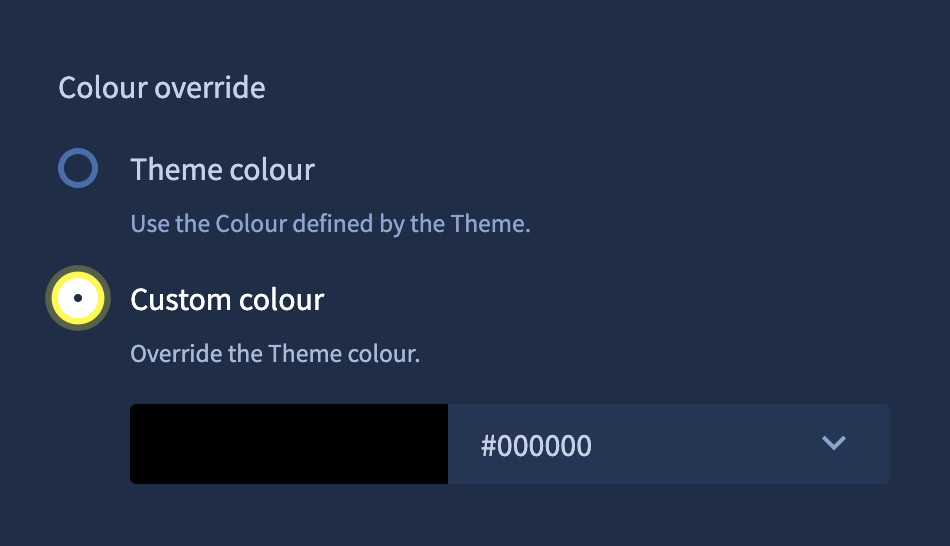
Will continue to investigate.
zombieFox
on 26 Jun 2020
On the plus side the investigation lead to a new feature I've been thinking of for some time. Any of the above requests would be blocked by this feature so I thought why not see how much effort it would be, seems not a lot. Check out the bookmark preview PR.
So, should we have bookmark level controls for alignment, direction, letter size, icon size etc in the future, a bookmark preview will be super useful.
zombieFox
on 26 Jun 2020
WIP feature PR: add link item advanced controls #202
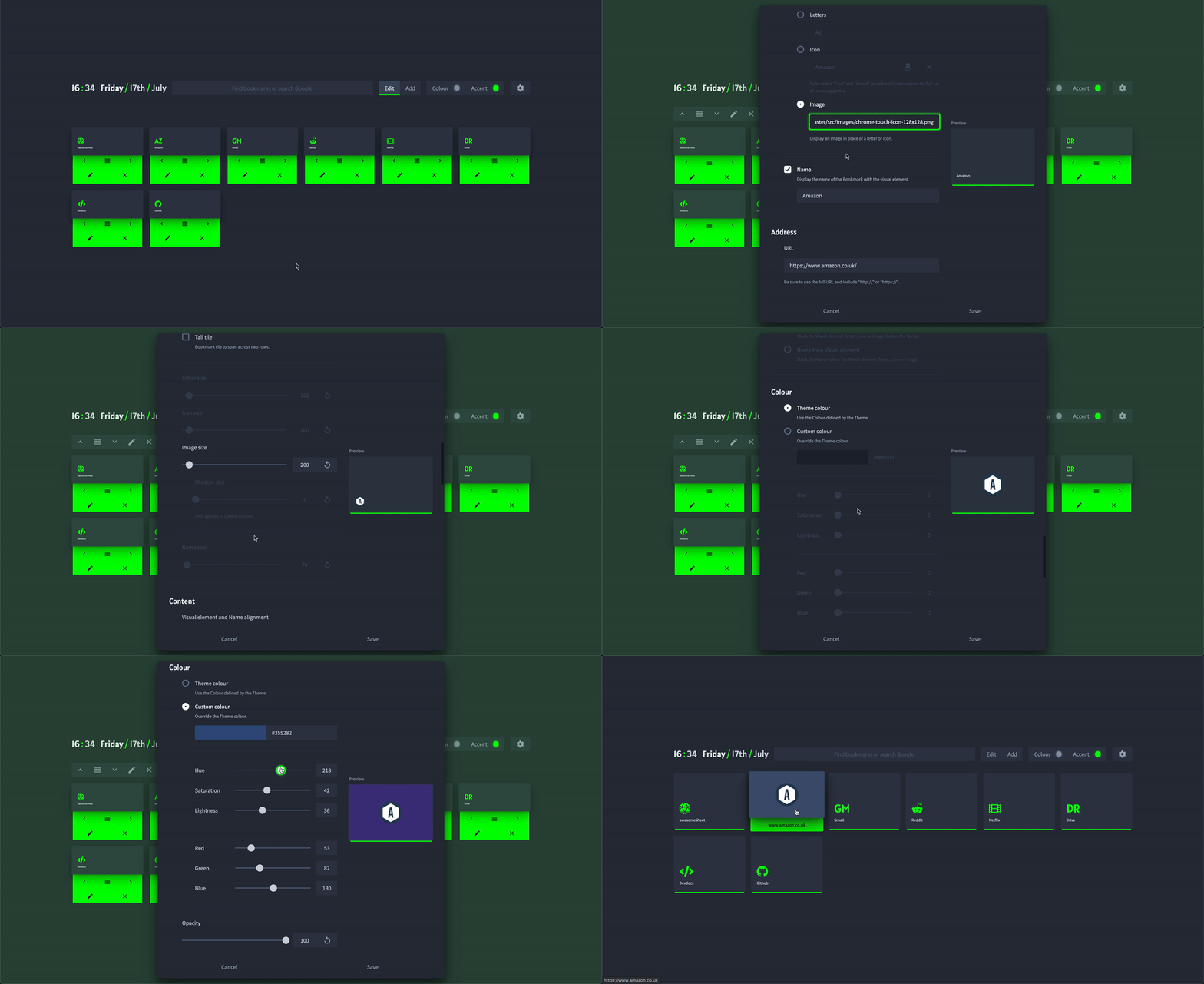
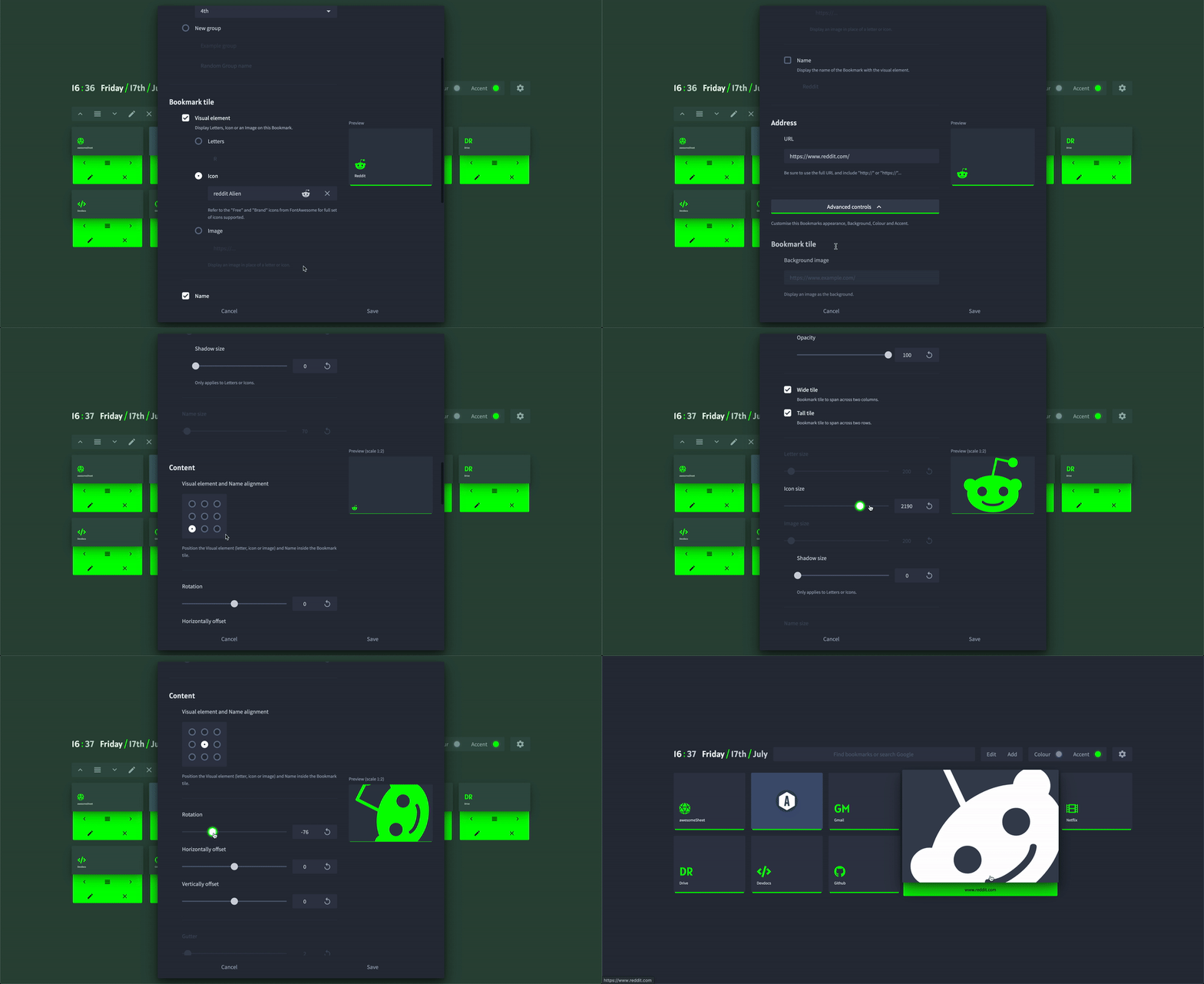
New individual bookmarks controls for:
- Tile background image and opacity
- Wide tile (Bookmark tile to span across two columns)
- Tall tile (Bookmark tile to span across two rows)
- Letter size
- Icon size
- Image size
- Letter or Icon drop shadow
- Name size
- Visual element and Name alignment, Rotation, Horizontally offset, Vertically offset
- Gutter spacing
- Vertically or Horizontally alignment
- Visual element and Name order
- Colour
- Accent

zombieFox
on 17 Jul 2020
Existing customisation controls for bookmarks have migrated to the bookmark level in v6.1.1. This is as far as I wish to take the refactoring. These new features are now live.
zombieFox
on 13 Aug 2020
Related issues
 Raketenphysik
·
4Comments
Raketenphysik
·
4Comments
 zethexx
·
6Comments
zethexx
·
6Comments
 maxnatt
·
3Comments
maxnatt
·
3Comments
 tmeuze
·
5Comments
tmeuze
·
5Comments
 Q-out
·
5Comments
Q-out
·
5Comments
Most helpful comment
You can upload the images to a Github repo. Imgur URLs should work though??