Nighttab: Bug with Bookmark content alignment on bookmark names that take more than one line
nightTab v4.0.0
Firefox v70.0.1 on Win10
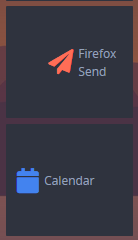
Issue: Block style Bookmarks that have names that span two or more lines (the tiles have to be tiny enough for it) don't follow Content alignment settings properly (Bookmarks > Bookmarks > Content alignment).
In fact, they go in reverse:
Left aligned
Right aligned
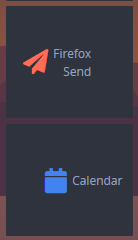
The Calendar tile is following the settings properly, the Send tile is going in reverse. Only happens when "Align contents horizontally" is selected.
 Q-out
Q-out
All 5 comments
Nothing like CSS bugs early in the morning 😄 Thanks for the report. I'll get a fix ready asap.
 zombieFox
on 3 Dec 2019
zombieFox
on 3 Dec 2019
Updated to v4.1.0 and

too much justification.
Q-out
on 4 Dec 2019
There's also a bug with breaking bookmark names with multiple lines in a way, that they fit their box:
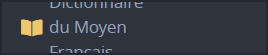
When I change the CSS at .is-link-item-display-name-show .link-display-name from display: block; to display: contents;, it works:

Besides: Thank you for the new feature! Exactly what I intended.
Edit:
Firefox 71.0 (64-bit)
NightTab 4.1.0
 Gerondolom
on 5 Dec 2019
Gerondolom
on 5 Dec 2019
I've been testing a few fixes to this. This component makes heavy use of flexbox to achieve the customisation of the alignment and order.
Experiments:
- White dashed line = flex container
- Red box = icon
- Red solid line = examples of different length strings
The current version with flex-basis: 1% on the name:
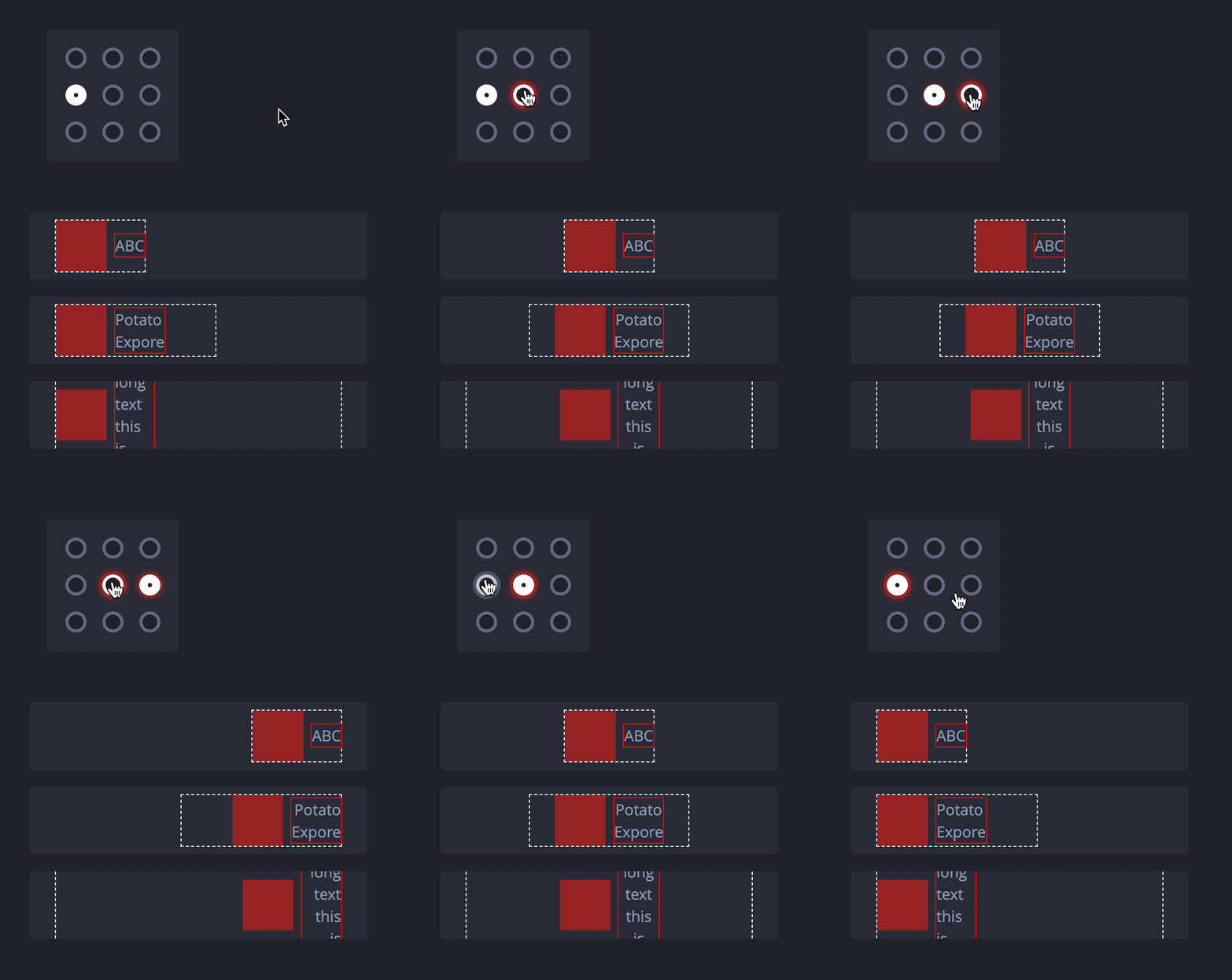
Gives us predictable alignment but does not allow for text (with multiple words) length to grow.
A test with no flex-basis (so a default of flex-basis:auto):
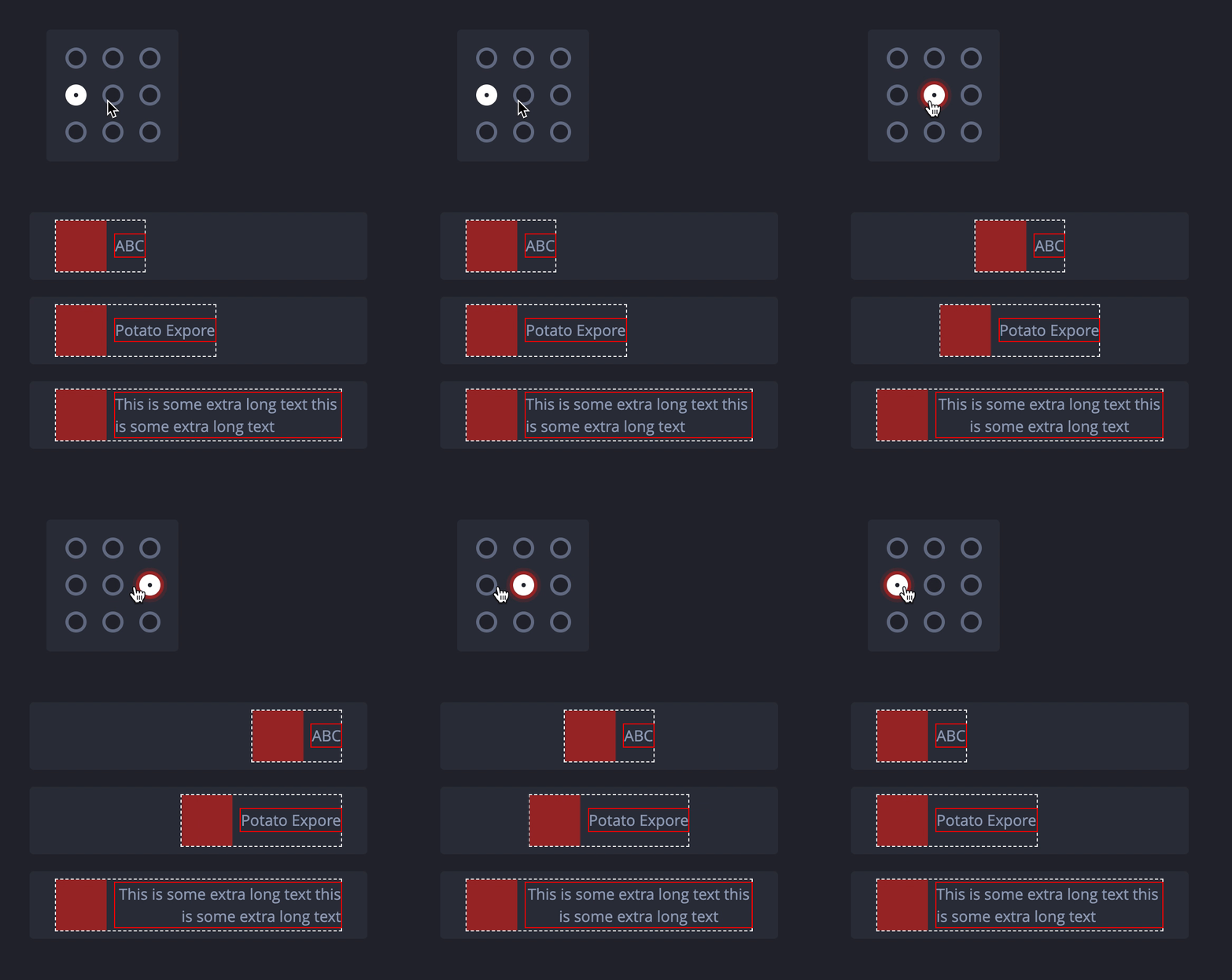
But allows for scenarios where, if the name string with multiple words is just long enough to break onto new lines, a large gap can appear:
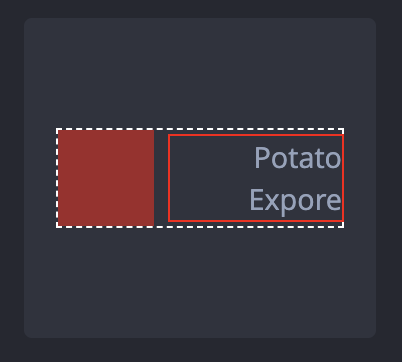
It does seem there is no simple solution to this problem as both flex-basis: auto and flex-basis: x% have downsides. So for now I will remove the explicit flex-basis declarations. This at least _seems_ to have fewer downsides.
zombieFox
on 5 Dec 2019
The gap is much more preferable to some tiles getting aligned in reverse order, this is more consistent. Closing the issue. Thanks for explaining the options in detail.
Q-out
on 6 Dec 2019
Related issues
 OofFan
·
5Comments
OofFan
·
5Comments
 pjhalsli
·
6Comments
pjhalsli
·
6Comments
 Jungack
·
5Comments
Jungack
·
5Comments
 matfantinel
·
3Comments
matfantinel
·
3Comments
 smaragdus
·
4Comments
smaragdus
·
4Comments
Most helpful comment
There's also a bug with breaking bookmark names with multiple lines in a way, that they fit their box:
When I change the CSS at
.is-link-item-display-name-show .link-display-namefromdisplay: block;todisplay: contents;, it works:Besides: Thank you for the new feature! Exactly what I intended.
Edit:
Firefox 71.0 (64-bit)
NightTab 4.1.0