Neovide: Text not rendered at native resolution on HiDPI monitor (Mac)
See screenshot, with correctly rendered text on the left and neovide on the right. neovide's text is noticeably "pixel-y" compared to the HiDPI text on the left.

This is with blank Vim configuration, using neovide pulled from master and built today using the sdl2-sys downgrade to 0.34.2 per this. Happy to follow up with any additional details that might be useful but off the bat I don't know what those might be. Here's some basic-type details for starters.
MacOS 11.1
❯ neovide -v
Neovide version: 0.6.0
❯ nvim -v
NVIM v0.4.4
Build type: Release
LuaJIT 2.0.5
Compilation: /usr/bin/clang -U_FORTIFY_SOURCE -D_FORTIFY_SOURCE=1 -DNDEBUG -DMIN_LOG_LEVEL=3 -Wall -Wextra -pedantic -Wno-unused-parameter -Wstrict-prototypes -std=gnu99 -Wshadow -Wconversion -Wmissing-prototypes -Wimplicit-fallthrough -Wvla -fstack-protector-strong -fno-common -fdiagnostics-color=auto -DINCLUDE_GENERATED_DECLARATIONS -D_GNU_SOURCE -DNVIM_MSGPACK_HAS_FLOAT32 -DNVIM_UNIBI_HAS_VAR_FROM -I/tmp/neovim-20200808-89283-1us0ytm/neovim-0.4.4/build/config -I/tmp/neovim-20200808-89283-1us0ytm/neovim-0.4.4/src -I/usr/local/include -I/tmp/neovim-20200808-89283-1us0ytm/neovim-0.4.4/deps-build/include -I/Library/Developer/CommandLineTools/SDKs/MacOSX10.15.sdk/usr/include -I/usr/local/opt/gettext/include -I/tmp/neovim-20200808-89283-1us0ytm/neovim-0.4.4/build/src/nvim/auto -I/tmp/neovim-20200808-89283-1us0ytm/neovim-0.4.4/build/include
Compiled by brew@Catalina

Features: +acl +iconv +tui
See ":help feature-compile"

   system vimrc file: "$VIM/sysinit.vim"
  fall-back for $VIM: "/usr/local/Cellar/neovim/0.4.4/share/nvim"

Run :checkhealth for more info
 valrus
All 21 comments
I just noticed that the y under the cursor _is_ shown with the correct resolution, which is interesting.
valrus
on 28 Jan 2021
I'm facing exactly the same problem. I tried to investigate a little bit. As far as I understand in Neovide there is some code handling HiDPI, that relies on the method scale_factor of Sdl2Window from skulpin. This method computes the scaling factor as ratio of logical size to physical size. However, in my case with 4K display and 200% scaling logical size is equal to the physical size instead of being twice smaller, so the return value is 1.0. I've tried to hardcode 0.5 return value for this method and it worked correctly. But I have no idea why physical size is wrong in skulpin and how to fix it...
 darth
on 28 Jan 2021
darth
on 28 Jan 2021
Was this version built from current source? or downloaded?
 Kethku
on 31 Jan 2021
Kethku
on 31 Jan 2021
Built from the current source.
darth
on 31 Jan 2021
Same, FWIW.
valrus
on 5 Feb 2021
I am experiencing the same issues.
sdl2-sys downgrade to 0.34.2 in order to compile.
Font is rendered properly on 2nd monitor, but not on laptop screen.
NVIM v0.4.3
Build type: Release
LuaJIT 2.0.5
 Handfish
on 24 Feb 2021
Handfish
on 24 Feb 2021
Hi guys,
I solved this on my local machine, but I am not sure this is a proper fix as I've never worked with Vulkan or SDL before.
Here's how to reproduce my fix:
- Clone neovim and skulpin and override the skulpin repository using my local repo as explained here:
https://doc.rust-lang.org/cargo/reference/overriding-dependencies.html
My sdl2-sys crate has been downgraded to
0.34.2as shown here. (not in my fork linked below).There is a discrepancy between the sdl return value for drawable_size() on my retina display and my additional monitor.
I updated skulpin as so. https://github.com/Handfish/skulpin/commit/d472a9f144f43b2b73bec62cbe143cf8de45aaed - I don't believe this is a totally proper pull-request - I think this might break other software / this software on other OS.There is also an issue with dragging the editor from my retina display to my monitor, so I made some changes to neovide. https://github.com/Handfish/neovide/commit/be37f2c6efd45f877cfac61f7d070fda0c0bb3ca
This has made the editor text look sharp on both monitors and fixed the rendering issues when dragging the editor from one to another.
EDIT:
Additional changes need to be made for cursor position on the Retina display. The logical position is scaled to the top left quadrant of the window.
https://github.com/Kethku/neovide/blob/main/src/window/sdl2/mod.rs#L167
.to_logical(sdl_window_wrapper.scale_factor()) can be replaced with .to_logical(1.0) for proper mouse coordinates
Handfish
on 25 Feb 2021
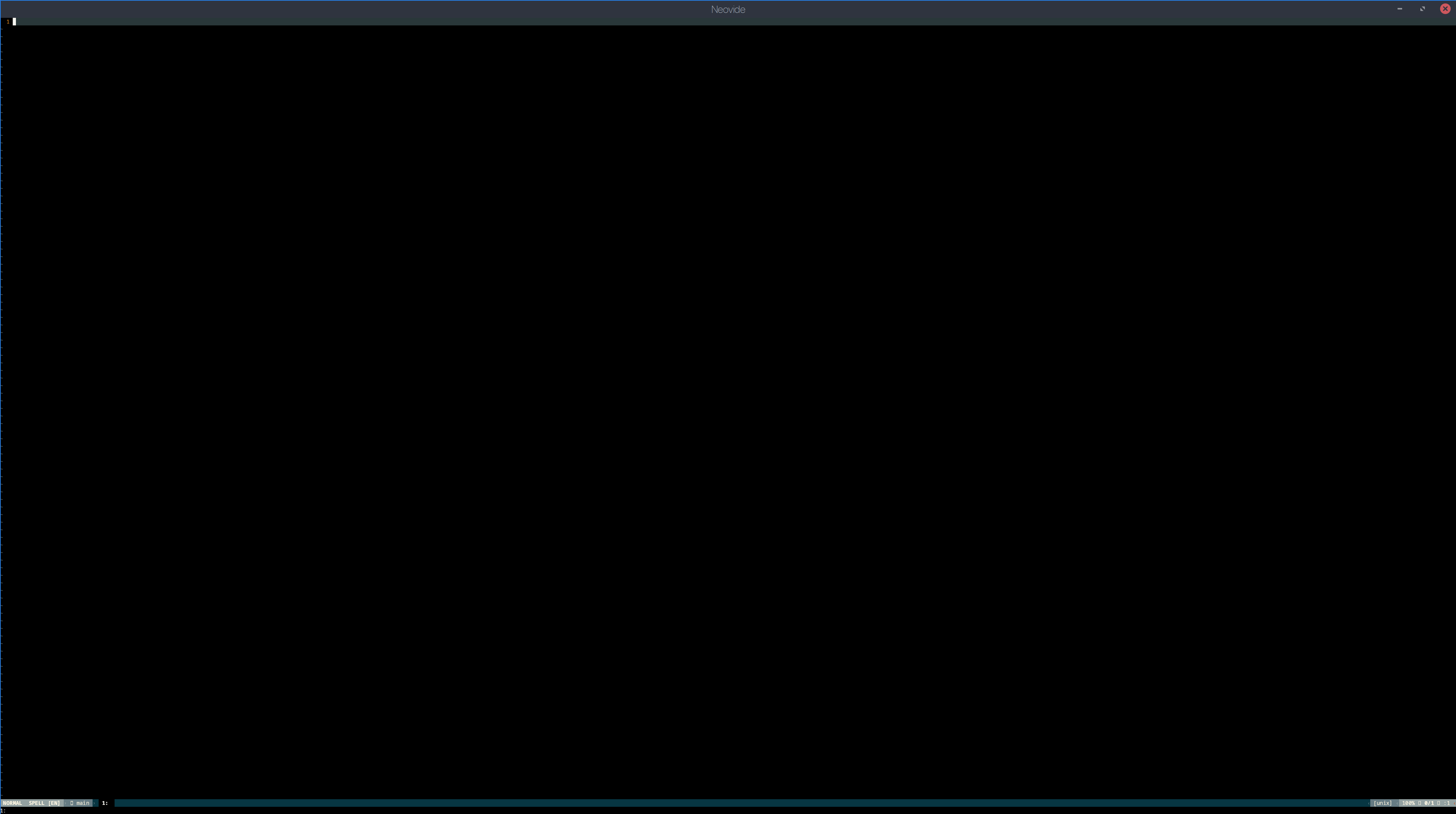
This is an issue on Linux as well
 robbyoconnor
on 12 Apr 2021
robbyoconnor
on 12 Apr 2021
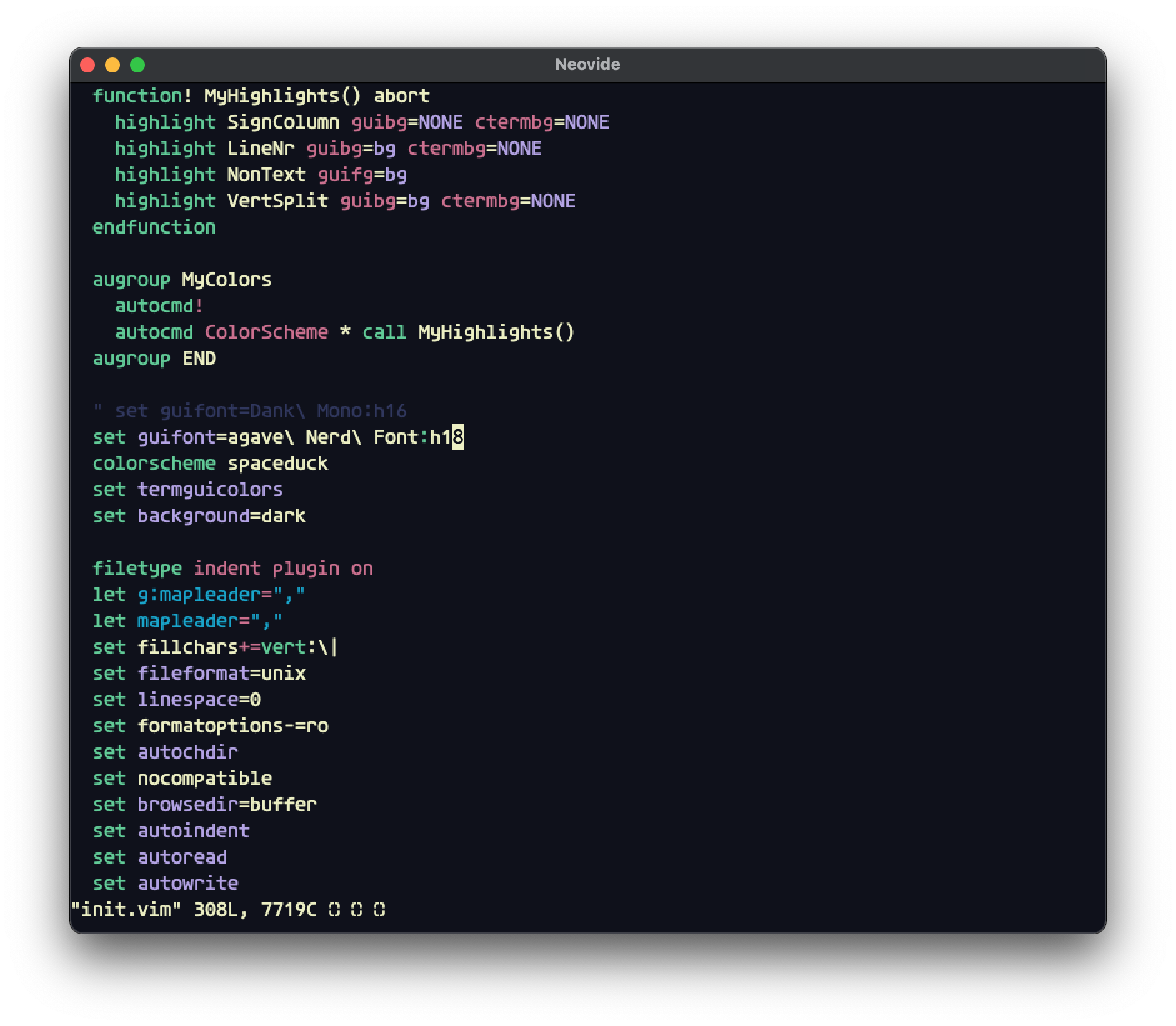
MacOS 11.2.3 had the same problem too.
 singlexyz
on 13 Apr 2021
singlexyz
on 13 Apr 2021
Yeah, the Retina displays are also HiDPI as well.
On 4/13/21 8:45 AM, nayuxuohz wrote:
>
MacOS 11.2.3 had the same problem too.
截屏2021-04-13 下午8 44 33
https://user-images.githubusercontent.com/4456413/114554237-14555c80-9c99-11eb-9bb5-c01bc4973526.png—
You are receiving this because you commented.
Reply to this email directly, view it on GitHub
https://github.com/Kethku/neovide/issues/455#issuecomment-818706326,
or unsubscribe
https://github.com/notifications/unsubscribe-auth/AAAFUMAPRECVPRMI222R66TTIQ4GXANCNFSM4WVX23RQ.
robbyoconnor
on 13 Apr 2021
Unfortunately I don't have a mac, so I will need somebody else to help fix this.
There is a winit build in main which can be enabled via the winit compile feature, or the opengl branch is built on winit by default. It is possible that those versions will work better as sdl2 handles dpi strangely.
Kethku
on 14 Apr 2021
@Kethku this applies to all HiDPI displays.
robbyoconnor
on 14 Apr 2021
I'm not sure thats true. On other operating systems it seems to work fine and scale properly.
Kethku
on 16 Apr 2021
@Kethku it's an issue on mine.
robbyoconnor
on 16 Apr 2021
Can you give some details? What operating system, what is the dpi scale? What direction is the issue? Does it happen on the opengl branch?
Kethku
on 16 Apr 2021
Just saw your linux point. Can you try on opengl?
Kethku
on 16 Apr 2021
FWIW, I just built on the opengl branch on my Mac, and the resolution issue is fixed. But the cursor and editor behavior are very strange: every time I move the cursor it jumps way down off the bottom of the window and to the right, and some editor actions such as text input don't appear until I hit escape. But perhaps these issues are orthogonal to the rendering issue here so wanted to let you know that the opengl branch fixes that part.
valrus
on 20 Apr 2021
Can confirm what @valrus says
 kabouzeid
on 27 Apr 2021
kabouzeid
on 27 Apr 2021
I spent some time debugging this. It seems to be skulpin related.
It doesn't scale when I run their example cargo run --example interactive_sdl2
But it does work when I'm using their winit example cargo run --example interactive_winit_app --features winit-app,winit-24
Possibly related: https://github.com/aclysma/skulpin/pull/45
kabouzeid
on 11 May 2021
I think this has been fixed in main. Please reopen if you come back to this and the issue remains.
Kethku
on 14 Jun 2021
For linux, it's somewhat fixed for x11, but not for wayland.
On the right - x11, h15 looks reasonable, on the right - wayland, same h15 is too small.
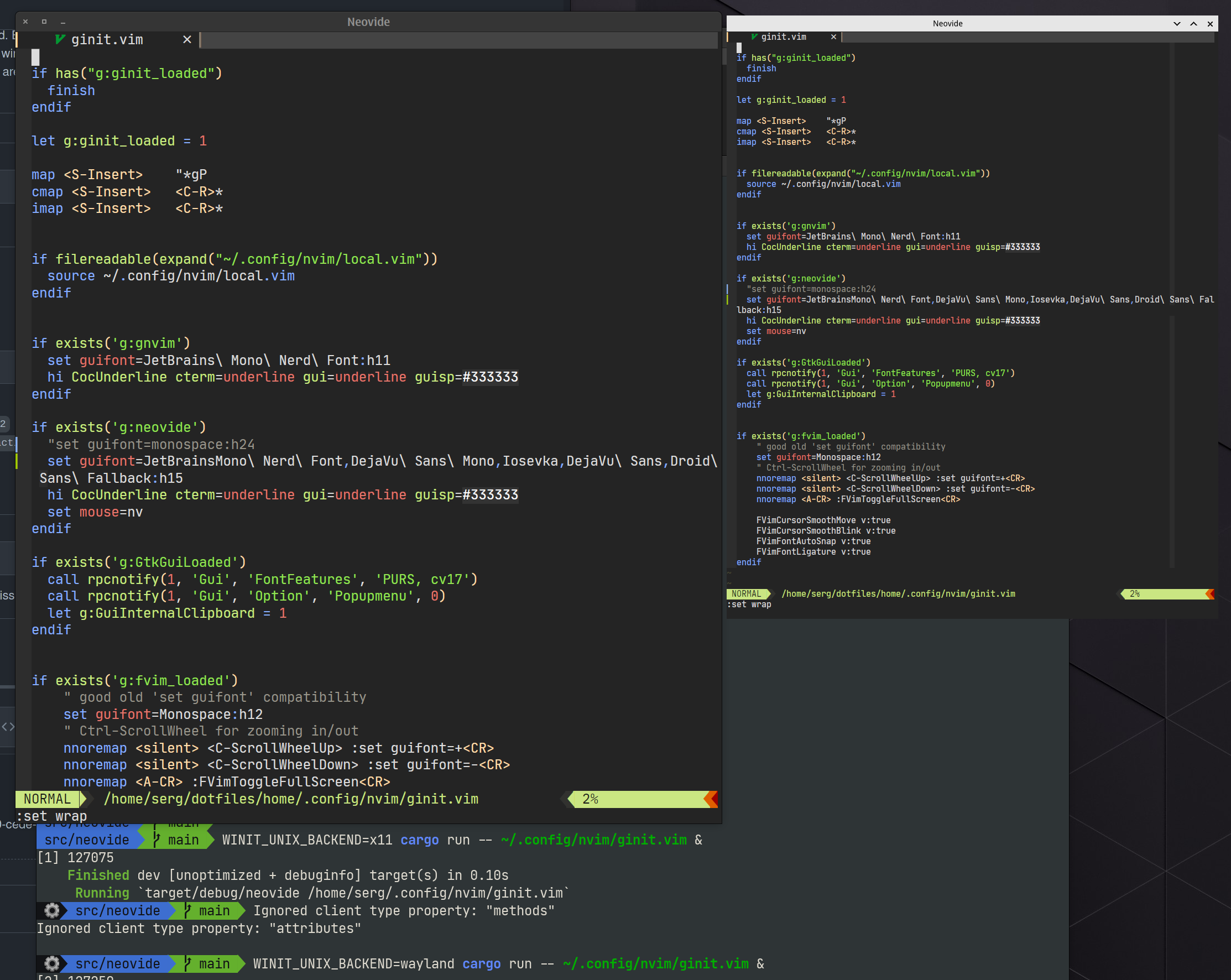
But that's still not correct scaling, terminal uses 11.25 font size, and if i set 11.25 in neovide - it would be too small.
 last-partizan
on 16 Jun 2021
last-partizan
on 16 Jun 2021
Related issues
 SirVer
·
26Comments
SirVer
·
26Comments
 pranphy
·
36Comments
pranphy
·
36Comments
 harish2222
·
31Comments
harish2222
·
31Comments
 Ninmi
·
53Comments
Ninmi
·
53Comments
 habamax
·
67Comments
habamax
·
67Comments
Most helpful comment
This is an issue on Linux as well
