Nativefier: External login pages open in external browser, breaking login or asking users to know about --internal-urls. Nativefier should automatically open those internally.
Description
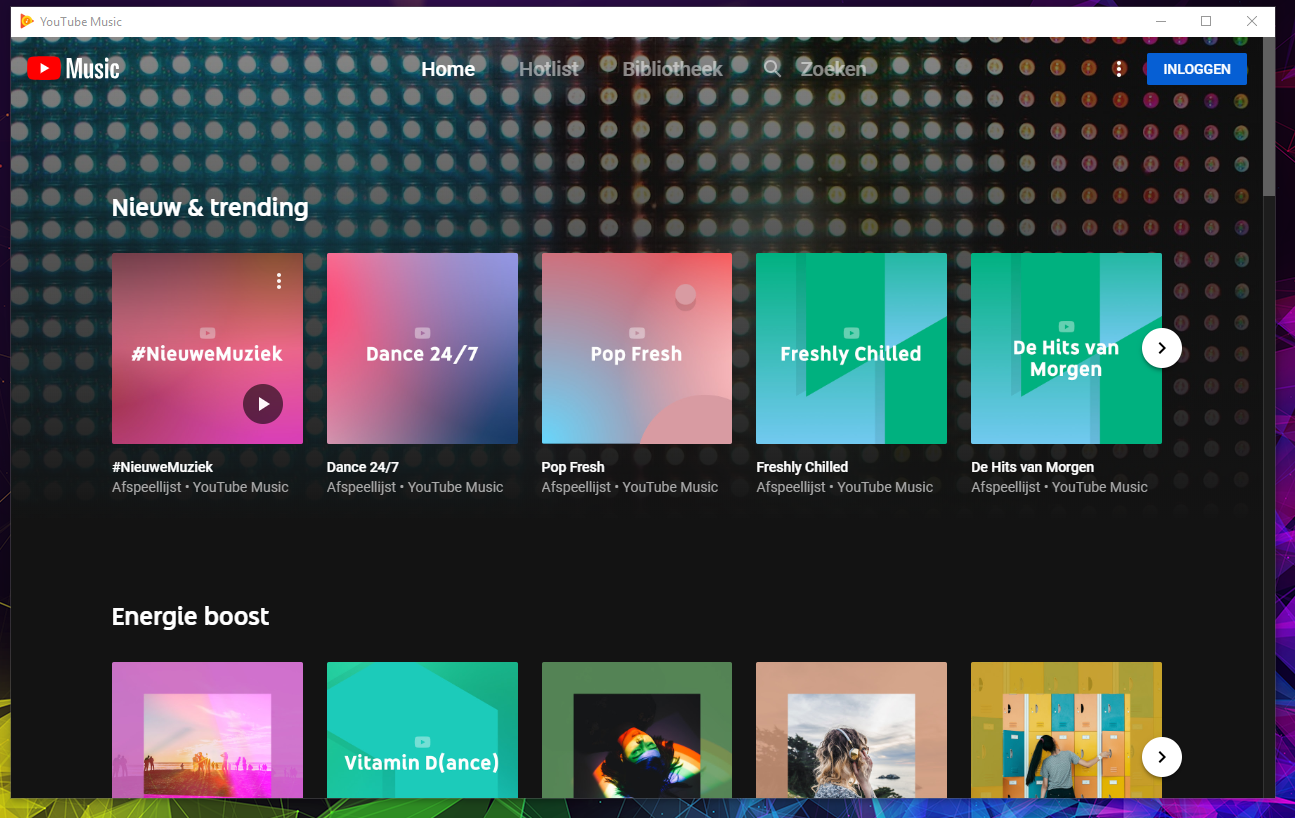
Hello i'm trying to use nativefier to login into my youtube music,
But when i click login it opens browser, i login. and nothing happens.
Steps to reproduce issue
Install it with music.youtube.com
Details
- Are you nativefying a public website? Yes
- Feature request? Have you looked at
nativefier --helpto see if an existing option could fit your needs? - Full nativefier command used to build your app: nativefier music.youtube.com
- Version of Nativefier (run
nativefier --version): Current - Version of node.js (run
node --version): current - OS: win 10 64b
- Error message / stack trace (if any):
 DionGrendelman
All 22 comments
You have to add the Google SignIn url to the internal urls of the app. Use this command:
nativefier music.youtube.com --internal-urls "(.*?)(accounts\.google\.com/ServiceLogin|music\.youtube\.com)(.*?)"
With this command you are basically saying that if the url contains "accounts.google.com/ServiceLogin" or "music.youtube.com", it should open inside the app. If you want to add another one, just add the 'other' symbol (|) after "music.youtube.com" and add the wanted url (without "https://", as the other ones) after it. But remember to escape the dots with a backslash as they mean 'any character' in Regex.
Hope it helps :)
 luccasclezar
on 22 Nov 2018
luccasclezar
on 22 Nov 2018
Thanks @luccasclezar 🙂.
There are lots of similar reports with various sites. A default list of domain / internal-urls pairs, used automatically when nativefying, would be neat. Renaming issue. Help welcome!
 ronjouch
on 25 Nov 2018
ronjouch
on 25 Nov 2018
You're welcome @ronjouch! 🙂
About the fix, wouldn't it be better to add a default list of authentication domains that every nativefied app uses as internal urls? Like Google, Microsoft, Github, etc.
Cause I was thinking about this list of domain / internal-urls pairs and it seems to me that it would be too hard-coded. If all auth domains' urls are internalized, it should be a broader alternative as the list would not be that long and would work with every site that uses these auth providers without the need to hard-code each domain individually.
The only problem with this method that I can think of is the performance of the Regex search (and only because I don't have enough experience with it to know how long the domain list would need to be to slow down the search considerably).
What do you think of this implementation?
luccasclezar
on 25 Nov 2018
"wouldn't it be better to add a default list of authentication domains that every nativefied app uses as internal urls? Like Google, Microsoft, Github, etc."
@luccasclezar I'm not sure, it feels like room for lots of false positives 😕.
ronjouch
on 25 Nov 2018
Isn't this kind of an idea for a second project, which collects nativefier command lines for popular websites?
The first idea I had was "this is something which should not matter, as someone creates a working app once and everybody uses it", but I guess quite a few people here want to nativefy them theirself, so they can trust the binaries. So a collection of command lines would make a nice repo, possibly with a simple script asking Which site do you want to nativefy from a template? 1) youtube 2) spotify 3) ...? [Enter a number]
 allo-
on 27 Nov 2018
allo-
on 27 Nov 2018
@ronjouch I don't quite get it how there could be false positives. If the auth urls shared their domain with other sites (like Google SignIn having the same domain as another Google site) I would agree with you, but everytime someone access accounts.google.com/ServiceLogin it is to Login with Google. I can't think of any false positives in this situation.
But even if there are some false positives, we could simply have a parameter to remove the default auth domains, like nativefier youtube.com --no-default-auth-urls. This way if someone had a false positive (which I think it would be rare), it's possible to workaround it.
My main concern about having a list of pairs is that there will always have some sites that won't be in the list and will have to be manually set. In my opinion, the number of people that would have false positives with my suggestion would be far less than the number of people that would have to manually set an auth domain to a random site they want nativefied.
What do you think?
luccasclezar
on 27 Nov 2018
I liked @allo-'s idea. And perhaps it would be nice if there was a site or a repository of already compiled binaries of common sites with custom styling (like MacOS's appbar blended with the page's styling, etc).
luccasclezar
on 27 Nov 2018
I started a personal project along those lines: https://github.com/bacongravy/nativefier-apps
It’s very specific to how I wanted to build the apps; not everyone is going to be using okta for login, for instance. But it could be forked and made more generic.
The app-specific settings are in here: https://github.com/bacongravy/nativefier-apps/blob/master/apps.json
 bacongravy
on 27 Nov 2018
bacongravy
on 27 Nov 2018
This sounds like an extension of what's already been done for icons by sister project jiahaog/nativefier-icons . Would be cool!
@bacongravy, @luccasclezar, anyone: feel free to step up and do it, extending & reworking [nativefier, nativefier-icons] to use an "Apps repo" at an URL you control, then when a proof of concept is established I'm sure @jiahaog will be happy to pull that into nativefier-icons (on which I have no access).
ronjouch
on 27 Nov 2018
Ok @ronjouch, I'll give it a look and see what I can do in my spare time 😁
But just to remind you, you didn't answer my question regarding the auth domains issue.
luccasclezar
on 28 Nov 2018
Another approach would be to change the default regex for internal urls to be something more like /.*/. In terms of trade-offs, it seems to me to be better to live with external urls opening in Nativefier by default than it does to be unable to log-in to some sites by default.
bacongravy
on 28 Nov 2018
Or, we could back out #624, I think that's the change that started trigging this problem for some people. What if we put that behavior behind a --strict-internal flag that wasn't enabled by default?
bacongravy
on 28 Nov 2018
@bacongravy In my opinion, the best outcome would be to stay the way it is but to open the auth providers internally by default. I know that would mean we would have to manually add every auth provider we know and possibly add more if someone requested or we discovered a new one, but I don't think that opening all urls internally would be a better choice as a nativefied app should be the closest possible to what a native app would be.
luccasclezar
on 29 Nov 2018
I'm new to nativefier and I just spent hours struggling with this. Apparently, Github 2 factor auth only works for me when opening as a separate tab (unlike for my coworker).
The developer of the website I was nativefying had never heard of nativefier and definitely hadn't considered released a native app using it. It would be awesome if the most common auth domains could be opened as tabs by default.
 bfelbo
on 15 Feb 2019
bfelbo
on 15 Feb 2019
What would be the proper internal url string for "https://www.amazon.com/ap/signin|https://www.audible.com"
Trying to get Audible to open both the login and redirects within the app and although this works I notice it probably isn't entirely correct in format....
I've tried it as "(.*?)(accounts\.amazon\.com/ServiceLogin|\.audible\.com)(.*?)" but that only broke the app.
Here's the error it gives
https://i.imgur.com/ntXTlar.png
nvm... I got it to work with the above code, looks like the error was due to manually editing it into the nativefier.json file after having created it, lol.
 PhantomNimbi
on 1 Sep 2019
PhantomNimbi
on 1 Sep 2019
About the fix, wouldn't it be better to add a default list of authentication domains that every nativefied app uses as internal urls? Like Google, Microsoft, Github, etc.
@luccasclezar or anyone: I changed my mind about that, it would be cool, and can be simple to start with, with a list of common auth domains/regexes (google, microsoft, github, etc) to match and to always consider internal, and with logging informing the user about it. PR welcome.
ronjouch
on 21 Mar 2020
The following globs capture the authentication domains/paths I know about from this thread:
www.amazon.com/ap/signin
www.google.com/accounts
accounts.google.com/
*.okta.com/
What else would we want in the initial list?
bacongravy
on 19 Apr 2020
I think you'd also want to add GitHub, which is used as sign-in for many tools.
Perhaps also LinkedIn, Microsoft, Twitter, and Facebook if you want to support non-developer websites.
bfelbo
on 19 Apr 2020
Those all sound good to me. If someone knows the domain names / URLs for them please add them to this thread.
bacongravy
on 19 Apr 2020
Hi! Today I tried to nativefy Notion, got the same problem while using google to log in. Here's the command I used:
nativefier --name "Notion" --internal-urls "(.*?)(accounts\.google\.com/ServiceLogin|notion\.so)(.*?)" --user-agent "Mozilla/5.0 (X11; Ubuntu; Linux x86_64; rv:76.0) Gecko/20100101 Firefox/76.0" "notion.so"
It didn't work, even if I use --internal-urls and --user-agent
Appreciate any help, I'm going to create a password so I can log in without google services, but use google or other services to log in is a great convenience.
Available to help with anything I can.
Thanks!
 avlm
on 26 May 2020
avlm
on 26 May 2020
Hi! Today I tried to nativefy Notion, got the same problem while using google to log in. Here's the command I used:
nativefier --name "Notion" --internal-urls "(.*?)(accounts\.google\.com/ServiceLogin|notion\.so)(.*?)" --user-agent "Mozilla/5.0 (X11; Ubuntu; Linux x86_64; rv:76.0) Gecko/20100101 Firefox/76.0" "notion.so"It didn't work, even if I use
--internal-urlsand--user-agentAppreciate any help, I'm going to create a password so I can log in without google services, but use google or other services to log in is a great convenience.
Available to help with anything I can.
Thanks!
I got the same issue, but if you sign up with google, and then create a new account (with password) with the same google's email, it will be linked ;). So it's fine !
 CocoThePimp
on 27 Jun 2020
CocoThePimp
on 27 Jun 2020
This method worked for me
https://stackoverflow.com/questions/62128548/how-to-force-to-open-all-links-in-same-window-in-nativefier
Short Example (What I did):
GOTO> /home/username/Nativefier-Apps/YouTube/
GOTO> resources folder for me it is inside YouTube-linux-x64 under YouTube folder
GOTO> app open nativefier.json with any text editor [I used Visual Studio Code]
FIND> "internalUrls" and replace null with the list of URL you want to open internally e.g "(.*?contacts\\.google\\.com.*?|.*?accounts\\.google\\.com*?)"
I'm not sure if I can post it here. But I thought this may help contributors or developers.
 jharohit466
on 20 Oct 2020
jharohit466
on 20 Oct 2020
Related issues
 toddself
·
5Comments
toddself
·
5Comments
 citrusui
·
3Comments
citrusui
·
3Comments
 DougBeney
·
5Comments
DougBeney
·
5Comments
 jjgalvez
·
3Comments
jjgalvez
·
3Comments
 desimaniac
·
4Comments
desimaniac
·
4Comments
Most helpful comment
You have to add the Google SignIn url to the internal urls of the app. Use this command:
nativefier music.youtube.com --internal-urls "(.*?)(accounts\.google\.com/ServiceLogin|music\.youtube\.com)(.*?)"With this command you are basically saying that if the url contains "accounts.google.com/ServiceLogin" or "music.youtube.com", it should open inside the app. If you want to add another one, just add the 'other' symbol (
|) after "music.youtube.com" and add the wanted url (without "https://", as the other ones) after it. But remember to escape the dots with a backslash as they mean 'any character' in Regex.Hope it helps :)