Nativefier: CLI basic auth username/password flags do not work
Description
PR #444 Doesn't work for me. Still get a password prompt for almost every site I try that has basic http authentication.
Details
- Are you nativefying a public website? Using it for personal public facing site's (e.g. NZBGet, Sonarr, etc)
- Full nativefier command used to build your app:
nativefier --basic-auth-username USERNAME --basic-auth-password PASSWORD --name "NZBGet" "https://nzbget.DOMAIN.COM/" ~/nativefier - Version of Nativefier (run
nativefier --version):v7.4.1 - Version of node.js (run
node --version):v6.11.3 - OS:
macOS 10.11
 desimaniac
All 4 comments
@desimaniac thanks for the feedback. Please share a public reproduction scenario, here this works for me (i.e. the basic http auth provided by the test website passes and I see the auth-requiring image): nativefier --name "issue477" --basic-auth-username httpwatch --basic-auth-password httpwatch "https://www.httpwatch.com/httpgallery/authentication/authenticatedimage/default.aspx?0.3296613056368104" /tmp/issue477 && /tmp/issue477/issue477-linux-x64/issue477
 ronjouch
on 9 Nov 2017
ronjouch
on 9 Nov 2017
Tried: nativefier --name "issue477" --basic-auth-username httpwatch --basic-auth-password passwordnew "https://www.httpwatch.com/httpgallery/authentication/authenticatedimage/default.aspx?0.3296613056368104" ~/nativefier
Still get
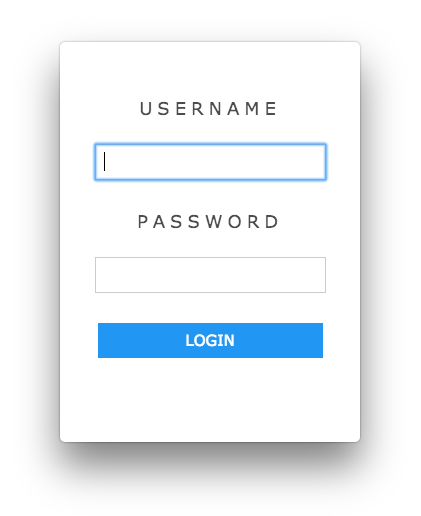
When i login manually, that's when i get ...
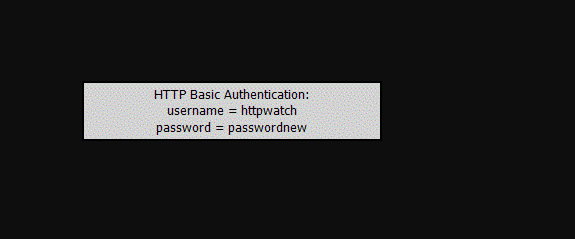
Could this be an OS specific issue ?
desimaniac
on 9 Nov 2017
@desimaniac ha! Forgot that these --basic-auth-{username,password} flags are super recent and not released yet to npm! So just wait for 7.4.2, or build your nativefier from master (it's not that hard/long!), following the development setup guide.
@jiahaog hey there! It's been a long time since 7.4.1, could you cut a new release? Here's a readymade summary for the release notes and to update changelog.md 🙂:
- Add `--tray` flag to let app running in background on window close. Supports in-title counter. (Issue #304, PR #457)
- Add HTTP `--basic-auth-{username,password}` flags (Issue #275, PR #444)
- Add offline build detection and advice (Issue #448, PR #452)
- Add 'Paste and Match Style' to Edit menu (Issue #404, PR #447)
- Add setting environment variables (PR #419)
- Add `app-copyright`, `app-version`, `build-version`, `version-string` and `win32metadata` flags (Issue #226, PR #244)
- Fix: Make title counter regex match '+' after number, used by certain sites (PR #424)
Related issues
 shnbhg
·
5Comments
shnbhg
·
5Comments
 mklaber
·
5Comments
mklaber
·
5Comments
 toddself
·
5Comments
toddself
·
5Comments
 ranzou06
·
3Comments
ranzou06
·
3Comments
 DougBeney
·
5Comments
DougBeney
·
5Comments
Most helpful comment
@desimaniac ha! Forgot that these
--basic-auth-{username,password}flags are super recent and not released yet to npm! So just wait for 7.4.2, or build your nativefier frommaster(it's not that hard/long!), following the development setup guide.@jiahaog hey there! It's been a long time since 7.4.1, could you cut a new release? Here's a readymade summary for the release notes and to update changelog.md 🙂: