Multi-account-containers: "Multi-Account Containers" toolbar button is wrongly active in Private Window
[Affected versions]:
- Multi-Account Containers 4.0.3
- Firefox 58.0a1
[Affected Platforms]:
- All Windows
- All Mac (No longer reproducible 58.0a1-20171102100041)
- All Linux
[Prerequisites]:
- Have a Firefox profile with the latest "Multi-Account Containers" add-on version (4.0.3) installed.
[Steps to reproduce]:
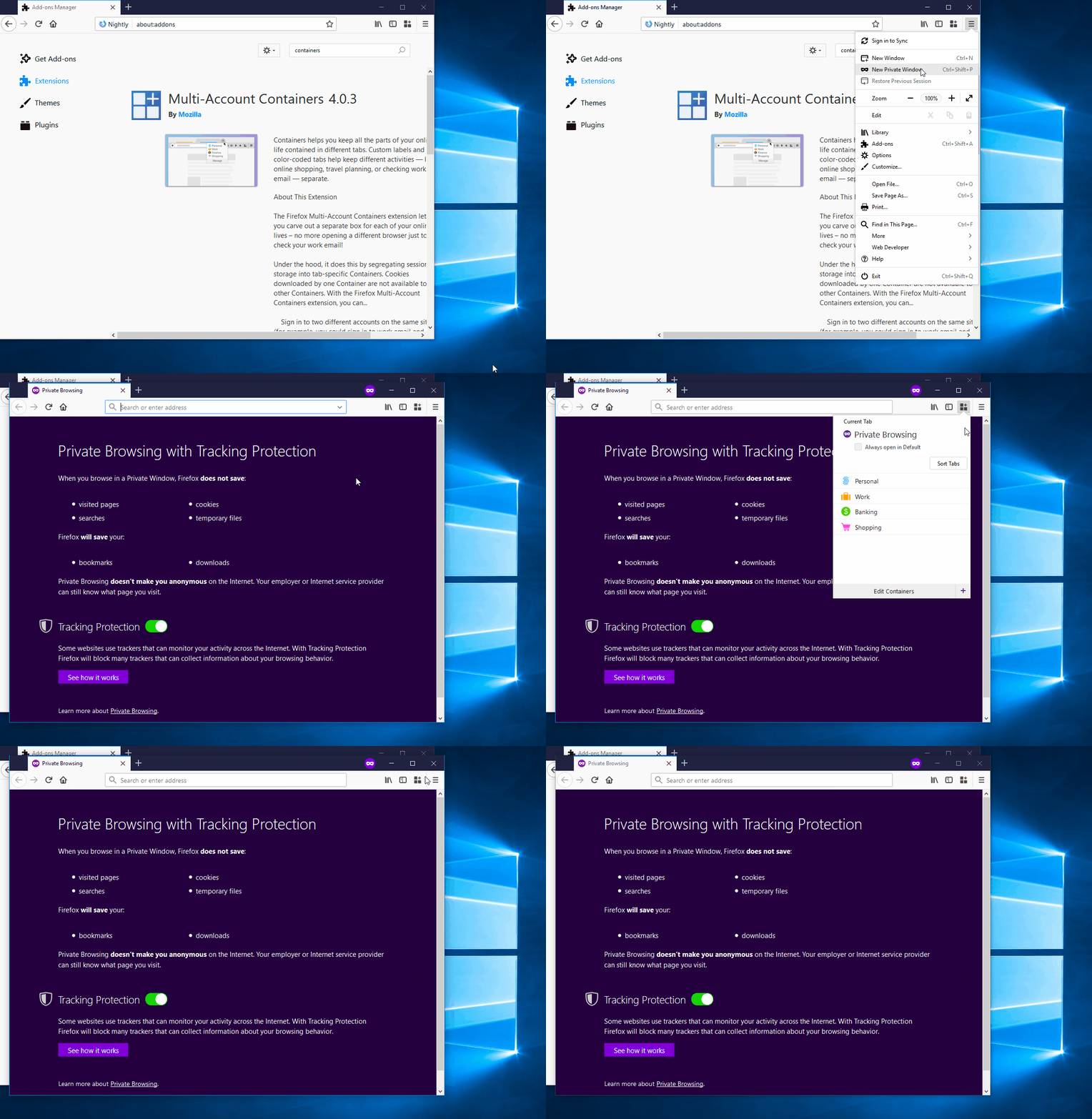
- Open the browser with the profiles from prerequisites.
- Open a new Private Window (Ctrl+Shift+P).
- Click the "Multi-Account Containers" from the browser toolbar and observe.
[Expected result]:
- Nothing happens.
[Actual result]:
- The "Containers" panel is opened.
[Regression Window on Windows]:
- Last good revision: 71ea88d938e5d68c5843a3689b5ddc0fda38a063
- First bad revision: dda6098cc5161046af377ef69bae69099255b098
- Pushlog https://goo.gl/eAuBnK
[Regression Window on Mac]:
- First good revision: a0334f789772302ba5cfb6fd61290408842c7432
- Last bad revision: 0a50066b2de805de843762b9787b2b3d2d5bf93f
- Pushlog: https://goo.gl/NiAyM4
- It seems that the backed out from this pushlog made the issue no longer reproducible.
[Notes]:
- Attached a screen recording of the issue:
 SoftVision-EmilPasca
All 7 comments
An user can also encounter the following issue if he chooses to show previously hidden containers from a "Private Window":
[Notes]:
- This scenario will also break the "Show this container" option when clicked in a normal window.
[Prerequisites]:
- Have a Firefox profile with the latest "Multi-Account Containers" add-on version (4.0.3 custom built on 11.08.2017) installed.
- Have a container hidden.
[Steps to reproduce]:
- Open the browser with the profile from prerequisites.
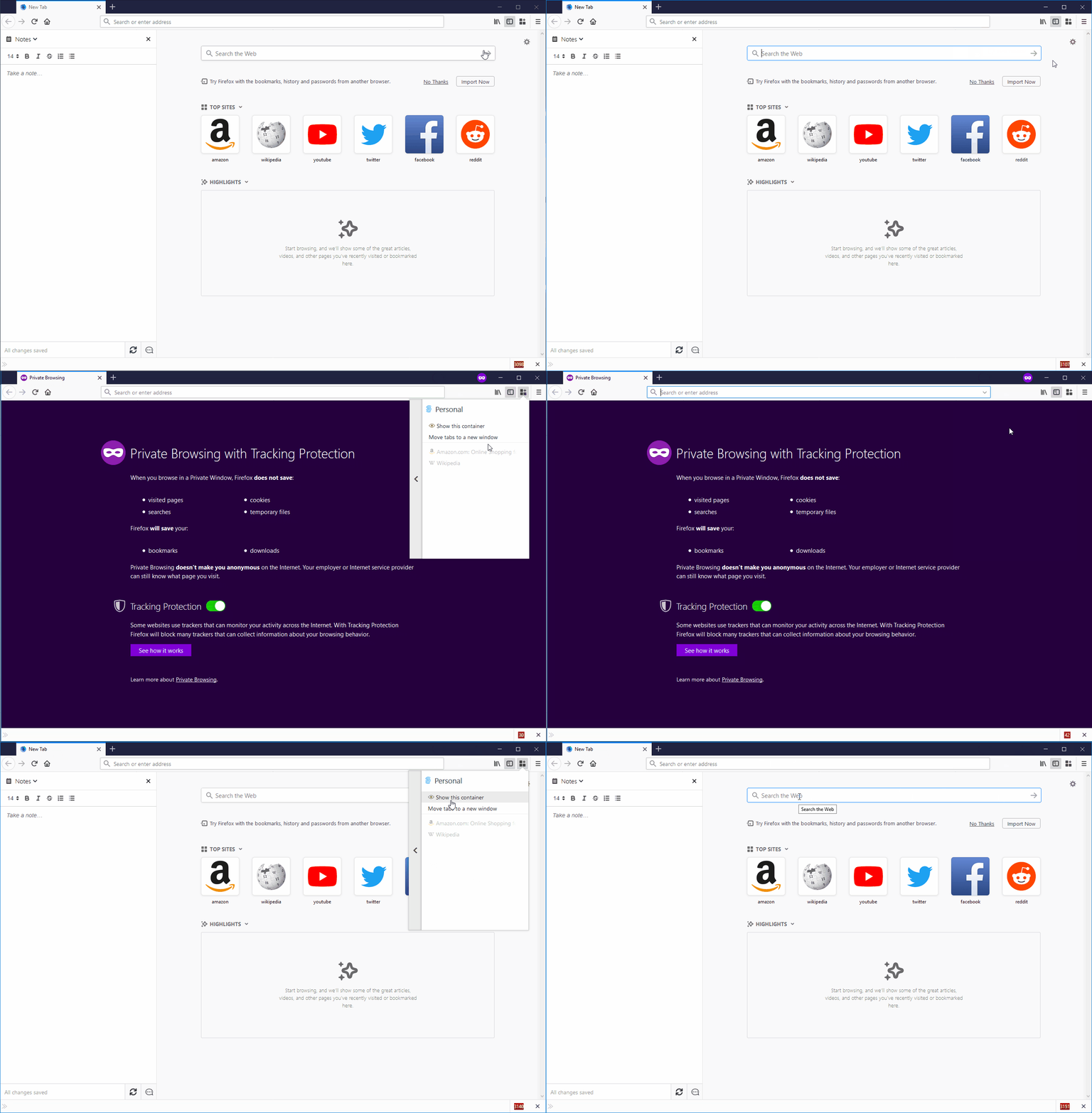
- Open a new Private Window (Ctrl+Shift+P) and click the "Multi-Account Containers" button from the browser toolbar.
- Click the "View container" button (">") placed in the right of the container from prerequisites.
- Click the "Show this container" option and observe the behavior.
[Expected result]:
- The hidden container tabs are displayed.
[Actual result]:
- Nothing happens.
[Additional Notes]:
- Attached a screen recording of the issue:
 Softvision-MariusComan
on 10 Nov 2017
Softvision-MariusComan
on 10 Nov 2017
@groovecoder Can I take this issue if it is free?
 yatri1609
on 23 Sep 2018
yatri1609
on 23 Sep 2018
Yes, you can take it. Note: this fix here is not to make the extension work in Private Browsing mode - I believe that requires platform-level work.
The fix here is to disable the containers extension icon in private browsing windows.
 groovecoder
on 24 Sep 2018
groovecoder
on 24 Sep 2018
@groovecoder I was thinking if we can show a message on clicking the button that this is not supported in Private browsing then it will be good. What do you think?
yatri1609
on 25 Sep 2018
Hi @maxxcrawford & @groovecoder, I'd love to work on this issue for my Outreachy application. :)
 romanrodriguez
on 3 Oct 2019
romanrodriguez
on 3 Oct 2019
If @romanrodriguez is not available to work on this task, I would want to continue. I am an Outreachy applicant.
 AlbionaHoti
on 3 Oct 2019
AlbionaHoti
on 3 Oct 2019
@romanrodriguez Please proceed. Assigned!
@AlbionaHoti You are next in line.
Thank you both for your interest!
 maxxcrawford
on 3 Oct 2019
maxxcrawford
on 3 Oct 2019
Related issues
 goodevilgenius
·
3Comments
goodevilgenius
·
3Comments
 jonhoo
·
4Comments
jonhoo
·
4Comments
 ximex
·
3Comments
ximex
·
3Comments
 fire9901
·
3Comments
fire9901
·
3Comments
 skank
·
3Comments
skank
·
3Comments
Most helpful comment
@romanrodriguez Please proceed. Assigned!
@AlbionaHoti You are next in line.
Thank you both for your interest!