Ml-agents: UnityEnvironmentException: Couldn't launch the 3DBall environment. Provided filename does not match any environments.
Hi
I tried the 3DBall Tutorial. But when I try to load the environment I get the error:
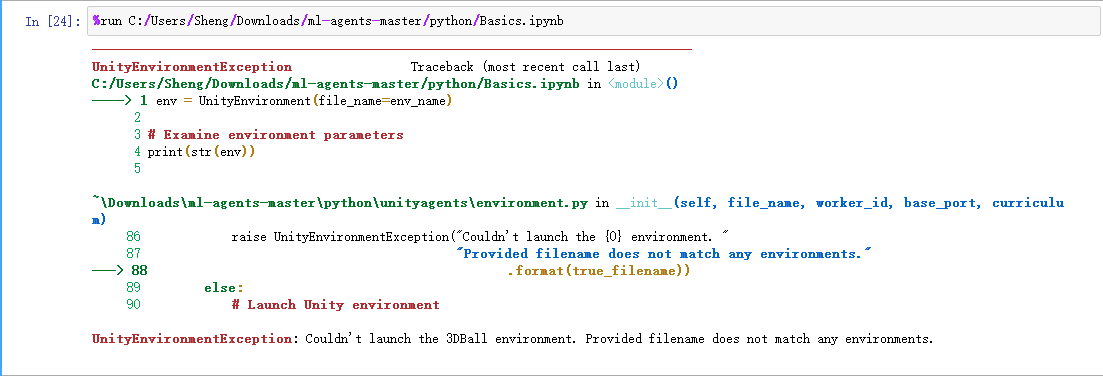
I use Unity to Build the exe file named"3DBall".And Copy this flie to python folder.But it's show error.
on the Tutorial step:

I think the "environment" is "3DBall.exe" flie and "3DBall_Data" folder. Copy this two flie to python folder.
What is error on my step?
 shengtianzhu
All 17 comments
I am using Windows 10. other environment like the Tutorial say
shengtianzhu
on 22 Dec 2017
Hello,
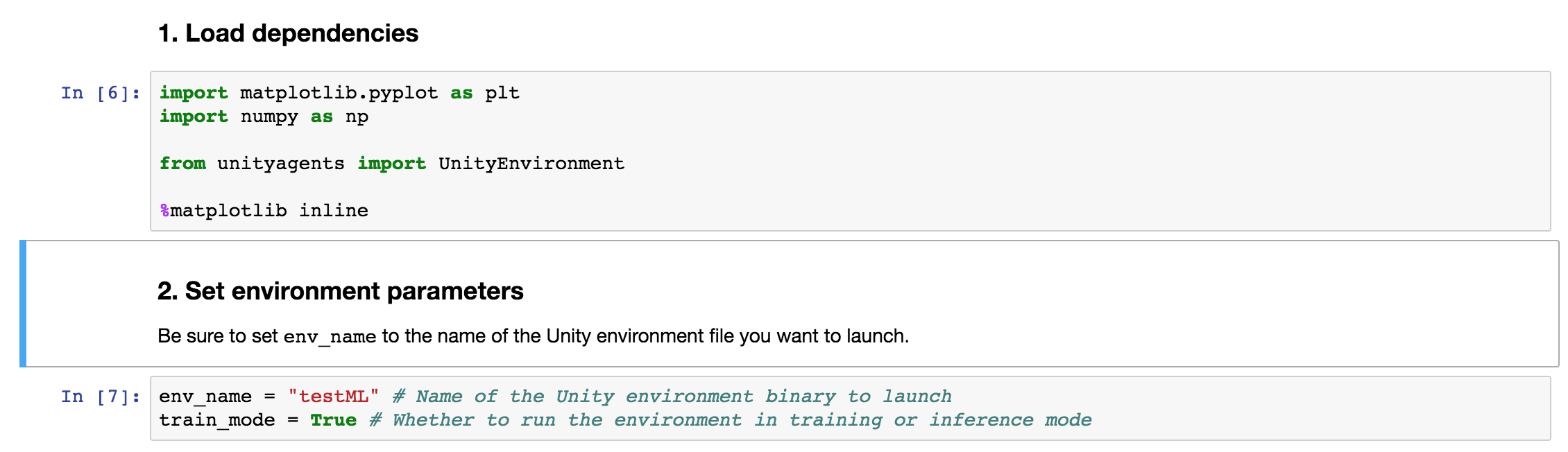
I tried only on MAC. On it i have to save build in unity-environment folder, and next in the Jupyter notebook change env_name = "name_of_the_file" in Basics.ipynb.
 ghost
on 22 Dec 2017
ghost
on 22 Dec 2017
Hi @Izhmael
Thanks! I try on your step. But still error
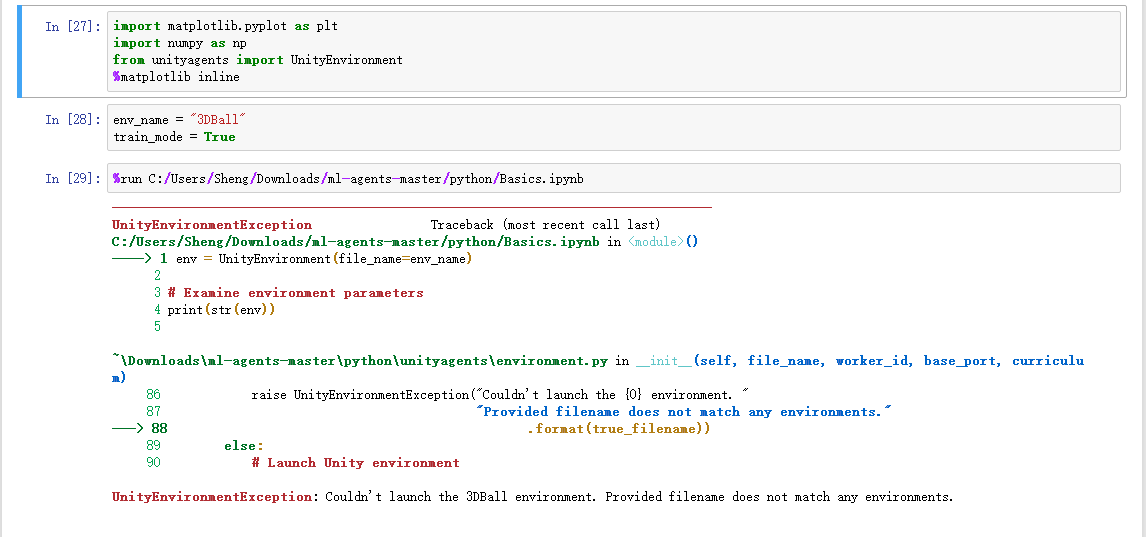
I don't think I know how to use the jupyter. I'll learn how to use the jupyter, first
shengtianzhu
on 23 Dec 2017
Hi @shengtianzhu,
It seems that you are running one ipython notebook from another. Is there a reason for this?
 awjuliani
on 23 Dec 2017
awjuliani
on 23 Dec 2017
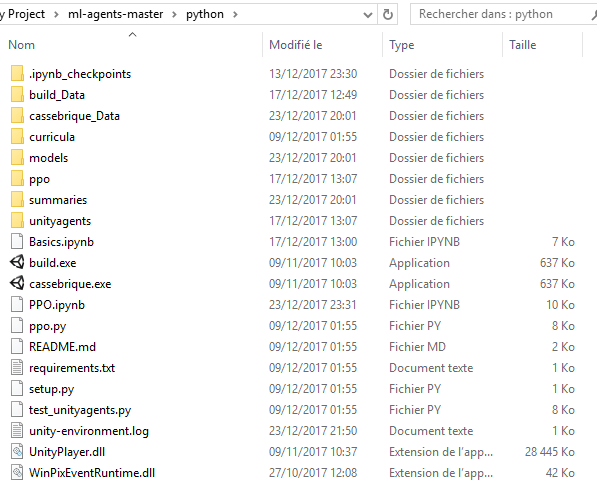
you have to put your build name 3DBall.exe in python directory. (my env_name = "build" because my game is named build.exe) :
 Fangh
on 24 Dec 2017
Fangh
on 24 Dec 2017
Hi @Fangh
this is my python directory screenshot
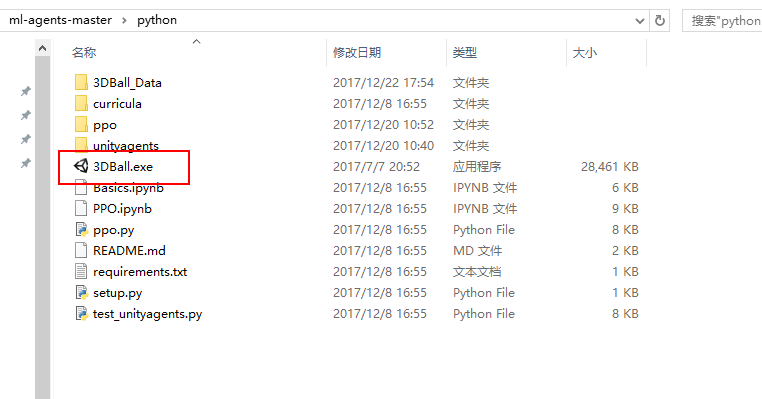
and my Basics.ipynb screenshot is
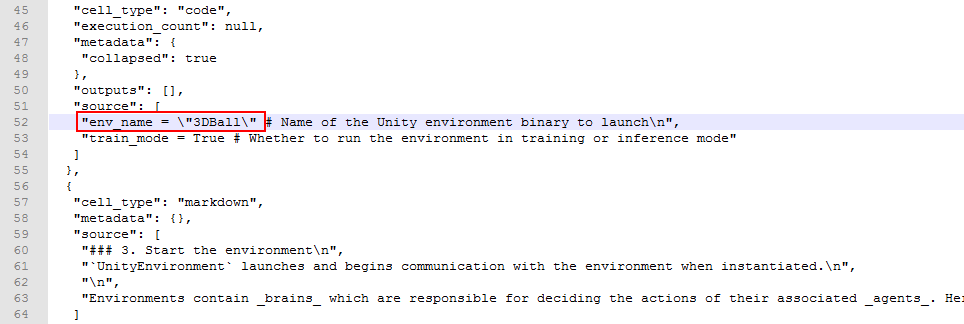
shengtianzhu
on 25 Dec 2017
Hi @awjuliani
I run this ipython notebook like this.In Jupyter Home view. Click the Python3 button jump to the Untitled1 page. In the Untitled1 page, I run this command
“%run C:/Users/Sheng/Downloads/ml-agents-master/python/Basics.ipynb”。The python directory screenshot and Basics.ipynb screenshot in the above reply
All the steps are shown in the screenshot
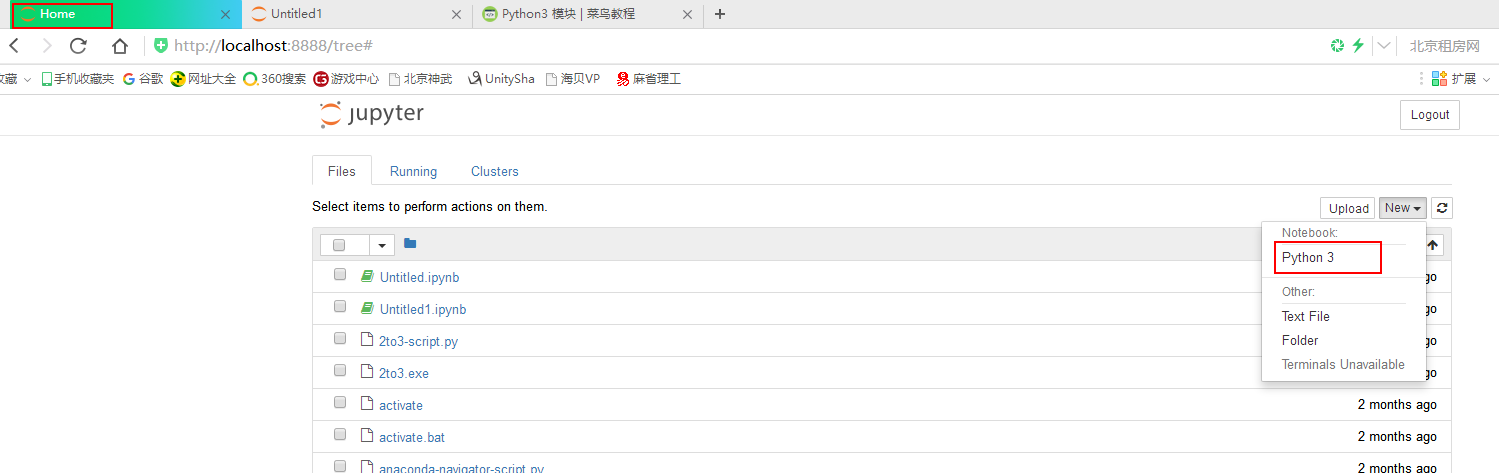
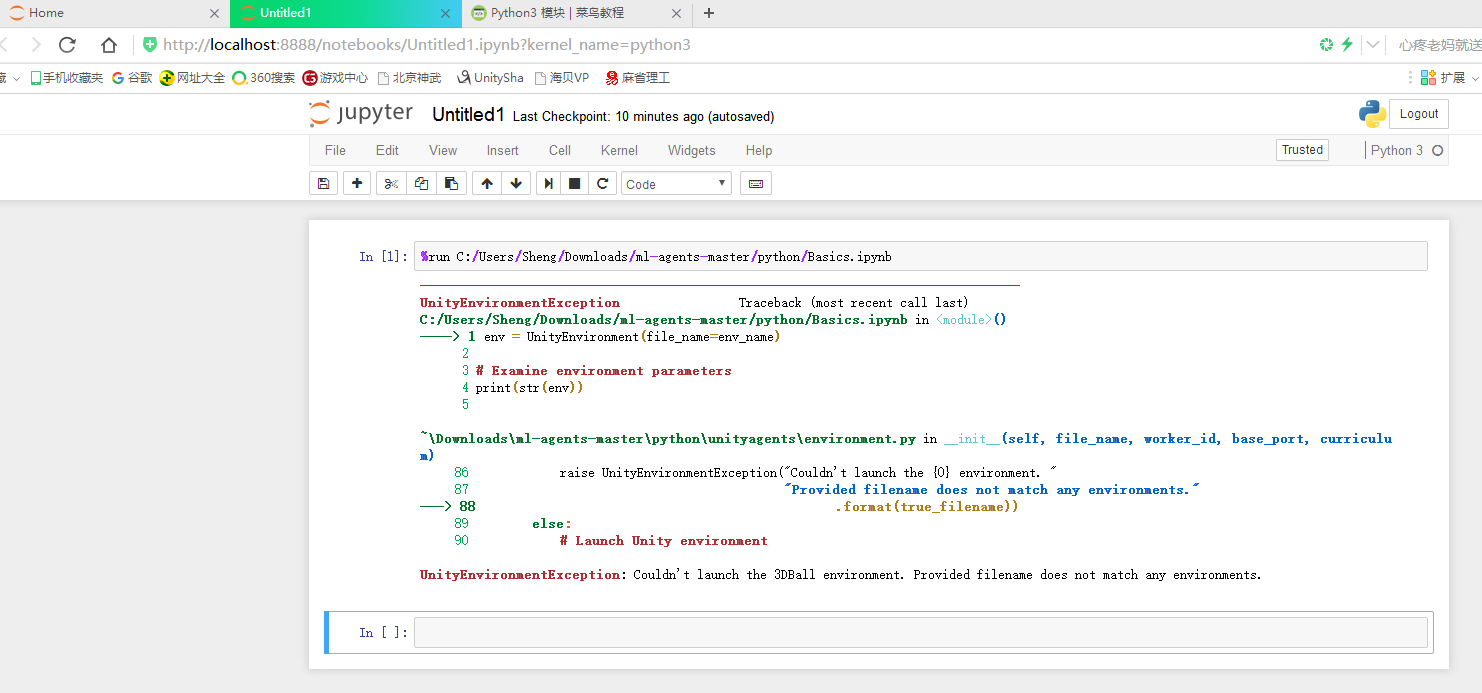
shengtianzhu
on 25 Dec 2017
Hi @shengtianzhu,
I believe the issue is that you need to launch jupyter notebook itself from your ml-agents/python directory. It seems that it is being launched from another directory, whichever one contains the two Untitled notebooks.
awjuliani
on 26 Dec 2017
Had some trouble with this in OSX Sierra. Fix for me was:
- as awjuliani says, run notebook from
ml-agents/pythondir - put your
Foo.appunity build in that sameml-agents/pythondir - now if you run e.g. Basics in notebook then set
env_name = "Foo"
 jglazman
on 27 Dec 2017
jglazman
on 27 Dec 2017
i have the same problem and tried as @jglazman said, but that didn't help(
I am using Unity 2017.3.0f3 Personal and macOS High Sierra 10.13.2
I Installed tensorflow cpu through anaconda.
Terminal:
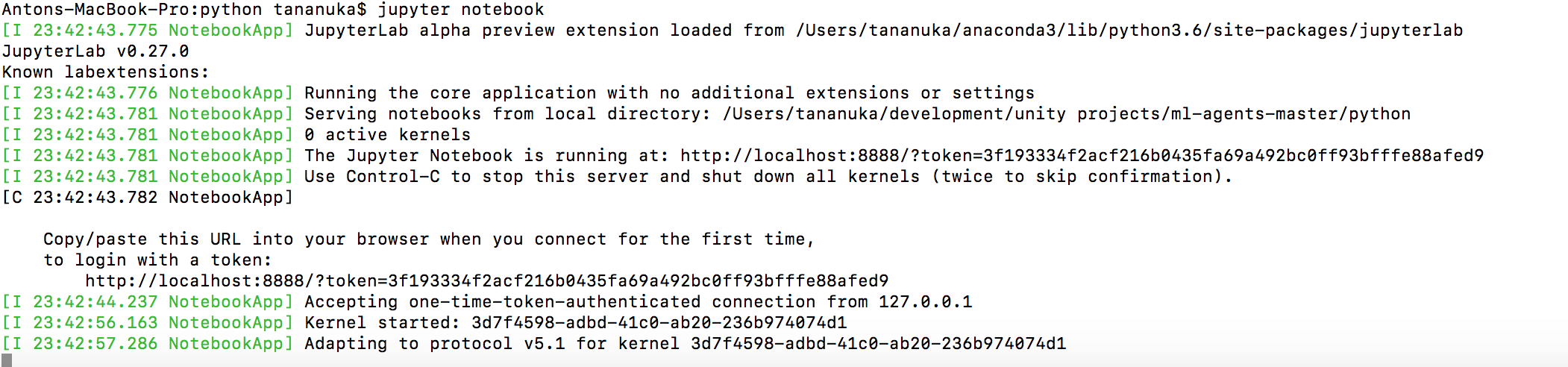
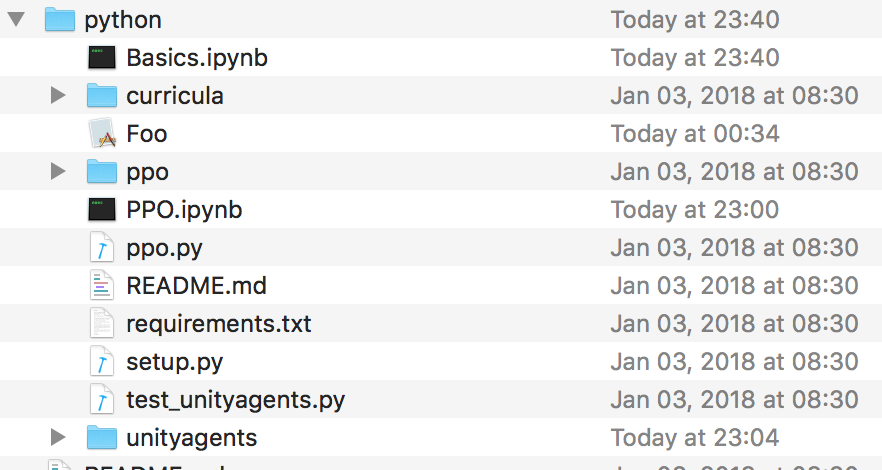
Folder ml-agents/python:
Jupyter:

 tananuka
on 6 Jan 2018
tananuka
on 6 Jan 2018
@tananuka it looks like your app file is named Foo, but it should be named Foo.app
ml-agents/python/Foo.app
 jeremyPLR
on 7 Jan 2018
jeremyPLR
on 7 Jan 2018
@jeremyPLR
It named, just filename extension hided

tananuka
on 7 Jan 2018
Thanks to @wouterhardeman. When i opened the application (Foo.app) by right-clicking and selecting 'Show Package Contents' and then go to 'Contents/MacOS', the file is called 'test2'. I renamed it from "Foo" to "test2" and env_name="test2". That helped because it is first name of build. 'Ball3DAcademy' started successfully!
All glory to @wouterhardeman 👍
tananuka
on 7 Jan 2018
Glad you were able to figure out the problem @tananuka! OSX is somewhat tricky in that changing the name of the .app does not change the name of the actual binary file itself. Our UnityEnv code currently assumes that the name of the .app and the name of the binary are the same. Now that I think about it though, this doesn't necessarily need to be the case... I will add to our to-do list making this more flexible.
awjuliani
on 7 Jan 2018
Thanks to @wouterhardeman, the renaming .app issue has been fixed! https://github.com/Unity-Technologies/ml-agents/commit/a2f8ef564471cef99fde5b594daf1368a50d9b95
awjuliani
on 8 Jan 2018
In windows 10 you give your application.exe path
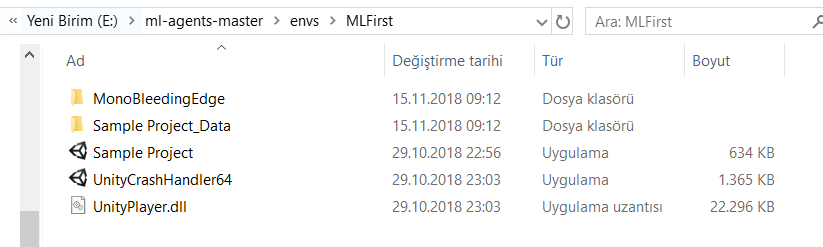
For example "E:\ml-agents-masterenvs\MLFirst\Sample Project\"
 mustfkeskin
on 15 Nov 2018
mustfkeskin
on 15 Nov 2018
This thread has been automatically locked since there has not been any recent activity after it was closed. Please open a new issue for related bugs.
![lock[bot] picture](https://avatars1.githubusercontent.com/in/6672?v=4&s=40) lock[bot]
on 3 Jan 2020
lock[bot]
on 3 Jan 2020
Related issues
 likeygame
·
38Comments
likeygame
·
38Comments
 MarcoMeter
·
31Comments
MarcoMeter
·
31Comments
 syigzaw
·
20Comments
syigzaw
·
20Comments
 ElliotWood
·
19Comments
ElliotWood
·
19Comments
 dora-gt
·
31Comments
dora-gt
·
31Comments