Messagekit: How to add custom UIView bar on top
Hi @SD10 ,
I am not using navigation controller. So I am trying to add UIView on top.
When I added it to the storyboard. It doesn't show me then I set layer.zPosition to 1000. Now it's showing. Then I added a button in UIVIew to perform some action.
Now when I click on the button it does not perform click action of the button. It always logs me tap action (MessageCellDelegate) of the item below that position like messageView/Avatar.
How can I perform button action, please help.
Thanks.
 aaasifrz9
All 12 comments
@aaasifrz9 I can't look at the example project at the moment, however, I'm guessing maybe you added your view as a subview of the MessagesCollectionView. You probably want to make this a subview of MessagesViewController. After that, you would add the height of this view to the top contentInset of the MessagesCollectionView.
 SD10
on 23 Mar 2018
SD10
on 23 Mar 2018
Yes, I have added subview. But button action is not working. How can I do that?
aaasifrz9
on 23 Mar 2018
How to add a view to the top of the collectionView ?
 abdbinrus93
on 29 Mar 2018
abdbinrus93
on 29 Mar 2018
@aaasifrz9 Could you tell me how to add that view in code? Should I add as a subview to messagesCollectionView or to its backgroundView?
abdbinrus93
on 3 Apr 2018
This is my code for adding a header view. I call thisviewDidAppear. The only issue im having currently is setting the contentInset.top after adding the view does not seem to work. The
contentInset.top only works for me when I do not add that view. Hope this helps some.
func setUpHeader() {
let viewWidth = self.view.frame.size.width
let headerView = UIView(frame: CGRect(x: 0, y: 0, width: viewWidth, height: 75))
let descLabel = UILabel(frame: CGRect(x: 5, y: 5, width: headerView.frame.size.width , height: headerView.frame.size.height - 10))
descLabel.text = "Test Header"
descLabel.textAlignment = .center
headerView.backgroundColor = .lightGray
headerView.addSubview(descLabel)
self.view.addSubview(headerView)
}
 Tjasper7
on 3 May 2018
Tjasper7
on 3 May 2018
@Tjasper7, thanks for sharing. Updated the formatting of your code for ya. Hope you don't mind.
 cwalo
on 3 May 2018
cwalo
on 3 May 2018
@cwalo Don't mind at all. Thank you.
Tjasper7
on 3 May 2018
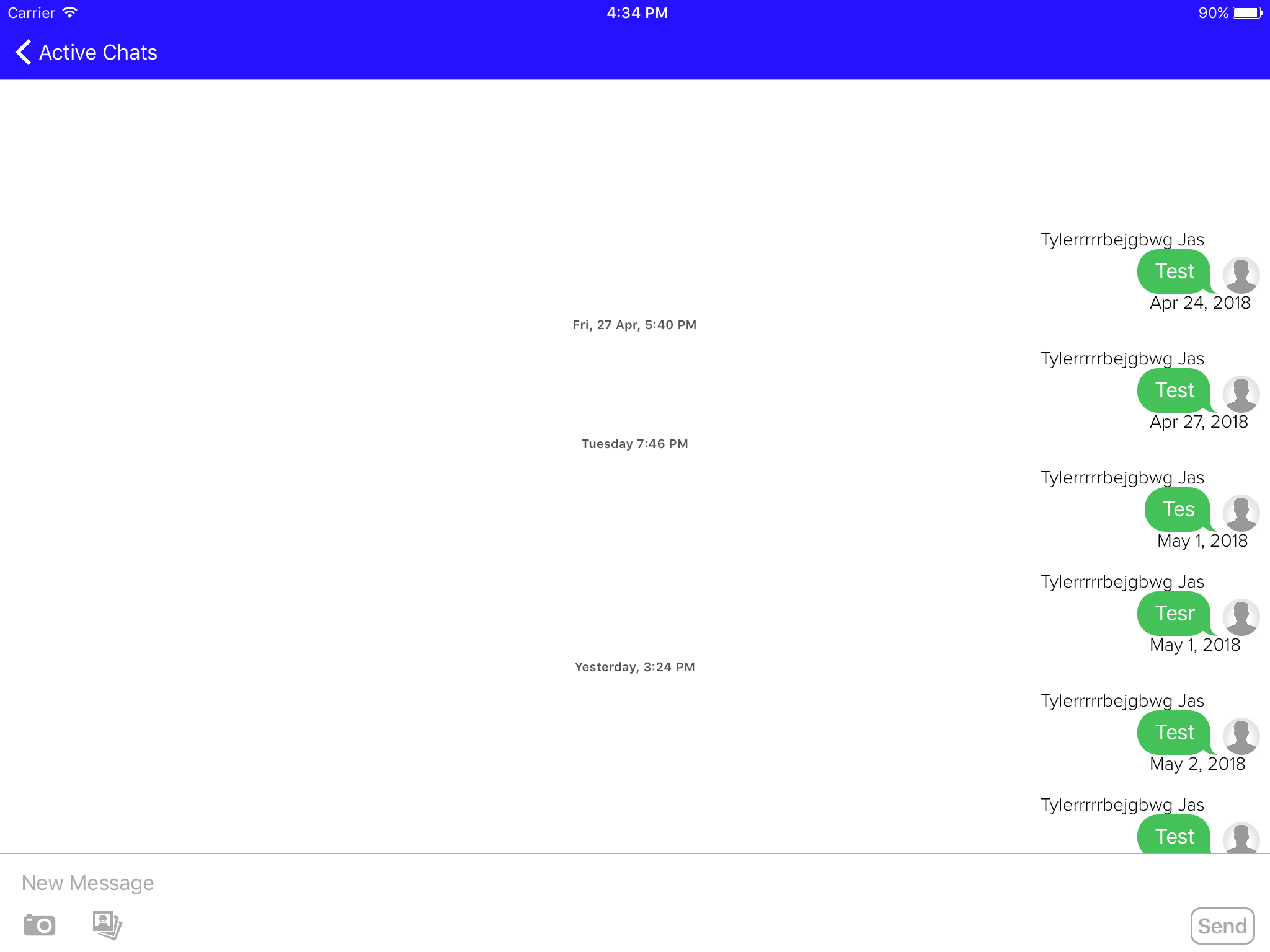
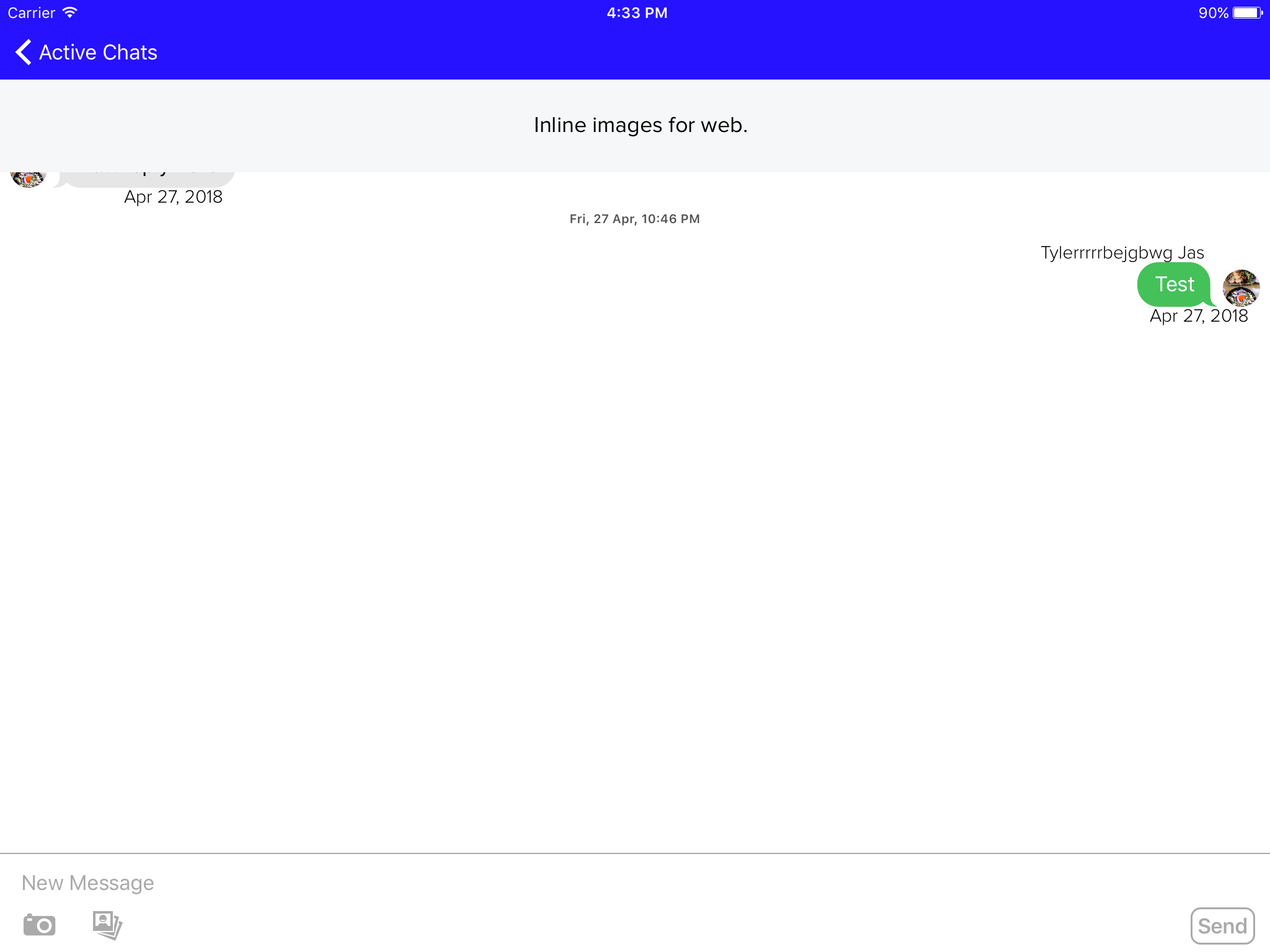
@cwalo Any idea on the contentInset issue I mentioned above? Screenshots below. Note: These are two different message threads so ignore the messages please, just notice the content inset not adjusting on the second screenshot.
Without Adding the View
Adding the view
Tjasper7
on 3 May 2018
@Tjasper7 I'm thinking you should set the contentInset by overriding viewDidLayoutSubviews, since MessagesViewController is already setting it there. Since that method is called after viewDidAppear, your setter has no effect.
cwalo
on 3 May 2018
@cwalo Makes sense. That took care of it. Thank you for your help.
Tjasper7
on 3 May 2018
Thanks @cwalo @Tjasper7 👍
SD10
on 3 May 2018
I implemented such solution for your purpose.
private var heightOfHeader: CGFloat!

override func viewDidLoad() {
    super.viewDidLoad()

    heightOfHeader = 75

    ConversationScreenHeader(superView: view, height: heightOfHeader).setup()
    AdaptedMessagesCollectionView(messagesCollectionView: messagesCollectionView, superView: view, topIndent: heightOfHeader).adapt()
}

struct ConversationScreenHeader {

    private let superView: UIView
    private let height: CGFloat

    init(superView: UIView, height: CGFloat) {

        self.superView = superView
        self.height = height
    }

    func setup() {

        let header = UIView()
        header.backgroundColor = UIColor.lightGray.withAlphaComponent(0.25)
        header.translatesAutoresizingMaskIntoConstraints = false
        superView.addSubview(header)

        let topConstraint = NSLayoutConstraint(item: header, attribute: .top, relatedBy: .equal, toItem: superView, attribute: .top, multiplier: 1, constant: 0)
        let leadingConstraint = NSLayoutConstraint(item: header, attribute: .leading, relatedBy: .equal, toItem: superView, attribute: .leading, multiplier: 1, constant: 0)
        let trailingConstraint = NSLayoutConstraint(item: header, attribute: .trailing, relatedBy: .equal, toItem: superView, attribute: .trailing, multiplier: 1, constant: 0)
        let heightConstraint = NSLayoutConstraint(item: header, attribute: .height, relatedBy: .equal, toItem: nil, attribute: .notAnAttribute, multiplier: 1, constant: height)

        NSLayoutConstraint.activate([topConstraint, leadingConstraint, trailingConstraint, heightConstraint])
    }
}

struct AdaptedMessagesCollectionView {

    private let messagesCollectionView: MessagesCollectionView
    private let superView: UIView
    private let topIndent: CGFloat

    init(messagesCollectionView: MessagesCollectionView, superView: UIView, topIndent: CGFloat) {

        self.messagesCollectionView = messagesCollectionView
        self.superView = superView
        self.topIndent = topIndent
    }

    func adapt() {

        messagesCollectionView.removeFromSuperview()
        superView.addSubview(messagesCollectionView)

        messagesCollectionView.translatesAutoresizingMaskIntoConstraints = false
        let topConstraint = NSLayoutConstraint(item: messagesCollectionView, attribute: .top, relatedBy: .equal, toItem: superView, attribute: .top, multiplier: 1, constant: topIndent)
        let leadingConstraint = NSLayoutConstraint(item: messagesCollectionView, attribute: .leading, relatedBy: .equal, toItem: superView, attribute: .leading, multiplier: 1, constant: 0)
        let trailingConstraint = NSLayoutConstraint(item: messagesCollectionView, attribute: .trailing, relatedBy: .equal, toItem: superView, attribute: .trailing, multiplier: 1, constant: 0)
        let bottomConstraint = NSLayoutConstraint(item: messagesCollectionView, attribute: .bottom, relatedBy: .equal, toItem: superView, attribute: .bottom, multiplier: 1, constant: 0)

        NSLayoutConstraint.activate([topConstraint, leadingConstraint, trailingConstraint, bottomConstraint])
    }
}
 AlexeyShevchenko
on 28 Mar 2019
AlexeyShevchenko
on 28 Mar 2019
Related issues
 asn111
·
3Comments
asn111
·
3Comments
 TheDarkCode
·
3Comments
TheDarkCode
·
3Comments
 mlequeux
·
3Comments
mlequeux
·
3Comments
 brandon-haugen
·
3Comments
brandon-haugen
·
3Comments
 bilaalrashid
·
3Comments
bilaalrashid
·
3Comments
Most helpful comment
I implemented such solution for your purpose.