Material-theme-jetbrains: checkbox bug
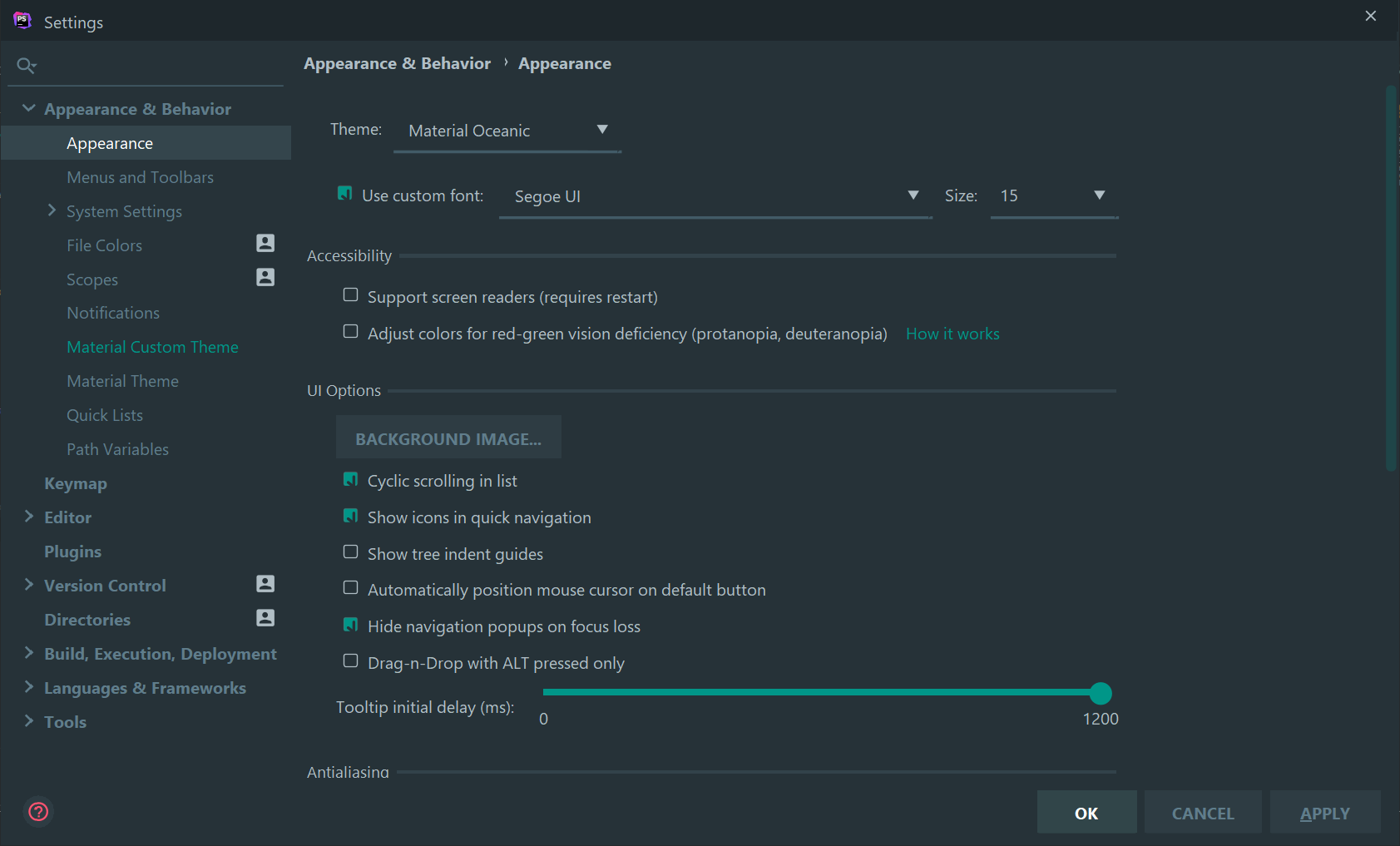
checkbox appears like this after importing settings. this issue is not found if i remove all my settings.
unfortunately i need some live templates and extra settings to import but this issue happened
 Abdelraman
All 8 comments
Weird. Is this happening if you change the font?
 mallowigi
on 17 Aug 2019
mallowigi
on 17 Aug 2019
After some investigation it seems to happen after increasing the font size of the UI

Abdelraman
on 17 Aug 2019
Yes, for me, it is the same. I can change the font-family without problems, but when I change the font-size, it breaks.
 dionysous
on 20 Aug 2019
dionysous
on 20 Aug 2019
any updates? it seems to happen when also using material component in the components tab
Abdelraman
on 26 Sep 2019
Yeah yeah I managed to reproduce, but so far could not find a solution that would not break users not using scaled mode.
The best way would be to replace checkboxes with icons but honestly I don't want to do that.
mallowigi
on 28 Sep 2019
Can we have as an option whether to show an icon or normal check boxes ? Thanks for your efforts
Abdelraman
on 28 Sep 2019
Thanks a lot for your great effort but unfortunately it does not seem to work with 2019.2.3 versions (latest version by that day)
Abdelraman
on 3 Oct 2019
No, I am not releasing fixes for old IDEs, please download the EAP or wait for the release.
mallowigi
on 3 Oct 2019
Related issues
 nammaianh
·
3Comments
nammaianh
·
3Comments
 vbasem
·
4Comments
vbasem
·
4Comments
 un000
·
4Comments
un000
·
4Comments
 dg00GT00
·
3Comments
dg00GT00
·
3Comments
 MiracleWisp
·
3Comments
MiracleWisp
·
3Comments