Material-theme-jetbrains: item height is too big
excuse me,
win10 - 1809
.IntelliJIdea2018.3
My computer is a laptop, but in this theme, the mouse menu item is so high that when I right-click it, the screen is filled with menu items.
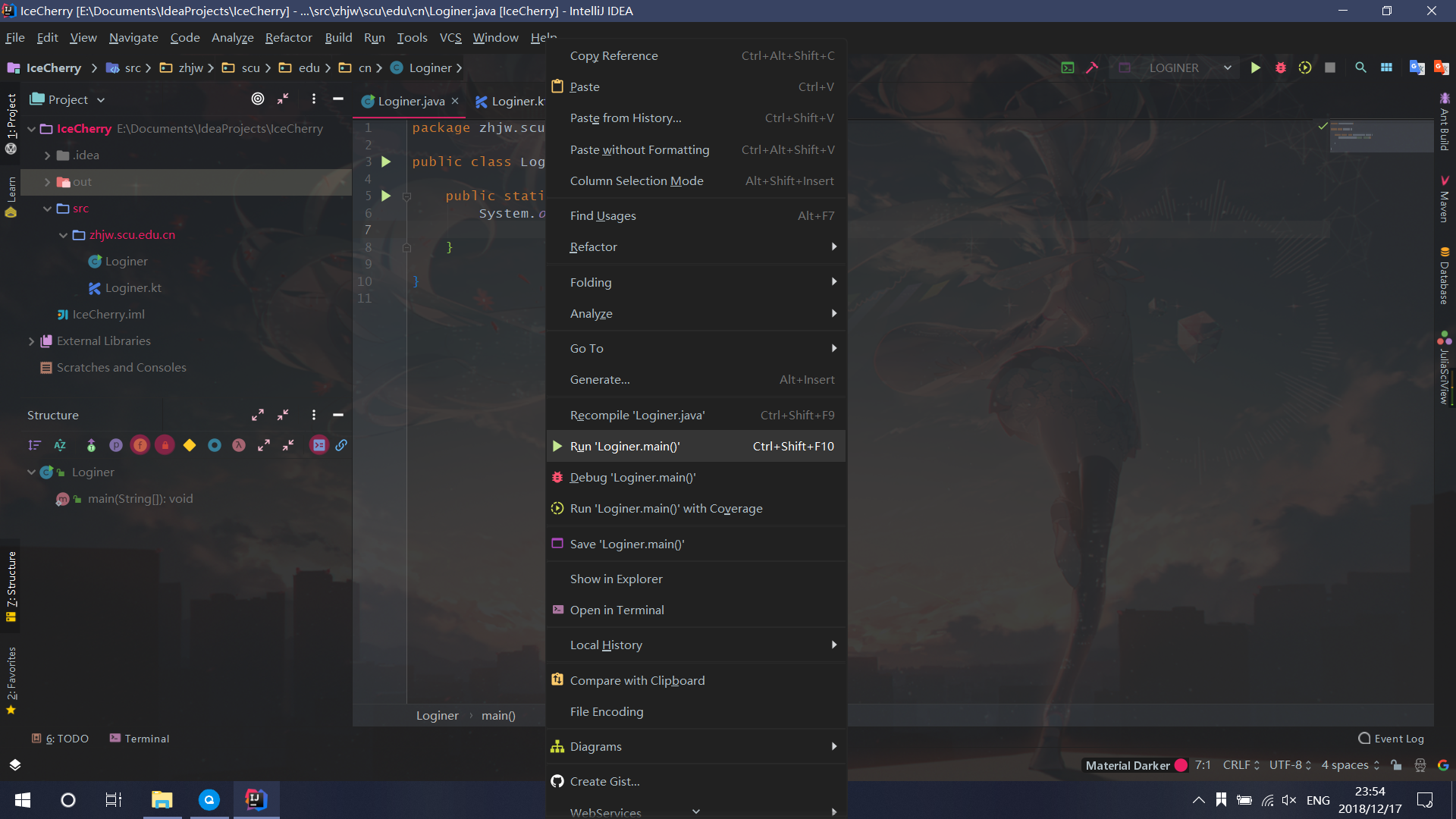

I can't find where to change it.
Please help me
 lisonge
All 4 comments
You can find everything you want in the documentation.
 mallowigi
on 17 Dec 2018
mallowigi
on 17 Dec 2018
For anyone else looking, I finally found this setting after trial and error. I didn't see it anywhere in the documentation, but its possible I searched the wrong thing... "right click" and "context menu" turned up nothing.
Material Theme > Compact > Compact Menus
 emesterhazy
on 27 Apr 2019
emesterhazy
on 27 Apr 2019
For anyone else looking, I finally found this setting after trial and error. I didn't see it anywhere in the documentation, but its possible I searched the wrong thing... "right click" and "context menu" turned up nothing.
Material Theme > Compact > Compact Menus
thanks!
 liyangzbx
on 21 Sep 2019
liyangzbx
on 21 Sep 2019
@emesterhazy thank you so much!
 Jaggle
on 17 Dec 2019
Jaggle
on 17 Dec 2019
Related issues
 dg00GT00
·
3Comments
dg00GT00
·
3Comments
 ovr
·
3Comments
ovr
·
3Comments
 nammaianh
·
3Comments
nammaianh
·
3Comments
 sheinfeld
·
4Comments
sheinfeld
·
4Comments
 CeramicTitan
·
3Comments
CeramicTitan
·
3Comments
Most helpful comment
For anyone else looking, I finally found this setting after trial and error. I didn't see it anywhere in the documentation, but its possible I searched the wrong thing... "right click" and "context menu" turned up nothing.
Material Theme > Compact > Compact Menus