Material-theme-jetbrains: PhpStorm will not load project with Material Theme UI 2.9.0-pre1
Summary
Material Theme UI 2.9.0-pre1 results in various exceptions in PhpStorm that prevents any editor windows from opening. Possibly a duplicate of #938 but I am able to enable Material Theme UI - it just prevents me from accessing PhpStorm nearly completely. I can't even load the Preferences window to disable the plugin. In order to disable the plugin I have to remove it from its directory at ~/Library/Application Support/PhpStorm2018.2/Material Theme/
Expected behavior
PhpStorm loads my project (or any project) with Material Theme UI installed.
Actual behavior
Unable to load the project view for any project, existing or new, with Material Theme UI 2.9.0 installed and activated.
Steps to reproduce
- Install and activate Material Theme UI 2.9.0
- Restart PhpStorm
- Select a project from the recent projects sidebar, or choose Create New Project, or Open any folder
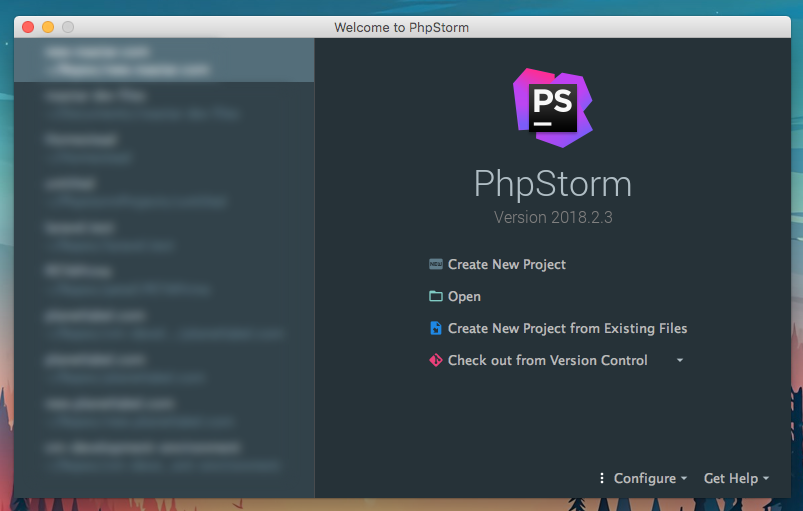
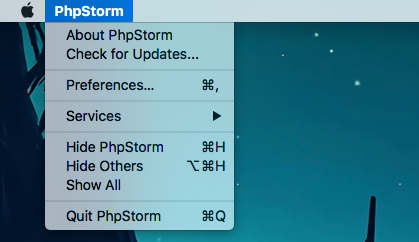
- PhpStorm fails to load project. Navigating to PhpStorm -> Preferences... in the task bar also fails to load any content.
- Opening the
idea.logfile at~/Library/Logs/PhpStorm2018.2/idea.logproduces this output: https://gist.github.com/sblomberg/9d148ede2c38623010beddb433705dd7
Environment
PhpStorm 2018.2.3
Build #PS-182.4323.68, built on September 13, 2018
JRE: 1.8.0_152-release-1248-b8 x86_64
JVM: OpenJDK 64-Bit Server VM by JetBrains s.r.o
macOS 10.13.6
Material Theme UI 2.9.0-pre1
Config file from ~/Library/Preferences/PhpStorm2018.2/options/material_theme.xml:
```
Config file from `~/Library/Preferences/PhpStorm2018.2/options/material_custom_theme.xml`:
```<application>
  <component name="MaterialCustomThemeConfig">
    <option name="treeSelectionColor" value="546e7a" />
    <option name="highlightColor" value="425b67" />
    <option name="secondBorderColor" value="2a373e" />
    <option name="contrastColor" value="1e272c" />
    <option name="secondaryBackgroundColor" value="32424a" />
    <option name="buttonColor" value="2e3c43" />
    <option name="selectionForegroundColor" value="ffffff" />
    <option name="selectionBackgroundColor" value="546e7a" />
    <option name="textColor" value="607d8b" />
    <option name="foregroundColor" value="b0bec5" />
  </component>
</application>
 sblomberg
All 5 comments
I have the same symptoms. PHPStorm fails to get pass the splash/loading screen even though the progress bar is at 100%.
@sblomberg thanks for the tip for removing the plugin.
@mallowigi removing the plugin reminds me how much i appreciate the plugin, keep up the good work.
 mfullbrook
on 24 Sep 2018
mfullbrook
on 24 Sep 2018
I'm also having this issue, any ideas on how to downgrade to 2.8.3? The changelog says it's possible to revert but I can't find any documentation on how to do it.
Edit
Solved:
- Download previous version at https://plugins.jetbrains.com/plugin/8006-material-theme-ui
- Replace folder at
~/Library/Application Support/PhpStorm2018.2/Material Theme
 rdarcy1
on 26 Sep 2018
rdarcy1
on 26 Sep 2018
Having the same problem, downgrading to 2.8.3 seems to have fixed the problem.
 thunder87
on 28 Sep 2018
thunder87
on 28 Sep 2018
@mallowigi What's the resolution on this issue? Is there a new release available that fixes this problem?
sblomberg
on 1 Oct 2018
I think it’s related to the bug that has been plaguing the version 2.9.0.pre. A new version has been released and is fixing this issue as well.
 mallowigi
on 1 Oct 2018
mallowigi
on 1 Oct 2018
Related issues
 cryzed
·
4Comments
cryzed
·
4Comments
 Izopi4a
·
4Comments
Izopi4a
·
4Comments
 sanderboom
·
4Comments
sanderboom
·
4Comments
 vbasem
·
4Comments
vbasem
·
4Comments
 MiracleWisp
·
3Comments
MiracleWisp
·
3Comments
Most helpful comment
I'm also having this issue, any ideas on how to downgrade to 2.8.3? The changelog says it's possible to revert but I can't find any documentation on how to do it.
Edit
Solved:
~/Library/Application Support/PhpStorm2018.2/Material Theme