Material-theme-jetbrains: UI Text becomes random characters/garbage on Windows
Summary
Whenever I enable the Material Theme plugin all text of the IDEs UI becomes garbage (see screenshot). Note that I added my environment information for CLion, but it was the same on every Jetbrains IDE I tried (PyCharm, PhpStorm and Idea). I already deleted my configuration files and set CLion up from scratch, but that didn't change anything.
Expected behavior
Readable text in UI.
Actual behavior
Text becomes random characters, garbage.
Environment
CLion 2018.2.1
Build #CL-182.3911.40, built on August 7, 2018
Licensed to Mèir Noordermeer
Subscription is active until January 4, 2019
For educational use only.
JRE: 1.8.0_152-release-1248-b8 amd64
JVM: OpenJDK 64-Bit Server VM by JetBrains s.r.o
Windows 10 10.0
Screenshot
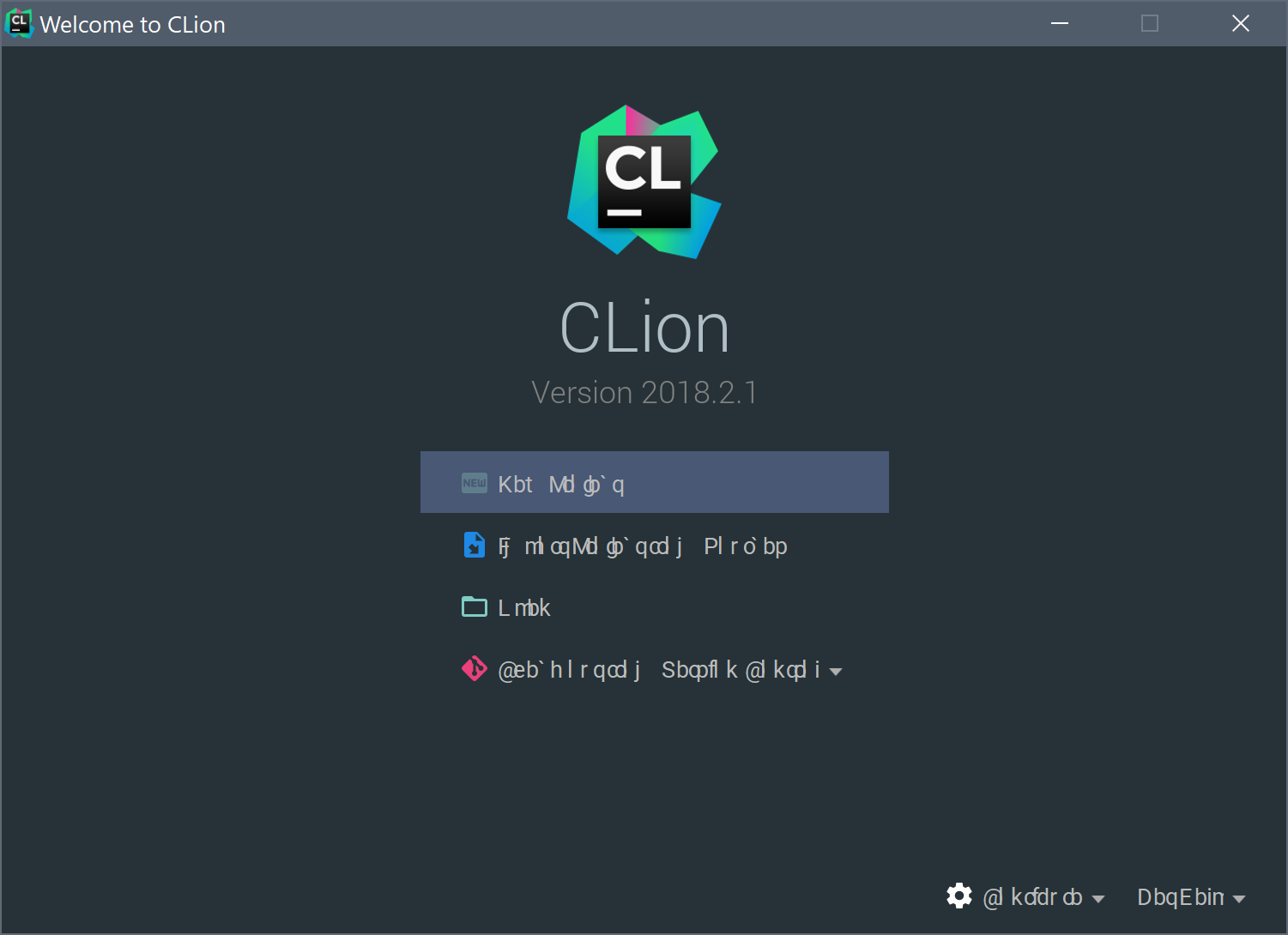
 MeirBon
All 11 comments
Feature Settings
Q: I’ve set “Material Fonts” but now my texts are all scrambled!
A: This is a rare bug that occurs and honestly I don’t know why it happens. It could be because the JDK caches fonts or because there are conflicts between Roboto fonts, or that you have a bad version of Roboto. Try to reinstall the Roboto font and restart the computer. If it still doesn’t work, just disable the option or select another font in the settings.
 mallowigi
on 15 Aug 2018
mallowigi
on 15 Aug 2018
Ah okay, I was looking through issues but couldn’t find it.. Turns out I was looking in the wrong place, my apologies. Thanks a lot for the answer.
MeirBon
on 15 Aug 2018
I have the same problem even with material fonts disabled!
 mabdelfattah
on 2 Oct 2018
mabdelfattah
on 2 Oct 2018
I also have this problem, and it's weird
 jimfilippou
on 8 Oct 2018
jimfilippou
on 8 Oct 2018
Feature Settings
Q: I’ve set “Material Fonts” but now my texts are all scrambled!
A: This is a rare bug that occurs and honestly I don’t know why it happens. It could be because the JDK caches fonts or because there are conflicts between Roboto fonts, or that you have a bad version of Roboto. Try to reinstall the Roboto font and restart the computer. If it still doesn’t work, just disable the option or select another font in the settings.
How do you want us to simply "Disable the option or select another font in the settings" when we can't read anything to navigate in the system menus? Not everyone works for Jetbrains to know where things are without reading them. Just an FYI.
 moequraishi
on 9 Oct 2018
moequraishi
on 9 Oct 2018
@moequraishi you're right, try reinstalling the Roboto font, it fixed my problem.
jimfilippou
on 9 Oct 2018
Found a cause of this issue, at least on Dell laptops. Dell's "SupportAssist" app seems to install conflicting versions of the Roboto fonts. Use the Windows fonts gui to uninstall any duplicates (and potentially use something like SkyFonts to install the official Google Roboto set) and everything starts working again 😄🎉
 Xalaxis
on 15 Oct 2018
Xalaxis
on 15 Oct 2018
@Xalaxis Yup, mine is Dell, and I've "SupportAssist" installed :) ! But I can already see that Roboto is fine in Windows Fonts app, and still, the theme is not working with Roboto
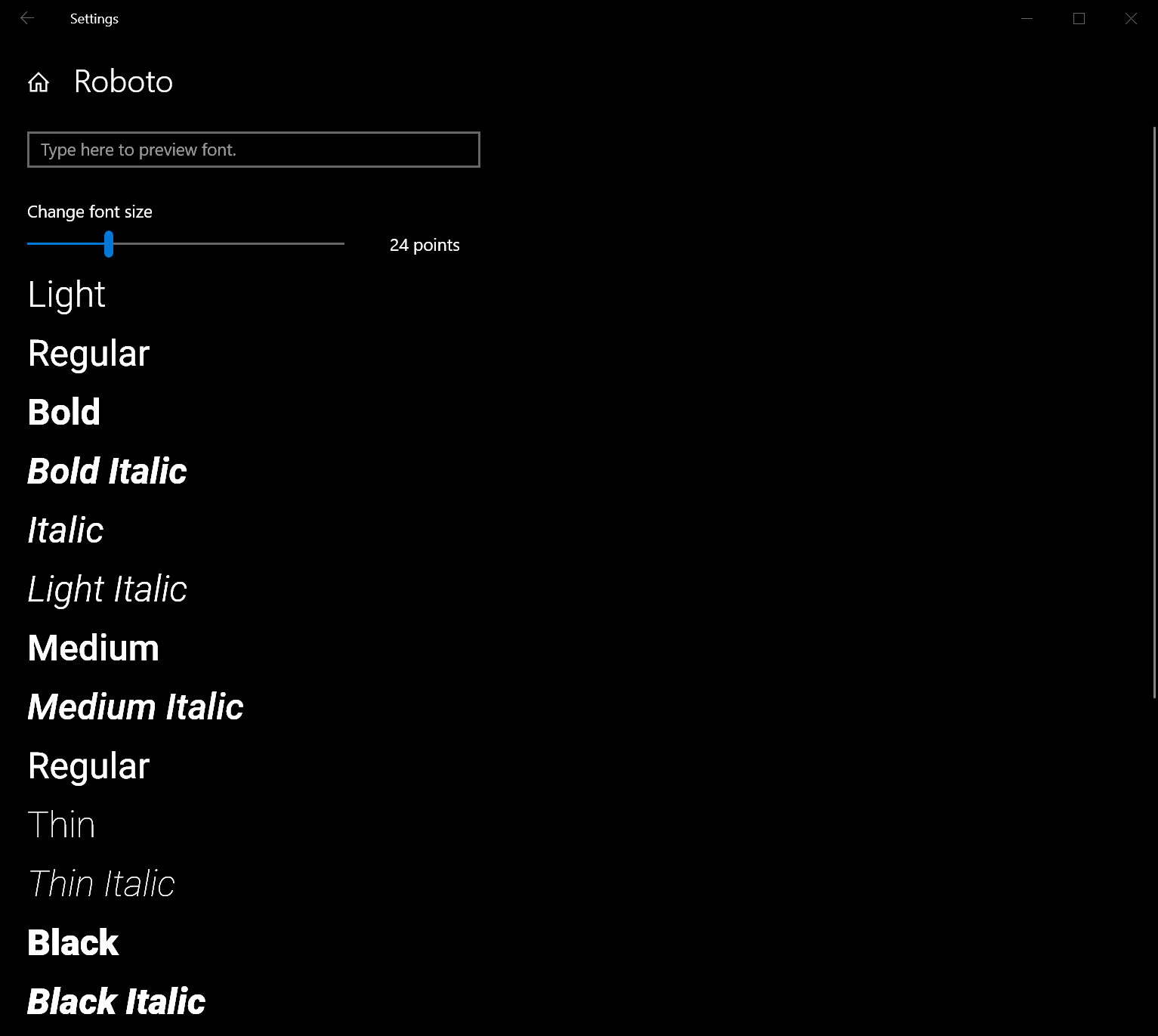
mabdelfattah
on 15 Oct 2018
@Xalaxis exactly! so for dell users just reinstall roboto
jimfilippou
on 15 Oct 2018
@mabdelfattah Have you used the bottom of that page to make sure that all the fonts located in the SupportAssist directories have been uninstalled?
Xalaxis
on 15 Oct 2018
@Xalaxis OK, that was my mistake, I uninstalled Dell's Roboto copy manually and re-installed it, and it is working fine now.
mabdelfattah
on 16 Oct 2018
Related issues
 timrspratt
·
3Comments
timrspratt
·
3Comments
 anstarovoyt
·
3Comments
anstarovoyt
·
3Comments
 NikoGrano
·
4Comments
NikoGrano
·
4Comments
 cryzed
·
4Comments
cryzed
·
4Comments
 nammaianh
·
3Comments
nammaianh
·
3Comments
Most helpful comment
Found a cause of this issue, at least on Dell laptops. Dell's "SupportAssist" app seems to install conflicting versions of the Roboto fonts. Use the Windows fonts gui to uninstall any duplicates (and potentially use something like SkyFonts to install the official Google Roboto set) and everything starts working again 😄🎉