Material-theme-jetbrains: not project file and decompiled source code tab color are irritating
Summary
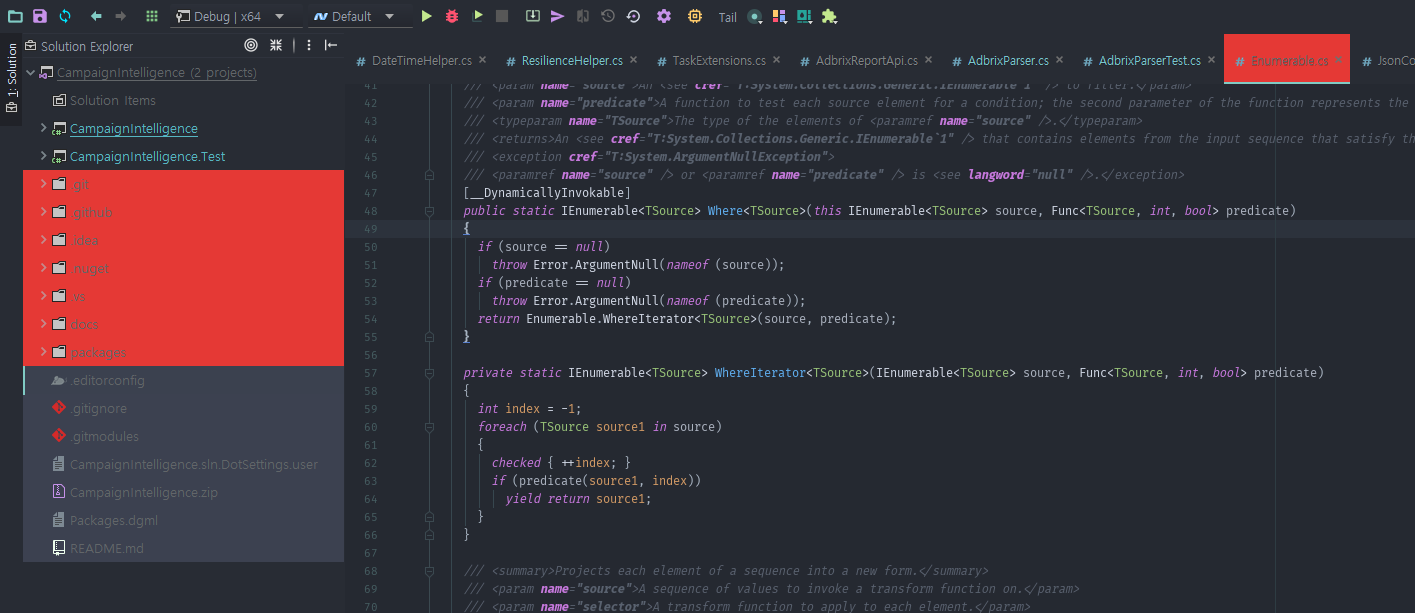
After update material ui, unsolution files and decompiled source codes tab is irritating. (So..Red..)
please change to little yellow? or how can i change that?
(this is atom one dark theme)
Environment
JetBrains Rider 2018.1 EAP
Build #RD-181.3782.222, built on February 23, 2018
Rider EAP User
Expiration date: March 25, 2018
JRE: 1.8.0_152-release-1136-b12 amd64
JVM: OpenJDK 64-Bit Server VM by JetBrains s.r.o
Windows 10 10.0

 jeffrey-igaw
All 5 comments
You can change it under Settings > Appearance > File Colors > Non project files
Then edit and select the material background color in the list.
It should not be red but I think I have an idea why it is. I’ll take a look
 mallowigi
on 2 Mar 2018
mallowigi
on 2 Mar 2018
Ok i will try that next monday!
Thanks to your help
jeffrey-igaw
on 2 Mar 2018
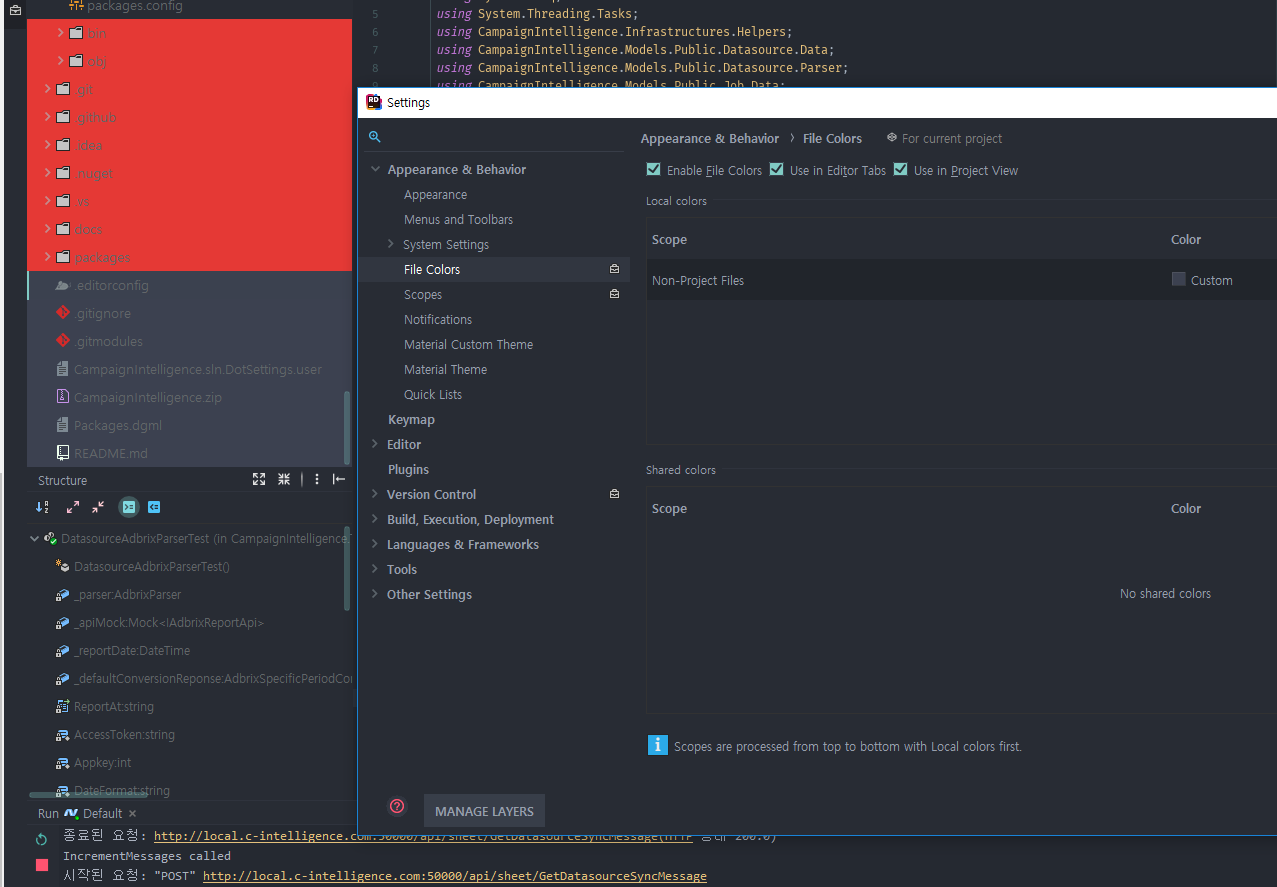
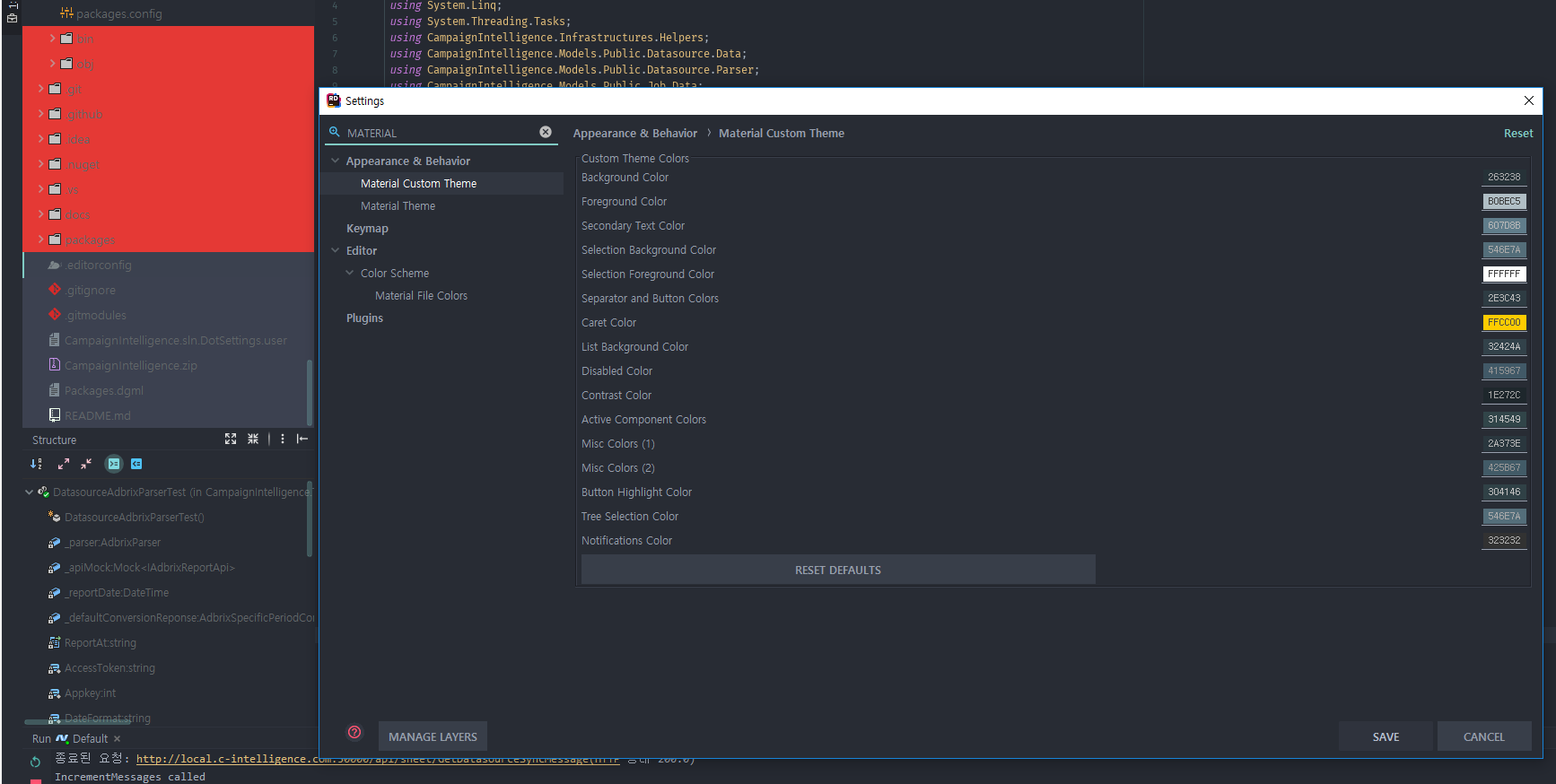
Hmmmmm, i don't know, i changed File Colors > Non project files, but the red background color is not Non Project Files color..
jeffrey-igaw
on 7 Mar 2018
Hummm you are in Rider as I can see... I haven’t tested on Rider for a while, I will check it when I have the time. In the meantime you can revert to a previous version from the plugins page.
--
Elior
On 7 Mar 2018, 05:11 +0200, Jeff notifications@github.com, wrote:
Hmmmmm, i don't know, i changed File Colors > Non project files, but the red background color is not Non Project Files color..
—
You are receiving this because you commented.
Reply to this email directly, view it on GitHub, or mute the thread.
mallowigi
on 7 Mar 2018
I can see that Rider doesn't let the user customize the oclors... Anyway the next version will have a darker red, but for the moment just disable file colors or exclude the files from the list from the toolWindow menu
mallowigi
on 7 Mar 2018
Related issues
 un000
·
4Comments
un000
·
4Comments
 vbasem
·
4Comments
vbasem
·
4Comments
 timrspratt
·
3Comments
timrspratt
·
3Comments
 uar-zlatko-alomerovic
·
3Comments
uar-zlatko-alomerovic
·
3Comments
 ddnexus
·
3Comments
ddnexus
·
3Comments
Most helpful comment
I can see that Rider doesn't let the user customize the oclors... Anyway the next version will have a darker red, but for the moment just disable file colors or exclude the files from the list from the toolWindow menu