Material-dialogs: currentDate not working properly when cancel is pressed
I am using datepicker to get date input from user. Below is my code...
MaterialDialog(context).show {
    datePicker(currentDate = lastSelectedCalendar) { dialog, datetime ->
        lastSelectedCalendar.timeInMillis = datetime.timeInMillis
        txtDate.text =
            TimeUtils.millis2String(datetime.timeInMillis, Constants.DATE_FORMAT)
    }
}
I am using this inside fragment. lastSelectedCalendar is a calendar object which i initialize using below line.
private val lastSelectedCalendar: Calendar = Calendar.getInstance()
This line is inside onCreate method
To Reproduce:
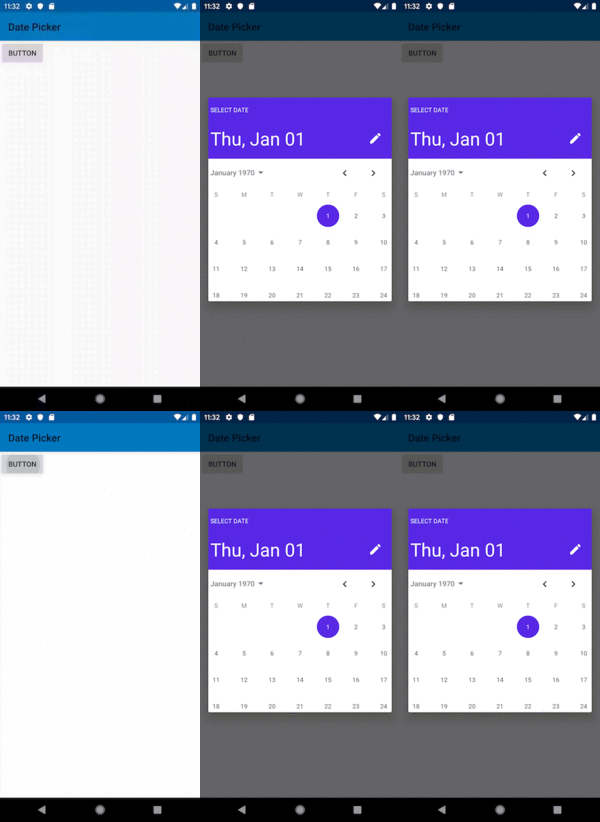
- Open dialog(it will open with todays date selected). select any other date and click ok.
- Open dialog again(it will open with last selected date). Press "cancel" button
- Open dialog again (it will again select last date of the current month).
Expected Behavior:
In the last step, it should keep the lastSelectedDate as selected.
 JaydipKalkani
All 8 comments
@JaydipKalkani Thank you for the explanation. I reproduce the issue and after a little research this issue isn't on this repo. The error is on the library https://github.com/afollestad/date-picker (The visual component).
Basically the problem is on MonthGraph.kt where have access to same instance of lastSelectedCalendar (what you previously passed as parameter to MaterialDialogDatapicker) and this override the property dayOfMonth here:
for (date in 1..daysInMonth) {
      calendar.dayOfMonth = date
      val dateSnapshot = DateSnapshot(calendar.month, date, calendar.year)
      ...
    }
The idea is to avoid to modify user instance, working with a clone of it.
 VMadalin
on 10 Sep 2019
VMadalin
on 10 Sep 2019
@VMadalin Thanks for looking into this issue. waiting for the fix. :)
JaydipKalkani
on 11 Sep 2019
@JaydipKalkani I created a PR with fix here: https://github.com/afollestad/date-picker/pull/17, but if you want to apply now ,you need to add the libraries into your project and applying the changes manually :)
VMadalin
on 11 Sep 2019
@JaydipKalkani I created a PR with fix here: afollestad/date-picker#17, but if you want to apply now ,you need to add the libraries into your project and applying the changes manually :)
Thanks!
JaydipKalkani
on 12 Sep 2019
Hi! I have the same problem. What is the status of this issue?. Thanks.
 enriquebautista
on 28 Sep 2019
enriquebautista
on 28 Sep 2019
Hi @enriquebautista, the changes still on PR. Possible workaround is to create a new currentDate instance every materialDialog you created, Storing the obtained selected date on the callback in the global variable and use it on recreate the dialog. Similar to this:
class DemoClass {
    var lastSelectedDate: Long? = 0L

    fun showDialog() {
      val currentDate: Calendar = Calendar.getInstance()
      lastSelectedDate?.let {
            currentDate.timeInMillis = it
      }
      MaterialDialog(context).show {
        datePicker(currentDate = currentDate) { dialog, datetime ->
          lastSelectedDate= datetime.timeInMillis
        }
      }
    }
  }
Maybe it's not the way we want to implement this but works :)
VMadalin
on 28 Sep 2019
Hi @enriquebautista, the changes still on PR. Possible workaround is to create is new
currentDateinstance everymaterialDialogyou created, due the modification of yourcurrentDate. Obtaining the selected date on the callback and update it with that value. Similar to this:class DemoClass { var lastSelectedDate: Long? = 0L fun showDialog() { val currentDate: Calendar = Calendar.getInstance() lastSelectedDate?.let { currentDate.timeInMillis = it } MaterialDialog(context).show { datePicker(currentDate = currentDate) { dialog, datetime -> lastSelectedDate= datetime.timeInMillis } } } }Maybe it's not the way we want to implement this but works :)
Oh alright, I'll try that. Thanks for your help @VMadalin
enriquebautista
on 28 Sep 2019
Any updates of this being resolved soon?
Btw, if anyone is still struggling for a solution and doesn't want to add the lib as a separate module in his/her project, I have a workaround I created using the Android's native date picker, depending on your use case and requirements I think it will suffice, it was enough for my case.
I use extension functions for this, but you can use it however is the best for you
fun Context.showNativeDatePicker(
    selectedDate: Calendar,
    calendarCallback: (calendar: Calendar) -> Unit
) {
    val datePickerDialog = DatePickerDialog(
        this,
        DatePickerDialog.OnDateSetListener { _, year, month, dayOfMonth ->
            val chosenDate = Calendar.getInstance()
            chosenDate.set(year, month, dayOfMonth)
            calendarCallback.invoke(chosenDate)
        },
        selectedDate.get(Calendar.YEAR),
        selectedDate.get(Calendar.MONTH),
        selectedDate.get(Calendar.DAY_OF_MONTH)
    )
    val datePicker = datePickerDialog.datePicker
    datePicker.minDate = Calendar.getInstance().timeInMillis
    datePickerDialog.setCancelable(false)
    datePickerDialog.setOnCancelListener {
        datePickerDialog.dismiss()
    }
    datePickerDialog.show()
}
 iamdamjanmiloshevski
on 23 Apr 2020
iamdamjanmiloshevski
on 23 Apr 2020
Related issues
 bernaferrari
·
5Comments
bernaferrari
·
5Comments
 eygraber
·
3Comments
eygraber
·
3Comments
 MFlisar
·
3Comments
MFlisar
·
3Comments
 Supercaly
·
3Comments
Supercaly
·
3Comments
 jahirfiquitiva
·
6Comments
jahirfiquitiva
·
6Comments