Material-dialogs: Add the ability to remove default root layout margin
I am using Material Dialogs with RecyclerView and it got super weird on top and bottom. Check below comparison between before and now.
Most of the code is really standard and my app is open source (but I still haven't pushed the changes).
<?xml version="1.0" encoding="utf-8"?>
<android.support.v7.widget.RecyclerView xmlns:android="http://schemas.android.com/apk/res/android"
    xmlns:app="http://schemas.android.com/apk/res-auto"
    android:id="@+id/defaultRecycler"
    android:layout_width="match_parent"
    android:layout_height="match_parent"
    android:background="@color/windowBackground"
    app:layoutManager="android.support.v7.widget.LinearLayoutManager" />
val materialDialog = MaterialDialog(activity)
            .customView(R.layout.recyclerview)
            .noAutoDismiss()
            .negativeButton(R.string.cancel) { it.dismiss() }
            .positiveButton(R.string.save) { dialog ->
                ...
            }

        materialDialog.getCustomView()?.findViewById<RecyclerView>(R.id.defaultRecycler)?.apply {
            this.overScrollMode = View.OVER_SCROLL_NEVER
            this.layoutManager = LinearLayoutManager(this.context)
            this.adapter = GroupAdapter<ViewHolder>().apply {
                add(dialogItemTitle)
                add(Section(listOfItems))
                add(dialogItemColorPicker)
            }
        }

        materialDialog.show()
0.96
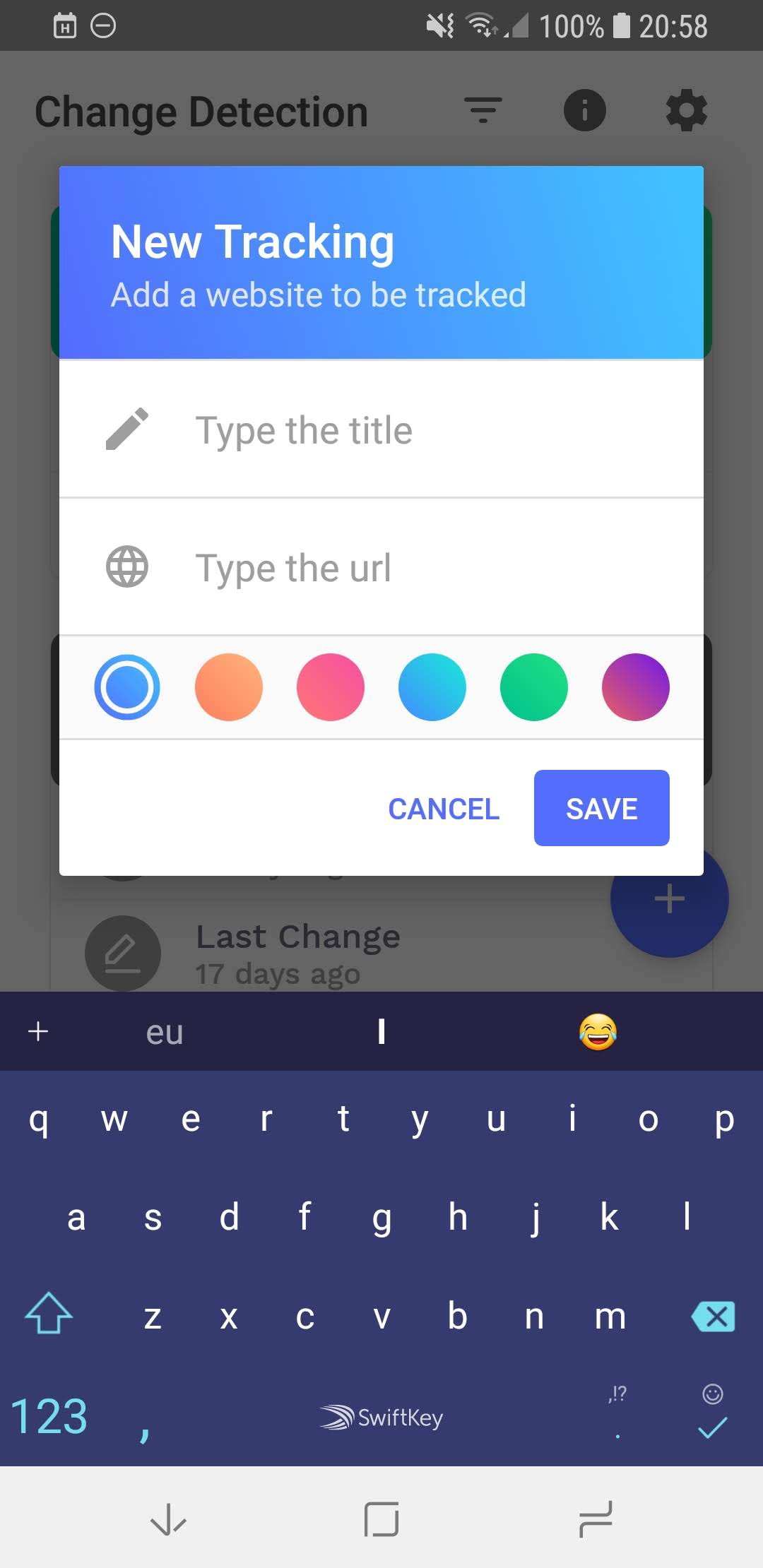
2.0
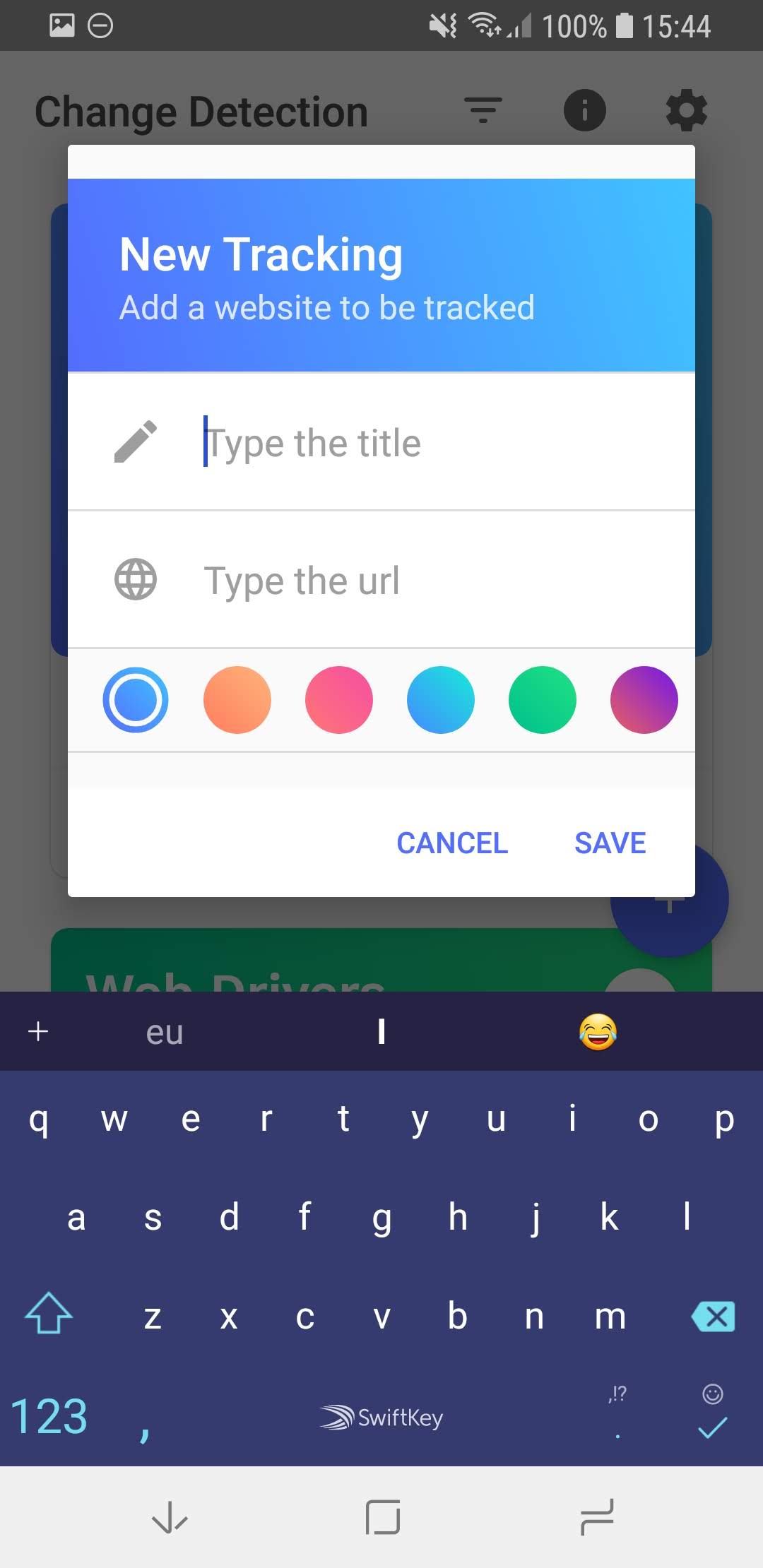
improvement
 bernaferrari
All 5 comments
That 12dp of space is added by DialogLayout intentionally. It's 16dp when there is a title view, 12dp otherwise.
Looks like there may need to be an option to remove it.
 afollestad
on 21 Sep 2018
afollestad
on 21 Sep 2018
👍1
Looks like there may need to be an option to remove it.
Thanks! I am completely favourable to this idea.
bernaferrari
on 21 Sep 2018
👍1
That was fast. Really fast. Thanks a lot!!
bernaferrari
on 21 Sep 2018
No problem, hopefully this works for you!
https://github.com/afollestad/material-dialogs/releases/tag/2.0.0-alpha12
afollestad
on 21 Sep 2018
I just tested. Everything is great again! Thanks!!
bernaferrari
on 21 Sep 2018
🎉1
Was this page helpful?
0 / 5 - 0 ratings
Related issues
 CHOIMINSEOK
·
8Comments
CHOIMINSEOK
·
8Comments
 arpanbag001
·
4Comments
arpanbag001
·
4Comments
 eygraber
·
3Comments
eygraber
·
3Comments
 bahmandamia6982
·
6Comments
bahmandamia6982
·
6Comments
 enricocid
·
4Comments
enricocid
·
4Comments