Material-dialogs: Weird behavior of action buttons in small screens
Library Version:
2.0.0-rc7
Affected Device(s):
All devices with small screens
Describe the Bug:
Hi Aidan
I am showing a dialog with a custom view and the buttons are behaving really weird.
Pictures descriptions because the pictures are big 😓
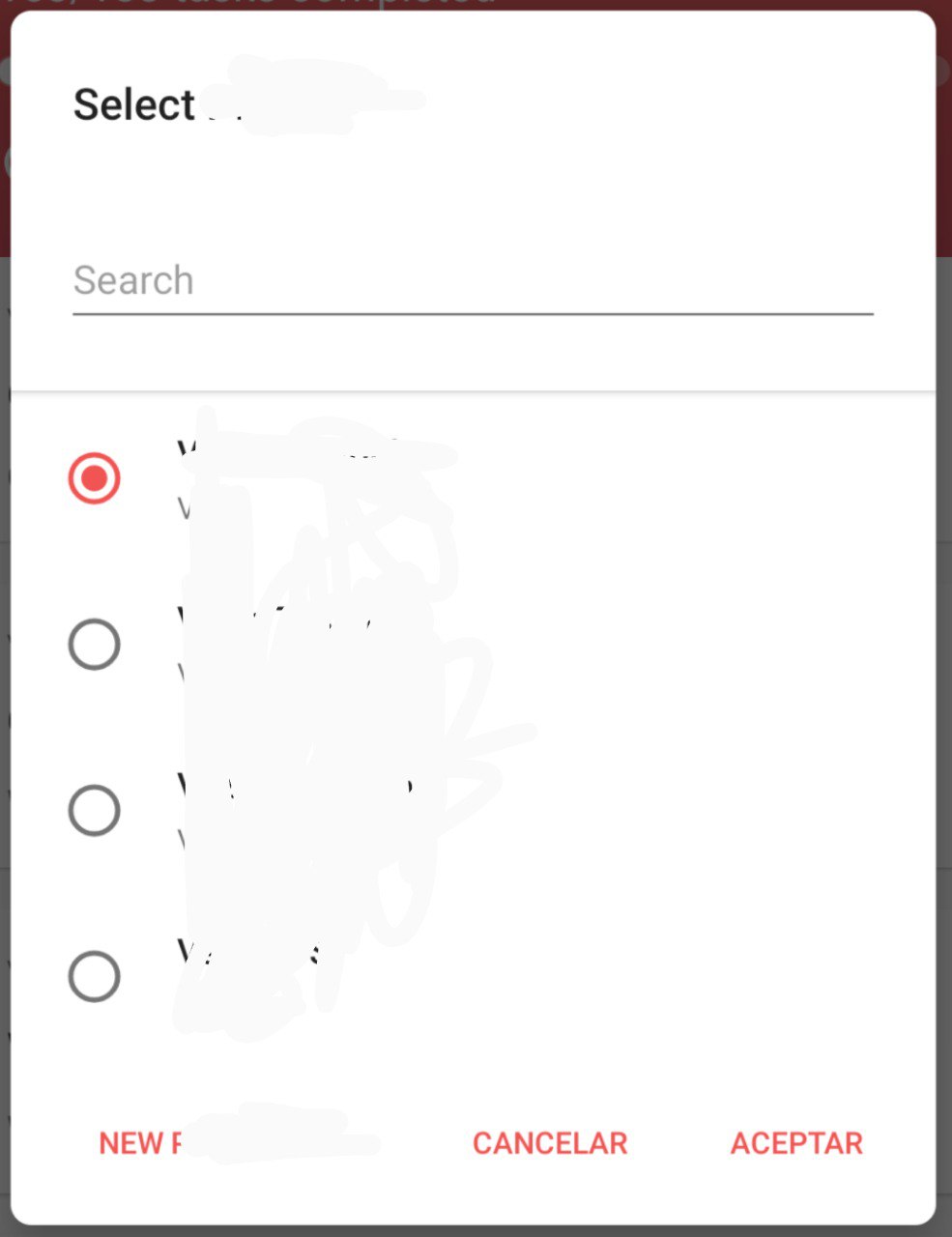
- This is the dialog in a normal screen, without the keyboard shown (aka expected behavior).
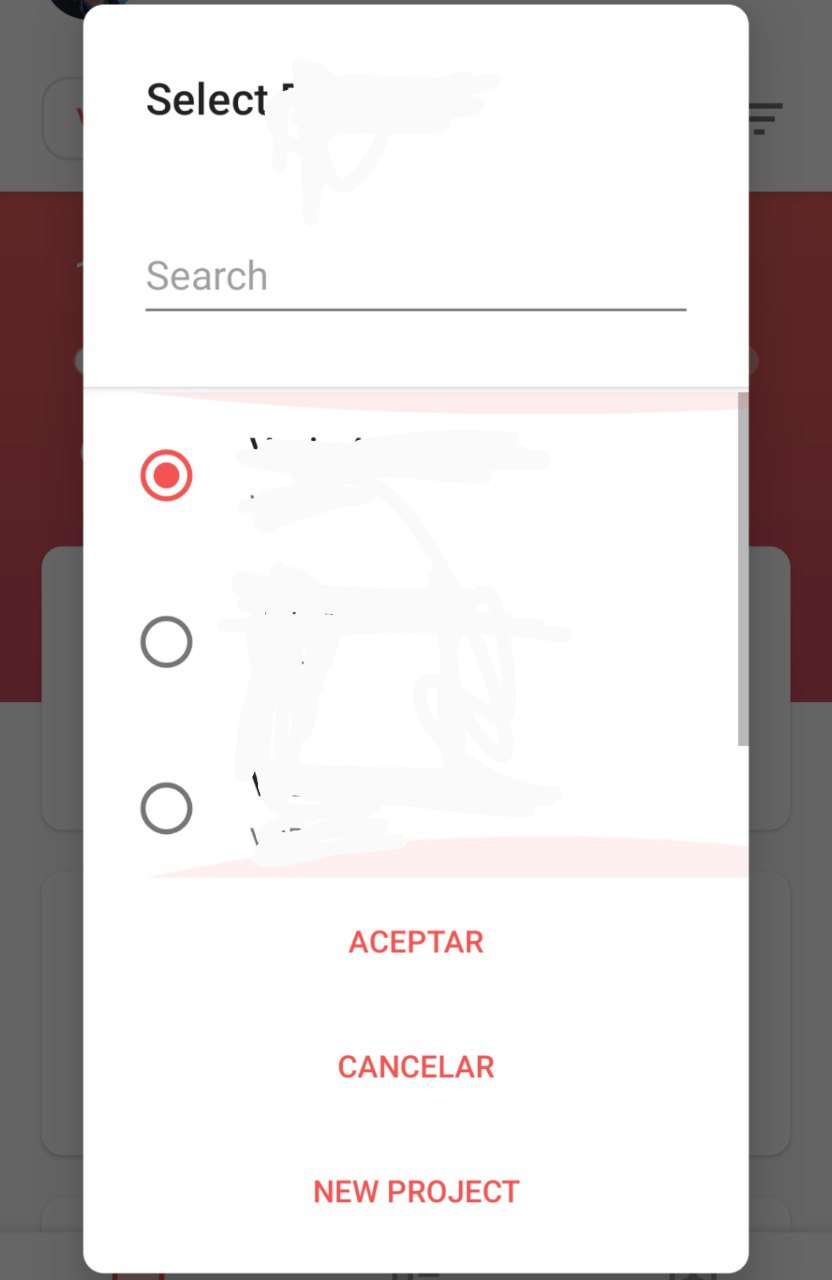
- This is the dialog in a small screen before showing the keyboard.
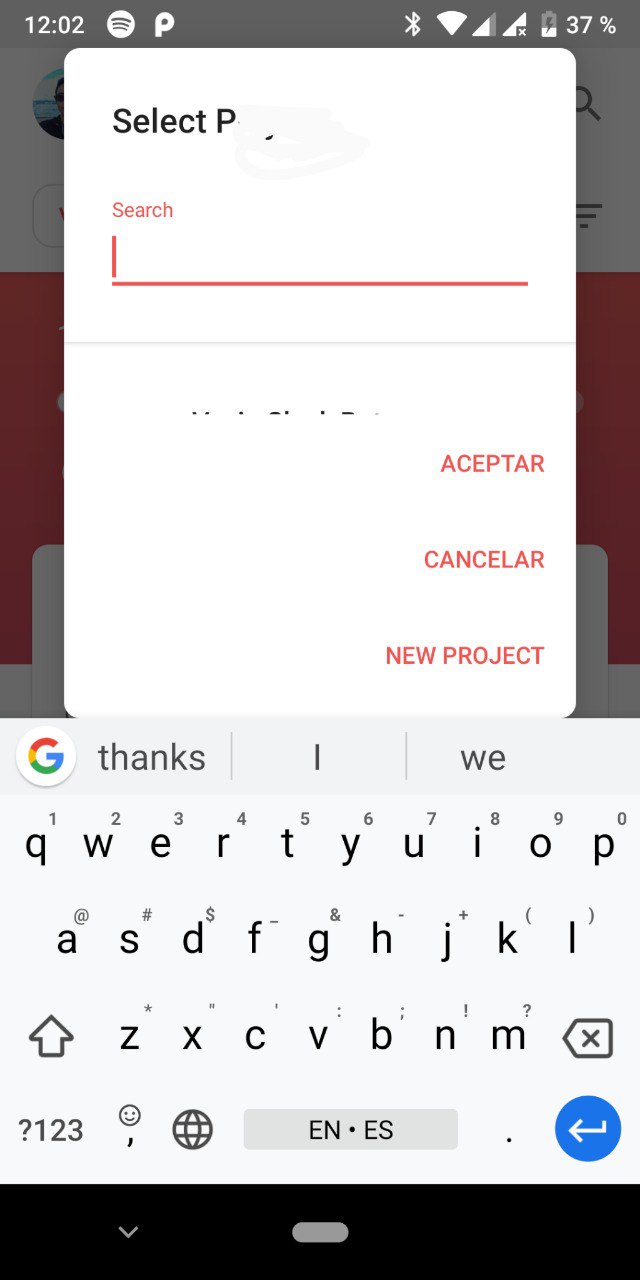
- This is the dialog in a small screen while showing the keyboard.
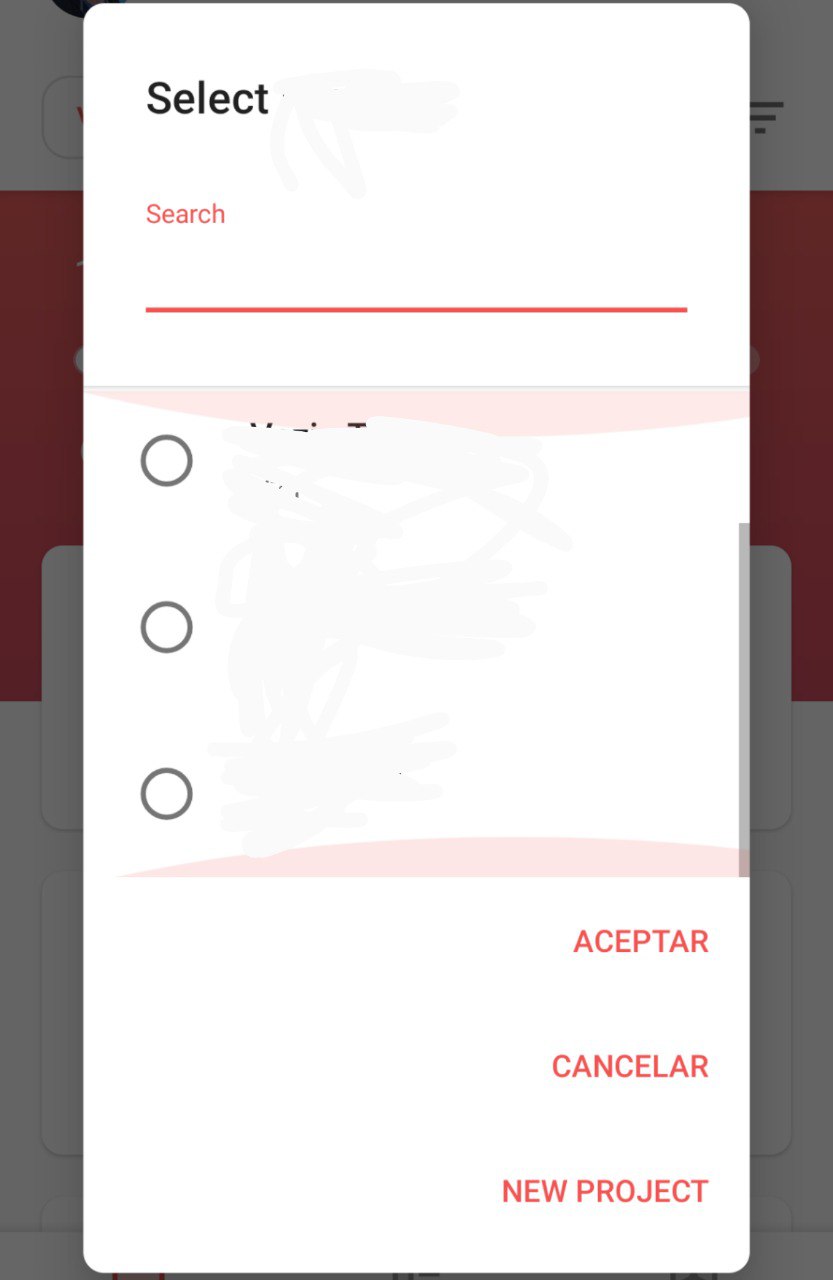
- This is the dialog in a small screen after hiding the keyboard.
This is the dialog in a normal screen, without the keyboard shown (aka expected behavior).
This is the dialog in a small screen before showing the keyboard.
This is the dialog in a small screen while showing the keyboard.
This is the dialog in a small screen after hiding the keyboard.
 jahirfiquitiva
All 6 comments
A trick I use with pictures on GitHub is straight up HTML 😄
<img src="url" width="250" />
After the picture uploads I just take out the URL and put it in an img tag
 afollestad
on 9 Jan 2019
afollestad
on 9 Jan 2019
Oh interesting - the keyboard must be causing a remeasure, making the dialog change it's decision on being "stacked".
afollestad
on 9 Jan 2019
@jahirfiquitiva oddly, I'm unable to reproduce.
Are you changing the soft input mode of your dialogs?
Edit: Oh wait, your custom view isn't in a ScrollView. That's probably effecting it. Will try that way.
afollestad
on 9 Jan 2019
Huh, even when not scrollable, I don't see that problem on a Nexus 5.
afollestad
on 9 Jan 2019
Thanks for letting me know about the images trick.
My custom view is a full width card, and a recyclerview below
Also, I set these flags in the AndroidManifest.xml:
android:windowSoftInputMode="stateAlwaysHidden|adjustResize"
jahirfiquitiva
on 9 Jan 2019
afollestad
on 24 Jan 2019
Related issues
 jlelse
·
6Comments
jlelse
·
6Comments
 SixianOne
·
5Comments
SixianOne
·
5Comments
 bahmandamia6982
·
6Comments
bahmandamia6982
·
6Comments
 bernaferrari
·
5Comments
bernaferrari
·
5Comments
 CHOIMINSEOK
·
8Comments
CHOIMINSEOK
·
8Comments
Most helpful comment
A trick I use with pictures on GitHub is straight up HTML 😄
After the picture uploads I just take out the URL and put it in an img tag