Material-components-ios: [MDCTextField] [iOS 13] Right view covering whole textField
Issue also opened on StackOverflow here
Reproduction steps
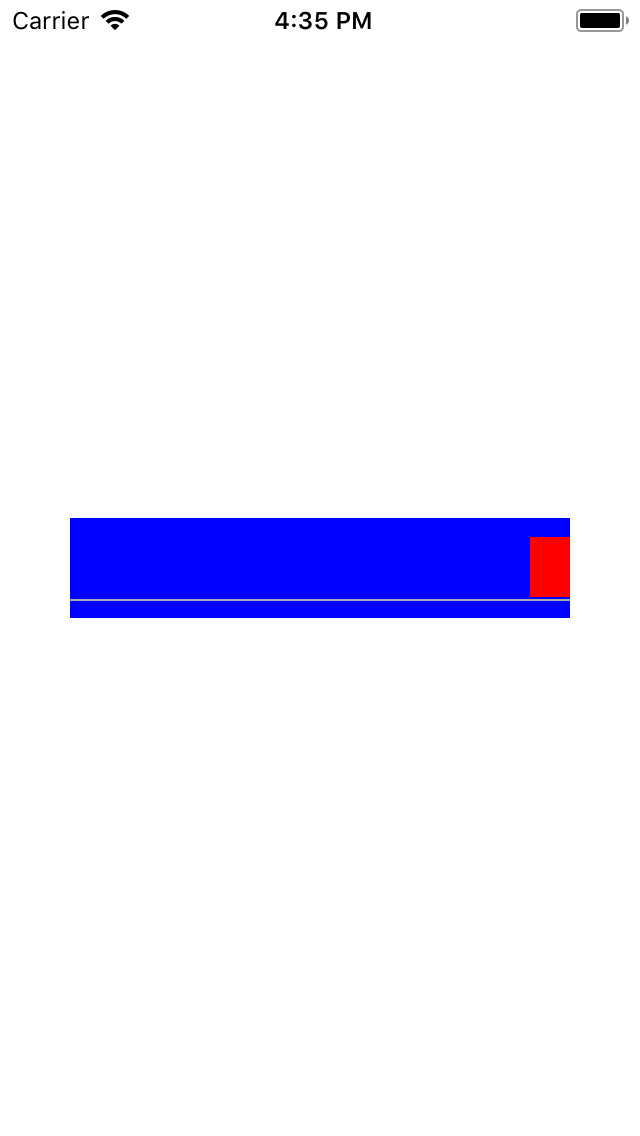
Use a MDCTextField and set a UIView with a static frame of a few points and a red background to its .rightView property. Also set its .rightViewModeto .always.
Code example to reproduce:
    let textField = MDCTextField()

    override func viewDidLoad() {
        super.viewDidLoad()
        // Do any additional setup after loading the view.

        view.addSubview(textField)
        textField.translatesAutoresizingMaskIntoConstraints = false

        textField.heightAnchor.constraint(equalToConstant: 50).isActive = true
        textField.widthAnchor.constraint(equalToConstant: 250).isActive = true
        textField.centerYAnchor.constraint(equalTo: view.centerYAnchor).isActive = true
        textField.centerXAnchor.constraint(equalTo: view.centerXAnchor).isActive = true
        textField.backgroundColor = .blue

        let redView = UIView(frame: CGRect(x: 0, y: 0, width: 20, height: 30))
        redView.backgroundColor = .red

        textField.rightView = redView
        textField.rightViewMode = .always
    }
Expected behavior
The right view should be restricted to the defined frame.
Actual behavior
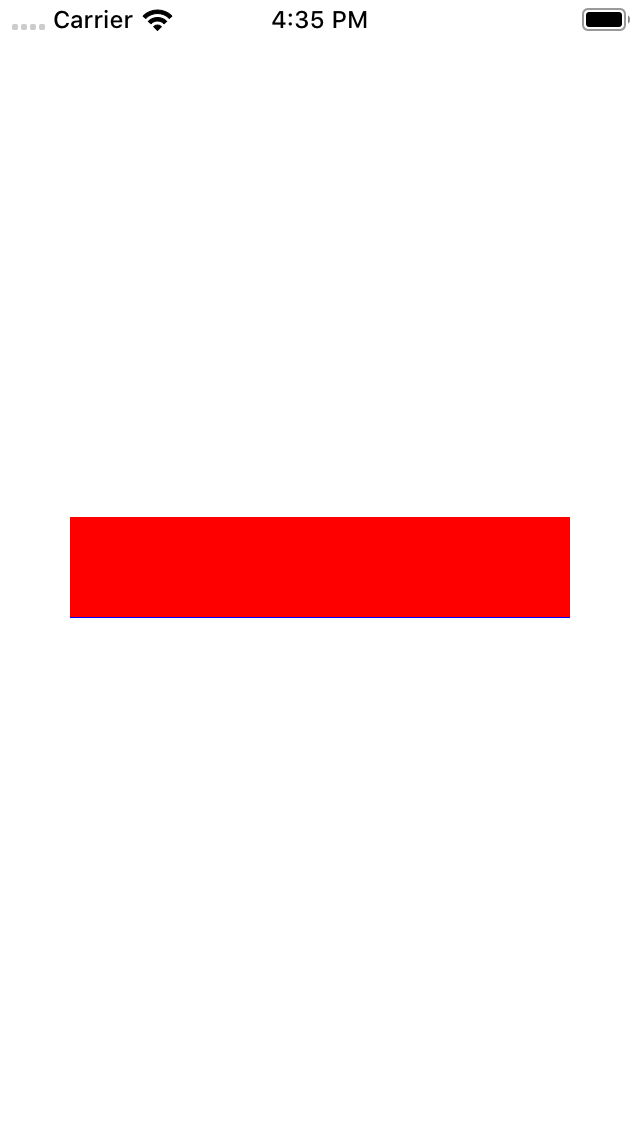
The right view is expanding on top of the whole text field. User can't interact or see the text field above it.
Platform (please complete the following information)
- Device: All iPhones
- OS: iOS 13 only --> behaviour is OK on iOS 12 and earlier.
Additional context
- Using MaterialComponents (91.1.0)
Internal data
- Associated internal bug: b/141630431
 Tulleb
All 13 comments
Hi,
I'm facing this issue. Any update on this? How to solve this issue.
 shubhankarbhavsar
on 25 Sep 2019
shubhankarbhavsar
on 25 Sep 2019
It looks like it may be caused by the rightView subviews using auto-layout constraints.
If we remove every constraint subviews from the rightView, and set the rightView after viewDidAppear, then it works.
Tulleb
on 25 Sep 2019
Hi Tulleb,
Thanks for the quick reply. I've integrated it as pod dependency and don't want to make any temporary changes. Can you please confirm if any fix for that is coming soon?
shubhankarbhavsar
on 25 Sep 2019
@shubhankarbhavsar I am a user just like you. I can't confirm anything.
Waiting for a Material developer to have a closer look...
Tulleb
on 25 Sep 2019
It looks that the method rightViewRect(forBounds:) has changed in some way. Just debugged in an app using the simulator, and I got these results after a call to super.rightViewRect(forBounds:) in the method overriding the UITextField one.
iOS 12: rect CGRect (origin = (x = 343, y = 24), size = (width = 0, height = 0))
iOS 13: rect CGRect (origin = (x = 0, y = 0), size = (width = 382, height = 48))
 macram
on 25 Sep 2019
macram
on 25 Sep 2019
This sounds like a bug in our component. If you have ideas on a fix we welcome PRs.
I will see if we have some cycles to fix this as it appears to be affecting multiple clients.
 randallli
on 25 Sep 2019
randallli
on 25 Sep 2019
Hi All,
The following patch helped me to handle the right view issues. I had to remove the library from the pods and integrate it manually. This solution might help anyone looking for the solution.
// In RTL, the OS assigns this to the .leftView.
- (CGRect)rightViewRectForBounds:(CGRect)bounds {
CGRect rightViewRect = [super rightViewRectForBounds:bounds];
rightViewRect.origin.y = [self centerYForOverlayViews:CGRectGetHeight(rightViewRect)];
if ((self.mdf_effectiveUserInterfaceLayoutDirection ==
UIUserInterfaceLayoutDirectionRightToLeft) &&
[self.positioningDelegate respondsToSelector:@selector(leadingViewRectForBounds:
defaultRect:)]) {
rightViewRect = [self.positioningDelegate leadingViewRectForBounds:bounds
defaultRect:rightViewRect];
} else if ((self.mdf_effectiveUserInterfaceLayoutDirection ==
UIUserInterfaceLayoutDirectionLeftToRight) &&
[self.positioningDelegate respondsToSelector:@selector(trailingViewRectForBounds:
defaultRect:)]) {
rightViewRect = [self.positioningDelegate trailingViewRectForBounds:bounds
defaultRect:rightViewRect];
}
/// iOS 13 fix
if (rightViewRect.size.width == bounds.size.width)
rightViewRect.size.width = self.trailingView.frame.size.width;
if (rightViewRect.origin.x == 0) {
rightViewRect = CGRectMake(self.frame.size.width - rightViewRect.size.width, (rightViewRect.size.height / 5), rightViewRect.size.width, rightViewRect.size.height);
}
return rightViewRect;
}
shubhankarbhavsar
on 26 Sep 2019
Just an insight to help solving the issue.
I found it was a change in iOS 13 Beta 5:
Resolved Issues
Prior to iOS 13, UITextField assumed that the frames of its leftView and rightView were correctly set when assigned and would never change. Starting in iOS 13, the implementation of leftViewRect(forBounds:) and rightViewRect(forBounds:) now ask the view for its systemLayoutSizeFitting(_:). To achieve the previous behavior when linking against and running on iOS 13, add explicit sizing constraints on the view, wrap it in a plain UIView, or subclass the view and implement systemLayoutSizeFitting(_:). (51787798)
 alxlives
on 27 Sep 2019
alxlives
on 27 Sep 2019
Improved version of @shubhankarbhavsar's answer. I will submit it as a PR even if I don't think it's the best solution so far...
- (CGRect)rightViewRectForBounds:(CGRect)bounds {
    CGRect rightViewRect;
    if (@available(iOS 13.0, *)) {
        rightViewRect = self.trailingView.frame;
    } else {
        rightViewRect = [super rightViewRectForBounds:bounds];
    }
  rightViewRect.origin.y = [self centerYForOverlayViews:CGRectGetHeight(rightViewRect)];

  if ((self.mdf_effectiveUserInterfaceLayoutDirection ==
       UIUserInterfaceLayoutDirectionRightToLeft) &&
      [self.positioningDelegate respondsToSelector:@selector(leadingViewRectForBounds:
                                                                          defaultRect:)]) {
    rightViewRect = [self.positioningDelegate leadingViewRectForBounds:bounds
                                                           defaultRect:rightViewRect];
  } else if ((self.mdf_effectiveUserInterfaceLayoutDirection ==
              UIUserInterfaceLayoutDirectionLeftToRight) &&
             [self.positioningDelegate respondsToSelector:@selector(trailingViewRectForBounds:
                                                                                  defaultRect:)]) {
    rightViewRect = [self.positioningDelegate trailingViewRectForBounds:bounds
                                                            defaultRect:rightViewRect];
  }
  return rightViewRect;
}
Hello, I am facing the same issue. Any update on this getting reviewed and merged? @randallli
 willhess
on 30 Sep 2019
willhess
on 30 Sep 2019
It can be fixed by adding explicit constraints on the right/left view. More info here
 MojtabaHs
on 30 Sep 2019
MojtabaHs
on 30 Sep 2019
Closed since it can be fixed by working with auto-layout constraints (set up the width and height constraints on the rightView).
Thank you @MojtabaHs, rewarded on SO.
Tulleb
on 12 Oct 2019
this worked for me
textField.rightView = redView
textField.translatesAutoresizingMaskIntoConstraints = false
textField.rightView?.widthAnchor.constraint(equalToConstant: 20).isActive = true
 faisal-arefin-ovi
on 24 Dec 2019
faisal-arefin-ovi
on 24 Dec 2019
Related issues
 versoworks
·
4Comments
versoworks
·
4Comments
 brianjmoore
·
5Comments
brianjmoore
·
5Comments
 shadowsheep1
·
3Comments
shadowsheep1
·
3Comments
 croccio
·
3Comments
croccio
·
3Comments
 Morpheu5
·
7Comments
Morpheu5
·
7Comments
Most helpful comment
Just an insight to help solving the issue.
I found it was a change in iOS 13 Beta 5: