Mapper: Enhancement: Fill areas in scribble mode
Situation
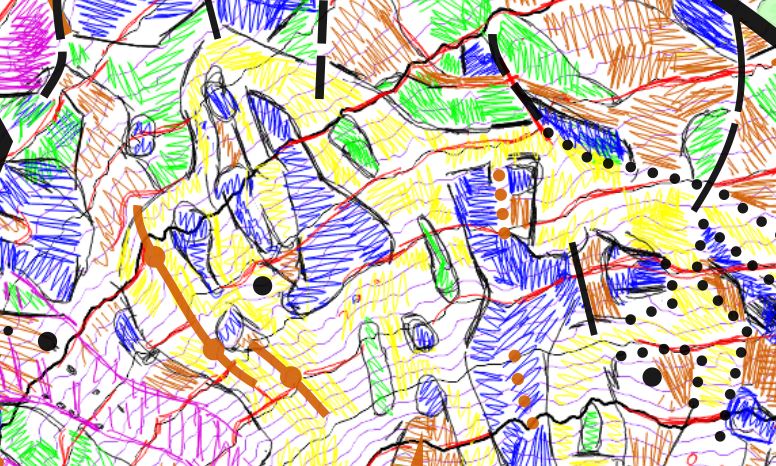
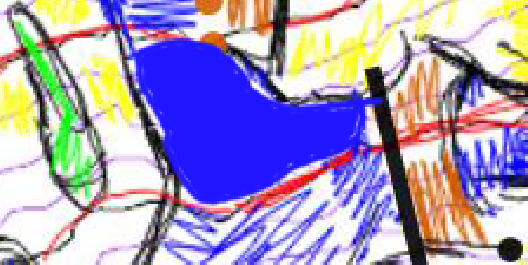
The resolution of the scribble layer must be fine enough that you can sketch details with appropriate accuracy. On the other hand such fine grain makes it time consuming to fill the areas according their classification. In my sample above you can see: The grain is fine enough for the details but fills are represented in a sleazy manner.
Proposed enhancement
Therefore I would like to propose the following. Enhance the sketch drawing by "auto-filling closed strokes"
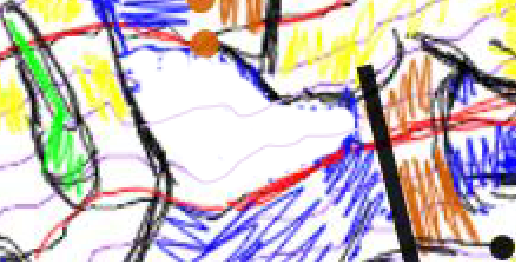
Start.
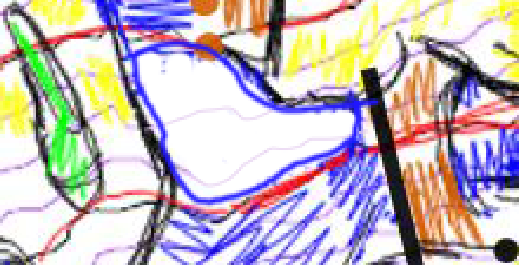
Drawing a closed stroke/loop
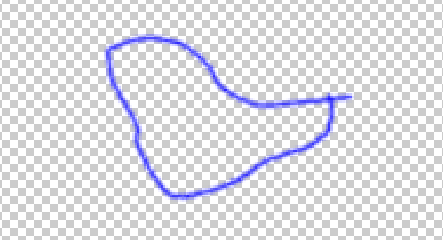
Isolated stroke
Resulting filled area.
Configuration
Mapper Version: 0.8.4.
Operating System: Android 5
 mlerjen
All 25 comments
I am not sure if I like it. The nature of scribbling might trigger accidental filling of areas ...
I was thinking something like "spray" with wider perimeter might do the job better. If I remember the MS Paint correctly the spray did not cover everything entirely. And that might be a good thing, you would be able to see stuff beneath, unless you spray longer.
 ollesmaps
on 2 May 2019
ollesmaps
on 2 May 2019
Although I do not use the scribble layer myself, based on the description provided, I guess that the very basic "brush size" property might be a good progress in this.
 jmacura
on 3 May 2019
jmacura
on 3 May 2019
FWIW, the "pen width" option makes much more sense to me than flood fill.
 lpechacek
on 6 May 2019
lpechacek
on 6 May 2019
@lpechacek, @jmacura @ollesmaps:
I would expect these basic benefits of my proposal:
1) You preserve the precision of the fine grained pen to define the borders of the so "flooded" area (surely an advantage to "clumsy brush" or "spray" :-)
2) You skip to excessively switch pen width. You can actually draw precisely and fill with the same tool.
mlerjen
on 6 May 2019
FWIW, I started mapping an area with very complex vegetation and I've adopted Martin's method for scribbling. I agree that filling the areas by repeated strokes is not very efficient.
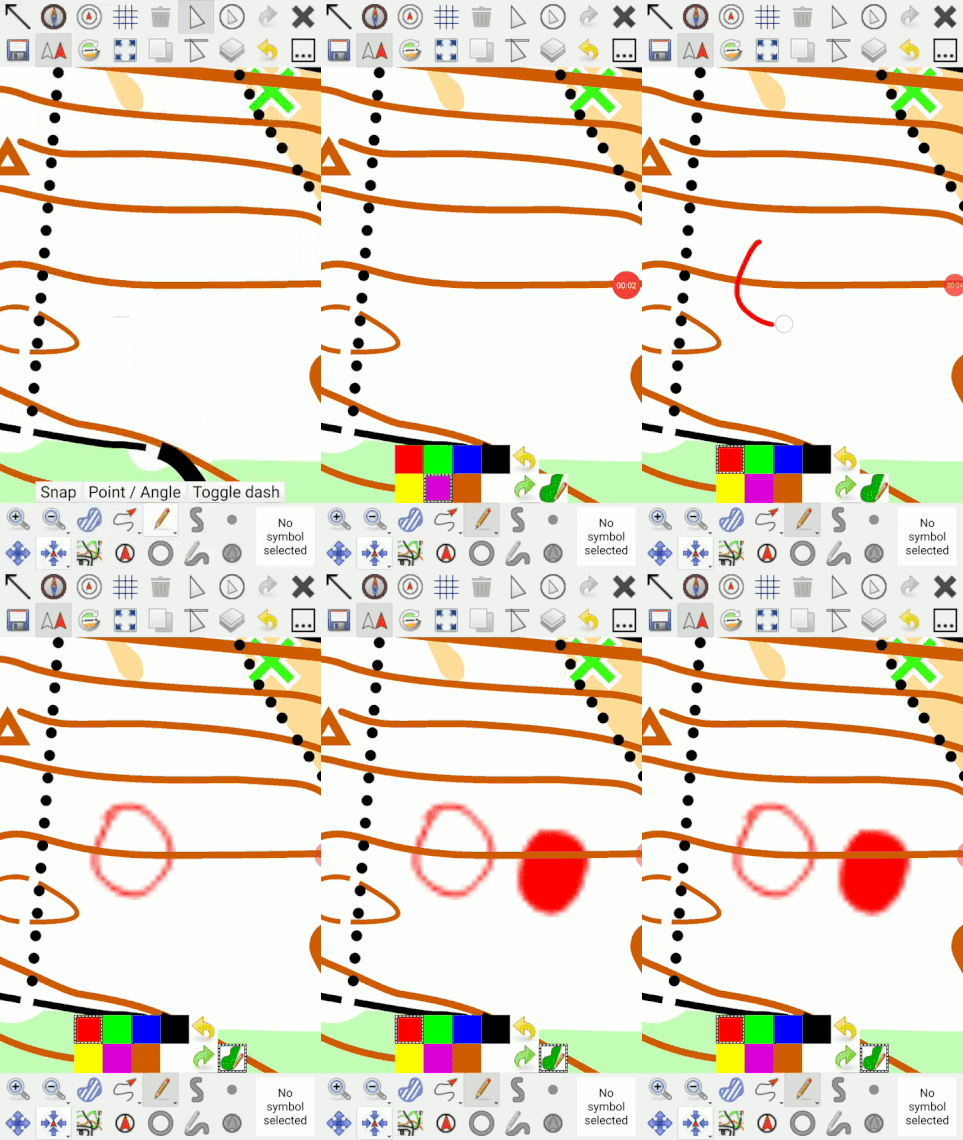
The below is a preview of the current implementation. I'd like to test it for a few hours in the forest before placing a pull request for the change. However, I won't have time for mapping for the next two weeks. I can provide a test build for those interested in trying out this enhancement.
lpechacek
on 25 May 2020
Nice! I would love to test it on my Android Phone. Thus armeabi-v7a.apk would be great.
mlerjen
on 25 May 2020
http://liborpechacek.wz.cz/oomapper/OpenOrienteering-Mapper-git-mobile_ui_gadgets-20200525-Android-armeabi-v7a.apk is my private test build that has both the filled areas and tourist mode features. It can be installed next to the official releases.
Checksums:
MD5 9a42b004a36845234d1a0ed96e8a9a31
SHA256 5ac025e1a26c008939a8da7aef2a40b0e491515347d9c91fa6e0f68ef68b0611
lpechacek
on 25 May 2020
I have to ask.
Just installing the .apk seems not to be working. The app crashes on startup. Is there something more I must do (with the checksums) to get it running? - thx.
mlerjen
on 26 May 2020
FTR, it installs and runs just fine on my LG with Android 9.
Only some warning by PlayProtect on install, but that can be skipped easily.
Curiousely, it first starts in Spanish instead of Czech (my last language in a language fallback settings), but that's not really an issue, if I consider it's a very-alpha build of the app.
jmacura
on 26 May 2020
Works on Samsung Galaxy Note 8 with Android 9 but not on Samsung Galaxy Note 2 with Android 4.4.2. Nevermind.
First impression: great. Also powerful as eraser-tool. Also powerful to draw perfectly straight edges of an area. happy
First suggestion: To simplify the drawing of areas with re-entrant parts I would suggest to keep the filling somehow transparent until finishing the stroke.
mlerjen
on 26 May 2020
Ad the crashes, this build is indeed a test build compiled on my laptop. Getting the build environment set up is not an easy task and there are many incompatibilities between the host system and the build machinery. That said, if the application crashes in unrelated function, ignore the crash and keep in mind that the official builds come exclusively from Kai. Thanks for your patience with the prototype. :)
First suggestion: To simplify the drawing of areas with re-entrant parts I would suggest to keep the filling somehow transparent until finishing the stroke.
Thanks for the suggestion. I think that's doable.
lpechacek
on 26 May 2020
First suggestion: To simplify the drawing of areas with re-entrant parts I would suggest to keep the filling somehow transparent until finishing the stroke.
Thanks for the suggestion. I think that's doable.
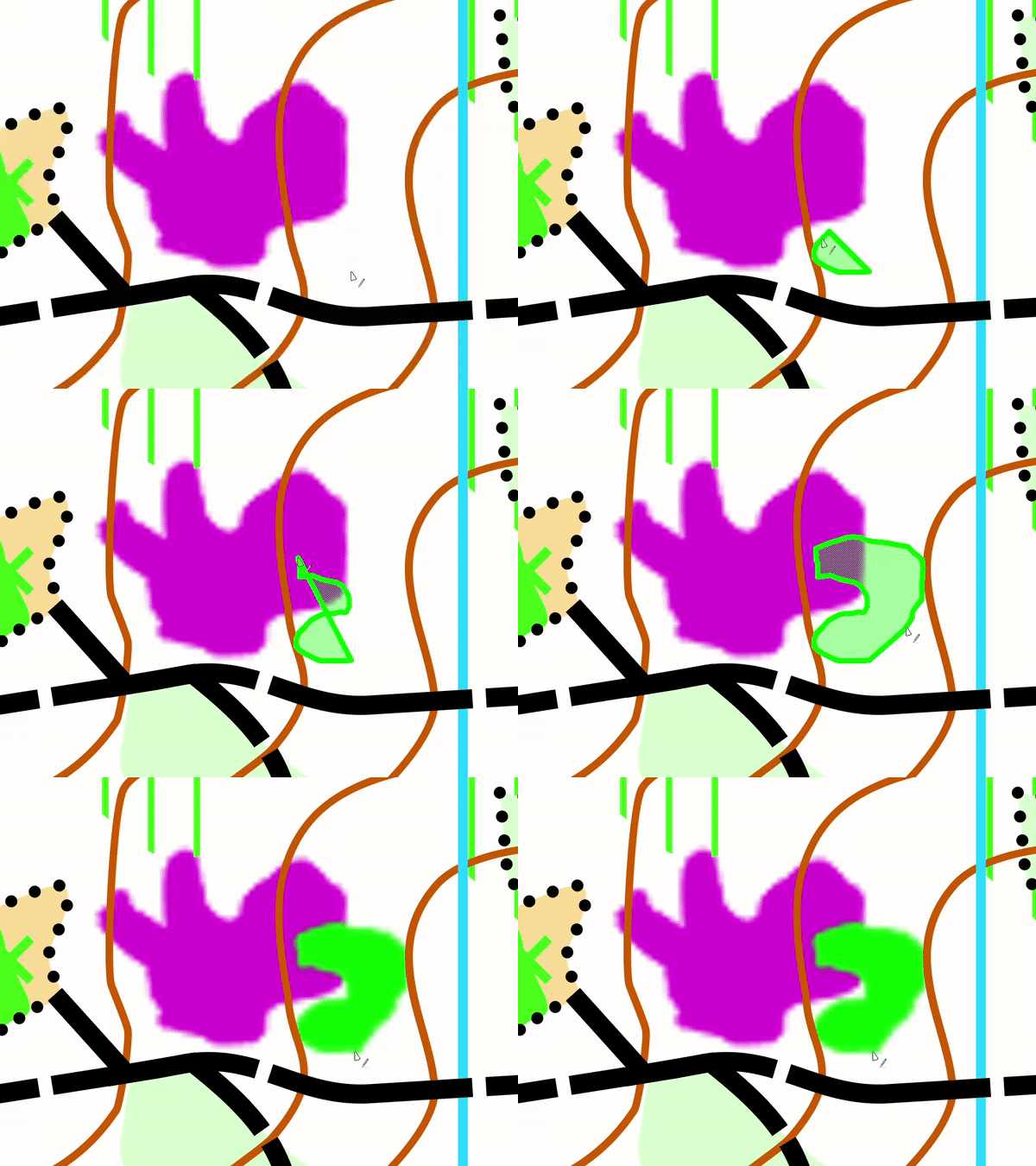
I chose a dotted pattern instead of a translucent area. I believe it's better visible.
lpechacek
on 27 May 2020
Can't install on Samsung Galaxy S7 Android 8.0.0
Starts installing, terminates immediately "App has not been installed". :/
On FairPhone 2 it works. Great!
The GPS point is always "on the way out from screen". If you use it as I think I'll use it, it would be better it's on the opposite of screen center. That gives you map ahead of your direction, not most map what you just passed.
Is it possible, I would suggest, some kind of time avarage of direction so that the GPS point moves so that you get most map ahead, not behind, of you.
I could zoom in and out during it's operation, and if I move the map it immediately comes back to center.
 Zerbembasqwibo
on 27 May 2020
Zerbembasqwibo
on 27 May 2020
@dg0yt, I'm wondering how we could get a, presumably better, test build from Azure Pipelines here. Any idea, please?
lpechacek
on 27 May 2020
@dg0yt, I'm wondering how we could get a, presumably better, test build from Azure Pipelines here. Any idea, please?
Well, I was close to propose just that. The Azure build pipeline is in our GH repository anyway, and a build is done for every pull request. You might even use it for your own repository if you don't want to create a PR. However, the build pipeline does not include a signing step (and it shouldn't).
So you might need little more than another release pipeline which doesn't need to publish to Github but might perhaps create more artifacts on Azure, for simple download. (I don't want to litter our GH release section with more artifacts.)
Of course we must have an eye on app ID and display name, to facilitate installation side-by-side with official releases on Android.
 dg0yt
on 27 May 2020
dg0yt
on 27 May 2020
Any chance to get a test build running on an older android? I could do some heavy real world testing soon.
mlerjen
on 5 Jun 2020
@mlerjen My preferred way is getting this into a master build, via a PR from @lpechacek.
dg0yt
on 6 Jun 2020
My preferred way is getting this into a
masterbuild, via a PR from @lpechacek.
In this particular case, I think we can proceed with a pull request.
lpechacek
on 7 Jun 2020
Any chance to get a test build running on an older android? I could do some heavy real world testing soon.
@mlerjen, I've copied an "official" APK to https://liborpechacek.wz.cz/oomapper/OpenOrienteering-Mapper-master_v20200608.5-Android-armeabi-v7a.apk. It is current stable Mapper with only the scribble tool enhancement. Compared to the homebrew test build, it lacks the tourist mode. Let me know if this package works on your old device. Thanks!
lpechacek
on 10 Jun 2020
I've copied an "official" APK to https://liborpechacek.wz.cz/oomapper/OpenOrienteering-Mapper-master_v20200608.5-Android-armeabi-v7a.apk.
It is still not official with regard to being signed using the same key as the regular master releases. You cannot regularly upgrade to this version (and back to official later), but need to go through deinstallation and installation, which may affect maps in org.openorienteering.mapper... folders.
(This Android behaviour prevents malicious apps to take over private folders of popular apps.)
So @mlerjen, how soon do you need the master release?
dg0yt
on 10 Jun 2020
Thank you @lpechacek and @dg0yt. Unfortunately the new .apk gets even less far than the older version. Although having uninstalled all sort of Mapper apps. Android just refuses to install the new one. :-/ "The app was not installed"
(I have this project starting next weekend, where I could do heavy testing. But if it is to much hassle...
mlerjen
on 10 Jun 2020
Android just refuses to install the new one. :-/ "The app was not installed"
That's what I said about the key used for signing the app: If it is not our release key, you need to uninstall the old "master" app.
I would like to put a few more things into the next master release. I'll try to finish this by friday.
dg0yt
on 10 Jun 2020
@mlerjen, sorry about the missing signature. I completely forgot about that part, and I cannot do anything about it as I do not own the signing key for -master builds. At this point, I would recommend waiting for the next master snapshot from Kai.
lpechacek
on 10 Jun 2020
@mlerjen Master release done. As usual, there are some more changes.
dg0yt
on 12 Jun 2020
@dg0yt & @lpechacek : up and running :-) . Thanks for this special effort!
mlerjen
on 12 Jun 2020
Related issues
 Symbian9
·
9Comments
Symbian9
·
9Comments
 yevhenmazur
·
7Comments
yevhenmazur
·
7Comments
 Abbe98
·
9Comments
Abbe98
·
9Comments
 IamShado
·
3Comments
lpechacek
·
7Comments
IamShado
·
3Comments
lpechacek
·
7Comments
Most helpful comment
FWIW, I started mapping an area with very complex vegetation and I've adopted Martin's method for scribbling. I agree that filling the areas by repeated strokes is not very efficient.
The below is a preview of the current implementation. I'd like to test it for a few hours in the forest before placing a pull request for the change. However, I won't have time for mapping for the next two weeks. I can provide a test build for those interested in trying out this enhancement.