Message list
- [x] alignement of avatar → fix at https://github.com/nextcloud/mail/pull/2126, component at https://github.com/nextcloud/nextcloud-vue/pull/616
- [x] second row position → fix at https://github.com/nextcloud/mail/pull/2126, component at https://github.com/nextcloud/nextcloud-vue/pull/616
- [x] delete animation: quicker, height left at the end, issue https://github.com/nextcloud/mail/issues/1761
App navigation
- [x] Account menu: show "delete account"
- [x] Do not show "loading" on the mail number stats
- [x] Bottom left settings can use more spacing -> #2219
- [ ] Clicking "New message" should close nav and go to composer. On narrow screens the nav stays open and it seems like nothing happens.
When you zoom in, the nav hides but opening the hamburger menu doesn't show the nav→ core issue, see Scaling issue with burger menu in split screen https://github.com/nextcloud/server/issues/17592
Menu button
- [x] On narrow screens, the message view has both a menu button and a back arrow button. In this view only the back arrow button is necessary and it should be in place of the menu button.
Menu button and "New message" placement→ core issue, see Mobile menu toggle for navigation overlaps with content (especially in Mail & Contacts) https://github.com/nextcloud/server/issues/16934
Message view
- [ ] For HTML emails, the iframe doesn’t seem to fit the whole container -> #2222
- [x] In the heading of a mail below the subject, if a contact has only an email set but no name, the tooltip does not need to be shown. -> #2223
- [x] no message emptycontent h2
Composer
- [x] Composer overflowing right on mobile (because of attachment buttons, or from/to multiselects?) -> #2220
- [x] Cc/Bcc maxcontrast and non-caps → pull request at https://github.com/nextcloud/mail/pull/2131
- [x] Align text (image blocking, header and mail content) → pull request at https://github.com/nextcloud/mail/pull/2131
- [x] Sticky bottom menu (send?), or have stuff at top of composer like Geary → pull request at https://github.com/nextcloud/mail/pull/2131
- [x] Put attachement buttons into the three dot menu and make this menu more visible (circle/background?) -> #2226
Account settings
- [x] Signature and Editor toggle at top
- [x] Editor toggle should be radio
- [x] Signature field should be bigger
- → All fixed in https://github.com/nextcloud/mail/pull/2119
@jancborchardt
 skjnldsv
All 20 comments
Reformatted the list a bit, and will get to work on some of those. If anyone wants to contribute design to Mail, these are good starting points. :) cc @nextcloud/mail @nextcloud/designers
 jancborchardt
on 16 Oct 2019
jancborchardt
on 16 Oct 2019
@jancborchardt hey, can you give a bit of more details what is expected to do for those who are not part of the design call :)
For instance, the first 3 points - some suggestion how you think would be good to move on.
 GretaD
on 16 Oct 2019
GretaD
on 16 Oct 2019
Hey @GretaD :)
It was not on the design call, Jan and I just talked a bit about this!
For the first three points it was actually on the messages list, the vertical alignement is off. The second line is a bit too much on the bottom, that is what creates this weird issue ;)
skjnldsv
on 16 Oct 2019
For the first three points it was actually on the messages list, the vertical alignement is off. The second line is a bit too much on the bottom, that is what creates this weird issue ;)
Ah, i see, ok thank you John
GretaD
on 16 Oct 2019
Jan is telling me that he is starting from the bottom of the list, so if you want to start from the top it's fine ;)
skjnldsv
on 16 Oct 2019
Tell Jan that i will start from top and I will _check_ the ones that I'm working on :)
GretaD
on 16 Oct 2019
And we’re almost done! :) @GretaD do you want to look at these 3 from above and I take the rest?
- Clicking "New message" should close nav and go to composer. On narrow screens the nav stays open and it seems like nothing happens.
- On narrow screens, the message view has both a menu button and a back arrow button. In this view only the back arrow button is necessary and it should be in place of the menu button.
- In the heading of a mail below the subject, if a contact has only an email set but no name, the tooltip does not need to be shown.
jancborchardt
on 23 Oct 2019
- On narrow screens, the message view has both a menu button and a back arrow button. In this view only the back arrow button is necessary and it should be in place of the menu button.
@jancborchardt why you'd think we should have only back button? The back button takes you to all mails, the menu button takes you to folders and "new message" button. You dont think we should keep them both?
GretaD
on 26 Oct 2019
why you'd think we should have only back button? The back button takes you to all mails, the menu button takes you to folders and "new message" button. You dont think we should keep them both?
Yup, it’s too much. We only have 3 views, not necessary to clutter up the mail detail view (where you want to focus on reading) with 2 extra buttons.
Essentially we are doing it exactly like Android apps are doing it. :)
jancborchardt
on 26 Oct 2019
I see, ok then
GretaD
on 28 Oct 2019
On narrow screens, the message view has both a menu button and a back arrow button. In this view only the back arrow button is necessary and it should be in place of the menu button.
@jancborchardt why? They're not the same
 ChristophWurst
on 28 Oct 2019
ChristophWurst
on 28 Oct 2019
@ChristophWurst they are on all android devices :)
skjnldsv
on 28 Oct 2019
What? How are the buttons on the web related to Android?
ChristophWurst
on 28 Oct 2019
What? How are the buttons on the web related to Android?
The nav button is for mobile mode only?
skjnldsv
on 28 Oct 2019
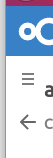
These are the buttons in question. The burger menu shows the left sidebar, allowing you to chose a different folder, open settings or send new message. The arrow gets you back to the message list.
So, if we remove the burger menu from that view, how can you access the sidebar?
ChristophWurst
on 28 Oct 2019
Android always go back to the home view (aka the mail list) and then the back-arrow button turns itself into a menu :)
skjnldsv
on 28 Oct 2019
- On narrow screens, the message view has both a menu button and a back arrow button. In this view only the back arrow button is necessary and it should be in place of the menu button.
@jancborchardt i discussed this with John and Christoph and we decided not to work on this for now since we need to discussed how to move on and it will take some time to implement it.
GretaD
on 31 Oct 2019
- On narrow screens, the message view has both a menu button and a back arrow button. In this view only the back arrow button is necessary and it should be in place of the menu button.
@jancborchardt i discussed this with John and Christoph and we decided not to work on this for now since we need to discussed how to move on and it will take some time to implement it.
What I was thinking: The arrow icon could literally just be moved up above the menu icon and have 100% opaque white background. Yes it would be a bit of a hack, but better than currently for sure. At least then we can see with a few lines of CSS if it works properly before taking way longer time to put this as a Vue component.
jancborchardt
on 1 Nov 2019
@GretaD this can be done in mail :)
This is a simple and nice hack :+1:
skjnldsv
on 2 Nov 2019
Closing cause all fixed, and one remaining issue has a separate issue. :) Very nice polishing work!
jancborchardt
on 17 Dec 2019
Related issues
 arkanoid87
·
28Comments
arkanoid87
·
28Comments
 northorsouth
·
37Comments
northorsouth
·
37Comments
 nRaecheR
·
40Comments
nRaecheR
·
40Comments
 daraelmin
·
31Comments
daraelmin
·
31Comments
 StCyr
·
30Comments
StCyr
·
30Comments
Most helpful comment
@GretaD this can be done in mail :)
This is a simple and nice hack :+1: