Describe the solution you'd like
I would like a copy password to clipboard button. It's not a super big deal to have to select it and copy the password, but it's super useful to have.
Additional context
Add any other context or screenshots about the feature request here.
 alexjyong
All 9 comments
Do you know you can double click most of the fields in the entry table to copy them to the clipboard? Also take a look at the workflow preferences for some options on the behaviour.
 mstarke
on 26 Sep 2018
mstarke
on 26 Sep 2018
I haven't. I'll check that out.
alexjyong
on 1 Oct 2018
Where do you think the button should live? In the toolbar? There's already a context menu that holds that action. Additionally you can just select the entry, right click and then use copy password.
mstarke
on 12 Nov 2018
Right next to the textbox containing the password. I've seen this on
several web apps.
On Mon, Nov 12, 2018, 6:31 AM Michael Starke <[email protected]
wrote:
Where do you think the button should live? In the toolbar? There's already
a context menu that holds that action. Additionally you can just select the
entry, right click and then use copy password.—
You are receiving this because you authored the thread.
Reply to this email directly, view it on GitHub
https://github.com/MacPass/MacPass/issues/832#issuecomment-437847353,
or mute the thread
https://github.com/notifications/unsubscribe-auth/AFNhVLybvY_8sFe1dVvw9FXrnWiAnp6Mks5uuVwTgaJpZM4W61k4
.
alexjyong
on 12 Nov 2018
I would love to remove the buttons altogehter. Even the show/hide button takes up way to much space but I haven't had time to build a custom text field that displays inline buttons. Adding another button will shorten the text input even more. Putting it below besided the generate button might be usefull and doesn't reduce the available display space at all.
mstarke
on 6 Dec 2018
For reference here is what the button looks like in 1Password.
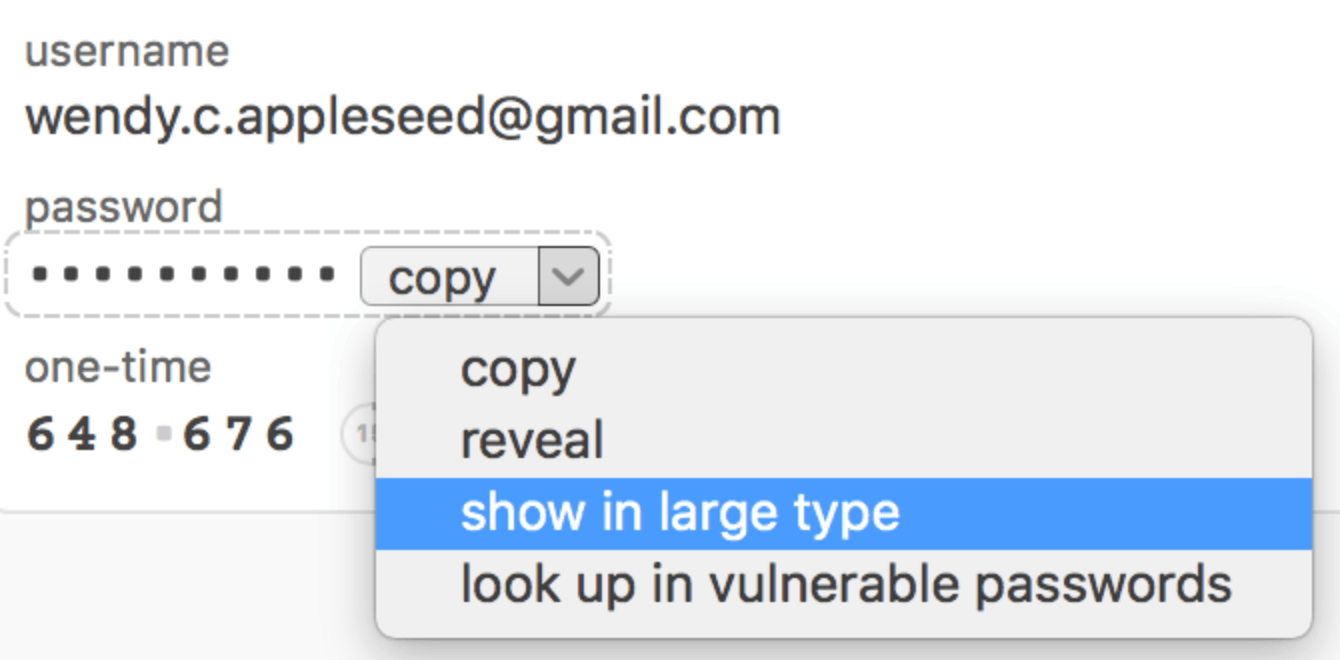
https://support.1password.com/getting-started-mac/#enlarge-passwords
 uwqwxing886
on 5 Jan 2019
uwqwxing886
on 5 Jan 2019
remove the buttons
I might be misunderstanding that statement but from what I've seen people commonly use a password safe to store website passwords. When they want to log in to a website they open the corresponding entry to copy the password. A "Copy to clipboard" button would be a UX improvement.
uwqwxing886
on 5 Jan 2019
When the readonly/edit behaviour will get introduced, input fields will gain a similar functionality like 1Passsword. I implemented the button display years ago but never used it and favoured the editable input fields.
mstarke
on 5 Jan 2019
It's great to hear, that you plan a readonly/edit behaviour. I always fear changing entries by accident when working at a fast pace. Once the cursor unintentionally was set in the password field while I was typing a search term, when I realized overwriting the password. No big deal because of the undo-function, but anyway a potential risk losing data.
In iOS Apps (i.e. kypass) readonly is set by default while tapping on the passphrase copies it to the clipboard. Nice feature for using keepass data – but eventually less comfortable to edit. I hope you'll find a good compromise. Perhaps copying is field specific, while an "edit" button opens the entire dataset for editing.
 sogood2know
on 18 Jan 2019
sogood2know
on 18 Jan 2019
Related issues
 bokysan
·
6Comments
bokysan
·
6Comments
 hugoholzwurm
·
5Comments
hugoholzwurm
·
5Comments
 damien-list
·
3Comments
damien-list
·
3Comments
 btxtiger
·
7Comments
uwqwxing886
·
5Comments
btxtiger
·
7Comments
uwqwxing886
·
5Comments
Most helpful comment
Do you know you can double click most of the fields in the entry table to copy them to the clipboard? Also take a look at the workflow preferences for some options on the behaviour.