Lottie-web: [QUESTION] How is gradient fill stored in lottie format?
After effects -
[A] First color stop location - 10%
[B] First color value - #FF0000
[C] Color mid point location - 47%
[D] Second color stop location - 100%
[E] Second color value - #00FF00
[F] First opacity location - 0% (value - 100%)
[G] Opacity mid point location - 53%
[H] Second opacity location - 100% (value - 100%)
Lottie file -
"g":{"p":3,"k":{"a":0,"k":[0.1,1,0,0,0.523,0.5,0.5,0,1,0,1,0],"ix":9}}
Can anyone clarify how is "k" calculated here. ^__^
I tried searching the documentation, but could not find anything.
My guess:
[{0.1 - A}, {1, 0, 0 - B}, {0.523 - somehow calculated from C}, {0.5, 0.5 - no idea}, {0, 1, 0 - E}, {1, 0 - no idea}]
This will be so much helpful in #1785
@bodymovin would you be able to help here?
 AnishGG
All 9 comments
gradient_fill.zip
I am attaching the used .zip file.
AnishGG
on 17 Mar 2020
@bodymovin can you please take a look at this? Any insight would greatly benefit us. :smiley:
 saurabh-ramola
on 18 Mar 2020
saurabh-ramola
on 18 Mar 2020
Hi.
"p" is the number of "Stops" the gradient has. In this case 3.
Each point has 4 values (color stop location,red,green,blue)
Since you have only 12 elements in the array, it means it has no opacity information, meaning it is all opaque.
If you had opacity information, instead of 12 elements, you would see 18 (12 + 6).
The last 6 relate to the opacity stops that just needs a pair per point (opacity stop location, alpha)
The k value, is the number of keyframes. In your case, the gradient is not animated.
If you add keyframes to the property, you would see that "k" changes it's shape.
Let me know if you need more clarification.
 bodymovin
on 18 Mar 2020
bodymovin
on 18 Mar 2020
Thanks a lot for clarifying this!
I am keeping this issue open until the implementation of this layer in Synfig.
Let me know if you need more clarification.
Sure!
AnishGG
on 19 Mar 2020
@bodymovin
I am almost done with the implementation of gradient layer export from Synfig to Lottie. One problem that I am facing is when I add opacity information to some files, the file is not rendered. But the same file without the opacity information works fine.
I am attaching the error here:
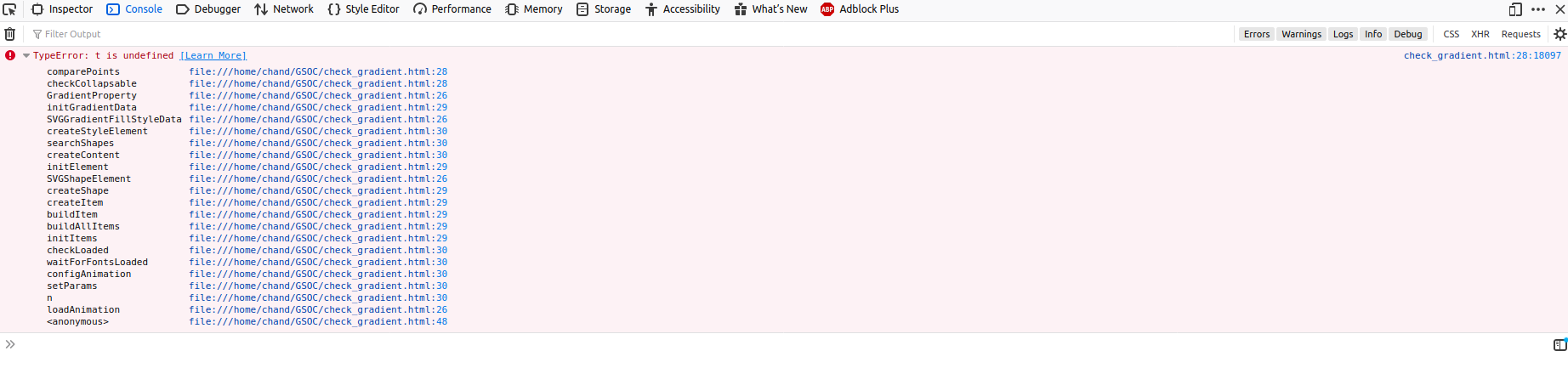
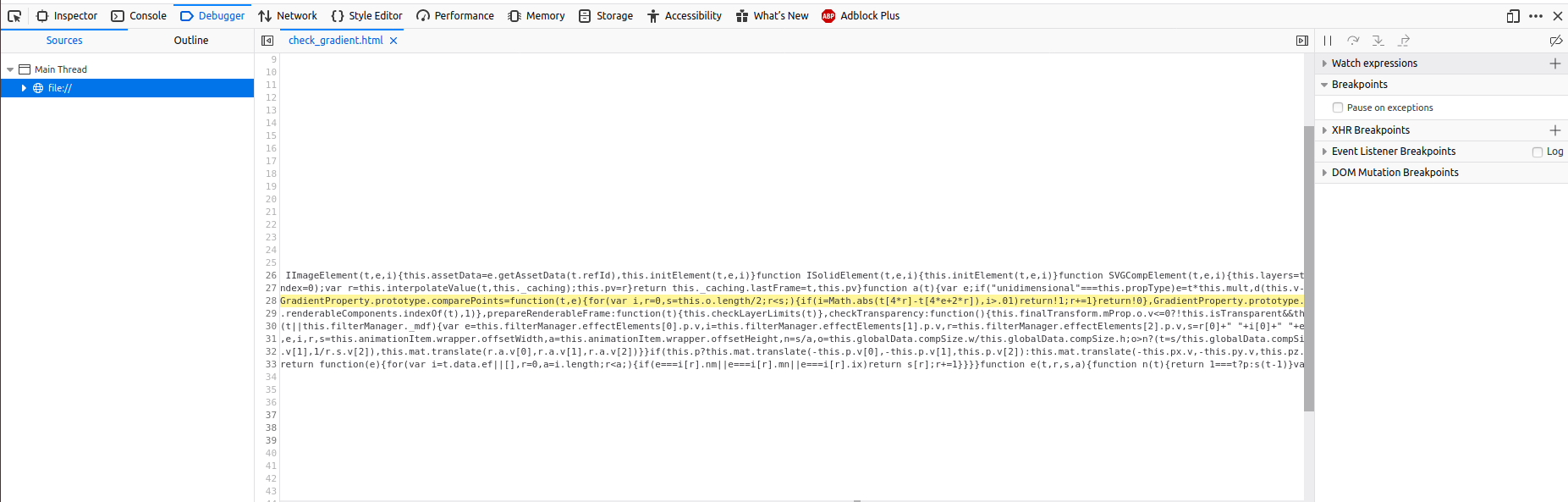
The json file used is this: https://gist.github.com/saurabh-ramola/353c184aa7941567be4a8d8687ab3d9e
And the comparison of the file after removing the opacity information is this: https://gist.github.com/saurabh-ramola/353c184aa7941567be4a8d8687ab3d9e/revisions
Can you confirm if this is a bug in Lottie rendering. ^__^
Thanks in advance!
saurabh-ramola
on 25 Mar 2020
I investigated into the files provided by you and found that, after changing this line to 0.99, the lottie file starts rendering.
@bodymovin is there some issue with the 1 position in the opacity information?
AnishGG
on 25 Mar 2020
It seems you are using an old version of the format.
the "e" property has been deprecated for a long time in favor of having a "s" value on every keyframe, including the last one.
bodymovin
on 28 Mar 2020
@bodymovin
Is the change only present in the gradient fill property or are there new changes in other layers as well?
saurabh-ramola
on 6 Apr 2020
It's a change on all types of properties
bodymovin
on 10 May 2020
Related issues
 grant-rogers
·
36Comments
grant-rogers
·
36Comments
 pprochnicki
·
32Comments
pprochnicki
·
32Comments
 Fishfield
·
18Comments
Fishfield
·
18Comments
 margzims
·
21Comments
margzims
·
21Comments
 balinabbb
·
35Comments
balinabbb
·
35Comments
Most helpful comment
Hi.
"p" is the number of "Stops" the gradient has. In this case 3.
Each point has 4 values (
color stop location,red,green,blue)Since you have only 12 elements in the array, it means it has no opacity information, meaning it is all opaque.
If you had opacity information, instead of 12 elements, you would see 18 (12 + 6).
The last 6 relate to the opacity stops that just needs a pair per point (
opacity stop location,alpha)The k value, is the number of keyframes. In your case, the gradient is not animated.
If you add keyframes to the property, you would see that "k" changes it's shape.
Let me know if you need more clarification.