Lottie-web: Animation backgrounds are not transparent after using Bodymovin .json
Tell us about your environment
- Browser and Browser Version:
- After Effects Version:
I am using Adobe 2015.2 Version 13.7.2.3
What did you do? Please explain the steps you took before you encountered the problem.
I created my illustrations in Adobe Illustrator, then brought them into After Effects in order to animate them. After completing the animations, I converted the AI Layers into vectors using AE's "Create Shapes from Vector Layer"
Then I used Bodymovin to export the animation. The export worked and a .json was created (no pngs because I converted the layers to vectors in after effects). My developer put them onto the dev site.
Illustrator:

After Effects:
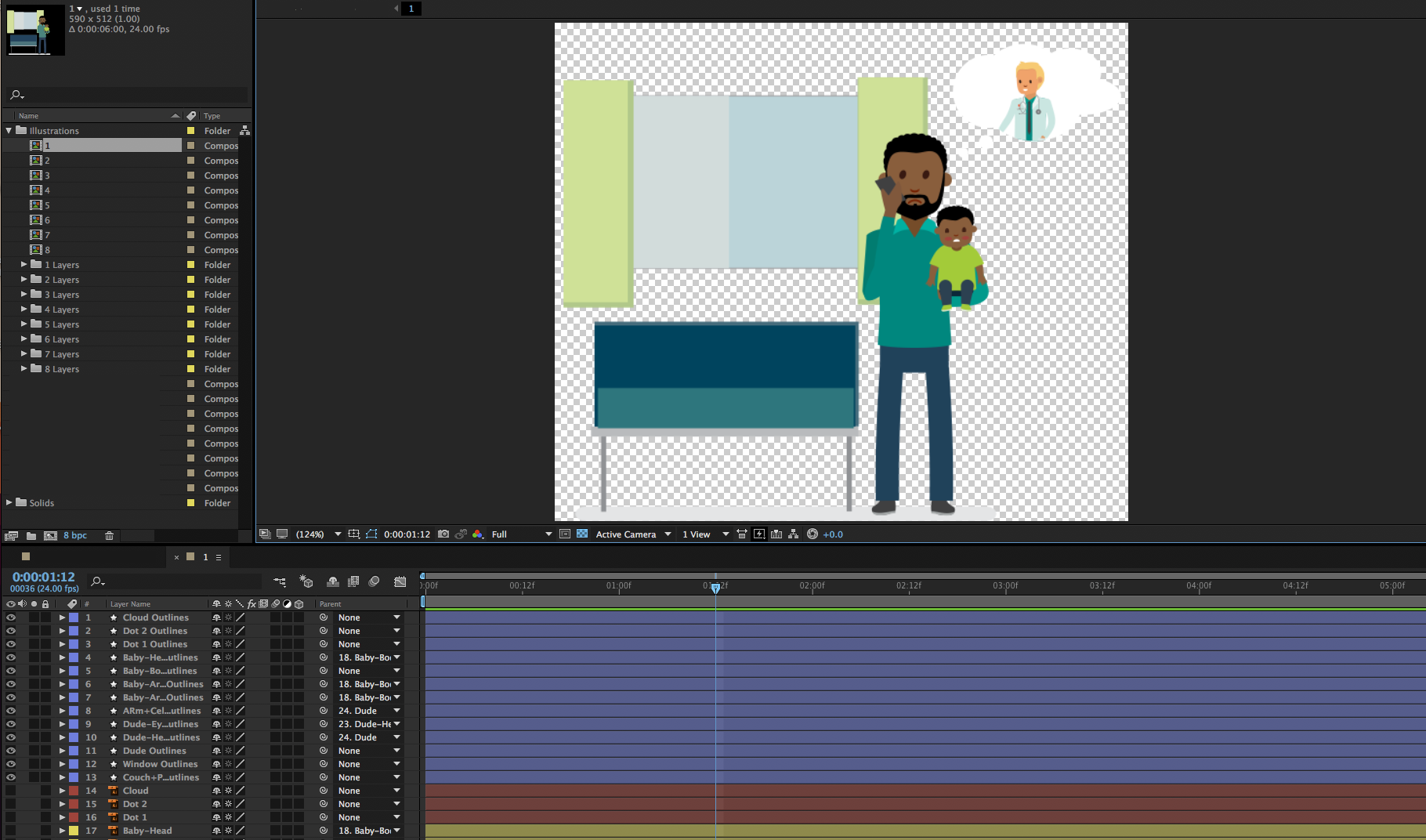
What did you expect to happen?
I expected the transparencies to carry over into the dev site and remain transparent
What actually happened? Please include as much _relevant_ detail as possible.
When the .json's were brought into the dev site, the transparency isn't there and a strange background appears. They seem to be choosing colors from the composition (in this case, the background color is the same as the "platform" color from the illustration/animation). Not sure what's happening and I'm at a bit of a loss. Please help
Screenshot:

 SynonymousBosch
All 2 comments
Okay, I might have fixed it.
The illustrations can't be touching the edge of the AI artboards, otherwise Bodymovin pulls that color into the background. So in short, if there was any shape touching the edge of the AI artboard, I moved it down a bit, saved it, then in After Effects the layers refreshed and I exported new .json's with Bodymovin. Now the backgrounds are transparent. No idea exactly WHY that's the case, but hey...
Hope this helps someone encountering the same problem
SynonymousBosch
on 14 Mar 2018
Yes, unfortunately that is an issue when converting illustrator layers to after effects shapes.
If the art exceeds the limits of the artboard, it adds an unnecessary extra shape in a group and a merge path next to each path.
Since lottie doesn't support merge paths, it breaks.
There is a tool called explode shape layers that seems to fix this issue.
 bodymovin
on 15 Mar 2018
bodymovin
on 15 Mar 2018
Related issues
 jumostudio
·
3Comments
jumostudio
·
3Comments
 DannyK123456
·
3Comments
DannyK123456
·
3Comments
 phileastv
·
3Comments
phileastv
·
3Comments
 dulllud
·
3Comments
dulllud
·
3Comments
 cpdt
·
4Comments
cpdt
·
4Comments
Most helpful comment
Okay, I might have fixed it.
The illustrations can't be touching the edge of the AI artboards, otherwise Bodymovin pulls that color into the background. So in short, if there was any shape touching the edge of the AI artboard, I moved it down a bit, saved it, then in After Effects the layers refreshed and I exported new .json's with Bodymovin. Now the backgrounds are transparent. No idea exactly WHY that's the case, but hey...
Hope this helps someone encountering the same problem