Hello,
I met Bodymovin form an article that said that you can export to SVG.
Right now it exports in .json
Is it possible to export on SVG like the article said?
Thanks!
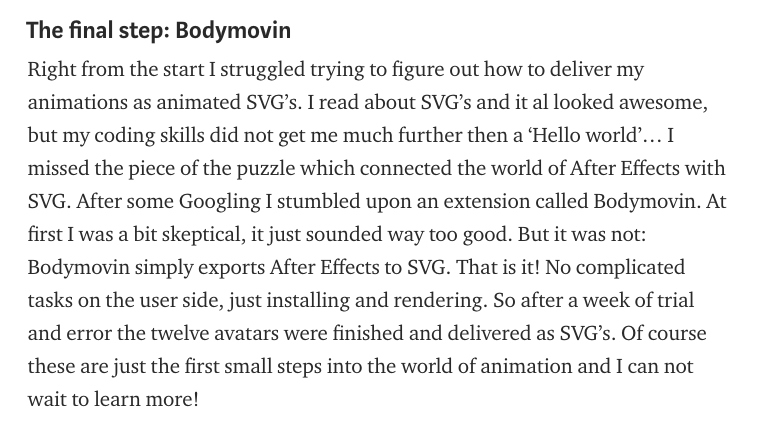
Article:
https://medium.com/@El_Nino/what-i-learned-from-making-svg-animations-with-after-effects-and-bodymovin-of-all-my-colleagues-f73ac2fbc9d0
 RobertoAnimation
All 8 comments
SVG itself is static, it does not hold animation. To achieve animation, a program has to render it into SVG on the fly. But if you really just wanted pure SVG, you can, export while checking "Demo - export an html for local preview", then open it in a browser. There, you can use the right click -> "inspect" tool to save as SVG.

Albeit, you can only get one frame of the animation. Hope it helps demystifying your puzzle.
In any case, the author skipped some technical details for brevity which caused your confusion.
 tyt2y3
on 8 Jan 2018
tyt2y3
on 8 Jan 2018
Thank you!
2018-01-08 11:59 GMT-06:00 Chris Tsang notifications@github.com:
SVG itself is static, it does not hold animation. To achieve animation, a
program has to render it into SVG on the fly. But if you really just wanted
pure SVG, you can, export while checking "Demo - export an html for local
preview", then open it in a browser. There, you can use the right click ->
"inspect" tool to save as SVG.[image: image]
https://user-images.githubusercontent.com/1782664/34684562-721944d0-f4e0-11e7-8b69-42b3ea28d1e5.pngAlbeit, you can only get one frame of the animation. Hope it helps
demystifying your puzzle.
In any case, the author skipped some technical details for brevity which
caused your confusion.—
You are receiving this because you authored the thread.
Reply to this email directly, view it on GitHub
https://github.com/airbnb/lottie-web/issues/801#issuecomment-356043855,
or mute the thread
https://github.com/notifications/unsubscribe-auth/AhjEpdVpkcXiVCimeCSHL2SBonyF6QShks5tIleagaJpZM4RV7-p
.
RobertoAnimation
on 8 Jan 2018
@tyt2y3 That’s not correct. SVG-Files can hold animations. Take a look at svgator.
 phiwa1
on 8 Jan 2019
phiwa1
on 8 Jan 2019
@phiwa1 @tyt2y3 Also SVGs are far from static. They're immensely dynamic as you can programmatically change any attribute value, add/remove nodes, register mouse events, etc. How else do you think bodymovin can animate the SVG?
 james-brndwgn
on 11 Mar 2019
james-brndwgn
on 11 Mar 2019
SVG itself is static, it does not hold animation. To achieve animation, a program has to render it into SVG on the fly. But if you really just wanted pure SVG, you can, export while checking "Demo - export an html for local preview", then open it in a browser. There, you can use the right click -> "inspect" tool to save as SVG.
Albeit, you can only get one frame of the animation. Hope it helps demystifying your puzzle.
In any case, the author skipped some technical details for brevity which caused your confusion.
that copy only 1 frame of SVG. Is there a way to copy all of them into 1 animated SVG file?
 d-korolkov
on 24 Oct 2019
d-korolkov
on 24 Oct 2019
This tool can render SVGs from lottie files (via plugin):
https://www.keyshapeapp.com/
 doublex
on 5 Mar 2020
doublex
on 5 Mar 2020
ive been trying to use a class i set a "." to layer name before generate the json, so i wanted use this class to set fill:var(--change-theme-color) on my project but aparently i cant even do a fill:"red" that works both using css or javascript. how is possible lottie is missing the one single thing that would make a big game change (simple color dom manipulation)? i got so frustrated trying to make it work and lost so much time researching that i figured out i couldve dont the same animation 10 times using gsap
 Diego-Gnoatto
on 7 Jan 2021
Diego-Gnoatto
on 7 Jan 2021
@Diego-Gnoatto using gsap is always recommended if you're comfortable creating the animation by code. Regarding the class issue, it should work fine, can you share an example of what you did.
 bodymovin
on 9 Jan 2021
bodymovin
on 9 Jan 2021
Related issues
 sonaye
·
35Comments
sonaye
·
35Comments
 YEMacademy
·
22Comments
YEMacademy
·
22Comments
 balinabbb
·
35Comments
balinabbb
·
35Comments
 sowmyy
·
18Comments
sowmyy
·
18Comments
 phantomboogie
·
18Comments
phantomboogie
·
18Comments
Most helpful comment
@tyt2y3 That’s not correct. SVG-Files can hold animations. Take a look at svgator.