Longhorn: [BUG] Rancher proxying Longhorn UI results in a blank page
The Longhorn UI currently has not authentication mechanism, due to this and the fact that the UI schouldn't be public at all, you should access the Longhorn UI via kubectl proxy or similarly.
I currently do this either by directly proxying via kubectl or letting Rancher proxy the service through the Rancher UI. In both cases this leads to a blank page when calling:
(through Rancher)
https://{myrancherhost}/k8s/clusters/{clusterid}/api/v1/namespaces/longhorn-system/services/http:longhorn-frontend:80/proxy/
(through kubectl's proxying)
http://localhost:8001/api/v1/namespaces/longhorn-system/services/http:longhorn-frontend:80/proxy/
This due to the fact, I guess, that the resource references are not relative but absolute.
<link href="/styles.css?c15e53c34ff34663cd71" rel="stylesheet"></head>
<script type="text/javascript" src="/runtime~main.f38fec13.js?c15e53c34ff34663cd71"></script>
<script type="text/javascript" src="/styles.01ea0b6b.async.js?c15e53c34ff34663cd71"></script>
<script type="text/javascript" src="/main.783d8a16.async.js?c15e53c34ff34663cd71"></script>
The leading / shouldn't be needed here and breaks the UI.
Is there a workaround to this or am doing something wrong?
When accessing the Longhorn UI with a LoadBalancer and a domain where the resources are accessible in the root directory, the UI is working fine.
 jabouchleih
All 25 comments
If you're using Rancher, you can install Longhorn with Rancher Chart app and it will be authenticated by Rancher automatically, using the proxying.
The URL indeed will look like https://<rancher-url>/k8s/clusters/<cluster-id>/api/v1/namespaces/longhorn-system/services/http:longhorn-frontend:80/proxy/dashboard
 yasker
on 4 Mar 2020
yasker
on 4 Mar 2020
This is exactly what I did.
I installed Longhorn with a Rancher Chart app through the official Catalog (v0.7.0).
Unfortunately the aforementioned error is what I'm getting.
jabouchleih
on 4 Mar 2020
That's really weird. So you used /index.html link from the App list? That should work since it's one of our recommended way of accessing the Longhorn UI.
yasker
on 4 Mar 2020
I access longhorn-ui via traefik as explained here. And I can confirm the exact same behavior in my installation.
I am not sure if it is an issue with the script URL like suggested by @jabouchleih .
When debugging the UI I can't see any problems loading resources. But I got a lot of TypeErrors like this one:
uncaught at t Error: z is undefined
Rq@http://myhost.test.imixs.com/main.783d8a16.async.js?c15e53c34ff34663cd71:47:1107884
Ja@http://myhost.test.imixs.com/main.783d8a16.async.js?c15e53c34ff34663cd71:63:53065
So@http://myhost.test.imixs.com/main.783d8a16.async.js?c15e53c34ff34663cd71:63:59833
No@http://myhost.test.imixs.com/main.783d8a16.async.js?c15e53c34ff34663cd71:63:66529
qi@http://myhost.test.imixs.com/main.783d8a16.async.js?c15e53c34ff34663cd71:63:90508
Gi@http://myhost.test.imixs.com/main.783d8a16.async.js?c15e53c34ff34663cd71:63:90892
Dc@http://myhost.test.imixs.com/main.783d8a16.async.js?c15e53c34ff34663cd71:63:97920
jc@http://myhost.test.imixs.com/main.783d8a16.async.js?c15e53c34ff34663cd71:63:97300
Ec@http://myhost.test.imixs.com/main.783d8a16.async.js?c15e53c34ff34663cd71:63:96321
ec@http://myhost.test.imixs.com/main.783d8a16.async.js?c15e53c34ff34663cd71:63:95188
enqueueSetState@http://myhost.test.imixs.com/main.783d8a16.async.js?c15e53c34ff34663cd71:63:44766
viRO/_.prototype.setState@http://myhost.test.imixs.com/main.783d8a16.async.js?c15e53c34ff34663cd71:55:1671
_/</i</i.prototype.onStateChange@http://myhost.test.imixs.com/main.783d8a16.async.js?c15e53c34ff34663cd71:16:19794
notify@http://myhost.test.imixs.com/main.783d8a16.async.js?c15e53c34ff34663cd71:16:15585
/MKj/v</e.prototype.notifyNestedSubs@http://myhost.test.imixs.com/main.783d8a16.async.js?c15e53c34ff34663cd71:16:15213
_/</i</i.prototype.onStateChange@http://myhost.test.imixs.com/main.783d8a16.async.js?c15e53c34ff34663cd71:16:19812
v@http://myhost.test.imixs.com/main.783d8a16.async.js?c15e53c34ff34663cd71:33:210254
u/</<@http://myhost.test.imixs.com/main.783d8a16.async.js?c15e53c34ff34663cd71:28:510393
RUdm/t.default/</</<@http://myhost.test.imixs.com/main.783d8a16.async.js?c15e53c34ff34663cd71:28:534469
E/</</<@http://myhost.test.imixs.com/main.783d8a16.async.js?c15e53c34ff34663cd71:23:102811
dispatch@http://myhost.test.imixs.com/main.783d8a16.async.js?c15e53c34ff34663cd71:33:213438
dUQB/t.wrapSagaDispatch/<@http://myhost.test.imixs.com/main.783d8a16.async.js?c15e53c34ff34663cd71:33:158138
P/</<@http://myhost.test.imixs.com/main.783d8a16.async.js?c15e53c34ff34663cd71:33:203477
o@http://myhost.test.imixs.com/main.783d8a16.async.js?c15e53c34ff34663cd71:16:28377
s@http://myhost.test.imixs.com/main.783d8a16.async.js?c15e53c34ff34663cd71:16:28490
00Yy/t.asap@http://myhost.test.imixs.com/main.783d8a16.async.js?c15e53c34ff34663cd71:16:28314
P/<@http://myhost.test.imixs.com/main.783d8a16.async.js?c15e53c34ff34663cd71:33:203434
P@http://myhost.test.imixs.com/main.783d8a16.async.js?c15e53c34ff34663cd71:33:203564
D@http://myhost.test.imixs.com/main.783d8a16.async.js?c15e53c34ff34663cd71:33:202090
M@http://myhost.test.imixs.com/main.783d8a16.async.js?c15e53c34ff34663cd71:33:202870
i@http://myhost.test.imixs.com/main.783d8a16.async.js?c15e53c34ff34663cd71:23:72949
D/<@http://myhost.test.imixs.com/main.783d8a16.async.js?c15e53c34ff34663cd71:23:73094
l@http://myhost.test.imixs.com/main.783d8a16.async.js?c15e53c34ff34663cd71:33:357635
...
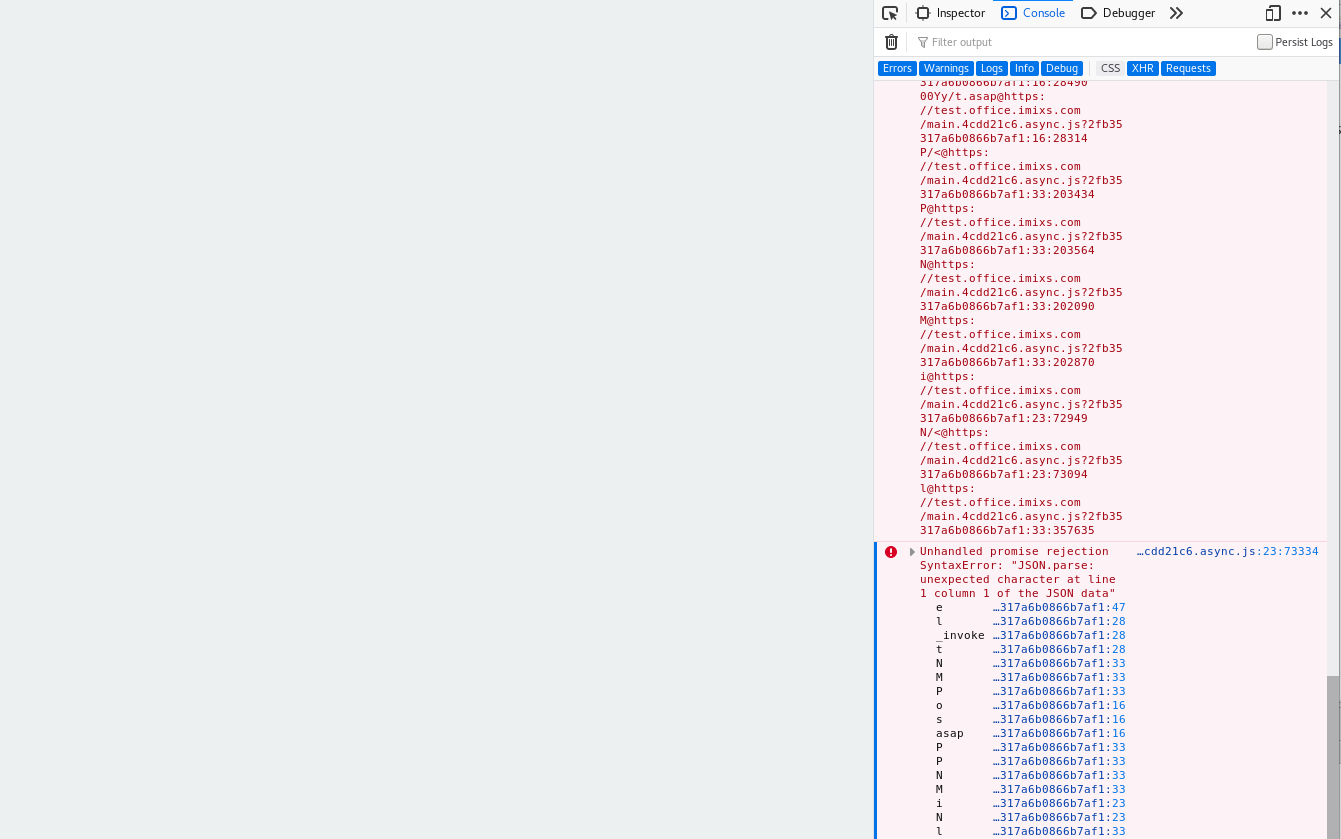
Unhandled promise rejection SyntaxError: "JSON.parse: unexpected character at line 1 column 1 of the JSON data"
And this results in a blank page.
This happens for example often if I try to create a snapshot. But the error does not occur every time. So it is a little bit strange ...
 rsoika
on 4 Mar 2020
rsoika
on 4 Mar 2020
This is also what I did a few hours ago. I adjusted the default nginx.conf:
- added authentication
- added IP blocking
and put and Kubernetes ingress controller with a custom domain to it.
Still strange though. What I read in a few issues with Rancher is, that the Rancher proxy has problems with hostnames that have multiple subdomains, which is the case for me:
https://rancher-server.[somesubdomain].[someotherdomain].[tld]
But I don't know if that's really the case, I'll investigate further.
That's really weird. So you used
/index.htmllink from the App list? That should work since it's one of our recommended way of accessing the Longhorn UI.
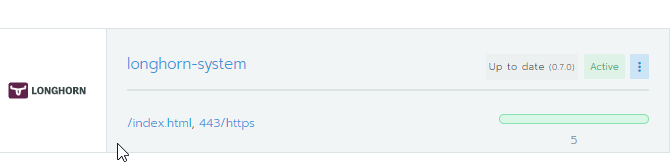
Yes, the Apps menu show /index.html, which points to:
https://{myrancherhost}/k8s/clusters/{clusterid}/api/v1/namespaces/longhorn-system/services/http:longhorn-frontend:80/proxy/
jabouchleih
on 5 Mar 2020
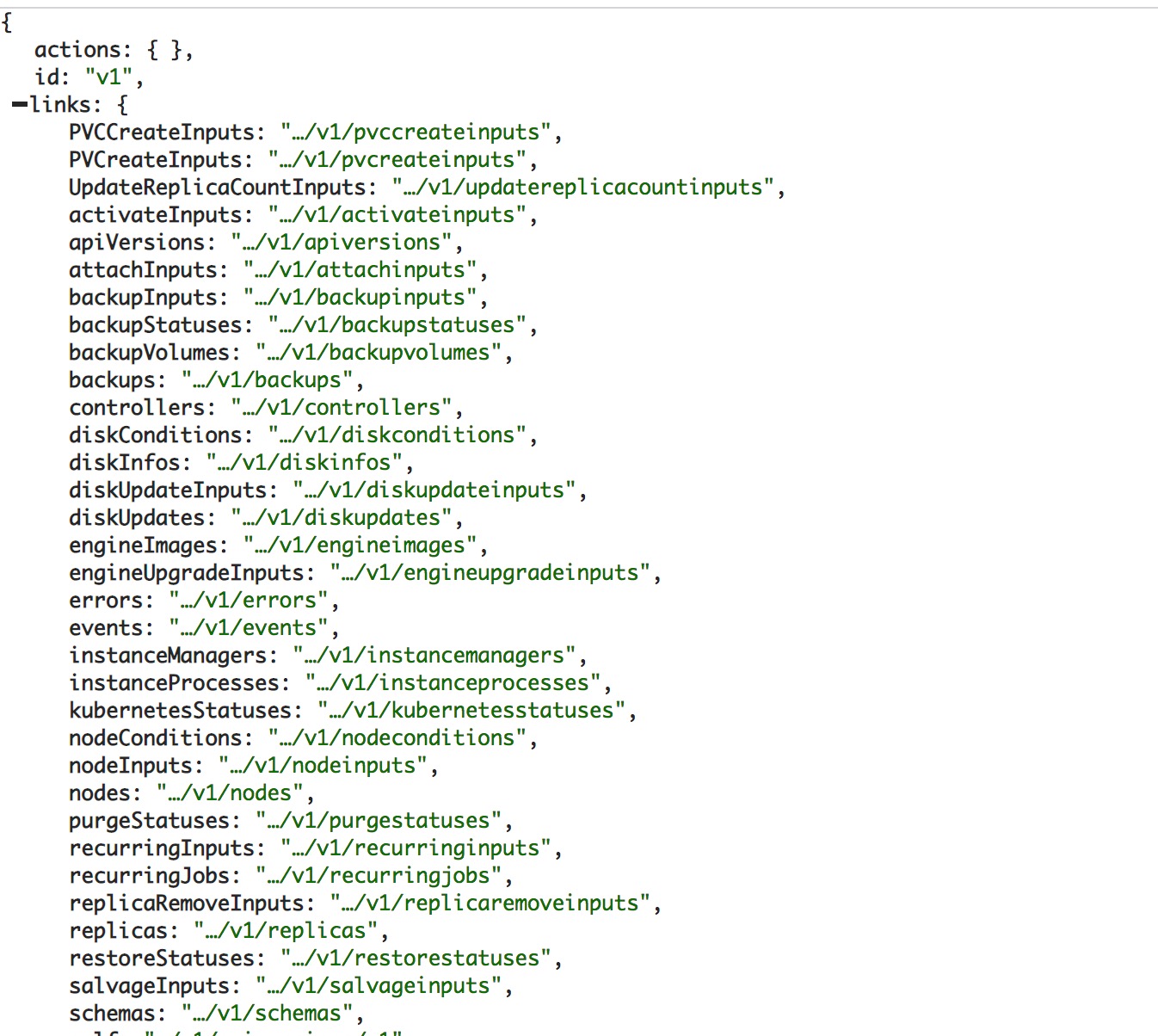
@jabouchleih Can you access the API page.
(through Rancher)
https://{myrancherhost}/k8s/clusters/{clusterid}/api/v1/namespaces/longhorn-system/services/http:longhorn-frontend:80/proxy/v1
 smallteeths
on 5 Mar 2020
smallteeths
on 5 Mar 2020
Sorry for the late response.
Yes, I can access the API through Rancher and kubectl.
jabouchleih
on 12 Mar 2020
Do you think that this issue was related to #1084 ?
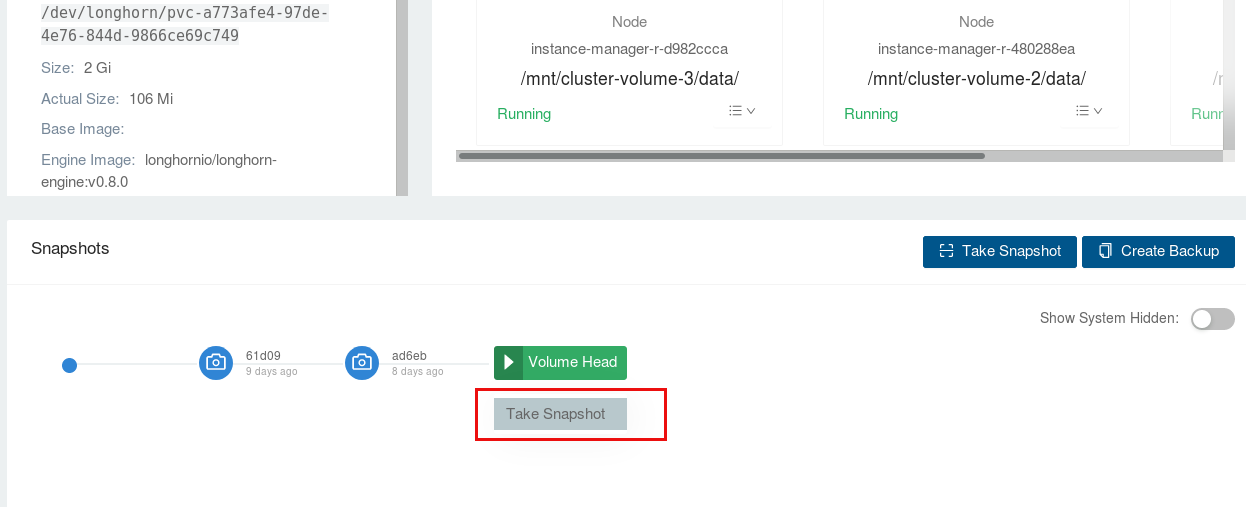
As I mentioned above, I also have this strange JSON errors in my setup v0.7.0. In my case I can cause the error when I try to create a backup from a snapshot.
So maybe there was something general wrong and now fixed in v0.8.0?
rsoika
on 12 Mar 2020
I just did the update from 0.7.0 to 0.8.0
I also upgraded the image engines also to version 0.8 . But the strange behavior in UI still remains.
rsoika
on 12 Mar 2020
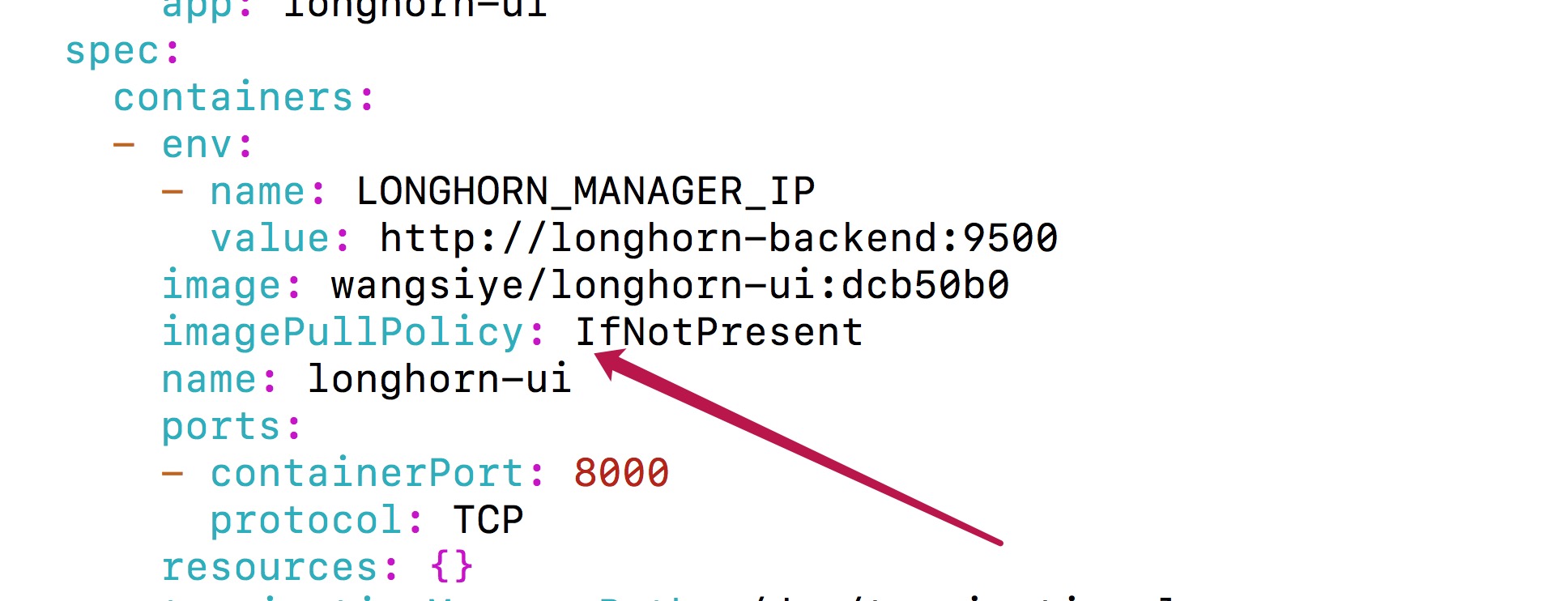
wangsiye/longhorn-ui:dcb50b0 This is the latest UI image. Would you please try this and give a feedback. thanks for your time. @rsoika
- kubectl edit -n longhorn-system deployment longhorn-ui
smallteeths
on 16 Mar 2020
@smallteeths I have now tested the image wangsiye/longhorn-ui:dcb50b0.
There seems to be no more ui javascript errors. It all works great now!!
Thanks a lot for good your work.
rsoika
on 20 Mar 2020
@smallteeths the new image didn't work for me. In the new version, the slash is still existing in the html code which causes the issue that rancher is asked to serve the files instead of using the proxy url and forwarding it to longhorn:
For example with the style.css instead of this (I think this was intended):
https://rancher.example.com/k8s/clusters/c-xdl72/api/v1/namespaces/longhorn-system/services/http:longhorn-frontend:80/proxy/styles.css?32797795417f8481ccf9
this is actually called by the html
https://rancher.example.com/styles.css?32797795417f8481ccf9
 ceelian
on 26 Mar 2020
ceelian
on 26 Mar 2020
Thank you for your feedback @ceelian , this may be related to Rancher Proxy, this may take some time to determine where the problem lies.
smallteeths
on 30 Mar 2020
@smallteeths thx for the update. But as I understand it, using the rancher proxy is the only way the RBAC from Rancher is used for authorization, otherwise longhorn is completely unprotected. At least that's my observation.
ceelian
on 31 Mar 2020
@ceelian As an alternative, you can also create a simple authenticated ingress to help. You can take a look at https://github.com/longhorn/longhorn/blob/master/docs/longhorn-ingress.md for reference. Though RBAC won't work in this case.
We are still working on the issue in your environment.
yasker
on 31 Mar 2020
Now also I need to come back to this issue.
I also see still problems in the UI. For example I try to restore a snapshot in the volume screen. When I click the confirm button nothing seems to happen. There is no refresh in the UI. It looks like some kind of hang. In the JavaScript debug console I can see error messages like this:
main.ae845dab.async.js?32797795417f8481ccf9:40 Access to XMLHttpRequest at 'wss://storage.ixchel.imixs.com/v1/volumes/office-demo-dbdata?action=snapshotRevert' from origin 'https://storage.ixchel.imixs.com' has been blocked by CORS policy: Cross origin requests are only supported for protocol schemes: http, data, chrome, chrome-extension, https.
(anonymous) @ main.ae845dab.async.js?32797795417f8481ccf9:40
main.ae845dab.async.js?32797795417f8481ccf9:40 Access to XMLHttpRequest at 'wss://storage.ixchel.imixs.com/v1/volumes/office-demo-dbdata?action=snapshotList' from origin 'https://storage.ixchel.imixs.com' has been blocked by CORS policy: Cross origin requests are only supported for protocol schemes: http, data, chrome, chrome-extension, https.
(anonymous) @ main.ae845dab.async.js?32797795417f8481ccf9:40
6/v1/volumes/office-demo-dbdata?action=snapshotList:1 Failed to load resource: net::ERR_INTERNET_DISCONNECTED
I do not think that this is related to a specific feature like the snapshot-restore. I think that there is something in general not working as you may expect it.
The interesting thing is that if I hit often enough a function it will work 1 form 10 times.
In my setup I run Longhorn in a self managed kubernetes cluster and I use Traefik.io (v2.2.) for my Ingress. I can not believe that this is a problem from Ingress or Traefik.io. Do you have any ideas?
How can I support you with better information? Not these mystic try-and-error, hitting UI-Features by chance.
rsoika
on 7 Apr 2020
Tried to reproduce this issue:
- Install longhorn with rancher Catalog
- Expose longhorn app using L7 Load Balancer
- If the ingress rule path set with
/or empty, UI works fine - If change
longhorn-ingressrule path, e.g. using/longhorninstead of/or empty. UI will return a blank page when accessing to<my-host>/longhorn
index.html request for static resource e.g. <your-host>/styles.css?2fb35317a6b0866b7af1, which should be <your-host>/longhorn/styles.css?2fb35317a6b0866b7af1
UI-image: longhornio/longhorn-ui:v0.8.0
@rsoika I'm not sure if that are the save steps as yours. Would you please share your ingress config? Or what about try to use / as ingress rule path as a workaround to see if it can help to solve your problem?
 JacieChao
on 8 Apr 2020
JacieChao
on 8 Apr 2020
@JacieChao this is my Ingress configuration:
kind: Ingress
apiVersion: networking.k8s.io/v1beta1
metadata:
  name: longhorn-ui
  namespace: longhorn-system
  annotations:
    traefik.ingress.kubernetes.io/router.entrypoints: websecure
spec:
  rules:
  - host: {MY-HOST-NAME}
    http:
      paths:
      - path: /
        backend:
          serviceName: longhorn-frontend
          servicePort: 80
Just to make it clear: The Longhorn UI is working in general. I can configure my volumes and monitor longhorn via the UI. An error occurs within the Longhorn UI only in a few irregular situations. I can't believe that problem form the Ingress/Traefik.io configuration. It is not easy to reproduce the error. In my log messages I posted there is this complain about the CORS policy, Do you think this can be the source of problem or is this just a side effect?
rsoika
on 8 Apr 2020
ok - it seems to be a CORS problem.
I added a middleware object into my traefik.io configuraiton:
---
# Middleware for CORS
apiVersion: traefik.containo.us/v1alpha1
kind: Middleware
metadata:
  name: cors-all
  namespace: default
spec:
  headers:
    accessControlAllowMethods:
      - "GET"
      - "OPTIONS"
      - "PUT"
      - "POST"
    accessControlAllowOrigin: "origin-list-or-null"
    accessControlMaxAge: 100
    accessControlAllowHeaders:
      - "Content-Type"
    addVaryHeader: "true"
and also changed my Ingress Object
kind: Ingress
apiVersion: networking.k8s.io/v1beta1
metadata:
  name: longhorn-ui
  namespace: longhorn-system
  annotations:
    traefik.ingress.kubernetes.io/router.entrypoints: websecure
    traefik.ingress.kubernetes.io/router.middlewares: default-cors-all@kubernetescrd

spec:
  rules:
  - host: storage.ixchel.imixs.com
    http:
      paths:
      - path: /
        backend:
          serviceName: longhorn-frontend
          servicePort: 80
And now the UI works pretty fine. I wonder why there is a CORS issue? But maybe the problem is now solved for my setup.
rsoika
on 8 Apr 2020
@smallteeths the new image didn't work for me. In the new version, the slash is still existing in the html code which causes the issue that rancher is asked to serve the files instead of using the proxy url and forwarding it to longhorn:
For example with the style.css instead of this (I think this was intended):
https://rancher.example.com/k8s/clusters/c-xdl72/api/v1/namespaces/longhorn-system/services/http:longhorn-frontend:80/proxy/styles.css?32797795417f8481ccf9this is actually called by the html
https://rancher.example.com/styles.css?32797795417f8481ccf9
@ceelian
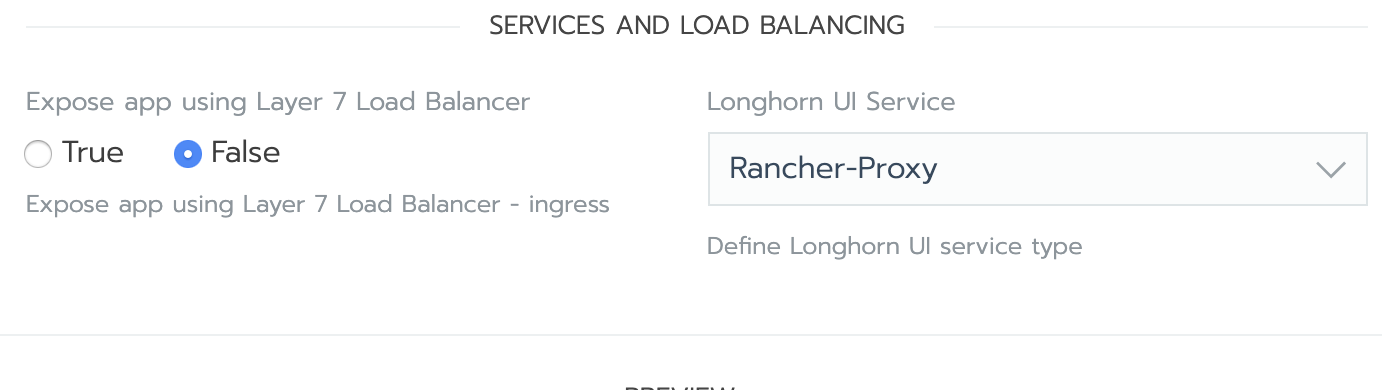
I used rancher v2.2.11 and rancher v2.3.6 versions, and deployed longhorn v0.8.0 through the app catalog, and chose false for Expose app using Layer 7 Load Balancer, neither of which reproduced the blank page problem
Can you provide your deployment method and rancher version?
 ly5156
on 13 Apr 2020
ly5156
on 13 Apr 2020
I have already uninstalled it. But I had rancher 2.4.2. with rancher proxy and without the Layer 7 Load Balancer.
ceelian
on 15 Apr 2020
If u update now the ui image to version master it's resolved.
https://github.com/longhorn/longhorn/issues/1554
 incedo
on 7 Oct 2020
incedo
on 7 Oct 2020
@smallteeths Have we changed anything regarding to this issue?
Also, master is not fully compatible with v1.0.x. It's designed to work with the upcoming v1.1.0 release.
yasker
on 7 Oct 2020
masteris not fully compatible with v1.0.x. It's designed to work with the upcoming v1.1.0 release.
So what you're saying is do not update to longhornio/longhorn-ui:master because it is not compatible with the current v1.0.2, or soon to be released v1.0.3.
I think I'll stick with my hack described here: https://github.com/longhorn/longhorn/issues/1554#issuecomment-703097713
 himslm01
on 10 Oct 2020
himslm01
on 10 Oct 2020
I had a CORS problem with submitting forms, specifically editing node drives. I initially had rancher ui spun up with docker command, then I provisioned a cluster and installed longhorn. I then moved rancher ui into the cluster itself and that's when I started experiencing the CORS issues.
The traefik CORS middleware solved my issue.
 alexgorbatchev
on 11 Nov 2020
alexgorbatchev
on 11 Nov 2020
Related issues
 shinebayar-g
·
18Comments
shinebayar-g
·
18Comments
 shubb30
·
22Comments
shubb30
·
22Comments
 excieve
·
28Comments
excieve
·
28Comments
 runningman84
·
16Comments
yasker
·
17Comments
runningman84
·
16Comments
yasker
·
17Comments
Most helpful comment
Tried to reproduce this issue:
/or empty, UI works finelonghorn-ingressrule path, e.g. using/longhorninstead of/or empty. UI will return a blank page when accessing to<my-host>/longhornindex.htmlrequest for static resource e.g.<your-host>/styles.css?2fb35317a6b0866b7af1, which should be<your-host>/longhorn/styles.css?2fb35317a6b0866b7af1UI-image: longhornio/longhorn-ui:v0.8.0
@rsoika I'm not sure if that are the save steps as yours. Would you please share your ingress config? Or what about try to use
/as ingress rule path as a workaround to see if it can help to solve your problem?