Live-share: [VS Code] Unable to join the host due to an authentication error. Verify the host is online, then sign out and sign in again and retry.
Does not remeber my account somehow, when trying to connect to a friend it says he's offline.
Could be because of it logs me out in every new window?
 AniTexs
All 12 comments
@AniTexs Thanks for reporting this! If your login isn’t being remembered, then that could definitely explain this issue. Could you share which OS you’re using? Additionally, could you run the “Live Share: Export Logs” command and attach the resulting zip to this issue? That would help us investigate what might be going on here. Thanks!
 lostintangent
on 21 May 2018
lostintangent
on 21 May 2018
@AniTexs Checking in to see if you are still encountering this issue. If so, it would be great to have the information lostintanget requested above.
 Chuxel
on 22 Jun 2018
Chuxel
on 22 Jun 2018
Migrating the logs from @fukuro via #963.
lostintangent
on 8 Sep 2018
This issue is has been closed due lack of any recent activity. We've made lots of improvements to Live Share since this issue. Please re-open the issue, if this issue persists.
🤖Live-Share-Clean-Up-Bot🤖
 fubaduba
on 10 Feb 2020
fubaduba
on 10 Feb 2020
As of 11/2/2020 the issue persists, has it been resolved? If yes is there any way I can fix it for myself?
 justacreator
on 3 Nov 2020
justacreator
on 3 Nov 2020
@justacreator you're getting this error message when trying to join an active Live Share session? And you're already signed in?
 daytonellwanger
on 3 Nov 2020
daytonellwanger
on 3 Nov 2020
@justacreator you're getting this error message when trying to join an active Live Share session? And you're already signed in?
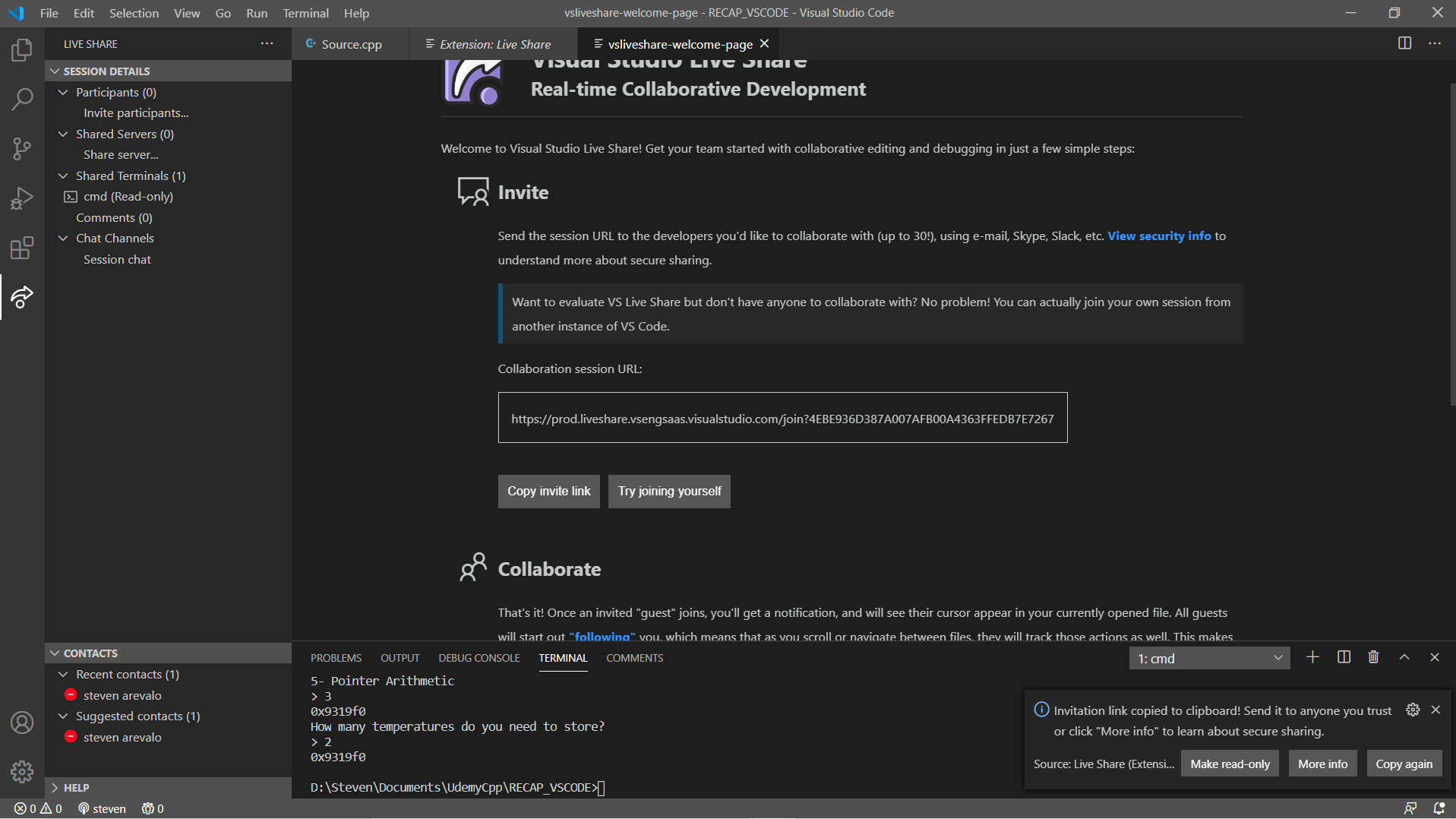
Yes, I recently installed Live Share and tried everything from signing in and signing out to installing the IDE and trying everything from scratch. This happens when anyone tries to join my own active session, and I've tested it by "Try joining yourself."
When I start my Live Share
When I press the "Try joining yourself"
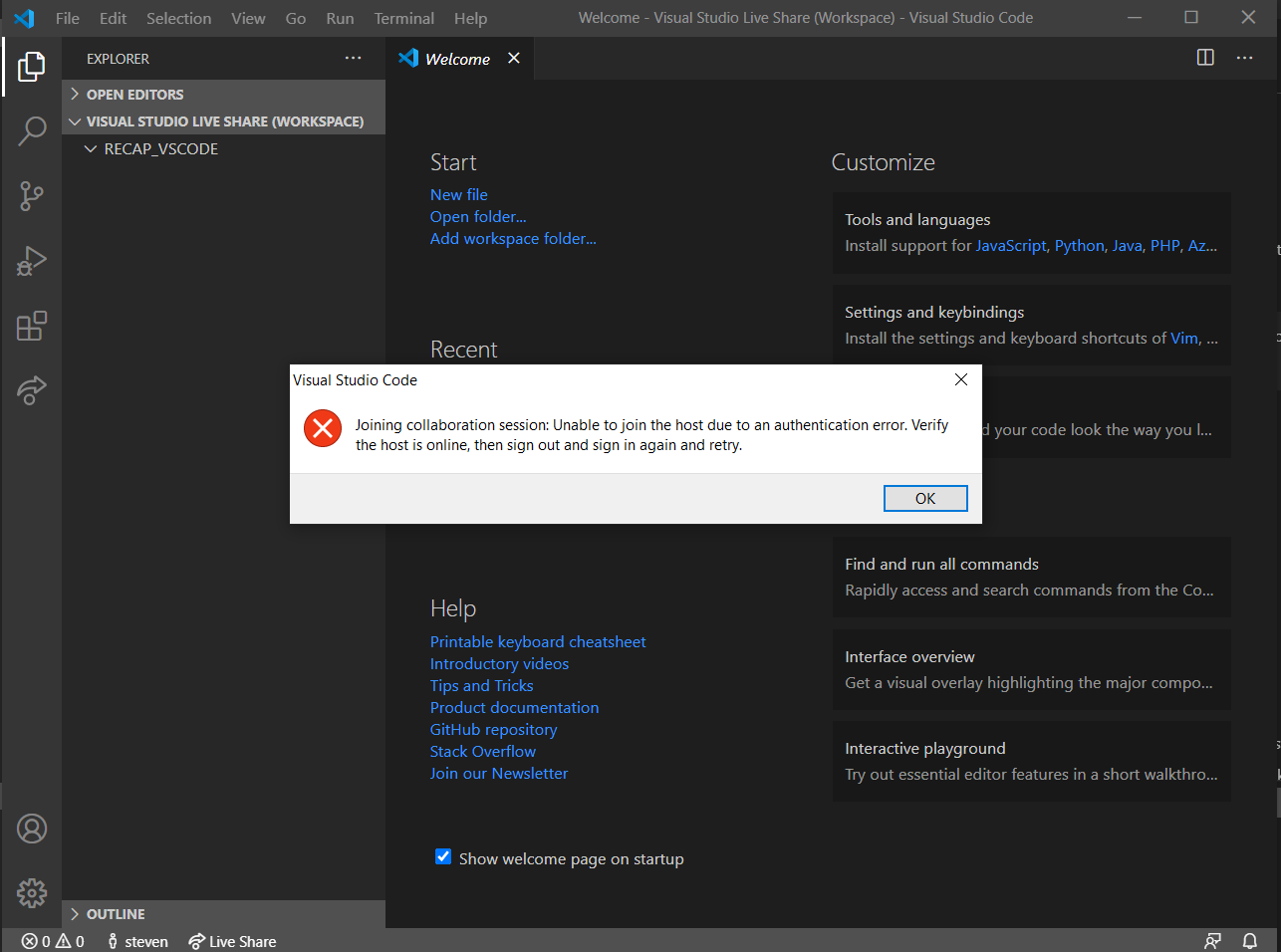
As you can see in the bottom left my status is red, and whenever I try pressing _available_ it does not work (in case this is useful because it says "Verify the host is online, then sign out and sign in again and retry.")
Another thing I notice is that whenever I try to create a Live Share my status changes to red.
Note: I am using Linux based on a Chromebook (with VS CODE) and VS 2019 & VS CODE in a windows 10, the problem of my status not being able to change once I start a collaboration is in my windows 10 device.
justacreator
on 3 Nov 2020
I've had the same exact issue on my windows 10 for the past 5 days. Why was this marked as closed without any indicated fix for the problem?
 tyrone2kx
on 6 Nov 2020
tyrone2kx
on 6 Nov 2020
@fubaduba Any chance we can reopen the issue? The problem persists still.
Specifically, I cannot connect from to a Windows 10 sharing session from a MacBook. Doesn't work from Ubuntu either.
Interestingly, the reverse connection from Windows 10 to a sharing session on the MacBook works without problems.
See the attached logs for details - I expect the error occurs around
[2020-12-02 12:38:34.887 Client.Rpc.Workspace E] > workspace.joinWorkspace() error: undefined
 Minibrams
on 2 Dec 2020
Minibrams
on 2 Dec 2020
I'm having this same issue as well. This is also still an issue for me. Can we please have this re-opened.
 Endermined
on 26 Dec 2020
Endermined
on 26 Dec 2020
Joining collaboration session: Unable to join the host due to an authentication error. Verify the host is online, then sign out and sign in again and retry.
Server - Windows Server 2008
Client - Windows 10
 StreamerYT
on 27 Dec 2020
StreamerYT
on 27 Dec 2020
iam having this issue as well
 Wolfo-Gaming
on 27 Dec 2020
Wolfo-Gaming
on 27 Dec 2020
Related issues
Chuxel
·
29Comments
 avanderhoorn
·
148Comments
avanderhoorn
·
148Comments
 possebon
·
29Comments
possebon
·
29Comments
 jasongin
·
86Comments
jasongin
·
86Comments
 aeperez94
·
33Comments
aeperez94
·
33Comments
Most helpful comment
I've had the same exact issue on my windows 10 for the past 5 days. Why was this marked as closed without any indicated fix for the problem?