Live-share: [VS Code] RPC connection closed while trying to log in with user code on Linux
while trying to log in with user code
 aeperez94
All 33 comments
@aeperez94 Thanks for reporting the issue. We need a bit more information to help you out.
- What OS are you on?
- Could you send us your logs? Run the "Live Share: Export Logs" command and drag-and-drop the zip into a comment here or email them to [email protected]
 Chuxel
on 8 May 2018
Chuxel
on 8 May 2018
Hi, im using Debian Linux 9.4 64 bits.
vscode.zip
Thanks for helping!
aeperez94
on 8 May 2018
@aeperez94 Interesting. Out of curiosity, were you prompted to install Linux dependencies? Given there is a crash in your logs, I want to eliminate that from the equation.
Could you run: wget -O ~/vsls-reqs https://aka.ms/vsls-linux-prereq-script && bash ~/vsls-reqs in a terminal and see if that resolves the issue?
Chuxel
on 8 May 2018
yeah i was prompted with dependency install inside vscode's terminal and it did a similar process to that command. this is the output
output.txt
it seems all dependencies are installed fine, still cant log in after the user code
aeperez94
on 8 May 2018
after setting variables HTTP_PROXY and HTTPS_PROXY i got a different error "Sign-in Failed"
im attaching the logs if they are useful
vscode_variablesset_logs.zip
aeperez94
on 8 May 2018
@aeperez94 Is your proxy an authenticating proxy? If it requires authentication, the url needs to be http://username:password@host:port/
Moreover, from the exception you are getting, looks like the request never reached any server, either proxy or the auth server, as if it did it would have gotten a response status code, instead of an exception with "An error occurred while sending the request." This most likely indicates a fault on the client side, some reasons that I can think of,
- Maybe the dns lookup failed
- Maybe there's a firewall setting that is blocking the request
- Maybe your proxy server is sending redirection response, with incorrect redirection location headers
- Maybe you don't have internet access
 Priya91
on 9 May 2018
Priya91
on 9 May 2018
I am having a very similar issue on my Debian buster machine also.
Note, I successfully setup this extension on my desktop, which runs all the same software, just minutes ago (same location and no proxying).
I am using vscode-insider
 linux4life798
on 9 May 2018
linux4life798
on 9 May 2018
Hello @Priya91 Yeah, i dont have any firewall rules. also i tried in a non-corporate network with no success. i would like it to work though my company network though as i would like to use this feature with my workmates.
Internet access is off the discussion.
Thing is the vscode app asks for my info when i set up these variables

and if I enter wrong information it will not connect. but, with proper login it still cant continue to log in with the plugin. my variables config without the user password
export HTTPS_PROXY=https://PEREZAGUS:[email protected]:80/
export HTTP_PROXY=http://PEREZAGUS:[email protected]:80/
Weird behavior.
Thanks for the response
aeperez94
on 9 May 2018
@linux4life798 I have problems with Debian Buster too.
The strange thing is that from office pc with Debian Buster, doesn't work but from home pc (also with Debian Buster) the plugin works
 matiux
on 9 May 2018
matiux
on 9 May 2018
Interesting. This might be some suttle dependency issue.
I've tried uninstalling the extension, manually removing ~/.local/share/vsliveshare, and tried using the stable vscode 1.23. No luck. I still get the following error when I enter my User Auth Code.
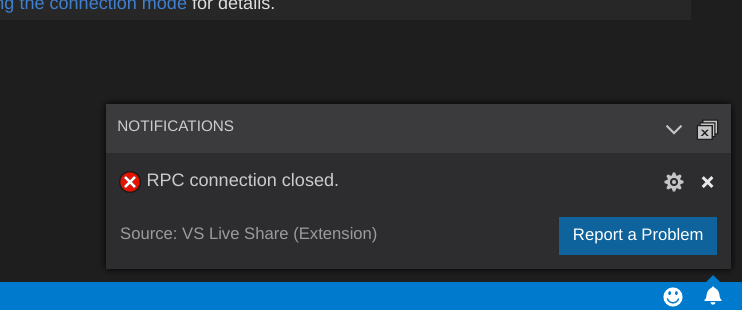
I have currently have the following dependency packages installed:
libunwind8, liblttng-ust0, libcurl3, libuuid1, libkrb5-3, zlib1g, gnome-keyring, libsecret-1-0, desktop-file-utils, gettext, apt-transport-https, libssl1.0.2, libicu57
Does anyone have any ideas on how to remedy/debug/bypass this?
linux4life798
on 10 May 2018
@linux4life798 We are in the same situation :/
matiux
on 10 May 2018
@aeperez94 The issue doesn't seem to be specific to live share, we don't give users any input boxes prompting for credentials, it looks like vscode is giving you the credential prompt
Priya91
on 14 May 2018
@linux4life798 Can you share your logs as well..
Priya91
on 14 May 2018
@Priya91
Here are exported logs from just a few moments ago. You can find older ones earlier in this thread.
linux4life798
on 14 May 2018
@linux4life798 Oh it looks like your agent crashed, and any exception it would have thrown is not caught in the logs.. Can you run the vsls-agent[.exe] directly from your terminal or cmd from the install location..
Priya91
on 14 May 2018
@Priya91
Hmm, code doesn't seem to use the vsls-agent that I start externally. (does code communicate with the agent directly from a pipe?)
But, it reports the following when I run ./vsls-agent monitor-task:
craig@somegreatmachine...:~/.vscode-insiders/extensions/ms-vsliveshare.vsliveshare-0.3.114/dotnet_modules$ ./vsls-agent monitor-task
System.ArgumentNullException: Value cannot be null.
Parameter name: agentUri
   at Microsoft.Requires.NotNullOrEmpty(String value, String parameterName)
   at Microsoft.Cascade.Agent.TaskBrokerRunner.<CreateAsync>d__8.MoveNext() in E:\A\_work\9\s\src\Agent\Tasks\TaskBrokerRunner.cs:line 63
--- End of stack trace from previous location where exception was thrown ---
   at System.Runtime.ExceptionServices.ExceptionDispatchInfo.Throw()
   at System.Runtime.CompilerServices.TaskAwaiter.HandleNonSuccessAndDebuggerNotification(Task task)
   at Microsoft.Cascade.Agent.Program.<RunAsTaskBrokerAsync>d__29.MoveNext() in E:\A\_work\9\s\src\Agent\Program.cs:line 300
--- End of stack trace from previous location where exception was thrown ---
   at System.Runtime.ExceptionServices.ExceptionDispatchInfo.Throw()
   at System.Runtime.CompilerServices.TaskAwaiter.HandleNonSuccessAndDebuggerNotification(Task task)
   at Microsoft.Cascade.Agent.Program.<>c__DisplayClass20_2.<<Main>b__7>d.MoveNext() in E:\A\_work\9\s\src\Agent\Program.cs:line 142
How should I be running vsls-agent from the terminal?
Thanks for the help!
linux4life798
on 15 May 2018
@linux4life798 Did you try running ./vsls-agent from terminal? It should just start the process and say it is listening on some pipe, if this passes, then we can eliminate problems with agent process..
Hmm, code doesn't seem to use the vsls-agent that I start externally. (does code communicate with the agent directly from a pipe?)
We don't have to get to this step yet, let's first try to get agent successfully started..
Priya91
on 15 May 2018
@Priya91 Yes, the vsls-agent does run without arguments and waits for a connection.
craig@somefancymachine:~/.vscode-insiders/extensions/ms-vsliveshare.vsliveshare-0.3.114/dotnet_modules$ ./vsls-agent
[Agent I] (1002) Trace log: /tmp/VSFeedbackVSRTCLogs/20180515_223420_Agent.log
[Agent I] vsls-agent v0.3.114.65050 (pid: 22569)
[Agent I] Reminder: You may only use this software with Visual Studio and Visual Studio Code, as described in the license (https://go.microsoft.com/fwlink/?linkid=872556).
[Agent I] Start time: 2018-05-15 22:34:20.642
[Agent I] Using VSLS service: https://insiders.liveshare.vsengsaas.visualstudio.com/
[Agent I] VSLSAgent/0.3.114.65050 VSLS/2.2 PlatformName/Linux 4.16.0 PlatformVersion/4.16.0.1
[Agent I]
[Agent I] Proxy settings from env variable: http_proxy was null and https_proxy was null
[Agent I] (1001) Listening on pipe "VSLS"
well without the variables i said before it still doesnt work, even after update, and still RPC connection closed.
aeperez94
on 16 May 2018
Same problem with Debian 9.
[2018-05-17 12:55:40.250 Client E] Unhandled error in 'liveshare.signin.browser' command: Error: RPC connection closed.
    at connection.onClose (/home/alberto/.vscode/extensions/ms-vsliveshare.vsliveshare-0.3.125/out/src/workspace/service.js:115:38)
    at CallbackList.invoke (/home/alberto/.vscode/extensions/ms-vsliveshare.vsliveshare-0.3.125/node_modules/vscode-jsonrpc/lib/events.js:71:39)
    at Emitter.fire (/home/alberto/.vscode/extensions/ms-vsliveshare.vsliveshare-0.3.125/node_modules/vscode-jsonrpc/lib/events.js:135:36)
    at closeHandler (/home/alberto/.vscode/extensions/ms-vsliveshare.vsliveshare-0.3.125/node_modules/vscode-jsonrpc/lib/main.js:221:26)
    at CallbackList.invoke (/home/alberto/.vscode/extensions/ms-vsliveshare.vsliveshare-0.3.125/node_modules/vscode-jsonrpc/lib/events.js:71:39)
    at Emitter.fire (/home/alberto/.vscode/extensions/ms-vsliveshare.vsliveshare-0.3.125/node_modules/vscode-jsonrpc/lib/events.js:135:36)
    at StreamMessageWriter.AbstractMessageWriter.fireClose (/home/alberto/.vscode/extensions/ms-vsliveshare.vsliveshare-0.3.125/node_modules/vscode-jsonrpc/lib/messageWriter.js:57:27)
    at Socket.<anonymous> (/home/alberto/.vscode/extensions/ms-vsliveshare.vsliveshare-0.3.125/node_modules/vscode-jsonrpc/lib/messageWriter.js:79:63)
    at emitOne (events.js:101:20)
    at Socket.emit (events.js:191:7)
    at Pipe._handle.close [as _onclose] (net.js:510:12)
 ItsNoHax
on 17 May 2018
ItsNoHax
on 17 May 2018
@aeperez94 @ItsNoHax @linux4life798 @matiux One of the things I am seeing is that there appears to be a bug in .NET Core when two versions of libssl are installed particularly on Debian 9.
- https://github.com/dotnet/core/issues/973
- https://stackoverflow.com/questions/48358732/dotnet-core-segmentation-fault-on-linux
Can you see if you have both libssl1.0.0 and libssl1.0.2 installed? If so, removing libssl1.0.0 (or ssl1.0.0.0) should resolve the problem from what we can see here.
Chuxel
on 17 May 2018
@Chuxel That was exactly the issue. libssl1.0.0 was set to manual and lingering around with libssl1.0.2.
I removed libssl1.0.0 and the liveshare plugin now seems to be working.
Thank you!
linux4life798
on 17 May 2018
Awesome!! We'll add a check when this situation occurs to bubble up the issue and resolution. Wild one - glad we were able to track it down. Thanks for raising it folks!
I'll close the issue for now, but let us know if you're not unblocked.
Chuxel
on 17 May 2018
Thank you very much @Chuxel . Removed libssl1.0.0 and it is working beautifully.
ItsNoHax
on 18 May 2018
Thank you @Chuxel you are the man bro
aeperez94
on 18 May 2018
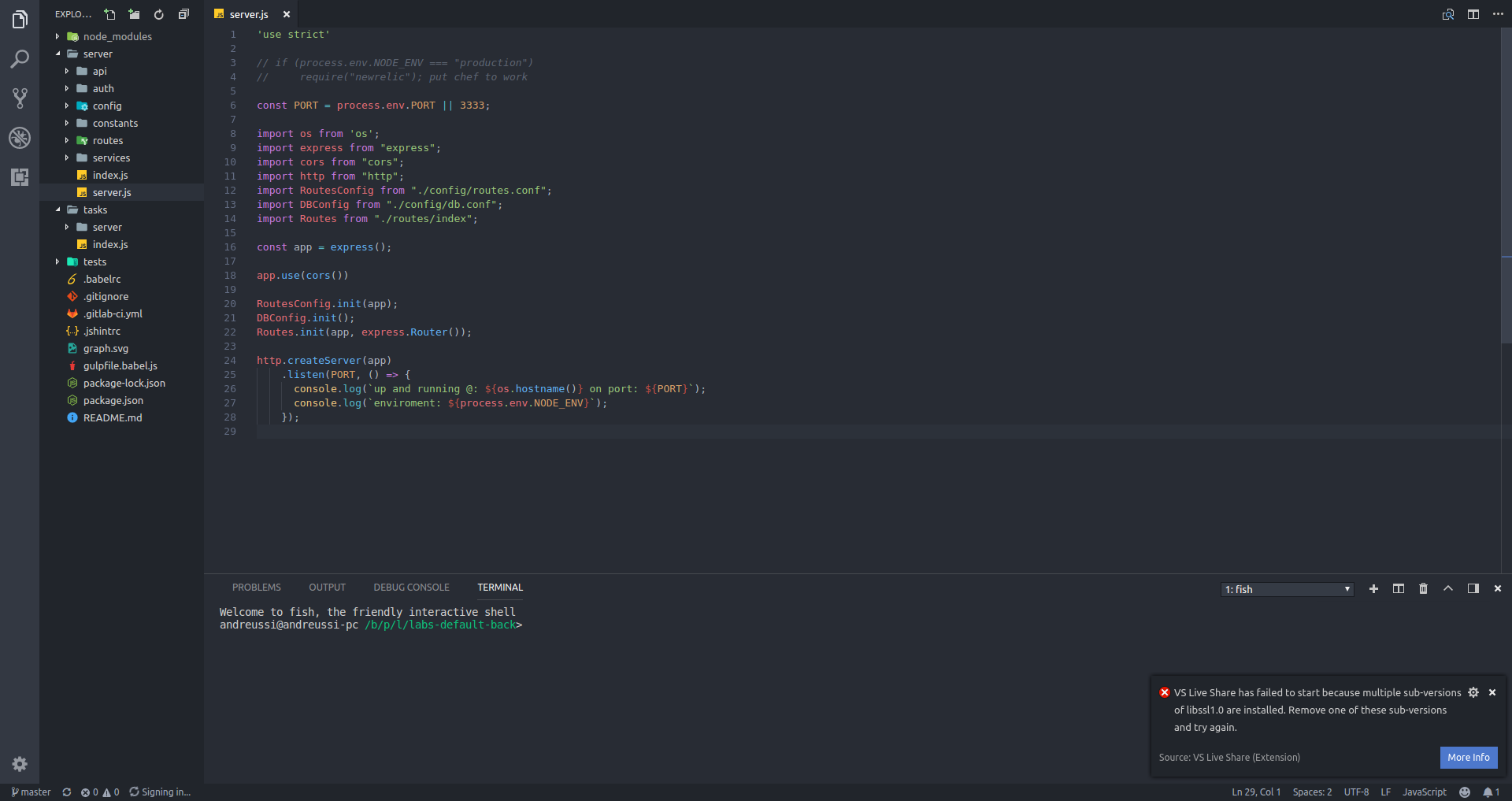
For the ones that ran sudo apt-get remove libssl1.0.0 at terminal:
Is it normal the terminal try to purge all the applications?
I am running elementaryOS (0.4.1) based on Ubuntu 16.04
 landreussi
on 30 May 2018
landreussi
on 30 May 2018
@landreussi No, that was not the case for me. All my packages were satisfied by the newer version of libssl.
That indicates that your setup is still heavily dependent on that package. I would not proceed.
Do something like dpkg -l |grep libssl to see if you have any other libssl versions installed concurrently (which @Chuxel seemed to suggest causes an issue).
linux4life798
on 30 May 2018
I ran that command, and removed the lib and fixed the dependencies, now:
$ dpkg -l |grep libssl
Output: libssl1.0.0:amd64 1.0.2g-1ubuntu4.12 amd64 Secure Sockets Layer toolkit - shared libraries
and the error persists
landreussi
on 30 May 2018
@landreussi We added a check for this scenario that is creating false positives. See #476. We're working on a fix. This issue is closed, we can move the conversation over there.
This is a new bug. The bug in this issue is pretty Debian centric. Debian 8 used libssl1.0.0 but Debian 9 uses libssl1.0.2. Ubuntu only uses libssl1.0.0.
Chuxel
on 30 May 2018
With Debian buster there is a new trouble.
In my system I have libssl1.0.2 and libssl1.1 so vscode say to me:
VS Live Share has failed to start because multiple sub-versions of libssl1.0 are installed.
Remove one of these sub-versions and try again.
But I can't remove none of the two becase I have some packasges that depend on libssl1.0.2 and others on libssl1.1
VS Live Share 0.3.237
VS Code 1.23.1
matiux
on 30 May 2018
@Chuxel please let me know if I have to open a new issue about this.
matiux
on 30 May 2018
@matiux As I mentioned to @landreussi, there is an open issue on this already: #476
Chuxel
on 30 May 2018
Folks,
problem solved after removing extra versions of libssl using dpkg -l |grep libssl
and running sudo dpkg --clear-avail
thank you very much guys
Happy Coding!
landreussi
on 1 Jun 2018
Related issues
 roblourens
·
4Comments
roblourens
·
4Comments
 arc95
·
3Comments
arc95
·
3Comments
 lockoncode
·
3Comments
lockoncode
·
3Comments
 YardGnomeNinja
·
3Comments
YardGnomeNinja
·
3Comments
 csharpfritz
·
4Comments
csharpfritz
·
4Comments
Most helpful comment
Awesome!! We'll add a check when this situation occurs to bubble up the issue and resolution. Wild one - glad we were able to track it down. Thanks for raising it folks!
I'll close the issue for now, but let us know if you're not unblocked.