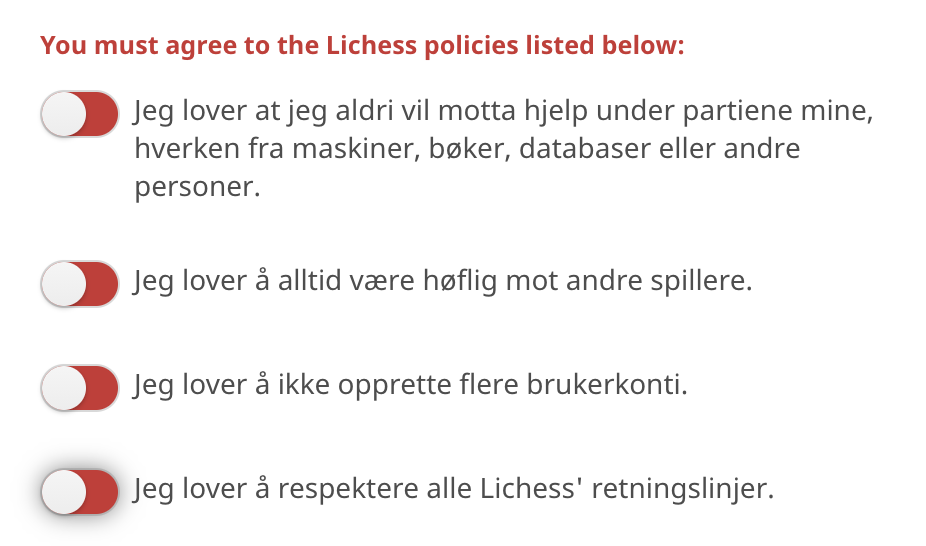
The boolean inputs in the sign-up form was confusing for me as a color blind :-)
https://lichess.org/signup
Spent quite some time here, thought there was a bug with the sign-up form. When I asked my girlfriend it was very obvious to her, but I didn't see the red color. Maye just use checkboxes instead..? :-)
 winsvold
All 13 comments
@ornicar Can I do this?
 GauravJain98
on 4 Dec 2020
GauravJain98
on 4 Dec 2020
Same concern might be valid in other places on the site. Including the Contributor slider in a study.
https://lichess.org/forum/lichess-feedback/accessiblity-concerns
I was recently looking at a study and I noticed that some elements of the UI are indistinguishable without colour. In particular the icons showing contributor members have almost exactly the same value (i.e. blackness) when they show grey (not online) and green (online). (So for example, they look the same on a greyscale display.) This is a pretty well-understood accessibility requirement in web-design.
I've had a look but there don't seem to be any display option relating to this. This is just one icon set but given this oversight I wouldn't be surprised if something similar crops up in other places. Are there any plans to update icons to be distinguishable without colour, or to include accessibility options along those lines?
Personally, I am partial to iOS's solution for this. Where they add a '1' or a '0' into the slider.
 TBestLittleHelper
on 14 Dec 2020
TBestLittleHelper
on 14 Dec 2020
There may be a very simple solution: remove the red background
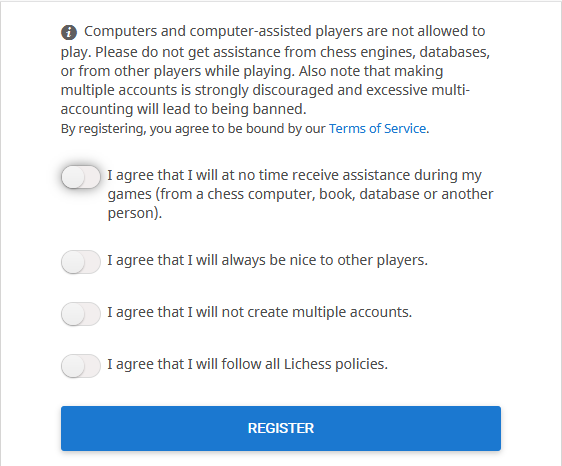
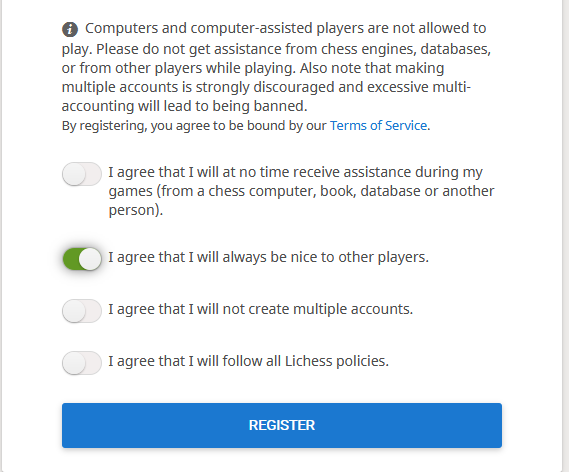
Would that be better for you @winsvold
 yafred
on 18 Dec 2020
yafred
on 18 Dec 2020
@yafred that would not fix the problem as there are different kinds of colorblindness. Protan colorblindness is when the eyes don't pick up enough red which makes red difficult to see or not even seeing it at all, but Deutan colorblindness is when the eyes don't pick up enough green, so people with Deutan colorblindness don't see green. There is also a rare form of colorblindness where the eyes don't see blue (Tritan), and then complete colorblindness where the eyes don't pick up any color at all. Since Red/Green colorblindness is the most common, it would be best to simply use check boxes or put yes/no text on the appropriate sides of the toggle instead of using red and/or green.
 ijhchess
on 19 Dec 2020
ijhchess
on 19 Dec 2020
@ijhchess I understand, but what I suggest is to change the saturation of the red and keep the saturation of the green so that there is a difference between checked and unchecked (without having to change the current implementation).
yafred
on 19 Dec 2020
@yafred this would only solve the problem for certain types of colorblindness, but the problem would remain for other types of colorblindness.
ijhchess
on 19 Dec 2020
@yafred @ijhchess How about we change it to a normal check box rather than a slider?
GauravJain98
on 19 Dec 2020
@GauravJain98 Yes I also think that would be the best.
It comes down to following question: do we spend 1 second changing the style of the current slider or do we change the implementation (time + reaction of those who like sliders 😃)
I guess it would not be a big deal if this kind of form was using check boxes.
We should look around and see if these sliders are used somewhere else
yafred
on 19 Dec 2020
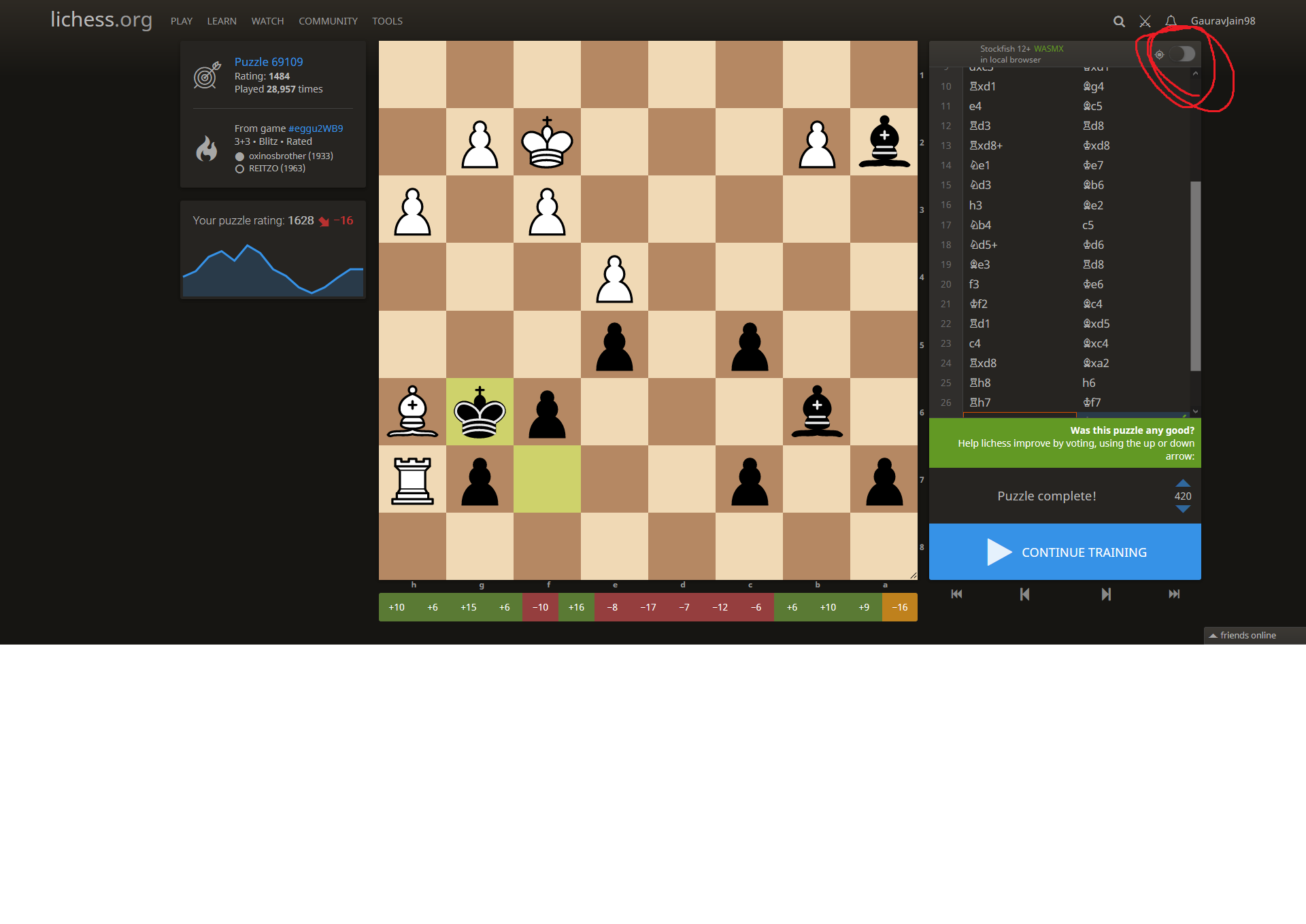
One of the main usages I feel of this slider is the analyze button. But a checkbox will feel weird in this.
We can use slider three kind of style from this https://codepen.io/bbodine1/pen/novBm
GauravJain98
on 19 Dec 2020
A lot of good thoughts here, thanks for looking into this!
As @ijhchess points out there are lots of different kinds of colorblindness, I can only speak for myself, but I actually think @yafred's suggestion is very good. I dont see if it's red or green, but there is a big difference in saturation and brightness which is enough for me. When its gray it looks disabled, when it has color (green) it darker and looks enabled. Generally its also considered good practice to not only convey meaning by color, so combined with @TBestLittleHelper I think it would be a solid solution that works for all 😊
winsvold
on 19 Dec 2020
As a sidenote: if I remember correctly, when I tried to submit the signup form without enabling the sliders, focus was set on the user name input field. I tried a couple of different usernames as I thought the error was that the name was already taken.
winsvold
on 19 Dec 2020
@winsvold yes, you are absolutely right about the visibility of the error. I noticed it in other parts of the interface (Not bugs per se, but not really following form errors best practices) ... worth keeping that in mind.
@GauravJain98 I found the slider switches in the API access token creation
Note that the problem raised by @winsvold is extra bad with a dark theme
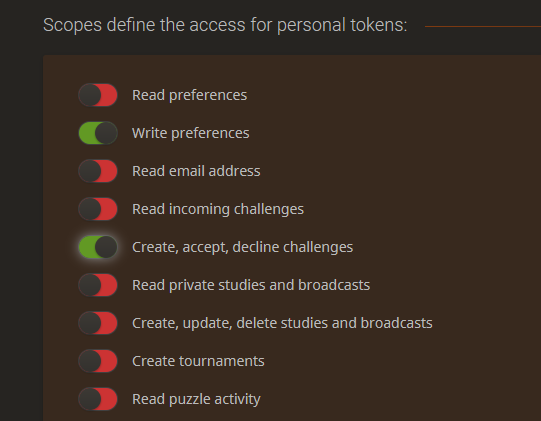
We should definitely use checkboxes there (that is what github is doing) ... or, at least, consider the dark mode in the solution.
yafred
on 19 Dec 2020
Another colorblind issue on lichess that I was recently notified about was the color contrast for the last move. The light green is extremely hard for those with deuteranomaly colorblindness to see. Picture included to show how there's barely any contrast, and the contrast can disappear altogether when someone has issues seeing green.

Edit: it appears the current opacity for the last move color is 41%. Even slightly adjusting this seems to make the contrast more noticeable, and I'll update everyone on any feedback I receive from the person who notified me about this.
ijhchess
on 28 Dec 2020
Related issues
 ShRyDeR
·
3Comments
ShRyDeR
·
3Comments
 niklasf
·
4Comments
niklasf
·
4Comments
 Cristian-A
·
3Comments
Cristian-A
·
3Comments
 Assios
·
3Comments
Assios
·
3Comments
 ddugovic
·
4Comments
ddugovic
·
4Comments