Ledger-live-desktop: Runtime error - Module.js 487 Error: Cannot find module '../dialog'
I am running Linux Mint 19.1 in standard configuration (recently installed). I recently downloaded Ledger Live and am trying to run it but receive the following error:
Ledger Live version and permissions:
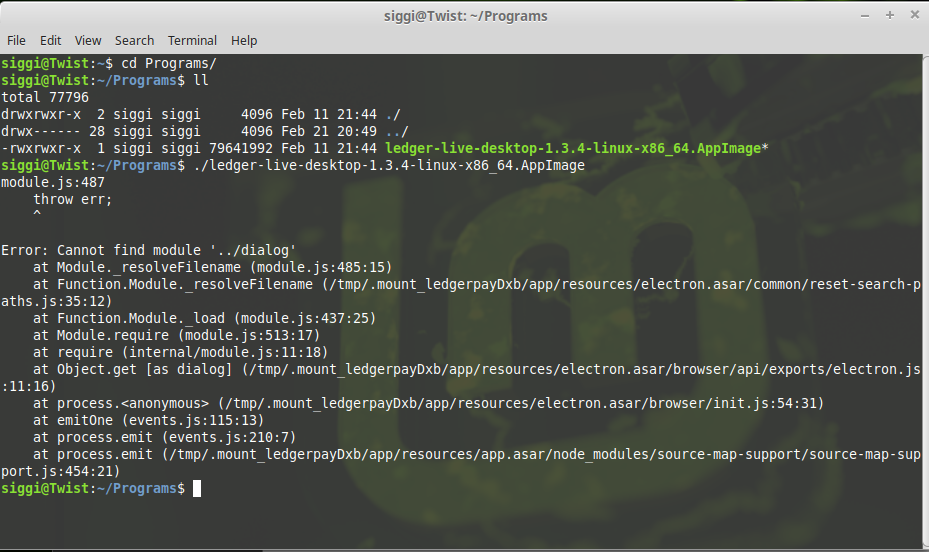
siggi@Twist:~/Programs$ ll
total 77804
drwxrwxr-x 2 siggi siggi 4096 Feb 11 21:44 ./
drwx------ 29 siggi siggi 12288 Feb 26 11:09 ../
-rwxrwxr-x 1 siggi siggi 79641992 Feb 11 21:44 ledger-live-desktop-1.3.4-linux-x86_64.AppImage*
When running the above I get the following error:
siggi@Twist:~/Programs$ ./ledger-live-desktop-1.3.4-linux-x86_64.AppImage
module.js:487
throw err;
^
Error: Cannot find module '../dialog'
at Module._resolveFilename (module.js:485:15)
at Function.Module._resolveFilename (/tmp/.mount_ledgermcN7jg/app/resources/electron.asar/common/reset-search-paths.js:35:12)
at Function.Module._load (module.js:437:25)
at Module.require (module.js:513:17)
at require (internal/module.js:11:18)
at Object.get [as dialog] (/tmp/.mount_ledgermcN7jg/app/resources/electron.asar/browser/api/exports/electron.js:11:16)
at process.
at emitOne (events.js:115:13)
at process.emit (events.js:210:7)
at process.emit (/tmp/.mount_ledgermcN7jg/app/resources/app.asar/node_modules/source-map-support/source-map-support.js:454:21)
Ledger Live Version and Operating System
OS:
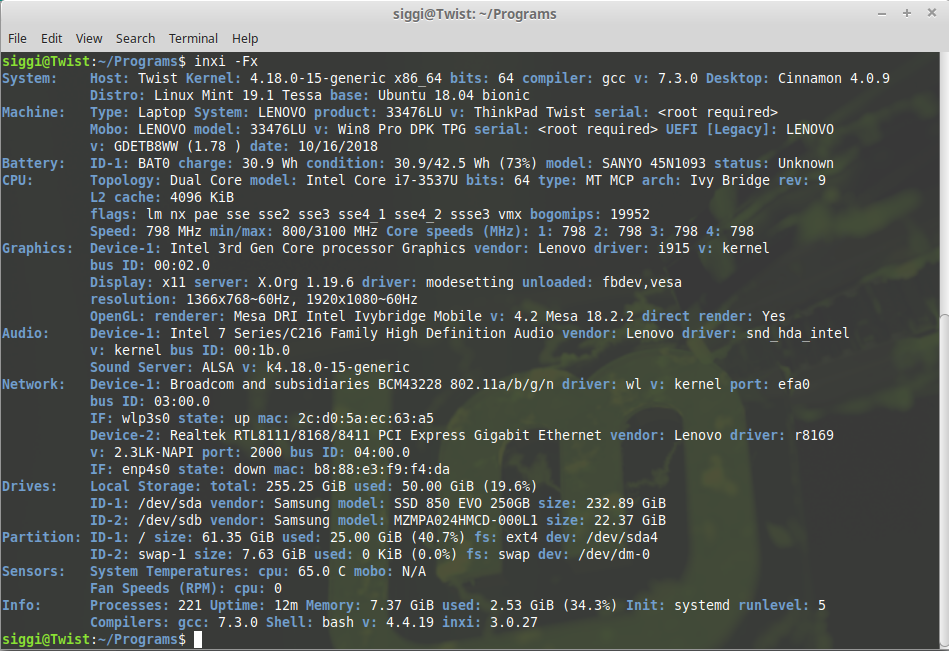
System: Host: Twist Kernel: 4.18.0-15-generic x86_64 bits: 64 compiler: gcc v: 7.3.0 Desktop: Cinnamon 4.0.9 Distro: Linux Mint 19.1 Tessa base: Ubuntu 18.04 bionic
Machine: Type: Laptop System: LENOVO product: 33476LU v: ThinkPad Twist serial:
Mobo: LENOVO model: 33476LU v: Win8 Pro DPK TPG serial:
date: 10/16/2018
CPU: Topology: Dual Core model: Intel Core i7-3537U bits: 64 type: MT MCP arch: Ivy Bridge rev: 9 L2 cache: 4096 KiB
flags: lm nx pae sse sse2 sse3 sse4_1 sse4_2 ssse3 vmx bogomips: 19952
Speed: 799 MHz min/max: 800/3100 MHz Core speeds (MHz): 1: 798 2: 798 3: 798 4: 798
Graphics: Device-1: Intel 3rd Gen Core processor Graphics vendor: Lenovo driver: i915 v: kernel bus ID: 00:02.0
Display: x11 server: X.Org 1.19.6 driver: modesetting unloaded: fbdev,vesa
resolution: 1366x768~60Hz, 1920x1080~60Hz
OpenGL: renderer: Mesa DRI Intel Ivybridge Mobile v: 4.2 Mesa 18.2.2 direct render: Yes
Audio: Device-1: Intel 7 Series/C216 Family High Definition Audio vendor: Lenovo driver: snd_hda_intel v: kernel
bus ID: 00:1b.0
Sound Server: ALSA v: k4.18.0-15-generic
Info: Processes: 228 Uptime: 3h 21m Memory: 7.37 GiB used: 3.33 GiB (45.2%) Init: systemd runlevel: 5 Compilers:
gcc: 7.3.0 Shell: bash v: 4.4.19 inxi: 3.0.27
siggi@Twist:~/Programs$ echo $PATH
/home/siggi/bin:/usr/local/sbin:/usr/local/bin:/usr/sbin:/usr/bin:/sbin:/bin:/usr/games:/usr/local/games
I don't think the udev rules have anything to do with this error but here you have them as well:
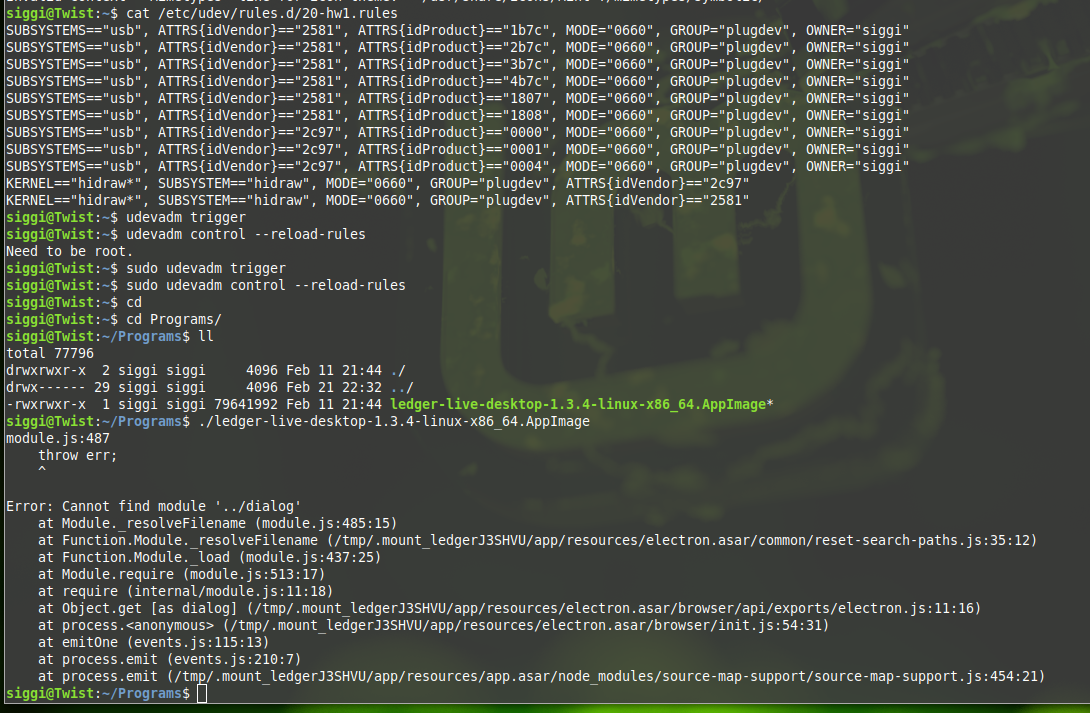
siggi@Twist:~/Programs$ cat /etc/udev/rules.d/20-hw1.rules
SUBSYSTEMS=="usb", ATTRS{idVendor}=="2581", ATTRS{idProduct}=="1b7c", MODE="0660", GROUP="plugdev", OWNER="siggi"
SUBSYSTEMS=="usb", ATTRS{idVendor}=="2581", ATTRS{idProduct}=="2b7c", MODE="0660", GROUP="plugdev", OWNER="siggi"
SUBSYSTEMS=="usb", ATTRS{idVendor}=="2581", ATTRS{idProduct}=="3b7c", MODE="0660", GROUP="plugdev", OWNER="siggi"
SUBSYSTEMS=="usb", ATTRS{idVendor}=="2581", ATTRS{idProduct}=="4b7c", MODE="0660", GROUP="plugdev", OWNER="siggi"
SUBSYSTEMS=="usb", ATTRS{idVendor}=="2581", ATTRS{idProduct}=="1807", MODE="0660", GROUP="plugdev", OWNER="siggi"
SUBSYSTEMS=="usb", ATTRS{idVendor}=="2581", ATTRS{idProduct}=="1808", MODE="0660", GROUP="plugdev", OWNER="siggi"
SUBSYSTEMS=="usb", ATTRS{idVendor}=="2c97", ATTRS{idProduct}=="0000", MODE="0660", GROUP="plugdev", OWNER="siggi"
SUBSYSTEMS=="usb", ATTRS{idVendor}=="2c97", ATTRS{idProduct}=="0001", MODE="0660", GROUP="plugdev", OWNER="siggi"
SUBSYSTEMS=="usb", ATTRS{idVendor}=="2c97", ATTRS{idProduct}=="0004", MODE="0660", GROUP="plugdev", OWNER="siggi"
KERNEL=="hidraw", SUBSYSTEM=="hidraw", MODE="0660", GROUP="plugdev", ATTRS{idVendor}=="2c97"
KERNEL=="hidraw", SUBSYSTEM=="hidraw", MODE="0660", GROUP="plugdev", ATTRS{idVendor}=="2581
- tested on Ledger Live version_here
-rwxrwxr-x 1 siggi siggi 79641992 Feb 11 21:44 ledger-live-desktop-1.3.4-linux-x86_64.AppImage* - Platform and version: e.g. Mac 10.13.5 / Windows 10 / ..
Linux System: Host: Twist Kernel: 4.18.0-15-generic x86_64 bits: 64 compiler: gcc v: 7.3.0 Desktop: Cinnamon 4.0.9 Distro: Linux Mint 19.1 Tessa base: Ubuntu 18.04 bionic
Expected behavior
The application should run
Actual behavior
Runtime error as described above
Steps to reproduce the behavior
Install Linux Mint 19.1. Update all. Download Ledger Live + make executable + run
 sipalsson
All 6 comments
Hey @sipalsson , thanks for the details. This error seems relatable to having multiple instance of the app launched at the same time (maybe it's just detached process). I guess it can happen if the application failed to close properly.
Can you ensure that you have no other Ledger Live process running? or to be completely sure, do you reproduce after a reboot?
relatable:
 meriadec
on 26 Feb 2019
meriadec
on 26 Feb 2019
Hi LedgerHQ/ledger-live-desktop
Thank you for the quick response.
I performed a quick reboot. Once up, opened terminal and ran the program
with exactly the same error as before.
Best regards, Sigurdur.
On Tue, 26 Feb 2019 at 14:59, Meriadec Pillet notifications@github.com
wrote:
Hey @sipalsson https://github.com/sipalsson , thanks for the details.
This error seems relatable to having multiple instance of the app launched
at the same time (maybe it's just detached process). I guess it can happen
if the application failed to close properly.Can you ensure that you have no other Ledger Live process running? or to
be completely sure, do you reproduce after a reboot?relatable:
- Foundry376/Mailspring#152
https://github.com/Foundry376/Mailspring/issues/152- electron/electron#2488
https://github.com/electron/electron/issues/2488- johannesjo/super-productivity#30
https://github.com/johannesjo/super-productivity/issues/30—
You are receiving this because you were mentioned.
Reply to this email directly, view it on GitHub
https://github.com/LedgerHQ/ledger-live-desktop/issues/1831#issuecomment-467448227,
or mute the thread
https://github.com/notifications/unsubscribe-auth/AtynvMCAQ5JdOW7_hNe-Ql-PRUZjgIikks5vRT2ugaJpZM4bSNqg
.
--
Regards
Sigurður Ingi Pálsson
sigurdur.[email protected]
Tel: +45 5015 1620
sipalsson
on 26 Feb 2019
I got exactly the same issue on customised Lubuntu 18.10. installation. There was non existing path under user profile.config\ for the Ledger live. As I am running Live customised DVD, I have created a link for the Ledger Live folder pointing to the external USB drive. Whenever this device is not attached the running of Ledger Live appimage fails with the error message reported above.
Problem is of course very easy to fix. Remove the non existing link to the Ledger Live folder create another valid symlink or just leave to the Ledger to create a valid folder under .config.
 just4github
on 15 Apr 2019
just4github
on 15 Apr 2019
The same error is triggered if your Ledger Live folder permission is not readable and/or writable. Again it is easy to "fix" it with
as root execute
chmod -R 700 /home/USER/.config/Ledger\ Live
chown -R user:group /home/USER/.config/Ledger\ Live
just4github
on 23 Apr 2019
thanks @just4github - worked for me too
 conscott
on 13 Jan 2020
conscott
on 13 Jan 2020
We expect this to be fixed in context of a big rework that just got merged. we'll reopen in this does not fix in the next release #2596
 gre
on 20 Feb 2020
gre
on 20 Feb 2020
Related issues
 MaTthyU
·
4Comments
MaTthyU
·
4Comments
 skyrbs
·
3Comments
skyrbs
·
3Comments
 Camiyo
·
3Comments
Camiyo
·
3Comments
 ghost
·
4Comments
ghost
·
4Comments
 staticfrost
·
4Comments
staticfrost
·
4Comments
Most helpful comment
The same error is triggered if your Ledger Live folder permission is not readable and/or writable. Again it is easy to "fix" it with
as root execute
chmod -R 700 /home/USER/.config/Ledger\ Live
chown -R user:group /home/USER/.config/Ledger\ Live