Ledger-live-desktop: Could not connect to device Ubuntu
Ledger Live Version and Operating System
- tested on Ledger Live ledger-live-desktop-1.2.6-linux-x86_64
- Platform and version: e.g. Ubuntu 16.04 LTS.
Expected behavior
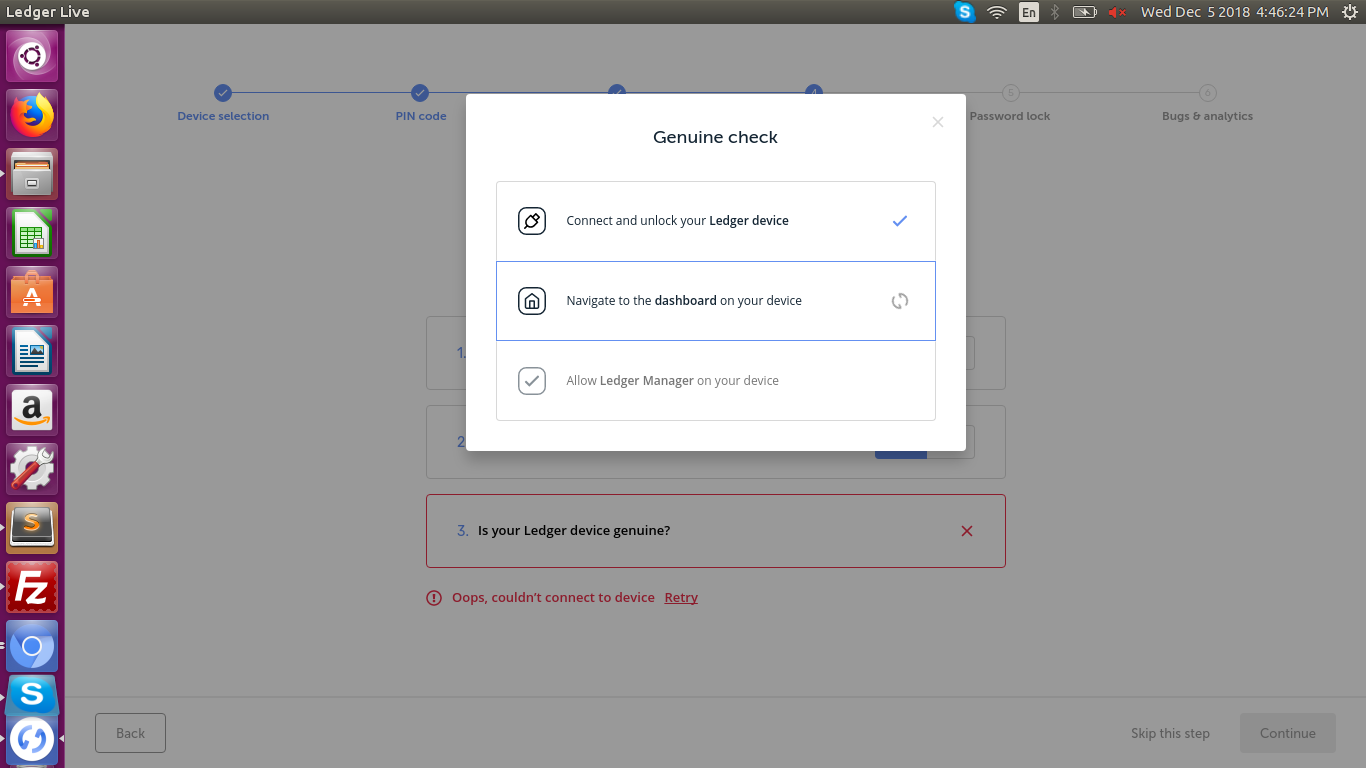
I am stuck at the same point every time "Oops, couldn’t connect to device".
I restarted my PC, change internet connect, re-downloaded ledger live, Change USB Port, Plug in Plug Out but still not working for me. For details please check the screenshot.

Steps to reproduce the behavior
 skyrbs
All 3 comments
Can you check this: https://github.com/meriadec/nanos-linux-install-instructions/blob/master/README.md
 meriadec
on 5 Dec 2018
meriadec
on 5 Dec 2018
Can you check this: https://github.com/meriadec/nanos-linux-install-instructions/blob/master/README.md
Thanks for your instructions. It is working.
If anyone facing this issue run below command...
sudo wget -q -O - https://raw.githubusercontent.com/LedgerHQ/udev-rules/master/add_udev_rules.sh | sudo bash
skyrbs
on 5 Dec 2018
yep :+1: . it's specified on our support page https://support.ledgerwallet.com/hc/en-us/articles/115005165269-Fix-connection-issues
meriadec
on 5 Dec 2018
Related issues
 nicolasbigot
·
3Comments
nicolasbigot
·
3Comments
 mautematico
·
4Comments
mautematico
·
4Comments
 BTCYamakaza
·
4Comments
BTCYamakaza
·
4Comments
 Camiyo
·
3Comments
Camiyo
·
3Comments
 ghost
·
4Comments
ghost
·
4Comments
Most helpful comment
If anyone facing this issue run below command...
sudo wget -q -O - https://raw.githubusercontent.com/LedgerHQ/udev-rules/master/add_udev_rules.sh | sudo bash