Kitematic: Kitematic setup fails if used behind a proxy
On mac on a proxy setup, the kitematic doesn't give a proper error that it cannot find an internet connection. Only if you run the commandline you will see it is trying to reach the api or something. (So http_proxy vars might need to be set etc, in order for it to work?)
Anyways, just feedback, since the button suggested that in kitematic ;)
 riemers
All 21 comments
This should be fixed in 0.5.18 as we no longer need to download boot2docker.iso
 jmorganca
on 20 Apr 2015
jmorganca
on 20 Apr 2015
Hey,
not sure if it's really fixed. I have to use (setup) Kitematic behind a proxy, but i'm getting this error:
getaddrinfo ENOTFOUND github.com
github.com:443
Any idea?
 MatthiasLohr
on 21 May 2015
MatthiasLohr
on 21 May 2015
When defining http_proxy/https_proxy variables:
tunneling socket could not be established, cause=write EPROTO
@MatthiasLohr Are you seeing this error if just installing Docker machine from command line?
 mchiang0610
on 21 May 2015
mchiang0610
on 21 May 2015
I'm seeing the first error while trying to install Kitematic app started via finder in a proxy environment.
The second error occurs on calling the setup with http_proxy=... https_proxy=... open Kitematic.app.
MatthiasLohr
on 21 May 2015
@MatthiasLohr It seems like the proxy is not giving you access to GitHub (where Kitematic may pull data).
mchiang0610
on 21 May 2015
The proxy has no problem with GitHub... i can use GitHub via proxy in Google Chrome and Firefox...
Maybe an authentication problem? I configured the proxy URL with credentials (http://username:[email protected]:8080/). Does Kitematic use this credentials?
MatthiasLohr
on 22 May 2015
@MatthiasLohr Thanks for the update. This should be a Docker machine problem. We're looking for a fix.
mchiang0610
on 22 May 2015
Merging with #1031 and #1029
mchiang0610
on 12 Sep 2015
 FugDev
on 12 Sep 2015
FugDev
on 12 Sep 2015
If anyone still has problems with this on Mac or Windows 10+, please contact me at [email protected].
We are working on something to help address this issue.
mchiang0610
on 15 Mar 2016
Not sure if its the same problem, but I'm just started running the docker beta for Windows, and get the following error when I launch the downloaded version of Kitematic. Any thoughts?

 schergr
on 5 May 2016
schergr
on 5 May 2016
@schergr Some recent changes in networking broke it - Currently working on a fix which should be released Monday.
Thanks
 FrenchBen
on 6 May 2016
FrenchBen
on 6 May 2016
Error in version 0.10.3

``
 Opticcenter
on 15 May 2016
Opticcenter
on 15 May 2016
@Opticcenter with the Release of Docker for Mac/Windows, we check the native install first - If that isn't there, you have the ability to move forward and use the virtualbox installation instead.
FrenchBen
on 16 May 2016
hy , I've same error on ubuntu 17.04 !
 punix81
on 11 Aug 2017
punix81
on 11 Aug 2017
Have a solution for this issue?
 paesjoaopaulo
on 11 Oct 2017
paesjoaopaulo
on 11 Oct 2017
Hi,
I'm new to Docker Windows. I'm using windows 7 on my corporate machine and I tried all the ways mentioned in all the blogs but no success yet.
When I run Docker Quickstart terminal I see the below
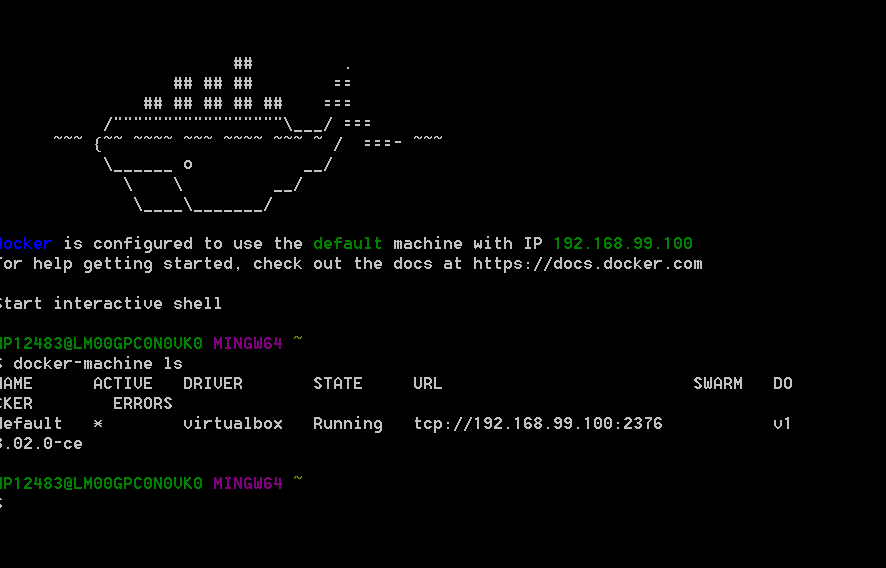
And when I run Kitematic I see the below error

My machine specifications are:
Lenovo Thinkpad, Windows 7 Enterprise 64bit
Kindly let me know what can i do to resolve this please!
 dbops005
on 27 Feb 2018
dbops005
on 27 Feb 2018
I too am facing the same issue where I am not able to login to dockerhub.

Can someone please help ?
 Avdhoot01
on 14 Aug 2018
Avdhoot01
on 14 Aug 2018
You must configure http-proxy.conf .
On ubuntu edit or create /etc/systemd/system/docker.service.d/http-proxy.conf
like this :
        [Service]
        Environment="http_proxy=http://your.proxy:your.port"
        Environment="https_proxy=http://your.proxy:your.port"
        Environment="no_proxy=127.0.0.1, localhost, your.no_proxy"
        ExecStart=
        ExecStart=/usr/bin/dockerd --dns 131.102.100.110 --dns 131.102.37.142 --dns 8.8.8.8 --dns 8.8.4.4 -H fd://
if you are facing this in windows: in command prompt go to kitematic exe location. then do following
set set HTTP_PROXY=http://UN:PWD@host:port
set set HTTPS_PROXY=http://UN:PWD@host:port [note the same here]
then run kitematic.exe, it should work.
 praveendait
on 7 Aug 2019
praveendait
on 7 Aug 2019
Related issues
 ClemMakesApps
·
3Comments
ClemMakesApps
·
3Comments
 natery2000
·
3Comments
natery2000
·
3Comments
 EugeneKrapivin
·
4Comments
EugeneKrapivin
·
4Comments
 noahgift
·
3Comments
noahgift
·
3Comments
 matteo-bombelli
·
3Comments
matteo-bombelli
·
3Comments
Most helpful comment
hy , I've same error on ubuntu 17.04 !